Introduction
I addressed storage QoS in Windows Server 2012 R2 at length in a coupe of blog posts quite a while ago:
I love the capability and I use it in real life. I also discussed where we were still lacking features and capabilities. I address the fact that there is no multiple host QoS, there is no cluster wide QoS and there is no storage wide QoS in Windows. On top of that, if there is QoS in the storage array (not many have that) most of the time this has no knowledge of Hyper-V, the cluster and the virtual machines. There is one well know exception and that GridStore, possible the only storage vendor that doesn’t treat Hyper-V as a second class citizen.
Any decent storage QoS that not only provides maximums but also minimums, does this via policies and is cluster and hypervisor even virtual machine aware. It needs to be easy to implement and mange. This is not a very common feature. And if it’s exists it’s is tied to the storage vendor, most of the time a startup or challenger.
Windows Server 2016
In Windows Server 2016 they are taking a giant step for all mankind in addressing these issues. At least in my humble opinion. You can read more here:
Basically Microsoft enables us to define IOPs management policies for virtual machines based on virtual hard disks and IOPs reserves and limits. These are shared by a group of virtual machines / virtual hard disks. We can have better resource allocation between VMs, or groups of VMs. These could be high priority VMs or VMs belonging to an platinum customer /tenant. Storage QoS enhances what we already have since Windows Server 2012 R2. It enables us to monitor and enforce performance thresholds via policies on groups of VMs or individual VMs.
Great for SLA’s but also to make sure a run away VM that’s doing way to much IO doesn’t negatively impact the other VMs and customers on the cluster. They did this via via a Centralized Policy Controller. Microsoft Research really delivered here I would dare say. A a public cloud provider they must have invested a lot in this capability.
At Ignite 2015 there was a great session by Senthil Rajaram and Jose Barreto on this subject. Watch it for some more details.
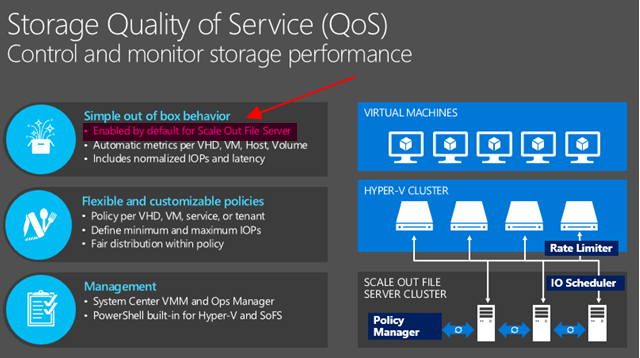
What caught my eye after attending and watching sessions, talking to MSFT at the boot was the following marked in red.
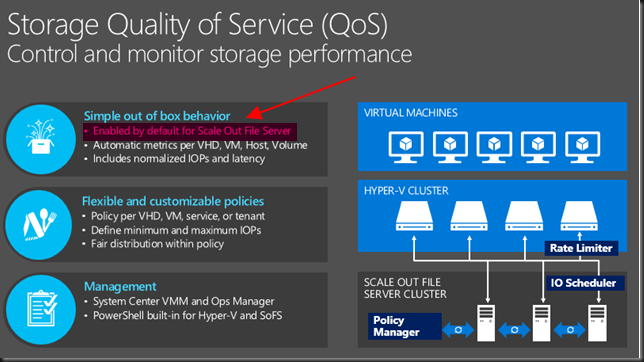
So not enabled by default on non SOFS storage but can you enable it on your block level CSV Hyper-V cluster? There is a lot of focus on Microsoft providing Storage QoS for SOFS. Which ties into the “common knowledge” that virtualization and LUNs are a bad idea, you need file share and insights into the files of the virtual machines to put intelligence into the hypervisor or storage system right? Well perhaps no! I Windows Server 2016 there is now also the ability to provide it to any block level storage you use for Hyper-V. Yes your low end iSCSI SAN or your high End 16Gbps FC SAN … as long as it’s leveraging CVS (and you should!). Yes, this is what they state in an awesome interview with my Fellow Hyper-V MVP Carsten Rachfahl at Ignite 2015.
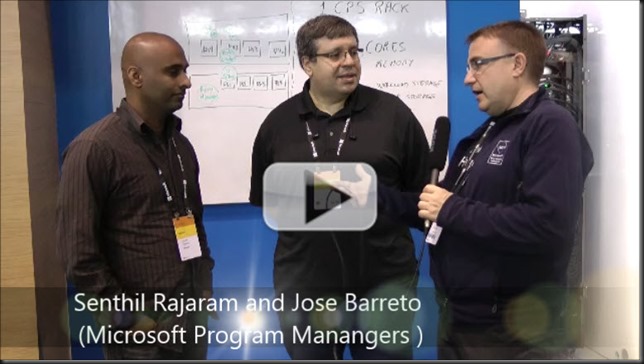
Senthil and Jose look happy and proud. They should be. I’m happy and proud of them actually as to me this is huge. This information is also in the TechNet guide Storage Quality of Service in Windows Server Technical Preview
Storage QoS supports two deployment scenarios:
Hyper-V using a Scale-Out File Server This scenario requires both of the following:
- Storage cluster that is a Scale-Out File Server clusterCompute cluster that has least one server with the Hyper-V role enabled.
- For Storage QoS, the Failover Cluster is required on Storage, but optional on Compute. All servers (used for both Storage and Compute) must be running Windows Server Technical Preview.
Hyper-V using Cluster Shared Volumes. This scenario requires both of the following:
- Compute cluster with the Hyper-V role enabled
- Hyper-V using Cluster Shared Volumes (CSV) for storage
Failover Cluster is required. All servers must be running Windows Server Technical Preview.
So let’s have a quick go following the TechNet guide on a lab cluster leveraging CSV over FC with a Dell Compellent.
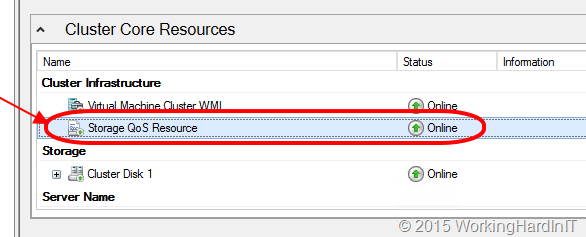
Which give me running Storage QoS Resource
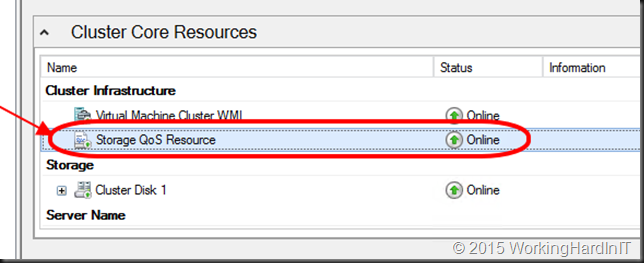
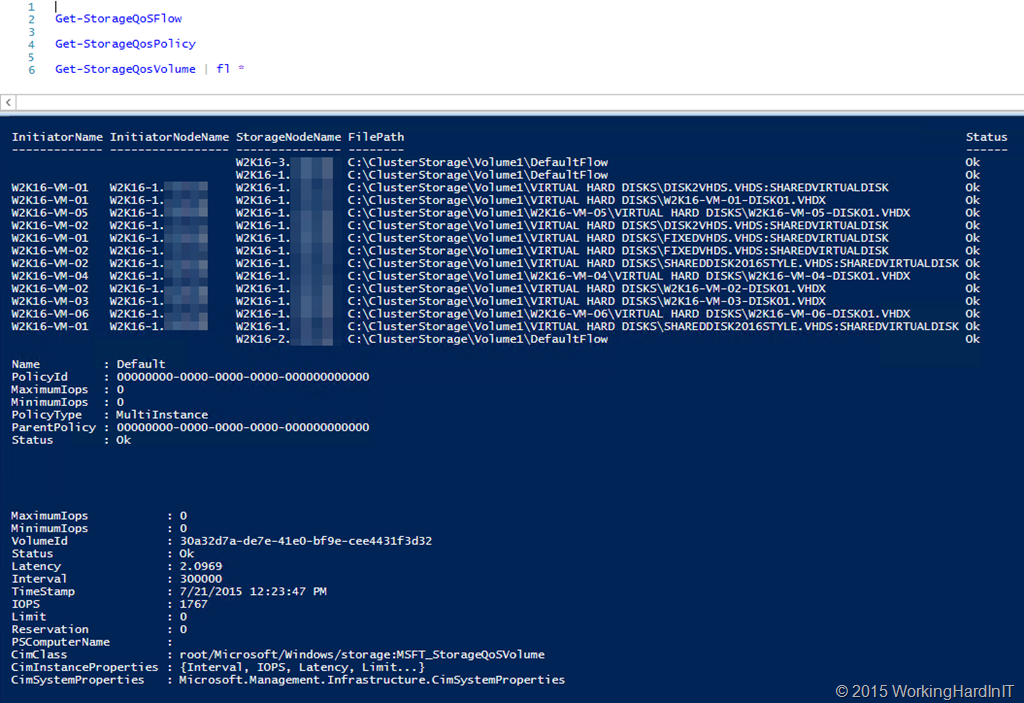
And I can play with my new PoSh Commands … Get-StorageFlowQos, Get-StorageQosPolicy and Get-StorageQosVolume …
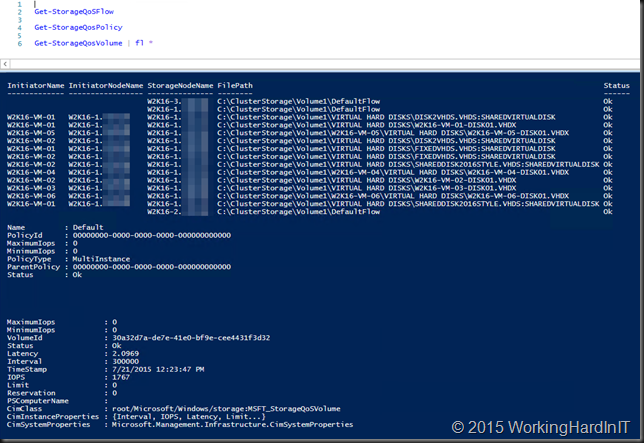
The guide is full of commands, examples and tips. Go play with it. It’s great stuff  . I’ll blog more as I experiment.
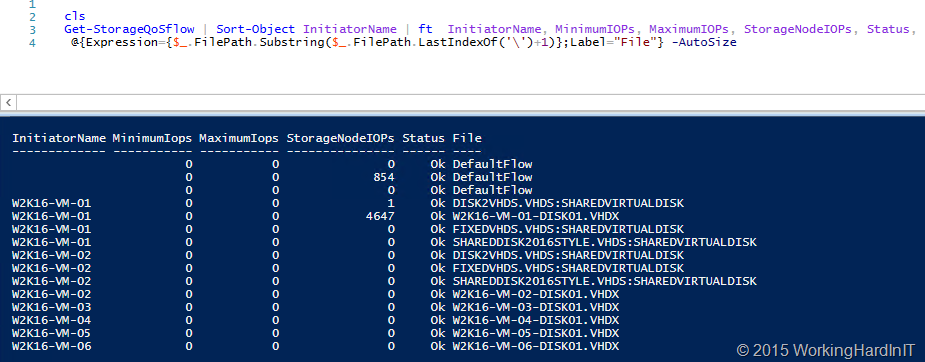
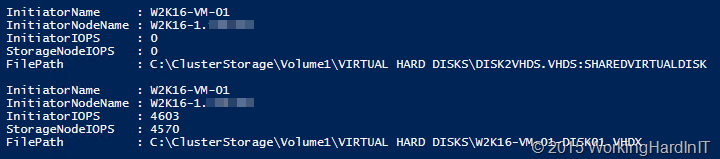
Here’s my test VMs doing absolutely nothing, bar one on which I’m generating traffic. Even without a policy set it shows the IOPS the VM is responsible for on the storage node.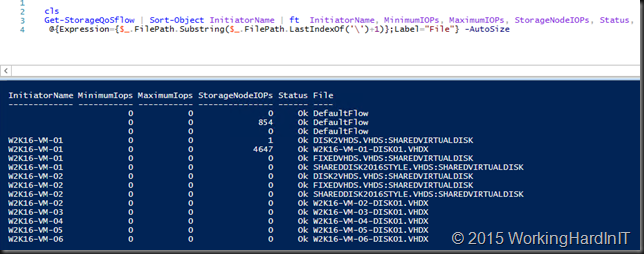
Yu can dive into this command and get details about what virtual disk on what volume are contributing to the this per storage node.
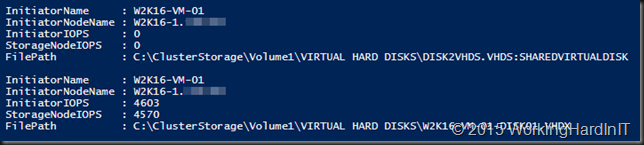
More later no doubt but here I just wanted to share this as to me this is very important! You can have the cookie of your choice and eat it to! So the storage can be:
- SOFS provided (with PCI RAID, Shared SAS, FC, FCoE, ISCI storage as backend storage) that doesn’t matter. In this case Hyper-V nodes can be clustered or stand alone
- The storage can be any other block level storage: iSCSI/FC/FCoE it doesn’t matter as long as you use CSVs. So yes this is clustered only. That Storage QoS Resource has to run somewhere.
You know that saying that you can’t do storage QoS on a LUN as they can’t be tweaked to the individual VM and virtual hard disks? Well, that’s been busted as myth it seems.
What’s left? Well if you have SOFS against a SAN or block level storage you cannot know if the storage is being used for other workloads that are not Hyper-V, policies are not cross cluster and stand alone hosts are a no go without SOFS. The cluster is a requirement for this to work with non SOFS Hyper-V deployments. Also this has no deep knowledge or what’s happening inside of your storage array. So it knows how much IOPS you get, but it’s actually unaware of the total IOPS capability of the entire storage system or controller congestion etc. Is that a big show stopper? No. The focus here is on QoS for virtualization. The storage arrays storage behavior is always in flux anyway. It’s unpredictable by nature. Storage QoS is dynamic and it looks pretty darn promising to me! People this is just great. Really great and it’s very unique as far as I can say. Microsoft, you guys rock.


 The end result is a lab at home on PC hardware and an enterprise grade lab to work with in the datacenter. Busy times ahead.