So you’ve expanded the virtual disk (VHD/VHDX) of a virtual machine that has checkpoints (or snapshots as they used to be called) on it. Did you forget about them? Did you really leave them lingering around for that long? Bad practice and not supported (we don’t have production snapshots yet, that’s for Windows Server 2016). Anyway your virtual machine won’t boot. Depending on the importance of that VM you might be chewed out big time or ridiculed. But what if you don’t have a restore that works? Suddenly it’s might have become a resume generating event.
All does not have to be lost. Their might be hope if you didn’t panic and made even more bad decisions. Please, if you’re unsure what to do, call an expert, a real one, or at least some one who knows real experts. It also helps if you have spare disk space, the fast sort if possible and a Hyper-V node where you can work without risk. We’ll walk you through the scenarios for both a VHDX and a VHD.
How did you get into this pickle?
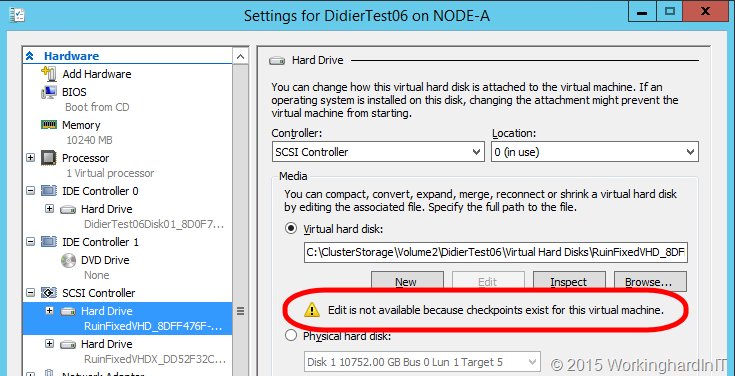
If you go to the Edit Virtual Hard Disk Wizard via the VM settings it won’t allow for that if the VM has checkpoints, whether the VM is online or not.
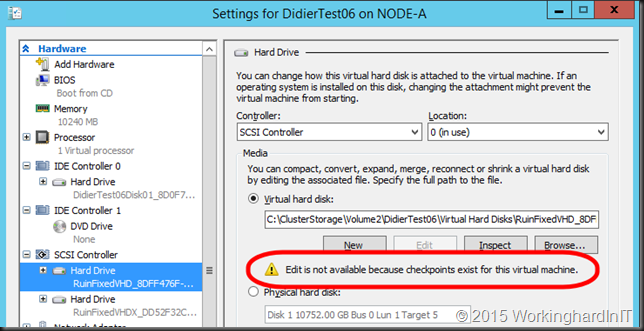
VHDs cannot be expanded on line. If the VM had checkpoints it must have been shut down when you expanded the VHD. If you went to the Edit Disk tool in Hyper-V Manager directly to open up the disk you don’t get a warning. It’s treated as a virtual disk that’s not in use. Same deal if you do it in PowerShell
Resize-VHD -Path “C:\ClusterStorage\Volume2\DidierTest06\Virtual Hard Disks\RuinFixedVHD.vhd” -SizeBytes 15GB
That just works.
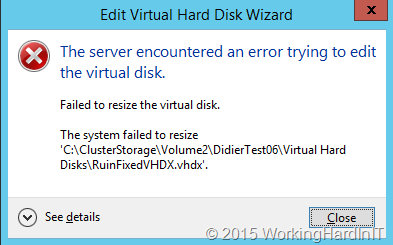
VHDXs can be expanded on online if they’re attached to a vSCSI controller. But if the VM has checkpoints it will not allow for expanding.
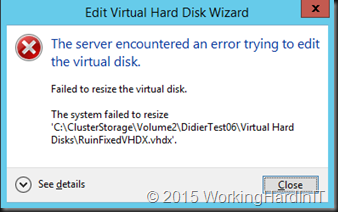
So yes, you deliberately shut it down to be able to do it with the the Edit Disk tool in Hyper-V Manager. I know, the warning message was not specific enough but consider this. The Edit disk tool when launched directly has no idea of what the disk you’re opening is used for, only if it’s online / locked.
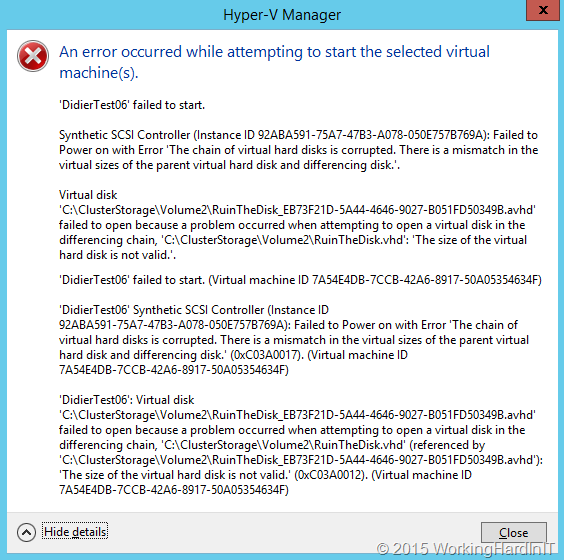
Anyway the result is the same for the VM whether it was a VHD or a VHDX. An error when you start it up.
[Window Title]
Hyper-V Manager
[Main Instruction]
An error occurred while attempting to start the selected virtual machine(s).
[Content]
‘DidierTest06’ failed to start.
Synthetic SCSI Controller (Instance ID 92ABA591-75A7-47B3-A078-050E757B769A): Failed to Power on with Error ‘The chain of virtual hard disks is corrupted. There is a mismatch in the virtual sizes of the parent virtual hard disk and differencing disk.’.
Virtual disk ‘C:\ClusterStorage\Volume2\DidierTest06\Virtual Hard Disks\RuinFixedVHD_8DFF476F-7A41-4E4D-B41F-C639478E3537.avhd’ failed to open because a problem occurred when attempting to open a virtual disk in the differencing chain, ‘C:\ClusterStorage\Volume2\DidierTest06\Virtual Hard Disks\RuinFixedVHD.vhd’: ‘The size of the virtual hard disk is not valid.’.
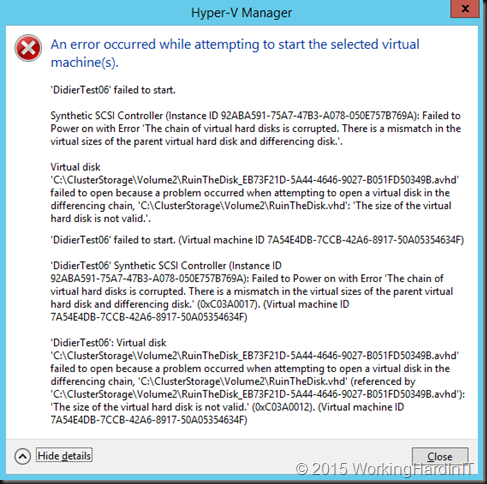
You might want to delete the checkpoint but the merge will only succeed for the virtual disk that have not been expanded. You actually don’t need to do this now, it’s better if you don’t, it saves you some stress and extra work. You could remove the expanded virtual disks from the VM. It will boot but in many cased the missing data on those disks are very bad news. But al least you’ve proven the root cause of your problems.
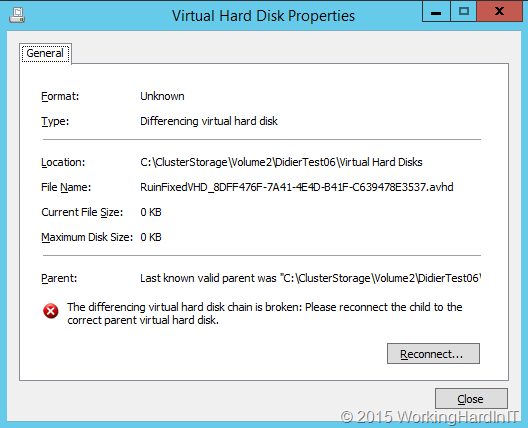
If you inspect the AVVHD/AVHDX file you’ll get an error that states
The differencing virtual disk chain is broken. Please reconnect the child to the correct parent virtual hard disk.
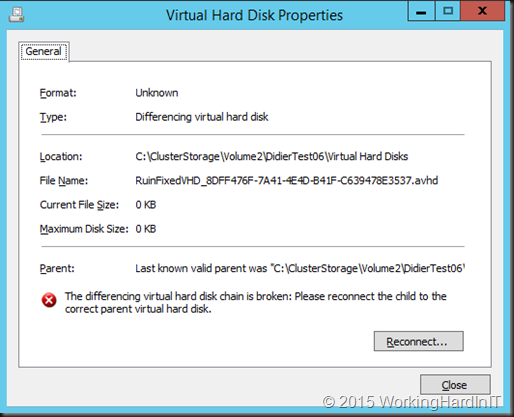
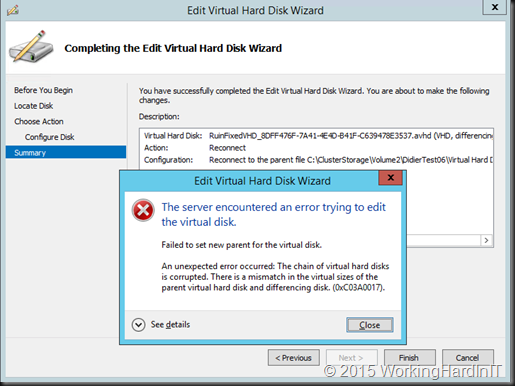
However attempting to do so will fail in this case.
Failed to set new parent for the virtual disk.
The Hyper-V Virtual Machine Management service encountered an unexpected error: The chain of virtual hard disks is corrupted. There is a mismatch in the virtual sizes of the parent virtual hard disk and differencing disk. (0xC03A0017).
Is there a fix?
Let’s say you don’t have a backup (shame on you). So now what? Make copies of the VHDX/AVHDX or VHD/AVHD and save guard those. You can also work on copies or on the original files.I’ll just the originals as this blog post is already way too long. If you. Note that some extra disk space and speed come in very handy now. You might even copy them of to a lab server. Takes more time but at least you’re not working on a production host than.
Working on the original virtual disk files (VHD/AVHD and / or VHDX/AVHDX)
If you know the original size of the VHDX before you expanded it you can shrink it to exactly that. If you don’t there’s PowerShell to the rescue if you want to find out the minimum size.

But even better you can shrink it to it’s minimum size, it’s a parameter!
Resize-VHD -Path “C:\ClusterStorage\Volume2\DidierTest06\Virtual Hard Disks\RuinFixedVHD.vhd” -ToMinimumSize
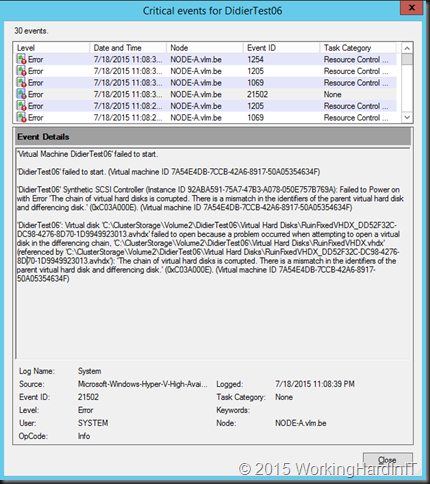
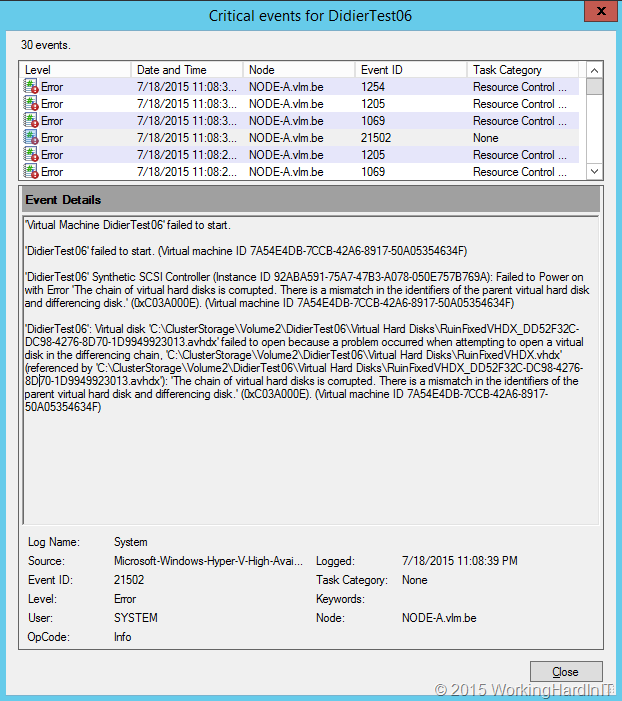
Now you not home yet. If you restart the VM right now it will fail … with the following error:
‘DidierTest06’ failed to start. (Virtual machine ID 7A54E4DB-7CCB-42A6-8917-50A05354634F)
‘DidierTest06’ Synthetic SCSI Controller (Instance ID 92ABA591-75A7-47B3-A078-050E757B769A): Failed to Power on with Error ‘The chain of virtual hard disks is corrupted. There is a mismatch in the identifiers of the parent virtual hard disk and differencing disk.’ (0xC03A000E). (Virtual machine ID 7A54E4DB-7CCB-42A6-8917-50A05354634F)
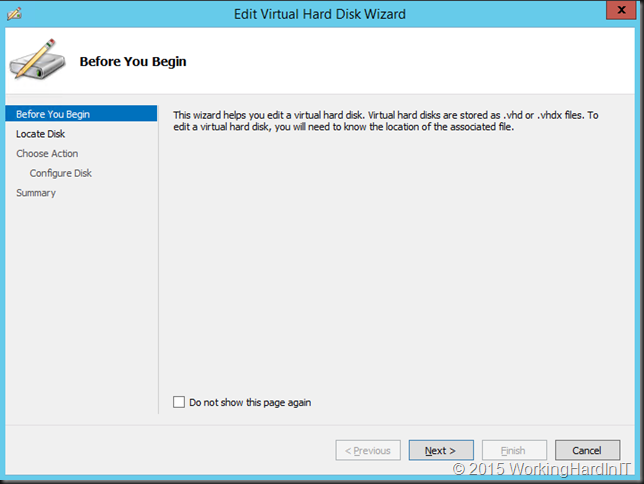
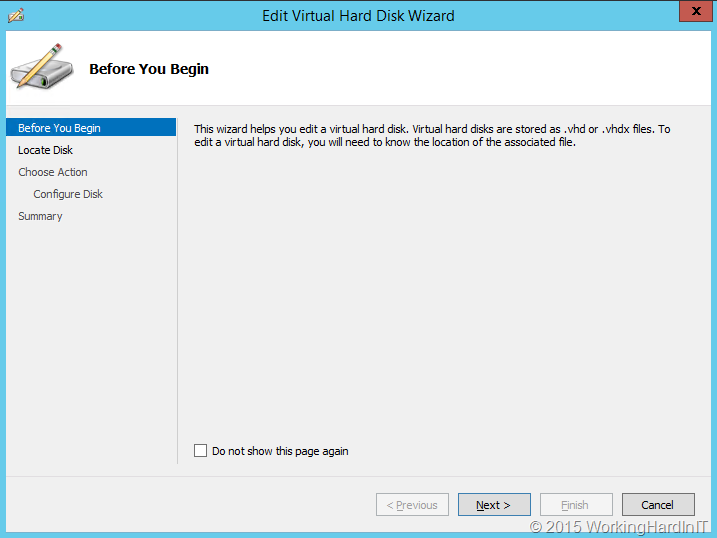
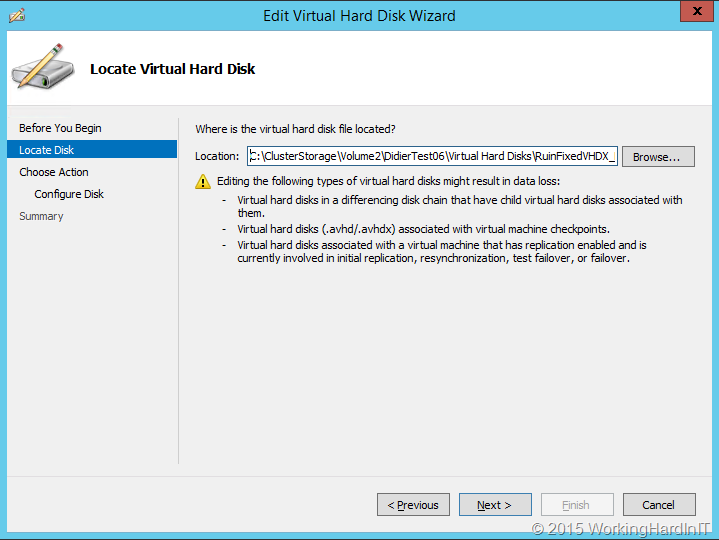
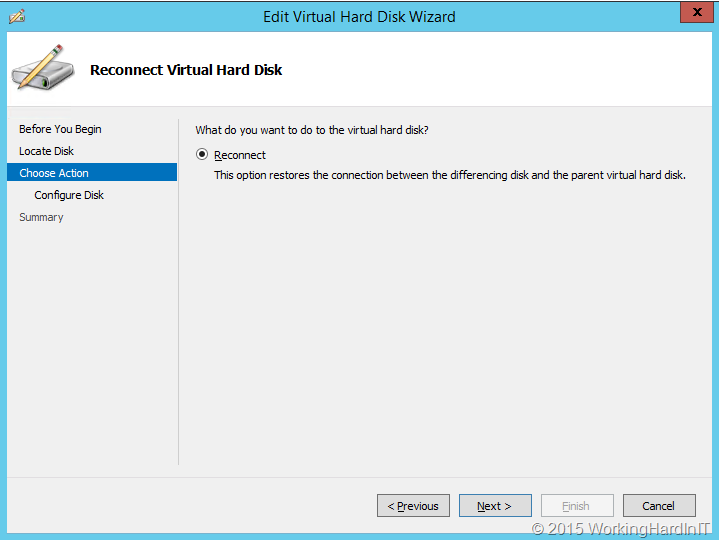
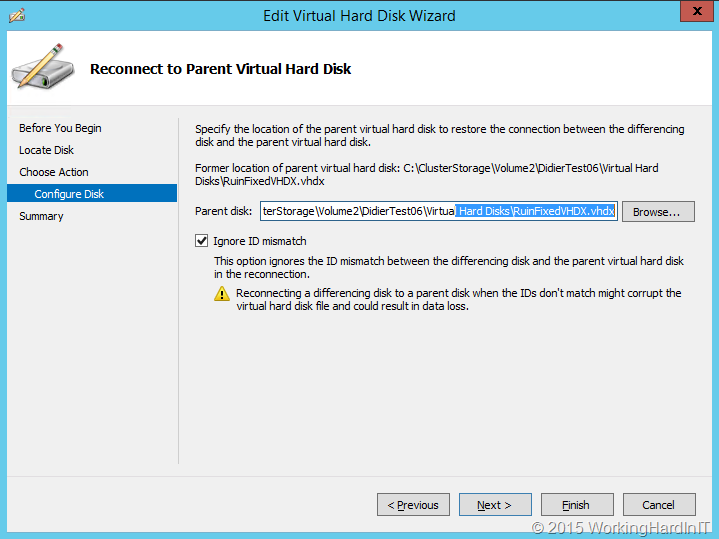
What you need to do is reconnect the AVHDX to it’s parent and choose to ignore the ID mismatch. You can do this via Edit Disk in Hyper-V Manager of in PowerShell. For more information on manually merging & repairing checkpoints see my blogs on this subject here. In this post I’ll just show the screenshots as walk through.
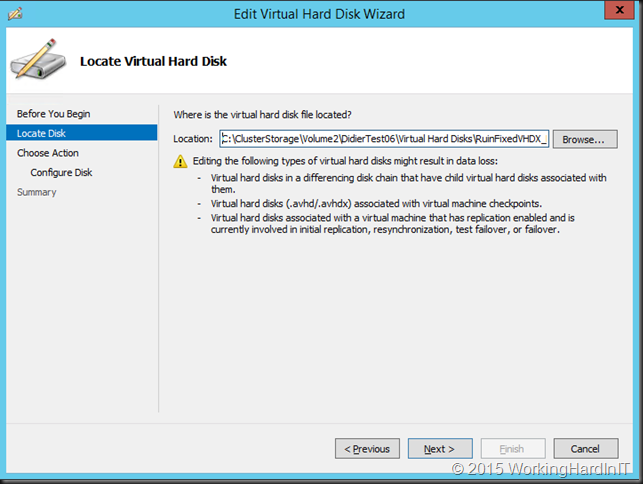
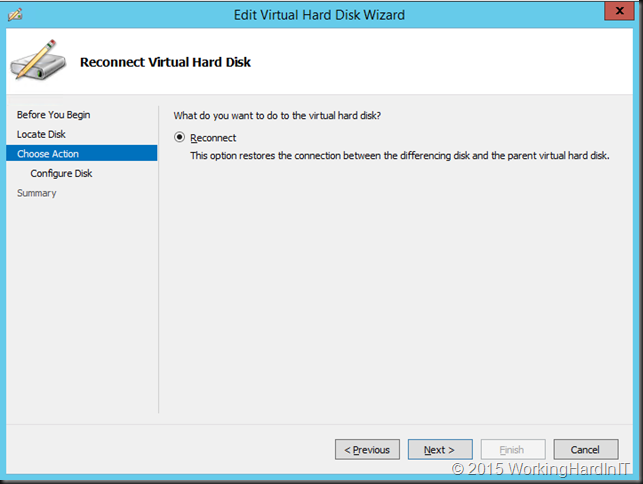
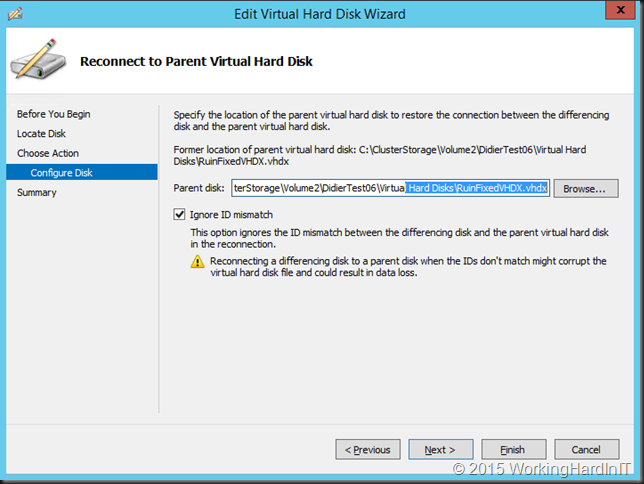
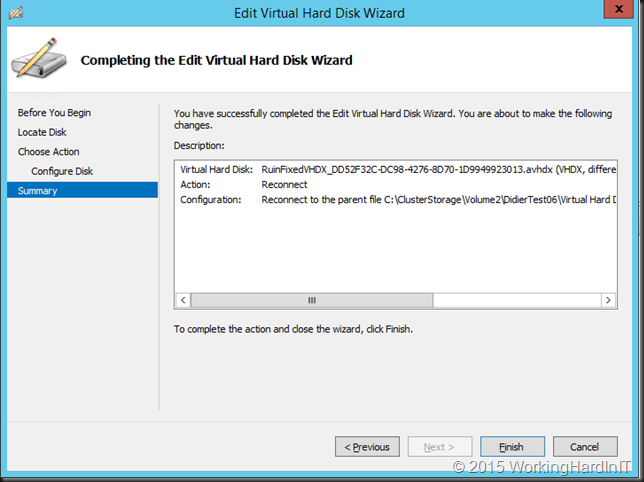
Once that’s done you’re VHDX is good to go.
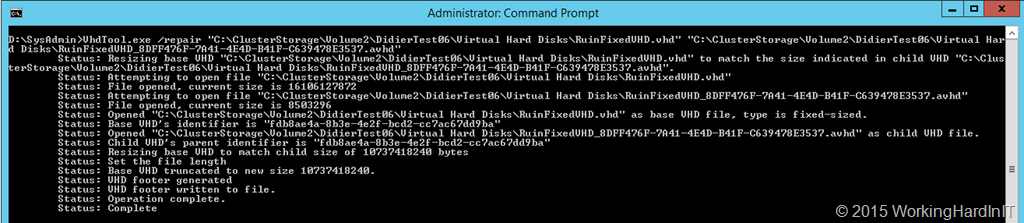
For a VHD you can’t shrink that with the inbox tools. There is however a free command line tool that can do that names VHDTool.exe. The original is hard to find on the web so here is the installer if you need it. You only need the executable, which is portable actually, don’t install this on a production server. It has a repair switch to deal with just this occurrence!
Here’s an example of my lab …
D:\SysAdmin>VhdTool.exe /repair “C:\ClusterStorage\Volume2\DidierTest06\Virtual Hard Disks\RuinFixedVHD.vhd” “C:\ClusterStorage\Volume2\DidierTest06\Virtual Hard Disks\RuinFixedVHD_8DFF476F-7A41-4E4D-B41F-C639478E3537.avhd”
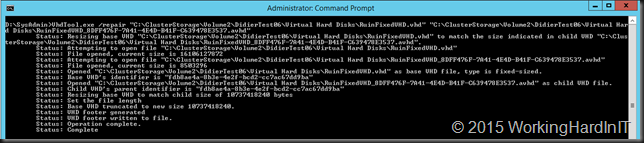
That’s it for the VHD …
You’re back in business! All that’s left to do is get rid of the checkpoints. So you delete them. If you wanted to apply them an get rid of the delta, you could have just removed the disks, re-added the VHD/VHDX and be done with it actually. But in most of these scenarios you want to keep the delta as you most probably didn’t even realize you still had checkpoints around. Zero data loss  .
.
Conclusion
Save your self the stress, hassle and possibly expense of hiring an expert. How? Please do not expand a VHD or VHDX of a virtual machine that has checkpoints. It will cause boot issues with the expanded virtual disk or disks! You will be in a stressful, painful pickle where you might not get out of if you make the wrong decisions and choices!
As a closing note, you must have have backups and restores that you have tested. Do not rely on your smarts and creativity or that others, let alone luck. Luck runs out. Otions run out. Even for the best and luckiest of us. VEEAM has save my proverbial behind a few times already.






 . If possible at all I’d like to make it a self contained solution, so no external storage form any type of SAN / centralized storage. Just local disks. I’m eyeing the DELL R730DX for that purpose. Ample of storage, the ability to have 2 controllers and my experience with these has been outstanding.