DELL SonicWALL Site-to-Site VPN Options With Azure Networking

The DELL SonicWALL product range supports both policy based and route based VPN configurations. Specifically for Azure they have a configuration guide out there that will help you configure either.

Technically, networking people prefer to use route based configuration. It’s more flexible to maintain in the long run. As life is not perfect and we do not control the universe, policy based is also used a lot. SonicWALL used to be on the supported list for both a Static and Dynamically route Azure VPN connections. According to this thread it was taken off because some people had reliability issues with performance. I hope this gets fixed soon in a firmware release. Having that support is good for DELL as a lot of people watch that list to consider what they buy and there are not to many vendors on it in the more budget friendly range as it is. The reference in that thread to DELL stating that Route-Based VPN using Tunnel Interface is not supported for third party devices, is true but a bit silly as that’s a blanket statement in the VPN industry where there is a non written rule that you use route based when the devices are of the same brand and you control both points. But when that isn’t the case, you go a policy based VPN, even if that’s less flexible.

My advise is that you should test what works for you, make your choice and accept the consequences. In the end it determines only who’s going to have to fix the problem when it goes wrong. I’m also calling on DELL to sort this out fast & good.

A lot of people get confused when starting out with VPNs. Add Azure into the equation, where we also get confused whilst climbing the learning curve, and things get mixed up. So here a small recap of the state of Azure VPN options:

  • There are two to create a Site-to-Site VPN VPN between an Azure virtual network (and all the subnets it contains) and your on premises network (and the subnets it contains).
    1. Static Routing: this is the one that will work with just about any device that supports policy based VPNs in any reasonable way, which includes a VPN with Windows RRAS.
    2. Dynamic Routing: This one is supported with a lot less vendors, but that doesn’t mean it won’t work. Do your due diligence. This also works with Windows RRAS

Note: Microsoft now has added a a 3rd option to it’s Azure VPN Gateway offerings, the High Performance VPN gateway, for all practical purposes it’s dynamic routing, but a more scalable version. Note that this does NOT support static routing.

The confusion is partially due to Microsoft Azure, network industry and vendor terminology differing from each other. So here’s the translation table for DELL SonicWALL & Azure

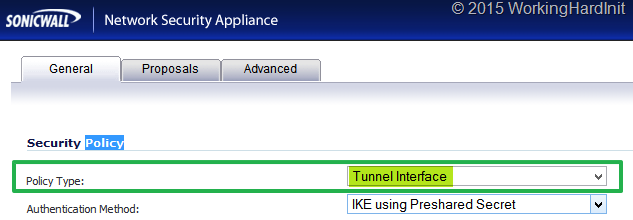
Dynamic Routing in Azure Speak is a Route-Based VPN in SonicWALL terminology and is called and is called Tunnel Interface in the policy type settings for a VPN.
image

Static Routing in Azure Speak is a Policy-Based VPN in SonicWALL terminology and is called Site-To-Site in the “Policy Type” settings for a VPN.

image

  • You can only use one. So you need to make sure you won’t mix the two on both sites as that won’t work for sure.
  • Only a Pre-Shared Key (PSK) is currently supported for authentication. There is no support yet for certificate based authentication at the time of writing).

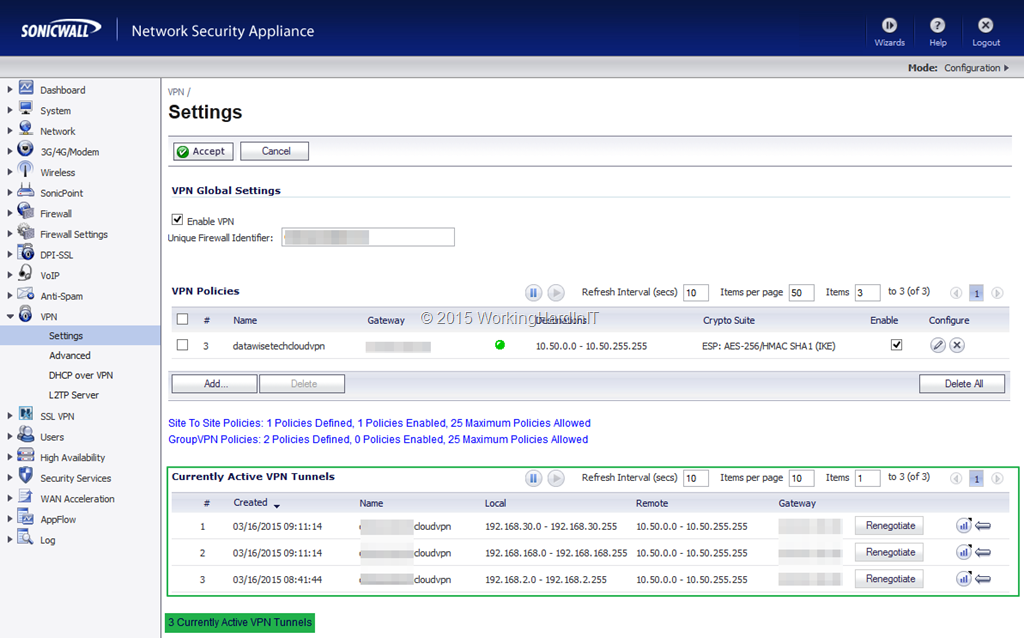
Also note that you can have 10 tunnels in a standard Azure site-to-site VPN which should give you enough wiggling room for some interesting scenarios. If not scale up to the high performance Azure site-to site VPN or move to Express Route. In the screenshot below you can see I have 3 tunnels to Azure from my home lab.
image
I hope this clears out any confusion around that subject!
GPS service issues resolved fast by Hyper-V & site resilience engineering

Diminished services on a GPS positioning network

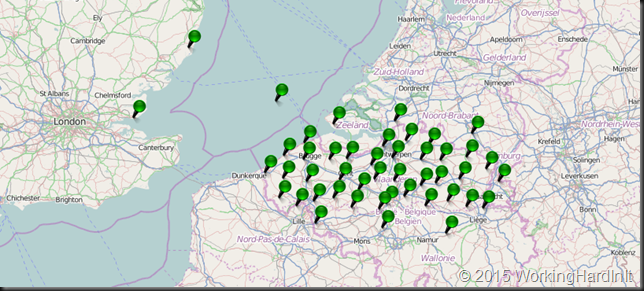
The past couple of days there had been latencies negatively affecting a near real time GPS positioning service that allow the users the correct their GPS measurements in real time.

Flemish Positioning Service (FLEPOS)

That service is really handy when you’re a surveyor and it safes money by avoiding extra GIS post processing work later. It becomes essential however when you are relying on your GPS coordinates to farm automatically, fly aerial photogrammetry patterns, create mobile mapping data, build dams or railways, steer your dredging ships and maneuver ever bigger ships through harbor locks.

Flemish Positioning Service (FLEPOS)

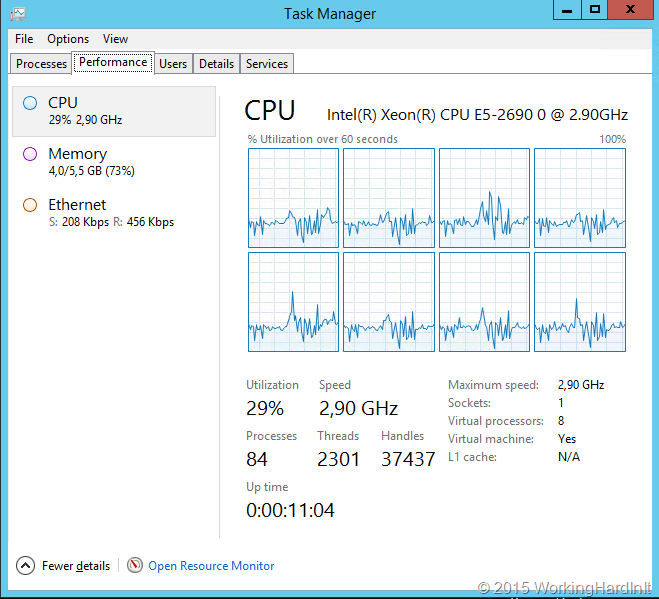
It was clear this needed to be resolved. After checking for network issues we pretty much knew that the recently spiking CPU load was the cause. Partially due to the growth in users, more and more use cases and partially due to a new software version that definitely requires a few more CPU cycles.

The GPS positioning service is running on multiple virtual machines, on separate LUNS, on separate hosts, those hosts are on separate racks. All this is being replicated to a second data center. They have high to continuous availability with Microsoft Failover Clustering and leverage Kemp Loadmaster load balancing. Together with the operations team we moved the load away from every VM, shut it down, doubled the vCPU count and restarted the VM. Rinse and repeat until all VMS have been assigned more vCPUs.

The results where a dramatic improvement in the response times and services response times that went back to normal.

Breathing room with more vCPUs

They can move fast and efficient

All this was done fast. They have the power to decide and act to resolve such issues on our own responsibility. Now the fact that they operate in tight night team that span over bureaucracy, hierarchies and make sure that people who need to involved can communicate fats en effective (even if they are spread over different locations) makes this possible. They have a design for high availability and a vertically integrated approach to the solution stack that spans any resource (CPU, Memory, Storage, Network and Software) combined with a great app owner and rock solid operational excellence (Peopleware) to enable the Site Resilience side of the story. Fast & efficient.

I’m proud to have help design and deliver this service and I’ll be ready and willing to help design vNext of this solution in the near future. We moved it from hardware to a virtualized solution based on Hyper-V in 2008 and have not regretted one minute of it. The operational capabilities it offers are too valuable for that and banking on Hyper-V has proved to be a winner!

Would Hot Add CPU Capability have made this easier?

Yes, faster for sure Smile. The process they have now isn’t that difficult. Now would I not like hot add vCPU capabilities in Hyper-V? Yes, absolutely. I do realize however that not every application might be able to handle this without restarting making the exercise a bit of a moot point in those cases.
Why some people have not virtualized yet I do not know (try and double the CPUs on your hardware servers easily and fast without leaving the comfort of your home office). I do know how ever that you are missing out on a lot of capabilities & operational benefits.

Hyper-V Amigos Showcast Episode 8: Storage Replica in a Stretched Cluster

We finally go to make a next “Hyper-V Amigos Showcast”, due to very busy schedules we had to postpone this a couple of times. But we made it! In this Episode (the 8th one) Carsten and I show one application of a new great feature in Windows Server vNext: Storage Replication. This allows us to replicate a volume between two storage systems without caring what that storage system is as long a you have windows volumes on it. Replication can be synchronous or asynchronous and there are multiple scenarios in which to use this.

Here we focus on trying out replication between two clusters or in a stretched cluster scenario. I have already made a video demonstrating server to server replication. In this showcast we demonstrate  the Stretched Cluster scenario (and troubleshoot our own lab).

image

More info is available here:

Enjoy and see you next time!

Azure Done Well Means Hybrid Done Right

If you think that a hybrid cloud means you need to deploy SCVMM & WAP you’re wrong. It does mean that you need to make sure that you give yourself the best possible conditions to make your cloud a success and an asset in the biggest possible number of all scenarios that might apply or come up.

DC1

Cool you say, I hear you, but what does that mean in real life? Well it means you should stop playing games and get serious. Which translates into the following.

Connectivity

A 200Mbps is the absolute minimum for the SMB market. You need at least that for Office 365 Suite, if you want happy customers that is. Scale based on the number of users and usage but remember you’ll pinch at least a 100Mbps of that for a VPN to Azure.

Get a VPN already!

Or better still, take the gloves off and go for Express Route. Extend your business network to your cloud and be done with all the hacks, workarounds, limitations, tedious & creative yet finicky "solutions" to get thing done. I guess it beats living with the limitations but it will only get you that far.

Any country or business that isn’t investing in FC to the home & cheap affordable data connectivity to the businesses is actively destroying long term opportunity for some dubious short term gain.

So without further ado, life is to short to do hybrid cloud without. It opens up great scenarios that will allow you to get all the comforts of on premise in your Azure data center such as …

Extend AD  & ADFS into Azure

Get that AD & ADFS into the cloud people! What? Yes, do it. That’s what that good solid VPN between Azure and on premises or better still, Express Route enables. Just turn it into just another site of your business.  But one with some fascinating capabilities. DirSync or better Azure Active Directory Sync will only get you that far and mostly in a SAAS(PAAS) ecosystem. Once you’ve done that the world is your oyster!

https://media.licdn.com/mpr/mpr/p/4/005/083/346/127f314.jpg

Conclusion

So don’t be afraid. Just do it!  People I have my home lab and it’s AD connected to my azure cloud via VPN! That’s me the guy that works for his money and pays his own bills. So what are you as a business waiting for?

But wait Didier, isn’t AD going away, why would I not wait for the cloud to be 100% perfect for all I do? Well, just get started today and take it from there. You’ll enjoy the journey if you do it smart and right!

“Your cloud, your terms”. Well that’s true.  But that’s not a given, you’ll need to put in some effort. You have to determine what your terms are and what your cloud should look like. If you don’t you’ll end up in a bad state. If you have good IT staff, you should be OK. If they could handle your development environment & run your data center chances are good they’ll be able to handle “cloud”. Really.

Consultants? Sure, but get really good ones or you’ll get sold to. There’s a lot of churning and selling going on. Don’t get taken for a ride. I know a bunch of really good ones. How do I determine this? One rule … would I hire them Winking smile