MS15-068: Vulnerability in Windows Hyper-V could allow remote code execution: July 14, 2015

Hi people, Hyper-V has been blessed with a very good security track record. The few security issues that did arise over the years have always been resolved quickly. Today it’s

time to act fast once again and make sure you have your security & patch process act together.

Note the following:

  • Microsoft has not identified any mitigating factors for this vulnerability.
  • Microsoft has not identified any workarounds for this vulnerability.

This security update resolves vulnerabilities in Windows that could allow remote code execution in a host context if a specially crafted application is run by an authenticated and privileged user on a guest virtual machine that is hosted by Hyper-V. An attacker must have valid logon credentials for a guest virtual machine to exploit this vulnerability.

To learn more about the vulnerability, see Microsoft Security Bulletin MS15-068

This one is critical. So do not delay long after your smoke testing of this patch.You have some time to act but don’t wait too long:

Microsoft received information about this vulnerability through coordinated vulnerability disclosure. When this security bulletin was originally issued Microsoft had not received any information to indicate that this vulnerability had been publicly used to attack customers.

Go and secure your environment wisely and effectively now.

Hyper-V Virtual Machines and the Storage Optimizer

Windows Server 2012 (R2) has made many improvements to how storage optimization and maintenance is done. You can read a lot more about this in What’s New in Defrag for Windows Server 2012/2012R2. It boils down to a more intelligent approach depending on the capability of the underlying storage.

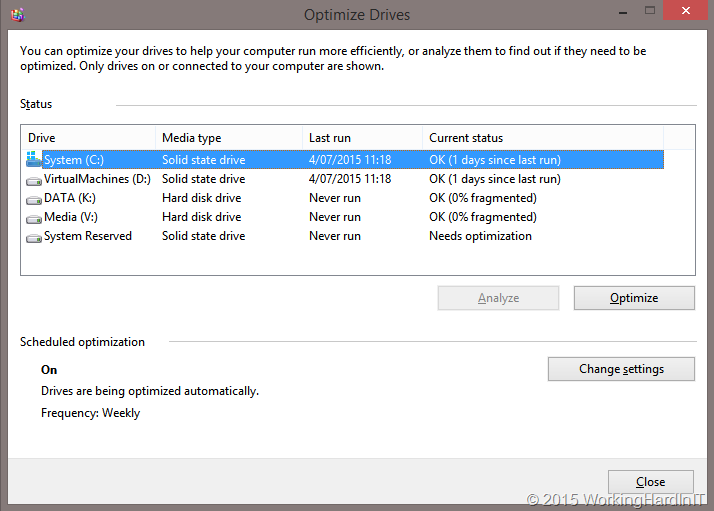
This is reflected in the Media type we see when we look at Optimize Drives.

This is my workstation … looks pretty correct a couple of SSDs and a couple of HDDs.

image

SSD are optimized intelligently by the way.When VSS is leveraged SSD do get fragmentation and so one in while they are “defragmented”. This has to do with keeping performance up to par. Read more about this in The real and complete story – Does Windows defragment your SSD? by Scott Hanselman.

The next example is a Hyper-V Cluster. You can see the local disks identified as HDD and the CSV as Thin provisioned disks. Makes sense to me, the SAN I use supports thin provisioned disks.

image

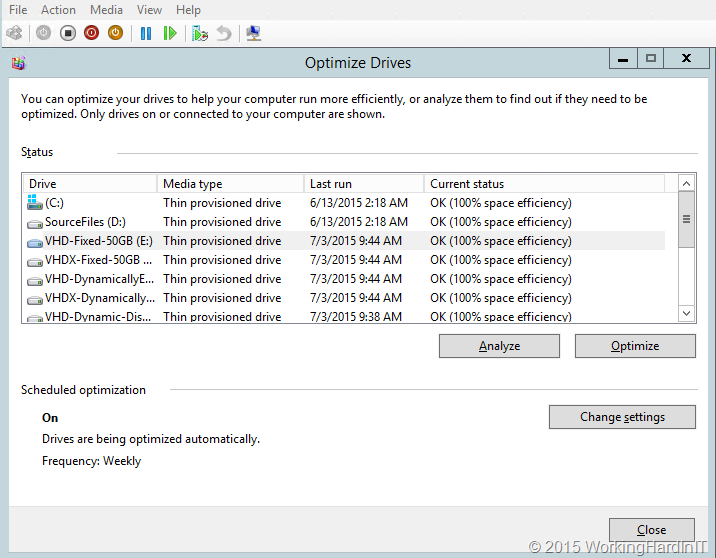
But now, let’s look at a Virtual Machine with virtual disks of every type known and on any type of storage we could find. All virtual disks are identified as “Thin provisioned disk”. How can that be?

image

What had me puzzled a little bit is that in a virtual machine each and every virtual disk is identified as thin provisioned disk. It doesn’t matter what type of virtual disk it is: fixed VHD/VHDX or dynamically expanding VHD/VHDX. It also doesn’t matter on what physical disk the virtual disk resides: SATA, SAS, SSD, SAN (iSCSI/FC) LUN or CSV, SMB Share …

So how does this work with a fixed VHD on a local SATA disk? A VHD doesn’t know about UNMAP, does it? And a SATA HHD? How does that compute? Well, my understanding on this is that all virtual disks, dynamically expanding or fixed, both VHDX/VHD are identified as thin provisioned disks, no matter what type of physical disk they reside on (CSV, SAS, SATA, SSD, shared/non shared). This is to allow for UNMAP (RETRIMs in Storage Optimizer speak, which is  way of dealing with the TRIM limitations / imperfections, again see Scott Hanselman’s blog for this) command to be sent from the guest to the Hyper-V storage stack below. If it’s a VHD those UNMAP command are basically black holed just like they would never be passed down to a local SATA HHD (on the host) that has no idea what it is and used for.

But wait a minute ….what about SSD and defragmentation you say, my VHDX lives on an SSD.. Well they are for one not identified as SSD or HDD. The hypervisors deals with the storage optimization at the virtual layer. The host OS handles the physical layer as intelligent as it can to optimize the disks as best as it can. How that happens depends on the actual storage beneath in the case of a modern SAN you’ll notice it’s also identified as a Thin provisioned disk. SANs or hyper converged storage arrays provide you with storage that is also virtual with all kinds of features and are often based on tier storage which will be a mix of SSD/SAS/NL-SAS and in some cases even NVMe Flash. So what would an OS have to identify it as?  The storage array must play its part in this.

So, if you ever wondered why that is, now you know. Hope you found this interesting!

Using VEEAM FastSCP for Microsoft Azure to help protect my blog

My buddies in IT know about some of my mantras. The fact that I like “* in depth”. Backup in depth for example. Which is just my variant on the 3-2-1 rule in backups. Things go wrong and relying on one way to recover is risky. “One is none, two is one” is just one of the mantras I live by in IT. Or at least try to, I’m not perfect.

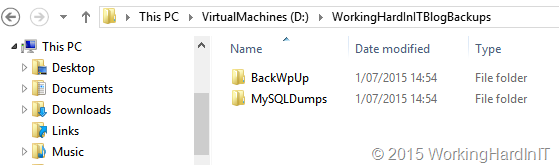
So besides backups in Azure I also copy the backup files I make for my blog outside of the VM, out of Azure. That means the BackWPup files and the MySQL dumps I create regularly via a scheduled job.

That copy is not made manually but is automated with VEEAM FastSCP for Microsoft Azure. It’s easy, free and it works.  I’ve blogged about it before but that blog might have been lost in the huge onslaught of Microsoft Ignite 2015 announcements.

It’s all quite simple. First of all you need to create a data dump location for the backups we do on our blog server. That’s copied out by but VEEAM FastSCP for Microsoft Azure ensures I have an extra copy do those which doesn’t rely on Azure

image


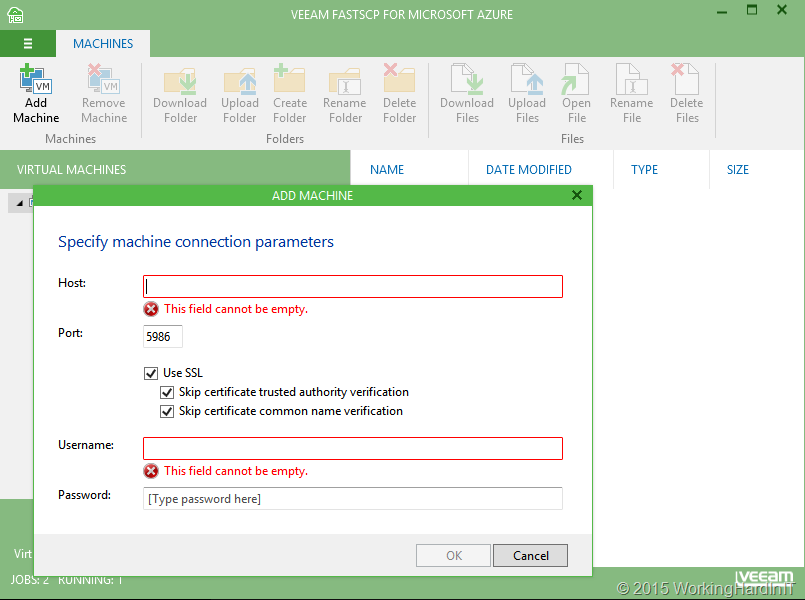
Add your VM in Azure to VEEAM FastSCP for Microsoft Azure

image

It’s easy, specify the information you can find about your VM on the Azure management portal. Optionally you can skip the SSL requirement and certificate verifications. Do note you need to use the correct PowerShell port (end point) for that particular VM in your Azure subscription.

image

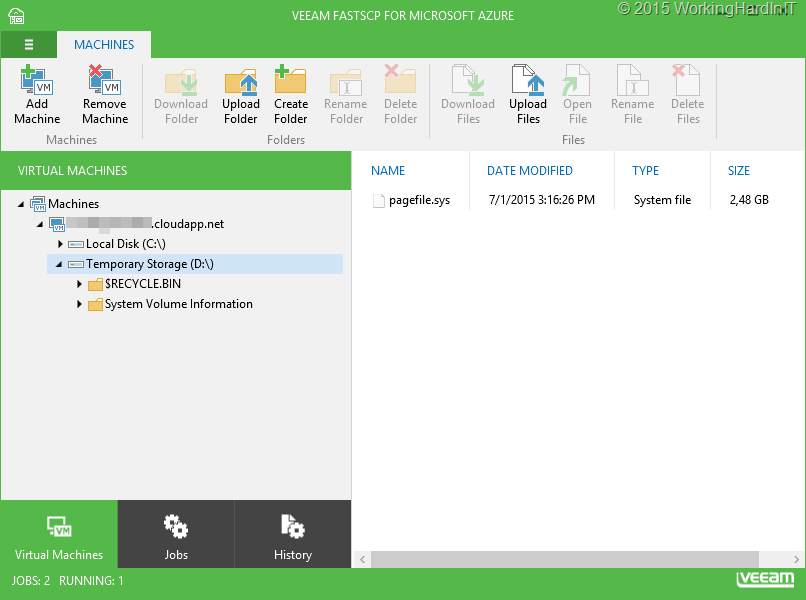
When successful you can browse the file system of your Azure VM.

image

Create one or more jobs (depending on what & how you’re organizing your backups)

image

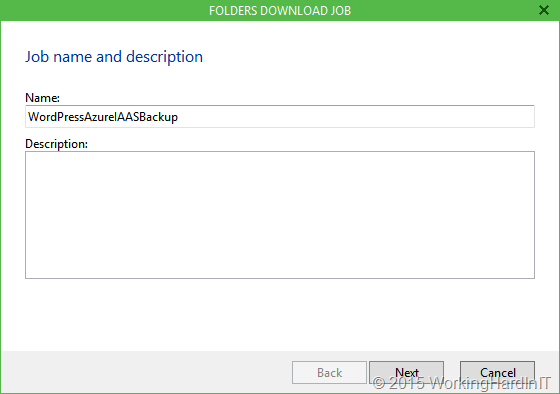
Give the job a descriptive name

image

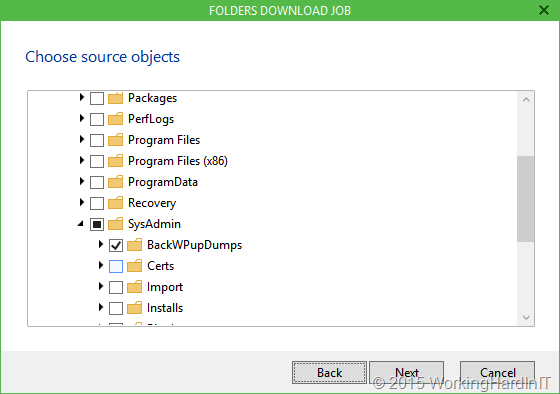
Select what folders on the Azure VM you want to backup by simply browsing to it.

image

Select the target folder on the system where VEEAM FastSCP for Microsoft Azure is running by, again, simply browsing to it.

image

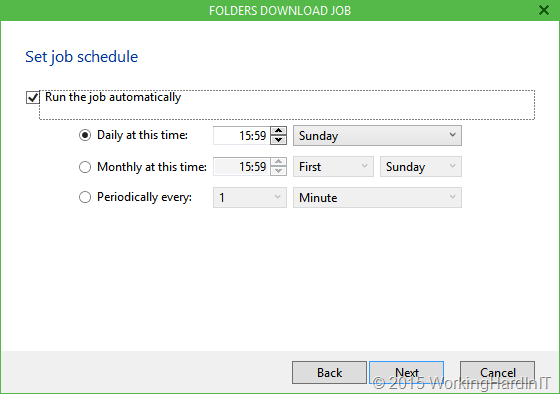
Set a schedule according to your needs

image

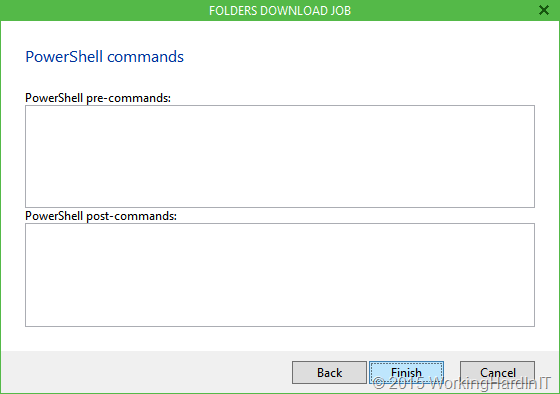
If you need to run some PowerShell before or after a download here’s the place to do so.

image

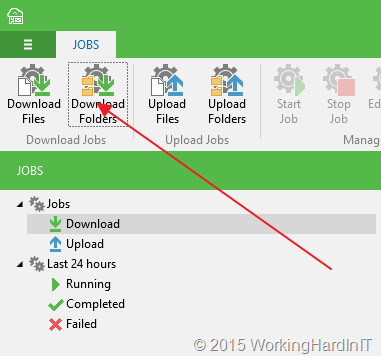
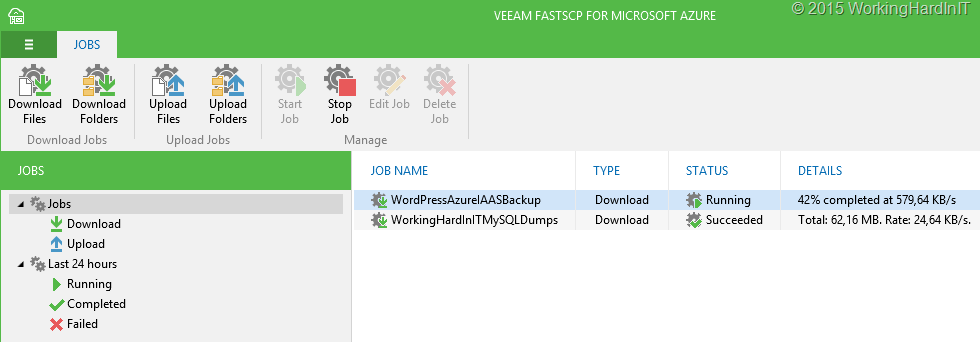
Click finish and hit Start Job to lick it of and test it. Here’s the WordPress Blog backup download job running.

image

By using VEEAM FastSCP for You can download folders and files to your system at home, to a virtual machine, whether this is on premise or also in the cloud. Perhaps even in AWS (IAAS) if you’re really paranoid. By doing a simple restore of your blog and changing your DNS entry you can even get it up and running if Azure would ever be the target of a major outage causing attack. You could even keep blogging about it Smile.

So do yourself a favor. Check it out!

Hit me baby one more time or the Faster Fast Ring of Windows 10 Insider Builds

Hit me baby one more time!

This blog is brought to you by Francesco V. Buccoli, a brilliant ex Hyper-V MVP who went blue badge and became a PFE. Why? Because he called me a genius, that’s why!

image

Here we go again, things are heating up in the last straight track towards RTM of Windows 10. We’re now getting build 10162 right on the heals of build 10159 that basically overran people who were still downloading 10158.

No this is not some PM in Redmond hitting the publish button by mistake again a la “Oops, I did it again” but it’s with intent and purpose. Deliver an awesome client right from the start.

So far it’s all good. The quality of these lasted builds, even during the limited time we get to spend with them, is very good and show real improvements over the entire line. Windows 10 should be ready for rollout at RTM/GA if the quality is this good and only improves.

We lead, we weren’t born to follow.

Now, go download it already and I’ll quit the cheesy music references Winking smile