TechNet Top Support Solutions From Microsoft Support Blog

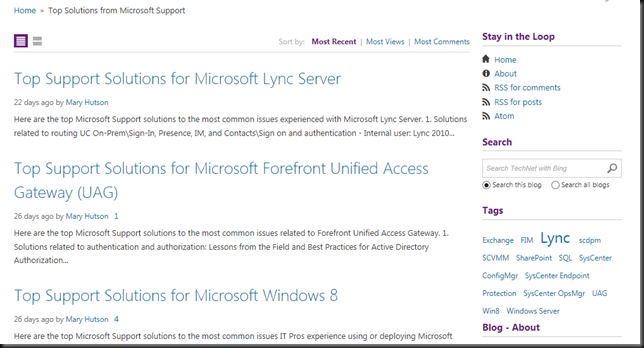
As this year comes to an end I’d like to draw your attention to Microsoft’s new Top Support Solutions blog on TechNet. It was created this as part of their continuous efforts to keep the various  technical communities informed about the most relevant answers to the top questions or issues experienced with their products. They identify these top issues by analyzing the question in their forums and their other support channels.

image

So if you need to find answers for your self or your customers go take a look at the "Top Solutions Content" blog. Changes are you’ll find valuable information about the Microsoft top support solutions for several of their popular products in Server and Tools. It might save you and your clients or manager a lot of time, effort and money. It’s also a great resource to make your colleagues, community, user group or clients aware of.

Failed Live Migrations with Event ID 21502 Planned virtual machine creation failed for virtual machine ‘VM Name’: An existing connection was forcibly closed by the remote host. (0x80072746) Caused By Wrong Jumbo Frame Settings

OK so Live Migration fails and you get the following error in the System even log with event id 21502:

image

Planned virtual machine creation failed for virtual machine ‘DidierTest01’: An existing connection was forcibly closed by the remote host. (0x80072746). (Virtual Machine ID 41EF2DB-0C0A-12FE-25CB-C3330D937F27).

Failed to receive data for a Virtual Machine migration: An existing connection was forcibly closed by the remote host. (0x80072746).

There are some threads on the TechNet forums on this like here http://social.technet.microsoft.com/Forums/en-US/805466e8-f874-4851-953f-59cdbd4f3d9f/windows-2012-hyperv-live-migration-failed-with-an-existing-connection-was-forcibly-closed-by-the and some blog post pointing to TCP/IP Chimney settings causing this but those causes stem back to the Windows Server 2003 / 2008 era.

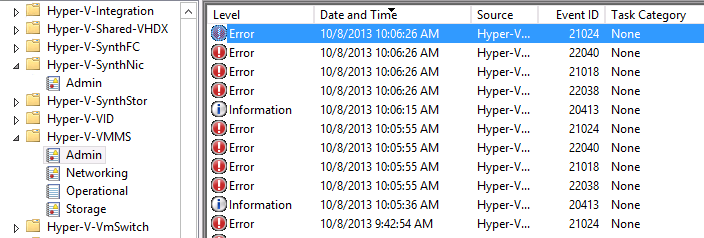
In the Hyper-V event log Microsoft-Windows-Hyper-V-VMMS-Admin you also see a series of entries related to the failed live migration point to the same issue: image

  
Log Name:      Microsoft-Windows-Hyper-V-VMMS-Admin
Source:        Microsoft-Windows-Hyper-V-VMMS
Date:          10/8/2013 10:06:15 AM
Event ID:      20413
Task Category: None
Level:         Information
Keywords:     
User:          SYSTEM
Computer:      SRV1.BLOG.COM
Description:
The Virtual Machine Management service initiated the live migration of virtual machine  ‘DidierTest01’ to destination host ‘SRV2’ (VMID 41EF2DB-0C0A-12FE-25CB-C3330D937F27).
 
Log Name:      Microsoft-Windows-Hyper-V-VMMS-Admin
Source:        Microsoft-Windows-Hyper-V-VMMS
Date:          10/8/2013 10:06:26 AM
Event ID:      22038
Task Category: None
Level:         Error
Keywords:     
User:          SYSTEM
Computer:      SRV1.BLOG.COM
Description:
Failed to send data for a Virtual Machine migration: An existing connection was forcibly closed by the remote host. (0x80072746).
 
Log Name:      Microsoft-Windows-Hyper-V-VMMS-Admin
Source:        Microsoft-Windows-Hyper-V-VMMS
Date:          10/8/2013 10:06:26 AM
Event ID:      21018
Task Category: None
Level:         Error
Keywords:     
User:          SYSTEM
Computer:      SRV1.BLOG.COM
Description:
Planned virtual machine creation failed for virtual machine ‘DidierTest01’: An existing connection was forcibly closed by the remote host. (0x80072746). (Virtual Machine ID 41EF2DB-0C0A-12FE-25CB-C3330D937F27).
 
Log Name:      Microsoft-Windows-Hyper-V-VMMS-Admin
Source:        Microsoft-Windows-Hyper-V-VMMS
Date:          10/8/2013 10:06:26 AM
Event ID:      22040
Task Category: None
Level:         Error
Keywords:     
User:          SYSTEM
Computer:      SRV1.BLOG.COM
Description:
Failed to receive data for a Virtual Machine migration: An existing connection was forcibly closed by the remote host. (0x80072746).
Log Name:      Microsoft-Windows-Hyper-V-VMMS-Admin
Source:        Microsoft-Windows-Hyper-V-VMMS
Date:          10/8/2013 10:06:26 AM
Event ID:      21024
Task Category: None
Level:         Error
Keywords:     
User:          SYSTEM
Computer:      srv1.blog.com
Description:
Virtual machine migration operation for ‘DidierTest01’ failed at migration source ‘SRV1’. (Virtual machine ID 41EF2DB-0C0A-12FE-25CB-C3330D937F27)

There is something wrong with the network and if all checks out on your cluster & hosts it’s time to look beyond that. Well as it turns out it was the Jumbo Frame setting on the CSV and LM NICs.

Those servers had been connected to a couple of DELL Force10  S4810 switches. These can handle an MTU size up to 12000. And that’s how they are configured. The Mellanox NICs allow for MTU Sizes up to 9614 in their Jumbo Frame property.  Now super sized jumbo frames are all cool until you attach the network cables to another switch like a PowerConnect 8132 that has a max MTU size of 9216. That moment your network won’t do what it’s supposed to and you see errors like those above. If you test via an SMB share things seem OK & standard pings don’t show the issue. But some ping tests with different mtu sizes & the –f (do no fragment) switch will unmask the issue soon. Setting the Jumbo Frame size on the CSV & LM NICs to 9014 resolved the issue.

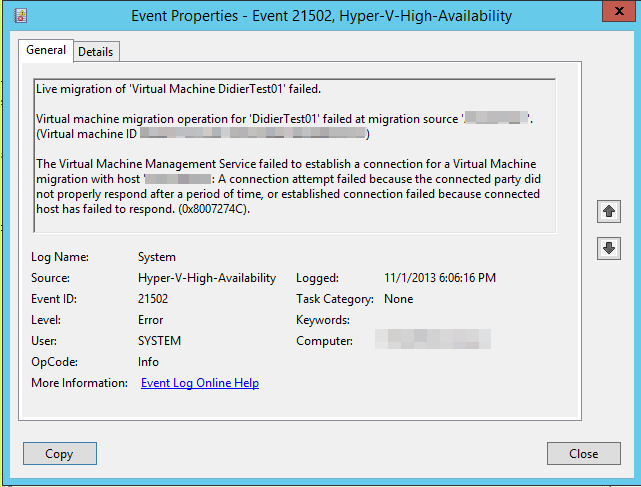
Now if on the server side everything matches up but not on the switches you’ll also get an event id 21502 but with a different error message:

Event ID: 21502 The Virtual Machine Management Service failed to establish a connection for a Virtual machine migration with host XXXX. A connection attempt failed because the connected party did not properly respond after a period of time, or the established connection failed because connected host has failed to respond (0X8007274C)

image

This is the same message you’ll get for a known cause of shared nothing live migration failing as described in this blog post by Microsoft Shared Nothing Migration fails (0x8007274C).

So there you go. Keep an eye on those Jumbo Frame setting especially in a mixed switch environment. They all have their own capabilities, rules & peculiarities. Make sure to test end to end and you’ll be just fine.

I’m In Austin Texas For Dell World 2013

This is the night time sky line of where I’m at right now. Austin, Texas, USA. That famous “Lone Star State” that until now I only knew from the movies & the media. Austin is an impressive city in an impressive state and, as most US experiences I’ve had, isn’t comparable with anything in my home country Belgium. That works both ways naturally and I’m lucky I get to travel a bit and see a small part of the world.image

Dell World 2013

So why am I here?  Well I’m here to attend DELL World 2013, but you got that already Smile

image

That’s nice Didier but why DELL World? Well, several reasons. For one, I wanted to come and talk to as many product owners & managers, architects & strategists as I can. We’re seeing a lot of interest in new capabilities that Windows Server 2012 (R2) brought to the Microsoft ecosystem. I want to provide all the feedback I can on what I as a customer, a Microsoft MVP and technologist expect from DELL to help us make the most of those. I’m convinced DELL has everything we need but can use some guidance on what to add or enhance. It would be great to get our priorities and those of DELL aligned. Form them I expect to hear their plans, ideas, opinions and see how those match up. Dell has a cost/value leadership position when it comes to servers right now. They have a great line up of economy switches that pack a punch (PowerConnect) & some state of the art network gear with Force10. it would be nice to align these with guidance & capabilities to leverage SMB Direct and NVGRE network virtualization. Dell still has the chance to fill some gaps way better than others have. A decent Hyper-V network virtualization gateway that doesn’t cost your two first born children and can handle dozens to hundreds of virtual networks comes to mind. That and real life guidance on several SMB Direct with DCB configuration guidance. Storage wise, the MD series, Equalogic & Compellent arrays offer great value for money. But we need to address the needs & interest that SMB 3.0, Storage Spaces, RDMA has awoken and how Dell is planning to address those. I also think that OEMs need to pick up pace & change some of their priorities when it comes to providing answers to what their customers in the MSFT ecosystem ask for & need, doing that can put them in a very good position versus their competitors. But I have no illusions about my place in & impact on the universe.

Secondly, I was invited to come. As it turns out DELL has the same keen interest in talking to people who are in the trenches using their equipment to build solutions that address real life needs in a economical feasible way.  No, this is not “just” marketing. A smart vendor today communicates in many ways with existing & potential customers. Social media is a big part of that but also off line at conferences, events and both contributor and sponsor.  Feedback on how that works & is received is valuable as well for both parties. They learn what works &n doesn’t and we get the content we need. Now sure you’ll have the corporate social media types that are bound by legal & marketing constrictions but the real value lies in engaging with your customers & partners about their real technological challenges & needs.

Third is the fact that all these trends & capabilities in both the Microsoft ecosystem and in hardware world are not happening in isolation. They are happening in a world dominated by cloud computing in all it’s forms. This impact everything from the clients, servers, servers to the data centers as well as the people involved. It’s a world in which we need to balance the existing and future needs with a mixture of approaches & where no one size fits all even if the solutions come via commodity products & services. It’s a world where the hardware  & software giants are entering each others turf. That’s bound to cause some sparks Smile. Datacenter abstraction layer, Software Defined “anything” (storage, networking, …), converged infrastructure. Will they collaborate or fight?

So put these three together and here I am. My agenda is full of meetings, think tanks, panels, briefings and some down time to chat to colleagues & DELL employees alike.

Why & How?

Some time ago I was asked why I do this and why I’m even capable to do this. It takes time, money and effort.  Am I some kind of hot shot manager or visionary guru? No, not at all. Believe there’s nothing “hot” about working on a business down issue at zero dark thirty. I’m a technologist. I’m where the buck stops. I need things to work. So I deal in realities not fantasies. I don’t sell methods, processes or services people, I sell results, that’s what pays my bills long term. But I do dream and I try to turn those into realities. That’s different from just fantasy world where reality is an unwelcome guest. I’m no visionary, I’m no guru. I’m a hard working IT Pro (hence the blog title and twitter handle) who realizes all to well he’s standing on the shoulders of not just giants but of all those people who create the ecosystem in which I work. But there’s more. Being a mere technologist only gets you that far. I also give architectural & strategic advice as that’s also needed to make the correct decisions. Solutions don’t exist in isolation and need to be made in relation to trends, strategies and needs. That takes insight & vision. Those don’t come to you by only working in the data center, your desktop or in eternal meetings with the same people in the same place. My peers, employers and clients actively support this for the benefit of our business, customers, networks & communities. That’s the what, why and who that are giving me the opportunities to learn & grow both personally & professionally. People like Arlindo Alves and may others at MSFT, my fellow MVPs (Aidan Finn, Hans Vredevoort, Carsten Rachfahl, …), Florian Klaffenbach & Peter Tsai. As a person you have to grab those opportunities. If you want to be heard you need to communicate. People listen and if the discussions and subjects are interesting it becomes a two way conversation and a great learning experience. As with all networking and community endeavors you need to put in the effort to reap the rewards in the form of information, insights and knowledge you can leverage for both your own needs as well as for those in your network. That means speaking your mind. Being honest and open, even if at times you’re wrong. That’s learning. That, to me, is what being in the DELL TechCenter Rock StarDELL TechCenter Rock Star program is all about.

Learning, growing, sharing. That and a sustained effort in your own development slowly but surely makes you an “expert”. An expert that realizes all to well how much he doesn’t known & cannot possible all learn.  Luckily, to help deal with that fact, you can turn to the community.

Upgrading The DELL PowerVault MD3600 Disk Firmware

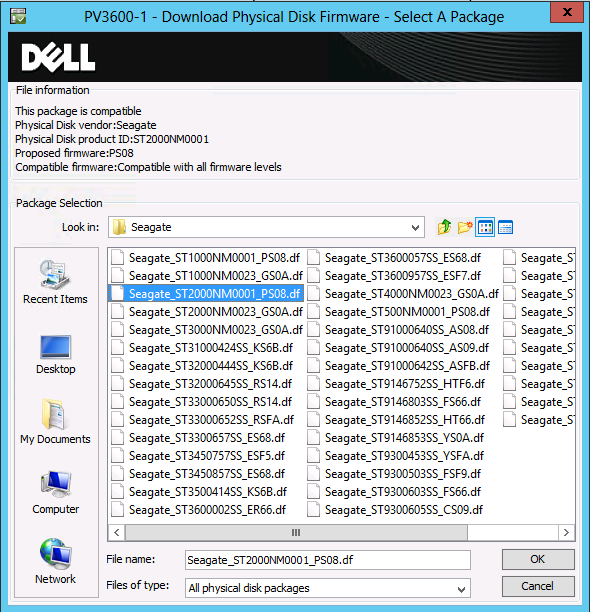
In this post I’ll walk you through an disk firmware upgrade of a PowerVault MD3600F with 7 MD1200 extension bays filled with disks. We have several of these attached to R710 that act as Disk2Disk backup media servers with 10Gpbs networking and running W2K12R2 of course. At the moment of writing we’re at PowerVault MD Series Storage HDD (SSD) Firmware A13 and in our case we’ll be updating to Seagate_ST2000MN0001_PS08.

First of all read the readme.txt and such to make sure you’re not missing any special instructions for particular cases that might exist such as being on to old controller firmware that you need to upgrade first. Do your home work & due diligence. Of course I’m not responsible for whatever it is you do to your environment. The standard disclaimer of my blog applies Smile

I always make sure my controller firmware is up to date before I don disk firmware updates unless I’m instructed to act otherwise. In general you should not be applying firmware updates and such constantly and  all over the place to keep busy. It is, however, a good practice to keep an eye on releases and see if they fix any risky bugs you might be vulnerable to.  You also don’t get to far behind on firmware updates as this can complicate thing later in the useful service life or you hardware. Fear, doubt and only doing do something when things have broken down are also not a good practice.

So first of all get the latest version of your PowerVault Modular Disk Storage Manager software if you haven’t already. Often you’ll need to have a least a certain version before you can even do newer firmware updates. So just get this in order before starting, especially if they tell you to, don’t try and outsmart the system. Then download the disk firmware form the DELL support website or via the DELL Storage Community Wiki http://en.community.dell.com/techcenter/storage/w/wiki/4234.dell-powervault-md-downloads.aspx?dgc=SM&cid=257966&lid=4630585 and safe it to disk.

Fire up the PowerVault Modular Disk Storage Manager by clicking the icon …image

Enjoy the splash screen during the launch …image

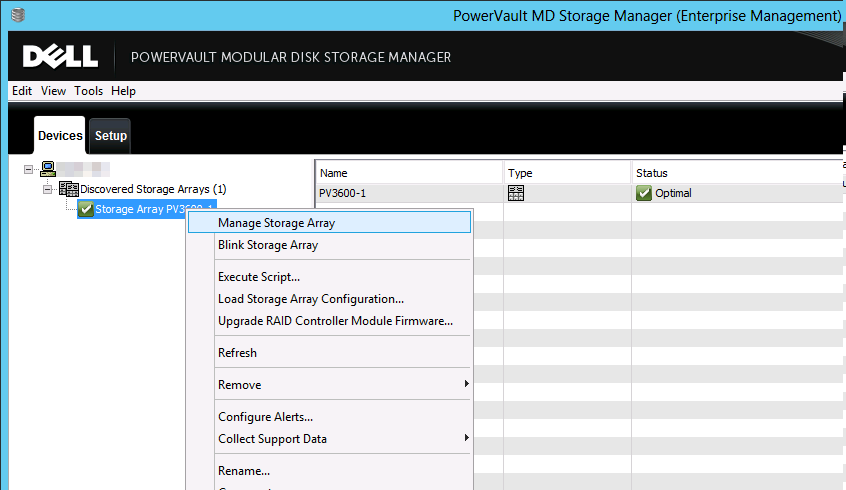
Right click your storage array and select “Manage Storage Array”image

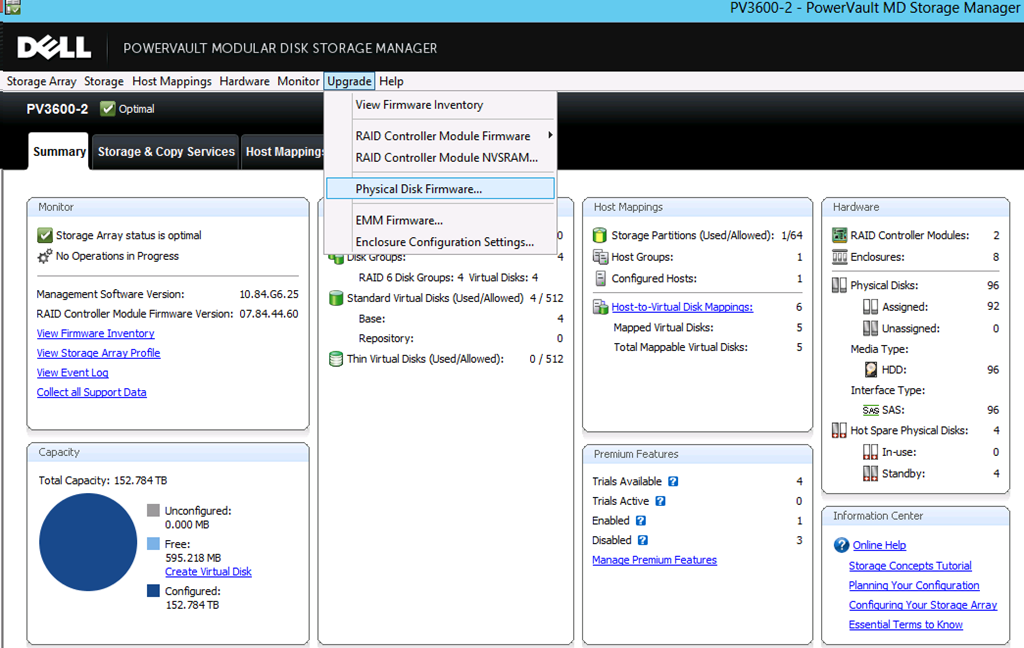
On the menu click Upgrade and select “Physical Disk Firmware…”image

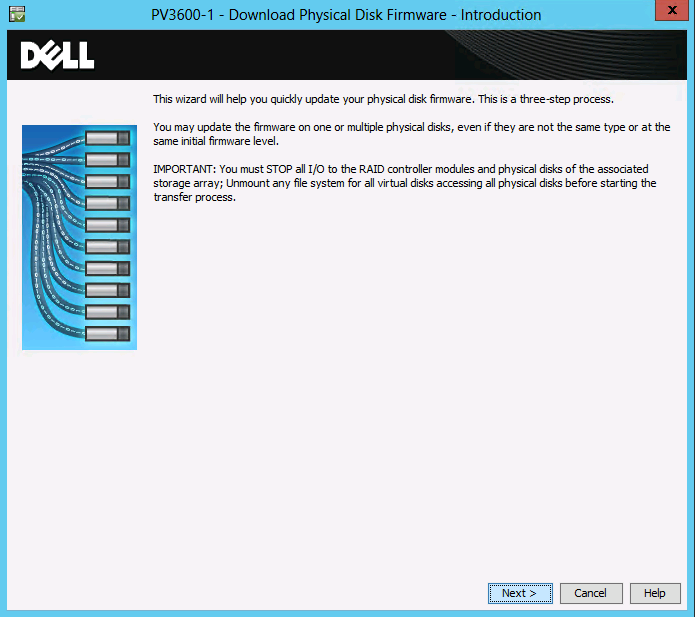
A wizard pops up with some friendly advice and you are warned to stop all I/O. Which  is something you should really do. If you can un mount the file system(s) – off line it in Windows – you can do this to makes sure no I/On kick of during the upgrade. Depending on your workload this might require a maintenance window or not. For us just setting the backups to not run, stopping the agents/services of the backup product on these media servers and taking the storage LUNS off line is enough.image

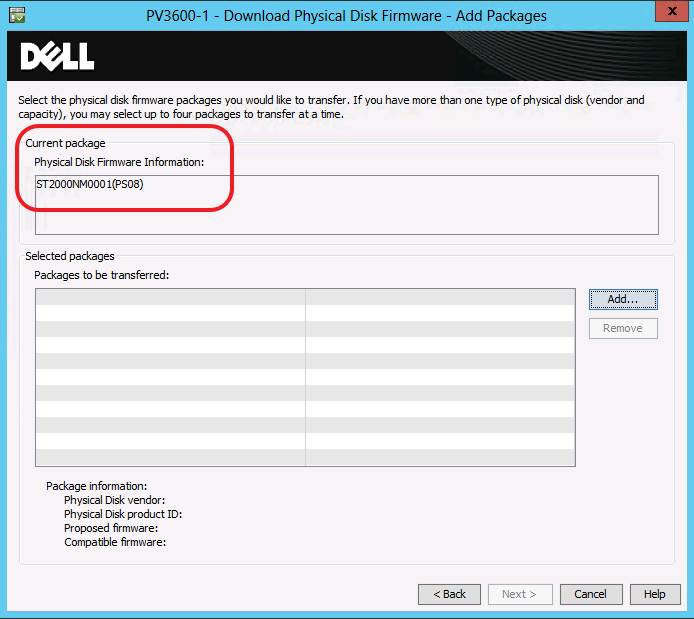
When you have done so click Next. As you can see I have only one disk type in my MD3600F and its MD1200 extension disk bays and they are all on the same firmware.

image

Click on Add and browse to the location where you unzipped the disk firmware package. There’s a bunch of them but it should be straight forward to select the correct one. If not perhaps you shouldn’t be doing this Smile

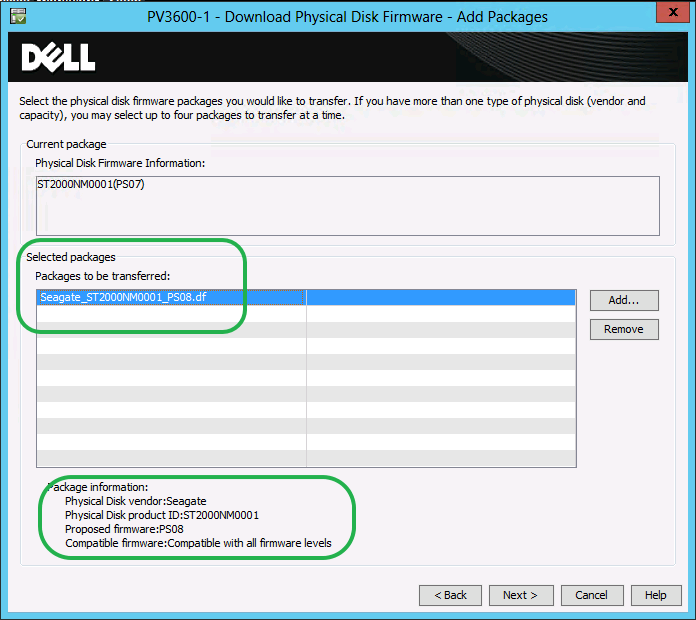
image

In this example you see on disk type all being moved to one new firmware. If you have multiple disk types or brands you can select multiple firmware packages to be transferred. That’s quite handy.

image

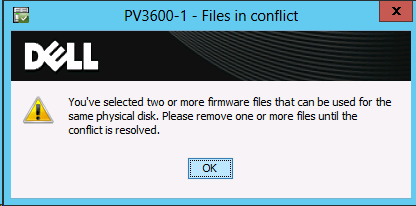
When done click Next to continue. Note: Don’t select more that one version of the firmware for the same type of disk. That will just throw an error message at you telling you that’s not you smartest move.image

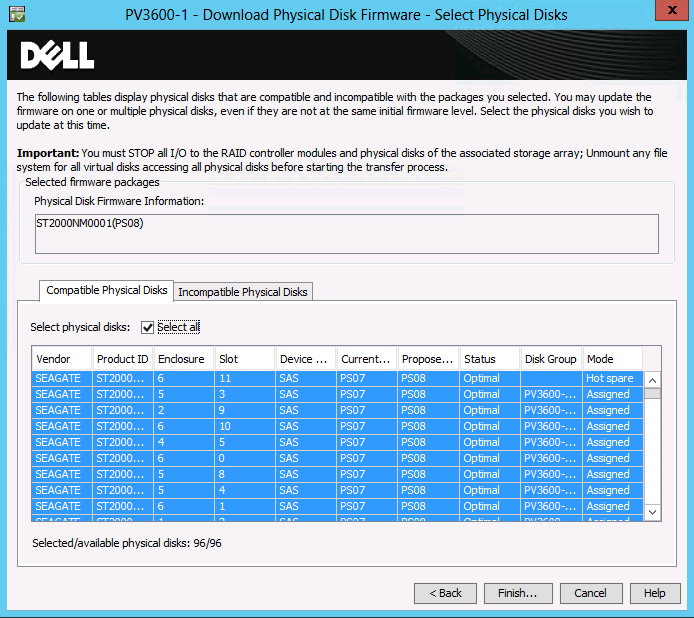
You can select all hard disk to deploy the firmware. I use this but I tend to test a run on one disk (a hot spare) first before I do this. If that one is successful I choose “Select All” click finish.

image

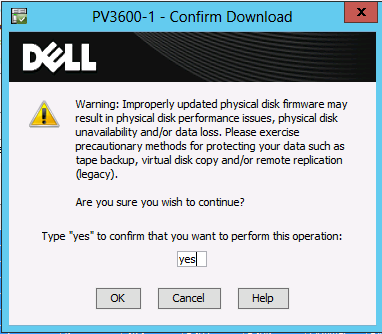
To make sure that you know what you’re doing and probably keep any lawyers at bay you must type in yes before you can continue. Yes making backups is always prudent. Always have at least one way out.

image

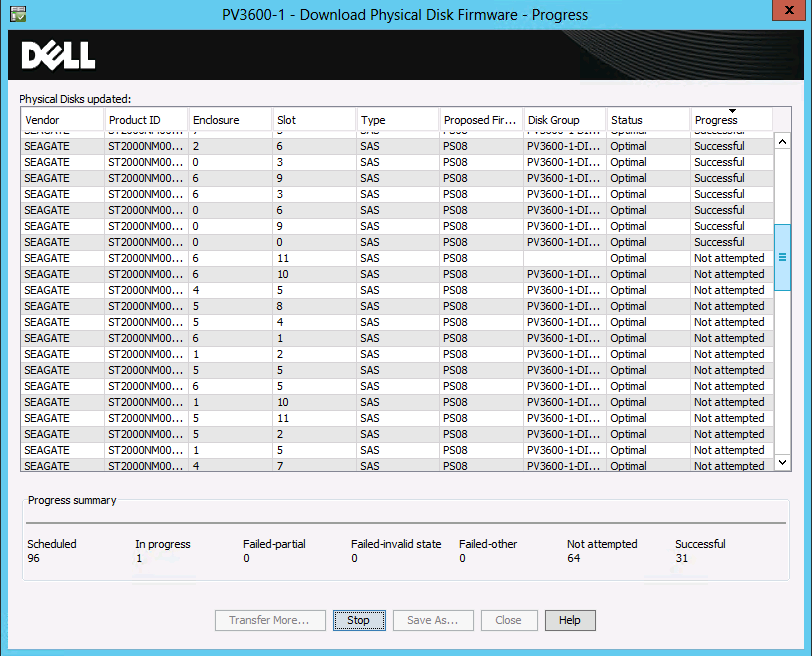
You can follow the firmware update process in the right hand column which displays the progress (Not attempted, in progress,Successful).

image

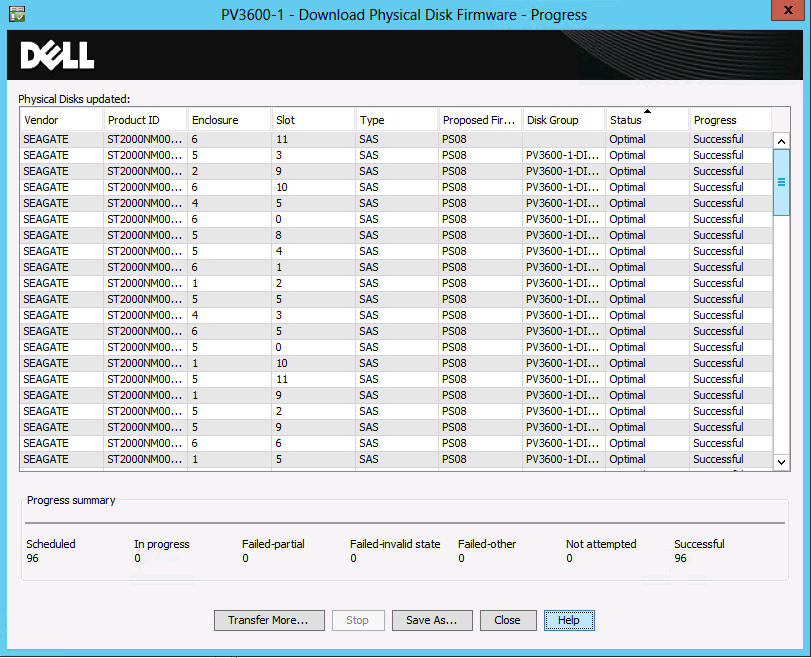
This process goes faster than you might think. When they are all done, close the wizard. Congratulations you have just installed the new disk firmware to 96 disks Smile.image

If, for 100% safety, you have brought your storage off line, you can it online and resume normal operations. I tend to give the hosts a reboot to see all still works as it should.