There is a small environment that provides web presence and services. In total there a bout 20 production virtual machines. These are all backed up to a Transparent Failover File Share on a Windows Server 2012 cluster that is used to host all the infrastructure and management services.
The LUN/Volume for the backups is about 5.5 TB of storage is available. The folder layout is shown in the screenshot below. The backups are run “in guest” using native Windows Backup which has the WindowsImageBackup subfolder as target. Those backups are archived to an “Archives” folder. That archive folder is the one that gets deduplicated, as the WindowsImageBackup folder is excluded.
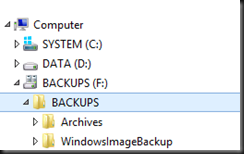
This means that basically the most recent version is not deduplicated guaranteeing the fastest possible restore times at the cost of some disk space. All older (> 1 day) backup files are deduplicated. We achieve the following with this approach:
- It provides us with enough disk space savings to keep archived backups around for longer in case we need ‘m.
- It also provides for enough storage to backup more virtual machines while still being able to maintain a satisfactory number of archived backups.
- Ay combination of the above two benefits can be balanced versus the business needs
- It’s a free, zero cost solution
The Results
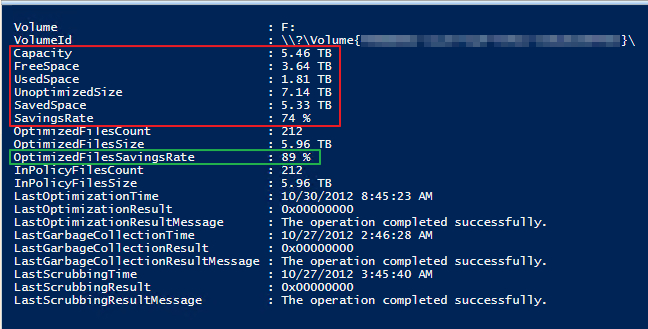
About 20 virtual machines are backed up every week (small delta and lots of stateless applications).As the optimization runs we see the savings grow. That’s perfectly logical. The more backups we make of virtual machines with a small delta the more deduplication can shine. So let’s look at the results using Get-DedupStatus | fl
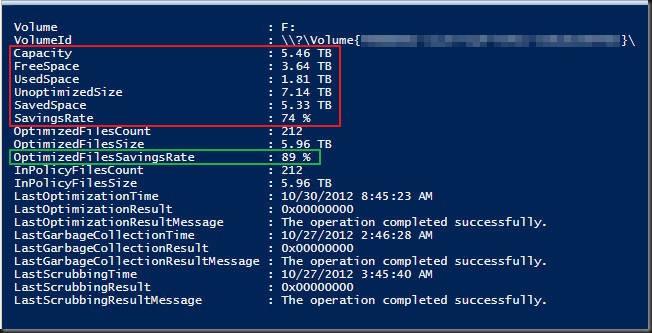
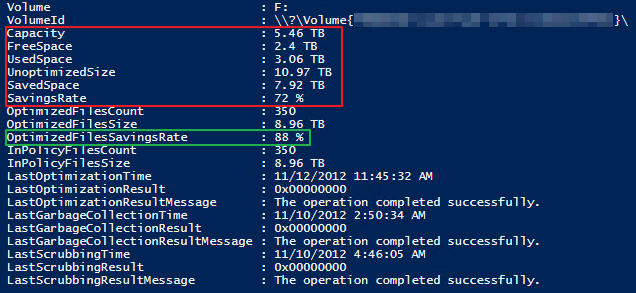
A couple of weeks later it looks like this.
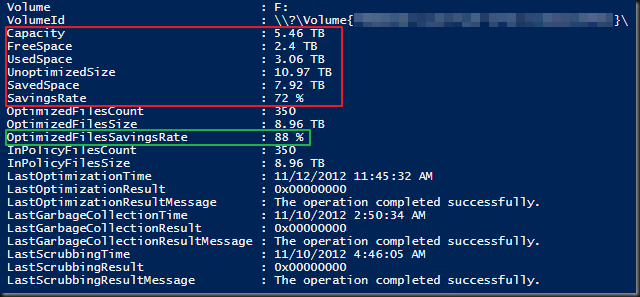
Give it some more months, with more retained backusp, and I think we’ll keep this around 88%-90% .From tests we have done (ddpeval.exe) we think we’ll max out at around 80% savings rate. But it’s a bit less here overall because we excluded the most recent backups. Guess what, that’s good enough for us  . It beats buying extra storage of paying a wad of money for disk deduplication licenses from some backup vendor or appliance. Just using the build in deduplication mechanisms in Windows Server 2012 Server saved us a bunch of money.
The next step is to also convert the production Hyper-V cluster to Windows Server 2012 so we can do host based backups with the native Windows Backup that now supports Cluster Shared Volumes (another place where that 64TB VHDX size can come in handy as Windows backup now writes to VHDX).
Some interesting screen shots
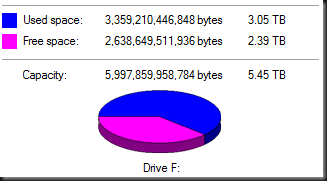
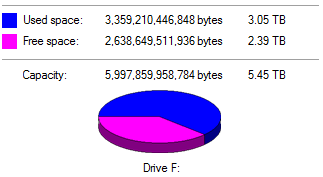
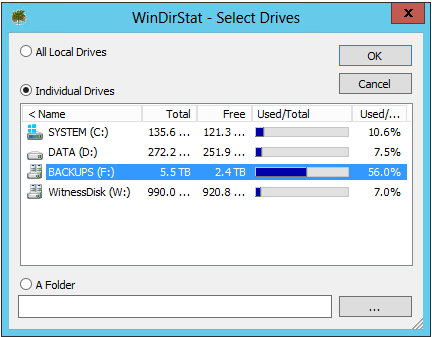
The volume reports we’re using 3TB in data. So 2.4TB is free.
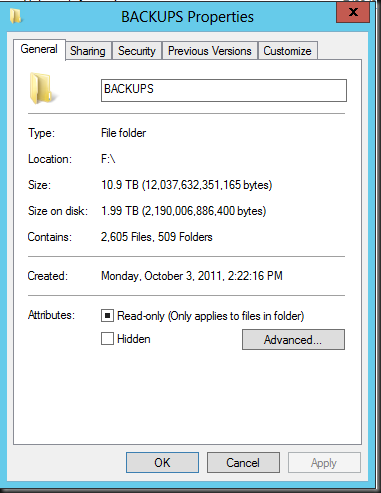
Looking at the backup folder you see 10.9TB of data stored on 1.99 TB of disk .
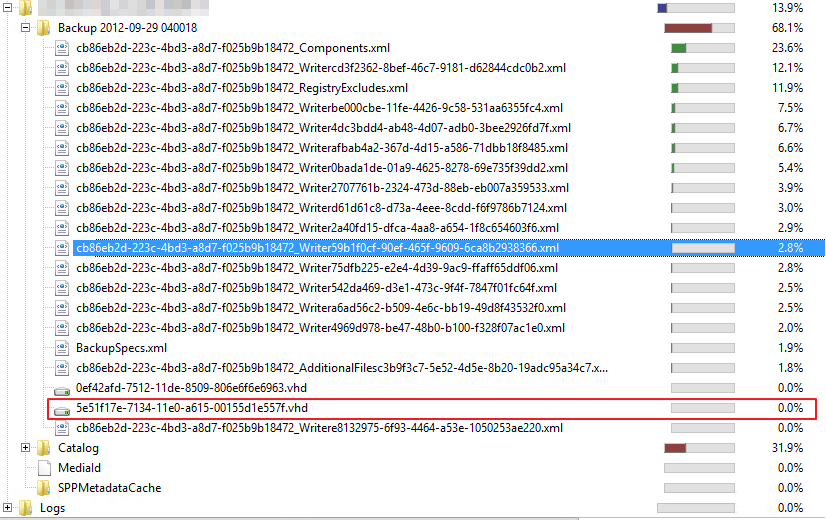
So the properties of the volume reports more disk space used that the actual folder containing the data. Let’s use WinDirStat to have a look.
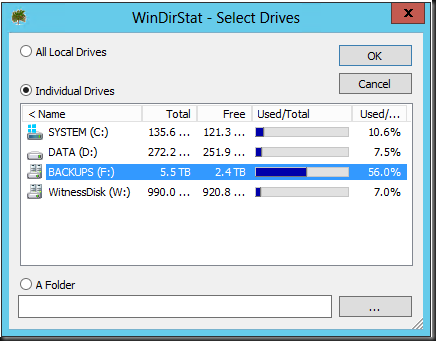
So the above agrees with the volume properties. In the details of this volumes we again see about 2TB of consumed space.

Could it be that the volume might is reserving some space ensure proper functioning?
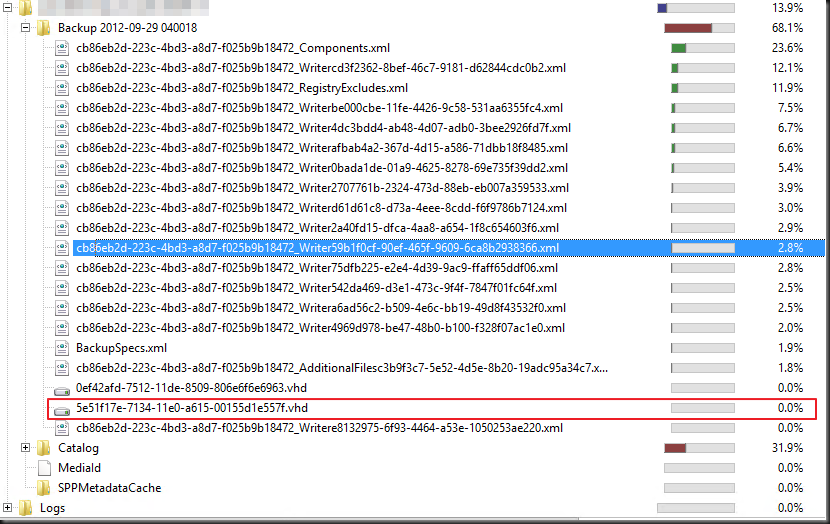
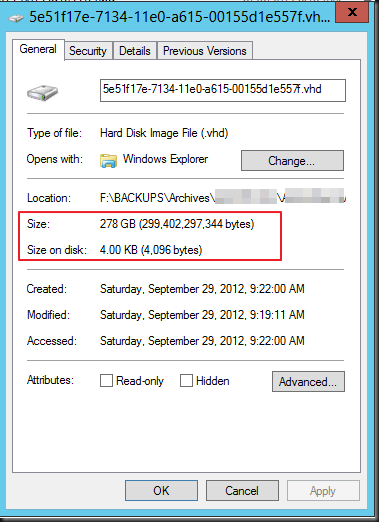
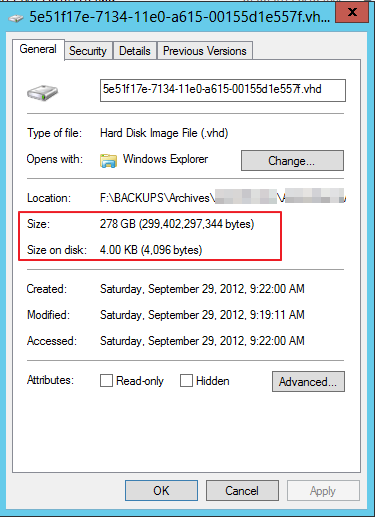
When you dive deeper things we get some cool view of storage space used.. Where Windows Explorer is aware of deduplication and shows the non deduplicates size for the vhd file, WinDirStat does not, it always shows shows the size on disk, which is a whole lot less.
This is the same as when you ask for the properties of a file in Windows Explorer.
Discussion
Is it the best solution for everyone? Not always no. The deduplication is done on the target after the data is copied there. So in environments where bandwidth is seriously constrained and there is absolutely no technical and/or economical way to provide the needed throughput this might not be viable solution. But don’t dismiss this option to fast. In a lot of scenarios is it is very good and cost effective feature. Technically & functionally it might be wiser to do it on the target as you don’t consumes to much memory (deduplication is a memory hog) an CPU cycles on the source hosts. Also nice is that these dedupe files are portable across systems. VEEAM has demonstrated some nice examples of combing their deduplication with Windows dedupe by the way. So this might also be an interesting scenario.
Financially the the cost of deduplication functionality with hardware appliances or backup software hurts like the kick of a horse straight onto the head. So even if you have to invest a little in bandwidth and cabling you might be a lot better of. Perhaps, as you’re replacing older switches by new 1Gbps or 10Gbps gear, you might be able to recuperate the old ones as dedicated backup switches. We’re using mostly recuperated switch ports and native Windows NIC teaming, it works brilliantly. I’ve said this before, saving money whilst improving operations rarely gets you fired. The sweet thing about this that this is achieved by building good & reliable solutions, which means they are efficient even if it costs some money to achieve. Some managers focus way to much on efficiency from the start as to them means nothing more than a euphemism for saving every € possible. Penny wise and Pound foolish. Bad move. Efficiency, unless it is the goal itself, is a side effect of a well designed and optimized solution. A very nice and welcome one for that matter, but it’s not the end all be all of a solution or you’ll have the wrong outcome.


 After an interview I ran of to a Compellent customer panel to learn something and provide some feedback on our first experiences.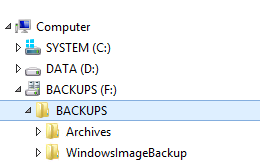



 .
.