Win a free ticket to Experts Live 2014

As you might already know I’m speaking at the Dutch IT community event Experts Live 2014 in the Netherlands. The talk is about “The Capable & Scalable Cloud OS “ where we’ll highlight and show some of the scalable capabilities in Windows Server 2012 R2 when combined with great hardware.

You can find the program at Experts Live 2014 which is very rich in content. There are 7 tracks and over 40 sessions! Chose a track or mix and match to your hearts content between  Microsoft Azure, System Center, Hyper-V, SQL, Windows, PowerShell and Office365. It’s all good.

image

To celebrate the success of the event the organizers have allowed us to give away some free entrance tickets. This is a very nice gift that will allow you to enjoy a full day of learning for free.

So convince me you’re willing to put in the time and effort to learn and we’ll help you do exactly that by making sure you get a free ticket!  Leave a reply to this blog post from Thursday October 9th till Thursday October 16th in which you tell me what blog or blogs of mine you’ve enjoyed most. Leave your name, e-mail, your company and function title so we can arrange things for you. Don’t worry we will not publish these.

There is only one request/condition … if you win a ticket come to the event as a no show means some one else can’t come.

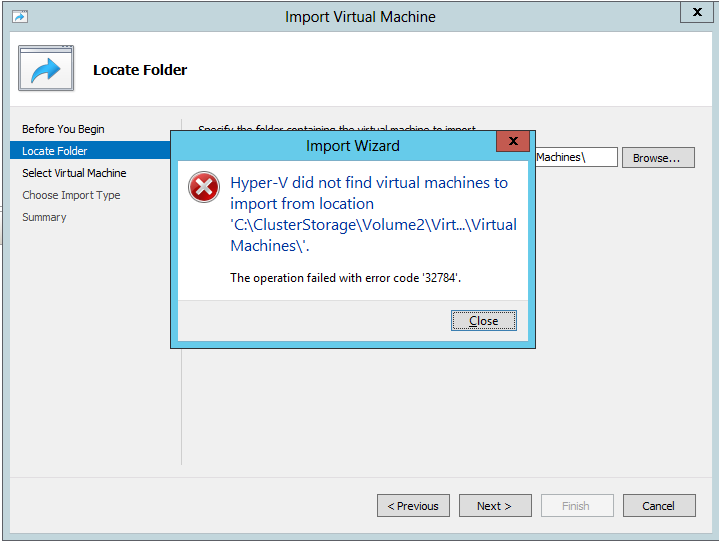
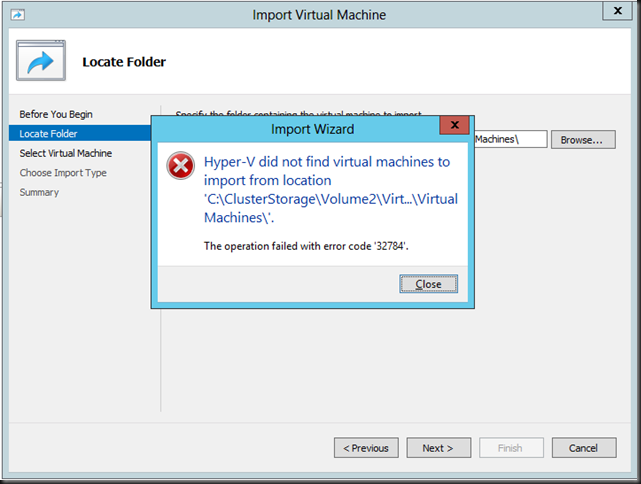
Hyper-V did not find virtual machines to import from the location . The operation failed with error code ‘32784’.

I got contacted by some people how ran into some issues importing VMs from W2K12R2 Hyper-V into W2K12 Hyper-V. They got bitten by this “little” issue: Importing a VM that is exported from Windows Server 2012 R2 into Windows Server 2012 is not supported

This means you get greeted by

Hyper-V did not find virtual machines to import from the location <folder location>.
The operation failed with error code ‘32784’.
image

No the trick of not exporting the VM but doing an “in place” registration doesn’t cut it. That’s great for W2K8R2 to W2K12 or W2K12 to W2K12R2 but not from W2K12R2 to a lower version. In that way the title of the KB article could be seen as a bit misleading or incomplete, but the contents is pretty clear.

And that’s it. Woeps! What you have 200 VMs on the LUNs form the old cluster you already blew away to build the new one? You do have a tested exit plan for this right? Uh no?

Facepalm Combo

Oh MAN, NOOOOO!

Now if it’s only one or two VMs you can always work around this by creating new VMs using the old VHDXs. This will leave you to deal with networking cleanup inside of the VMs and configuring TCP/IP. PowerShell can help here but in large volumes this remains as serious effort. This is also the time that documentation pays!

Now what if this happens to you when you’re trying to roll back a migration of a hyper-V cluster (revert W2K12R2 to W2K12 for example). Well for one you should have know as you did test all this right? Right?!

What are your other options to roll back other than  the above? From the top of my head and without details?

  • Move back to your old cluster Smile You didn’t already nuke it, I hope.
  • If you have a SAN take a snapshot of the LUNs before you move them to Windows Server 2012 R2 for faster fall back. But beware, if you’re running applications that require some tender loving care in relation to snapshots like Exchange  or Active Directory in those VMs … shutting all VMs down before you create the can help snapshot mitigates issues but is not a full proof approach! “Know thy apps”!
  • A great backup & RESTORE solution to get you back up and running also comes in handy but don’t forget that it requires you to know your apps as well here. Yes, it’s not always just “CLICKEDYCLICKCLICKDONE”
  • Perhaps it’s now time to activate your paused replicas on the DRC cluster or hosts?  You did test this didn’t you?

Now for anyone involved in a migration to Windows Server 2012 R2 there is no excuse not to know this in advance and to test out the new cluster hardware as much as you can. This minimizes the chance you’ll need to fall back. And please test your exit scenarios, really, I mean it.  Also please, you can migrate one LUN/CSV at the time. Try to run the VMs on the first migrated LUN/CSV before you do all the others. That way you can do some damage control.

Now, this is not great but it is what it is and at least now you know before your migrate Winking smile. We’ve also asked MSFT to make falling back a bit less “"involved” in future versions. Perhaps they’ll do that, I’m pretty sure they’ll consider it. And by what we’ve seen in the recently available Technical Preview they did!

Windows 2003? Let it go!

Reflecting on some of the discussions I was in recently I can only say that there is no escaping reality. Here are some reference blogs for you.

You can’t get of Windows 2003 you say? Held hostage by ancient software from a previous century?  Sure I understand your problems and perils. But we do not negotiate with hostage takers. We get rid of them. Be realistic, do you think this is somehow going to get any better with age? What in 24 months? What about 48? You get the drift. What’s bad now will only be horrible in x amount of time.

Look at some issues people run into already:

Issues like this are not going to go away, new ones will pop up. Are you going to keep everything in your infrastructure frozen in time to try an avoid these? That’s not even coping, that’s suffering.

image

What ever it is that’s blocking you, tomorrow is when you start planning to deal with it and execute on that plan. Don’t be paralyzed by fear or indecision. Over 12 years it will have been a supported OS by its end of life. Windows 2003 had a real good run but now it’s over. Let it go before it hurts you. You have no added value from a more recent version of Windows? Really? We need to talk, seriously.

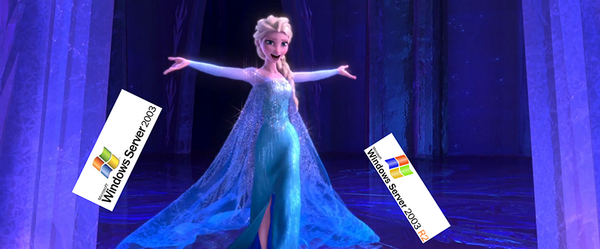
UPDATE: Inspired by Aidan Finn (@joe_elway) who offered a very good picture to get the message across => click the picture to get the soundtrack! LET IT GO!

Embedded image permalink

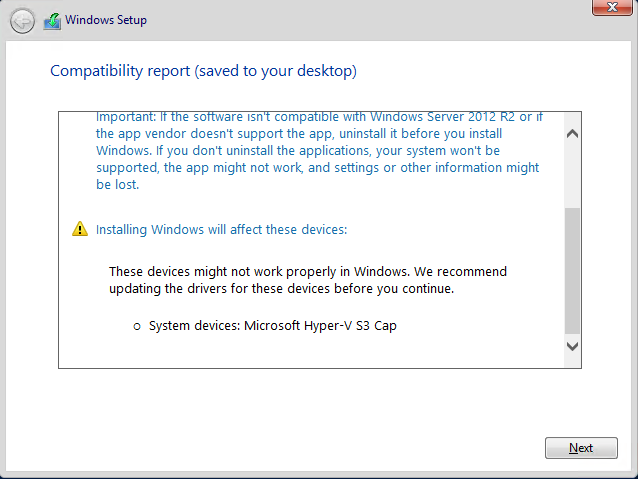
Microsoft Hyper-V S3 Cap warning when upgrading a Hyper-V Virtual Machine

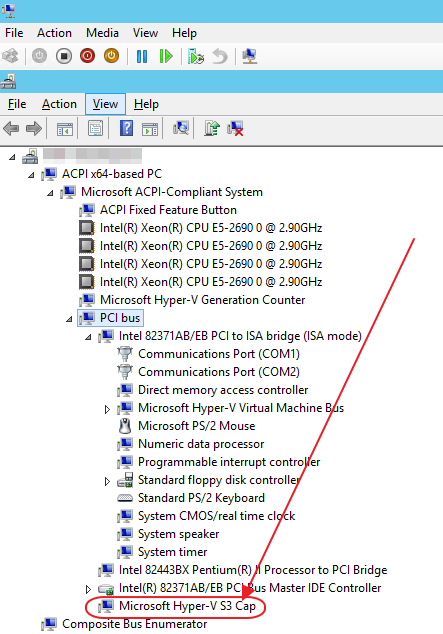
When you do an in place upgrade of a Hyper-V virtual machine you’ll get a warning that Microsoft Hyper-V S3 Cap may not work after the upgrade and that you need to update the driver prior to the upgrade.This warning is logged to the Windows Compatibility Report.htm.

image

Microsoft Hyper-V S3 Cap is an old S3 Trio 765 emulated video device and the driver isn’t included anymore so you’ll get this particular warning. This will never give you an issues, all drivers needed are indeed in the install bits. You can safely ignore this and successfully upgrade.

Some people uninstall the device via device manager but basically that’s pure cosmetics & doesn’t really serve a purpose.

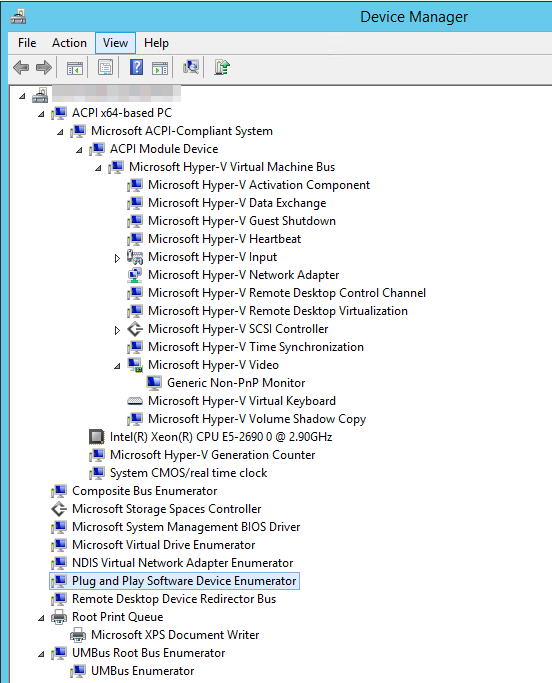
This warning is an artifact of the generation 1 virtual machines who still have this device on a PCI bus.  Below is a screenshot of a VM with W2K12R2, generation 1. As you can see the Microsoft Hyper-V S3 Cap is perfectly fine. No worries.image

As a matter of fact you will not even see this device on a generation 2 virtual machine and we should not see this with an upgrade of those.

image

I will have to wait on a public preview of Windows vNext to test an upgrade of a generation 2 machine to prove my thinking that this cosmetic error won’t be there anymore.