Cloud and Datacenter Conference Germany

On Thursday May 12th 2016 the inaugural edition of the Cloud and Datacenter Conference Germany was held in Dusseldorf. The new conference is the result of a long time wish and dream of the driving force behind the organization of it, Carsten Rachfahl from Rachfahl IT Solutions. When Carsten asked me to come over to speak and attend I was on board and I got the honor of presenting on what’s new and enhanced in Failover Clustering In Windows Server 2016.

CDCSpaking

The conference surpassed all expectations. The organization was impeccable. Just like the supporting infrastructure for speakers and sponsors, which was top notch. Catering was probably one of the best I’ve ever seen at a conference. All of this helped make the goal of the conference, presenting valuable information to the attendees and provide for networking opportunities, a success.

The quality of the speakers and the content of the sessions was matched by the interest and enthusiasm of the attendees for the technologies presented. It was a perfect fit. This was made possible by Carsten his vision on what he considers to be a great conference. This vision was brought to live by the hard work of his company co-workers, with the aid of the sponsors, the speakers and the trust of the attendees had in this conference for them to spend their time and money to attend.

As a speaker and attendee it was a great experience. The support was excellent and even the PowerPoint template was easy to use and clear of superfluous clutter. We got everything we needed to present in perfect conditions to a receptive audience. The mood was a happy one. People were having a good time, learning and networking all day long.

CDCGermanySpeakers

To Carsten and team: well done and thank you! I’m looking forward to attending and speaking again next year as this conference is a new gem to the IT public in the DACH region.

Carsten has built his company Rachfahl IT-Solutions into one of, if not the very best, experts in regards to Hyper-V, Storage Spaces, Windows and Private Cloud  in Germany. They share this expertise through their community efforts. Great people to work with!

New SMB Instances in Windows Server 2016

Introduction

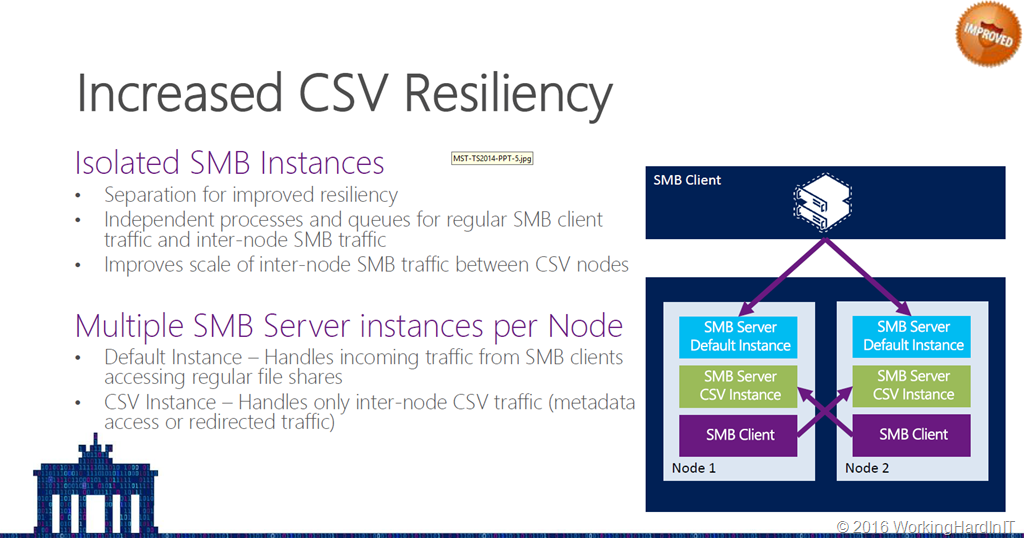
I’m pretty sure you all know / remember that in Windows Server 2012 R2 one of the improvements we got for SMB 3 was the default and the CSV instance. You can take a peak here at my slide deck from a presentation I gave at the Microsoft Technical Summit in Berlin 2014 Failover Clustering- What’s new in Windows Server 2012 R2

image

You can also read more on TechNet here.

We have New SMB Instances in Windows Server 2016

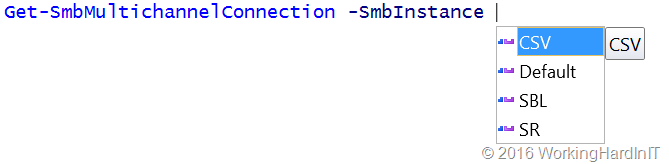
I’m happy to see this concept being expanded in the new SMB workloads. When playing  with Windows Server 2016 TPv5 I you’ll notice that we now have gotten extra SMB instances:

image

So what are these New SMB Instances in Windows Server 2016 about?

Default: This is what we had before, it’s nonspecific default SMB traffic, such as file shares

CSV: Also already known since Windows Server 2012 R2. This is the CSV traffic. This got isolated for better resiliency and isolation of issues. The goal was not to let CSV SMB issues affect default SMB traffic.

SR: This stands for Storage Replica. The purpose of this instance is the same as for CSV, isolate and make SMB on the whole more resilient.

SBL: This stands for “Storage Bus Layer”, which is related to Storage Spaces Direct replication traffic. The Storage Bus Layer is now called the Software Storage Bus (SSB). Again, isolated in its own instance for better resilience and isolation of issues. You can find more on the Software Storage Bus in Storage Spaces Direct and its use of SMB here Storage Spaces Direct – Under the hood with the Software Storage Bus

Picture by Microsoft®

“SSB uses SMB3 and SMB Direct as the transport for communication between the servers in the cluster. SSB uses a separate named instance of SMB in each server, which separates it from other consumers of SMB, such as CSVFS, to provide additional resiliency. Using SMB3 enables SSB to take advantage of the innovation we have done in SMB3, including SMB Multichannel and SMB Direct. SMB Multichannel can aggregate bandwidth across multiple network interfaces for higher throughput and provide resiliency to a failed network interface. SMB Direct enables use of RDMA enabled network adapters, including iWARP and RoCE, which can dramatically lower the CPU overhead of doing IO over the network and reduce the latency to disk devices”

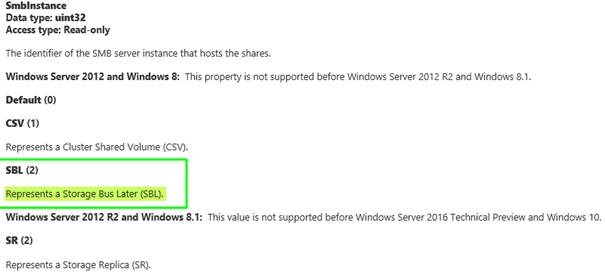
Funny anecdote: while doing some research I stumbled upon the MSDN article MSFT_SmbShare class. As you can see in the screenshot below the name was mistakenly put at “Storage Bus Later” but it should be Storage Bus Layer or as it’s now called the Software Storage Bus:

clip_image002

Now that will be fixed soon or by the time you read this blog post. All fun aside, if you want to see what that Software Storage Bus is capable of look at this blog post and video by Ned Pyle on what Claus Joergenson achieved already in 2015 with this technology. Amazing results!

Simplified SMB Multichannel and Multi-NIC Cluster Networks

Simplified SMB Multichannel and Multi-NIC Cluster Networks

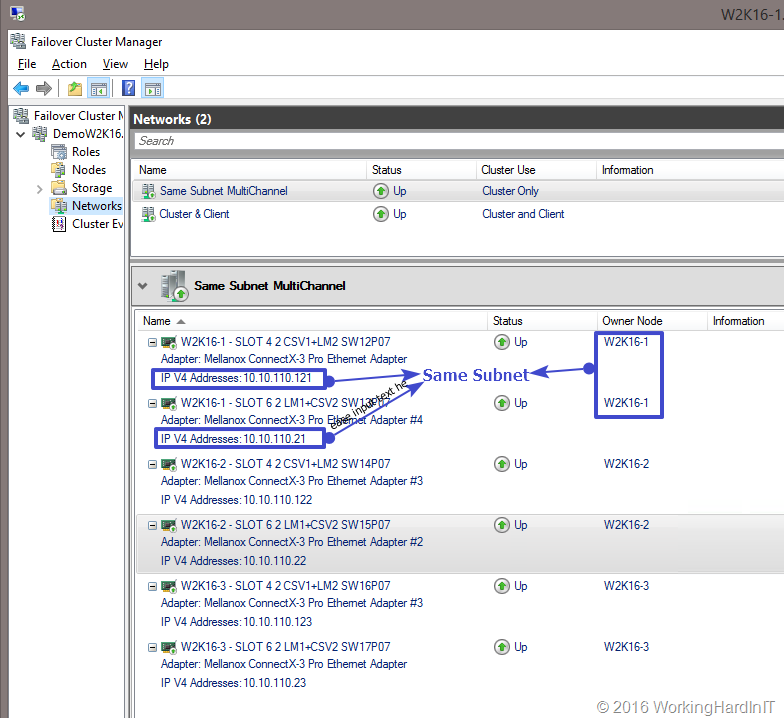
One of the seemingly small feature enhancements in Windows Server 2016 Failover clustering is simplified SMB multichannel and multi-NIC cluster networks. In Windows 2016 failover clustering now recognizes and uses multiple NICs on the same subnet for cluster networking (Cluster & client access).

image

Why was this introduced?

The growth in the capabilities of the hardware ( Compute, memory, storage & networking) meant that failover clustering had to leverage this capability more easily and for more use cases than before. Talking about SMB, that now also is used for not “only” CSV and live migration but also for Storage Spaces Direct and Storage Replica.

  • It gives us better utilization of the network capabilities and throughput with Storage Spaces Direct, CSV, SQL, Storage Replica etc.
  • Failover clustering now works with multichannel as any other workload without the extra requirement of needing multiple subnets. This is more important that it seems to me at first. But in many environment getting another VLAN and/or extra subnet is a hurdle. Well that hurdle has gone.
  • For IPv6 Link local Subnets it just works, these are auto configured as cluster only networks.
  • The cluster Validation wizard won’t nag about it anymore and knows it’s a valid failover cluster configuration

See it in action!

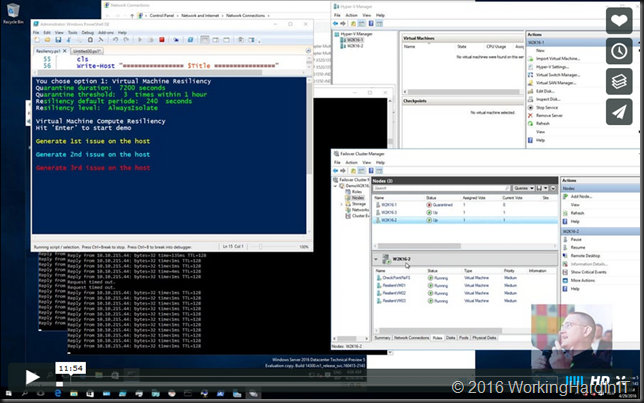
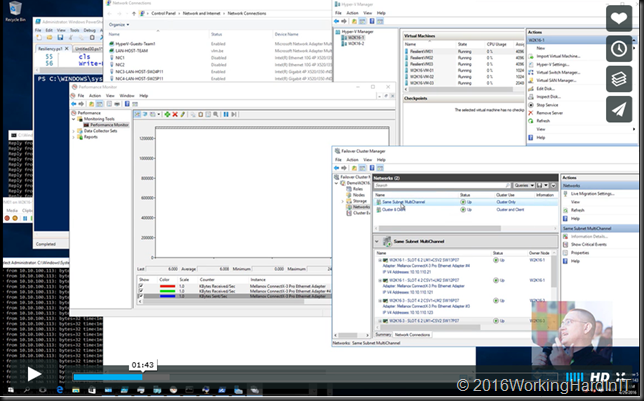
You can find a quick demo of simplified SMB multichannel and multi-NIC cluster networks on my Vimeo channel here

image

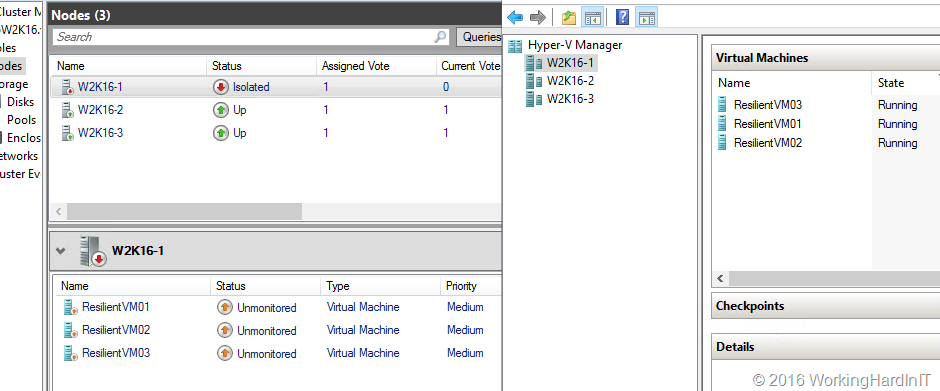
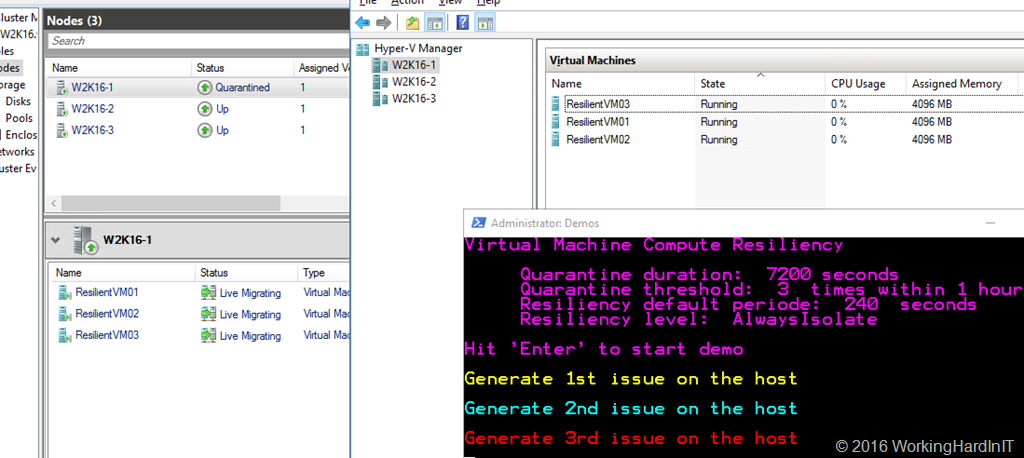
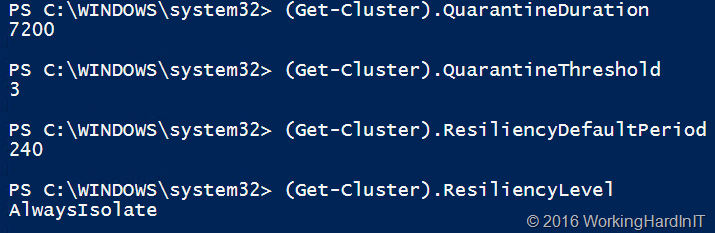
In this video I demo 2 features. One is new and that is virtual machine compute resiliency. The other is an improved feature, simplified SMB multichannel and multi NIC cluster networks. The Multichannel demo is the first part of the video. Yes, it’s with RDMA RoCEv2, you know I just have to do SMB Direct when I can!

You can read more about simplified SMB multichannel and multi-NIC cluster networks on TechNet in here. Happy Reading!

Get-VMHostSupportedVersion

I wrote about this little Gem of a PowerShell Commandlet  Get-VMHostSupportedVersion before in here (there a bit more info on the impact of a VM configuration version in that blog). Now at TPv5 I took a new peak and what do we find?

image

We now have version virtual machine configuration version 7.1 at TPv5. We also got 2 new version ID’s 254.0 for Prerelease and 255.0 for Experimental. Clearly Microsoft has plans here.  I’ll update this blog with a link to the documentation when I find it.

All bets are open as to where we’ll land at RTM for the virtual machine configuration version. I’m guessing that we’re feature complete at Technical Preview 5 but version numbers can get funky. Will all TP version be supported at RTM? Normally upgrades from beta / preview versions are not supported but on the other hand some people in early adopter programs are working on it already so I’m guessing they will. We’ll see, but that’s where I put my money.