Manage Your Brocade Fibre Channel Switch with recent Java & browser versions

Introduction

I was in the process of setting up a new jump server a management station server virtual machine on Windows Server 2016 Hyper-V. The guest was also Windows Server 2016 (desktop install). That station needed to be used to manage some aging Brocade fibre channel switches. With the default setting and links this will give you some headaches and some solution require you to keep older and insecure browser or java versions installed. We’ll show you how to get GUI access to your FC switches without needing to do that so you can manage your Brocade Fibre channel switch with recent Java & browser versions. Well not all of them, but it can be done with IE 11 and Firefox 52.0.1 (at the time of writing).

Another solution is to use the CLI naturally.

Manage Your Brocade Fibre Channel Switch with recent Java & browser versions

It’s OK to use the most recent Java version available. At the moment that I wrote this blog post that was Java 1.8.0.121. I can’t give guarantees other than that, but for now that does work.

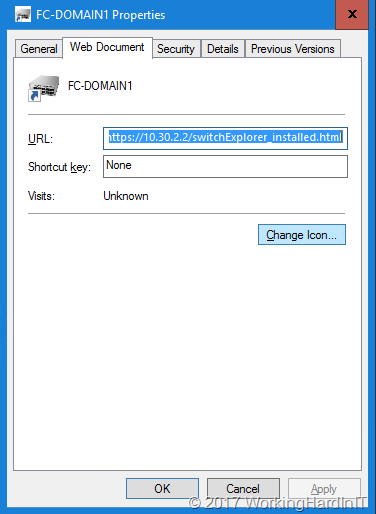
Instead of navigating to http or https to just the IP address which will send you to https://x.x..x.x/switchexplorer you need to create a shortcut link to the following: https://10.30.2.2/switchexplorer_installed.html (or http://10.30.2.2/switchexplorer_installed.html if you have not enabled https on your switch).

Like this:

clip_image001

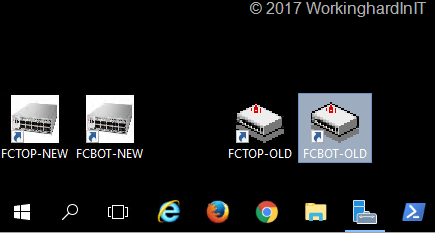
I normally change the icon to the shortcut to indicate it’s pointing to a network device. I actually created some ico files based on an image of brocades Fibre Channel switches that I use for this. I just place then under C:\Programdata\BrocadeFC for safe keeping together with a cop of the short cuts. On the management station, I add them to the desktop for easy access. Below is a screenshot of my Windows 10 or Windows Server 2016 (Desktop Experience) management station.

clip_image002

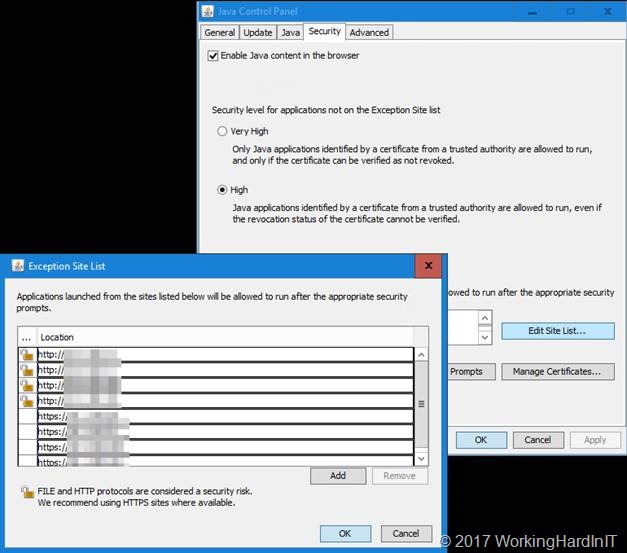
But we’re not there yet. You need to go to Java configuration and select the Security Tab. Make sure Enable Java Content in the browser is enabled. Leave the security at high but don’t forget to add the IP addresses of your Brocade switch to the Exception Site List.

clip_image004

You’ll need to add http or https or both depending on your situation. I think we can all agree we should go for https in this day and age.

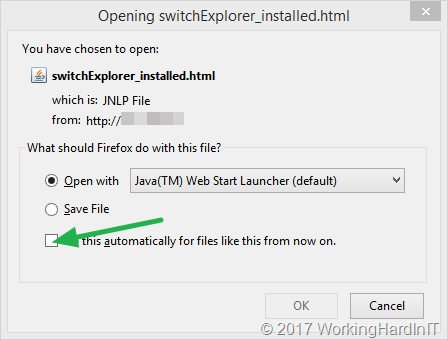
In Firefox when you launch the shortcut you’ll get asked what app to use for opening this file.

clip_image005

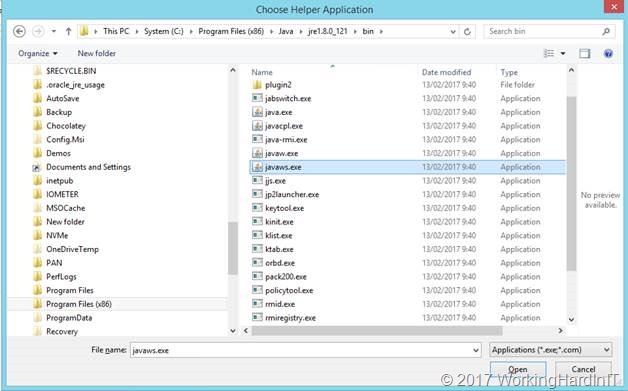
Make sure you point it to javaws.exe (in C:\Program Files (x86)\Java\jre1.8.0_121\bin) if that’s not the case.

clip_image007Also, check to “Do this automatically for files like this from now on” for faster access during normal operations.

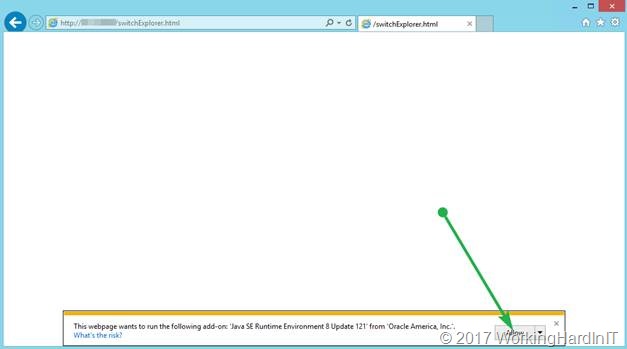
In Internet Explorer allow the add-on “Java SE Runtime Environment 8 Update 121 from Oracle America Inc.” to run.

clip_image009

When it comes to Chrome, this doesn’t’ work anymore. See https://www.java.com/en/download/faq/chrome.xml

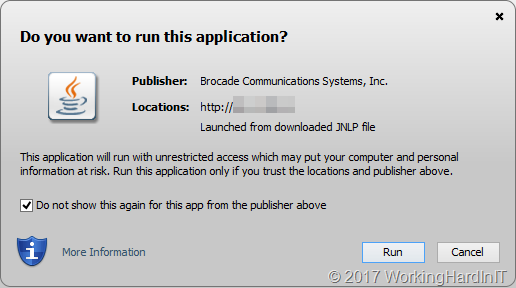
When the application is launched, depending on the age of the fibre channel switch and the version of the firmware you’ll be greeted by a more or less harsh security warning.

clip_image010

clip_image011

Check the “I accept the risk and want to run this application” or “Do not show this again for this app from the publisher above” depending on the case. This also allows for easy access the next time you launch the shortcut. The app will launch and you’ll be greeted by the login screen.

clip_image012

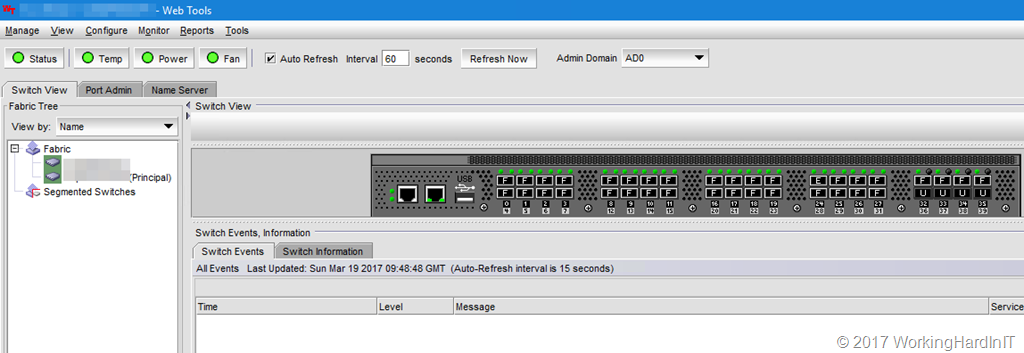
Juts log in and there’s nothing more to it. You can now manage your FC switches from Firefox again.

image

Hope this helps some of you out there that come across this issue.

Testing Compellent Replay Manager 7.8

Testing Compellent Replay Manager 7.8

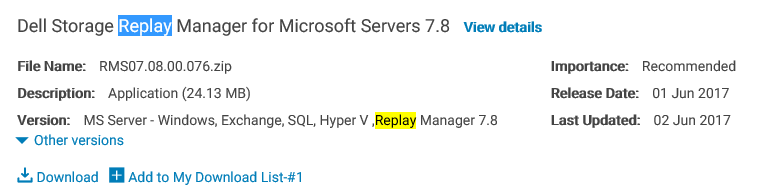
So today I found the Replay Manager 7.8 bits to download.image

As is was awaiting this eagerly (see Off Host Backup Jobs with Veeam and Replay Manager 7.8). So naturally, I set of my day by testing Compellent Replay Manager 7.8. I deployed in on a 2 node DELL PowerEdge Cluster with FC access to a secondary DELL Compellent running SC 6.7.30 (you need to be on 6.7).

image

The first thing I noticed is the new icon.

image

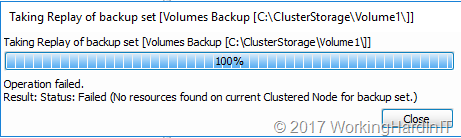
That test cluster is running Windows Server 2016 Datacenter edition and is fully patched. The functionality is much the same as it was. There is one difference and that if you launch the back upset manually of a local volume for a CSV and that CSV is not owned y the Node in which you launch it the backup is blocked.

image

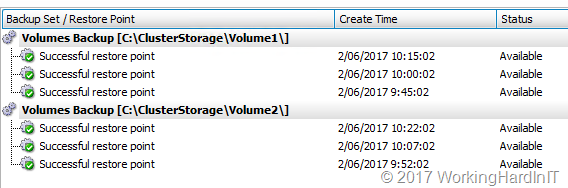
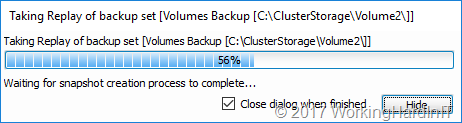
This did not use to be the case. With scheduled backup sets this is not an issue, it detects the owner of the CSV and uses that.

image

Just remember when running a backup manually you nee to launch it from the CSV owner node in Replay Manager and all is fine.

image

Other than that testing has been smooth and naturally we’ll be leveraging RM 7.8 with transportable snapshots with Veeam B&R 9.5 as well.

Things to note

Replay Manager 7.8 is not backward compatible with 7.7.1 or lower so you have to have the same version on your Replay Manager management server as on the hosts you want to protect. You also have to be running SC 6.7 or higher.

Wish list

I’d love to see Replay manager become more intelligent and handle VM Mobility better. The fact that VMs are tied to the node on which the backup set is create is really not compatible with the mobility of VMs (maintenance, dynamic optimization, CSV balancing, …). A little time and effort here would go a long way.

Second. Live Volumes has gotten a lot better but we still need to choose between Replay Manager  snapshots & Live Volumes. In an ideal world that would not be the case and Replay manager would have the ability to handle this dynamically. A big ask perhaps, but it would be swell.

I just keep giving the feedback as I’m convinced this is a great SAN for Hyper-V environments and they could beat anyone by make a few more improvements.

DELL EMC Ready Nodes and Storage Spaces Direct

Introduction

Unless you have been living under a rock you must have heard about Storage Spaces Direct (S2D) in Windows Server 2016, which has gone RTM in Q4 2016.

There is a lot of enthusiasm for S2D and we have seen heard and assisted in early adopter situations. But that’s a bit of pioneering with OEM/MSFT approved components. So now bring in the DELL EMC Ready Nodes and Storage Spaces Direct.

DELL EMC Storage Spaces Direct Ready Nodes

So enter the DELL EMC ready nodes. These will be available this summer and should help less adventurous but interested customers get on the S2D bandwagon. These were announced at DELL EMC world 2017 and on may 30th they published some information on the TechCenter.

If offers a fully OEM supported S2D solution to the customers that cannot or will not carry the engineering effort associated with self built solution.

I was sort of hoping these would leverage the PowerEdge 740DX from the start but they seem to have opted to begin with the DELL 730DX. I’m pretty sure the R740DX will follow soon as it’s a perfect fit for the use case having 25Gbps support. In that respect I expect a refresh of the switches offered as well as the S4048 is a great switch but keeps us at 10Gbps. If I was calling the shots I’d that ready and done sooner rather than later as the 25/50/100Gbps network era is upon us. There’s a reason I’ve been asking for 25Gpbs capable switches with smaller port counts for SME.

Maybe this is an indication of where they think this offering will sell best. But I’d be considering future deployments when evaluating network gear purchases. These have a long service time. And when S2D proves it self I’m sure the size of the deployments will grow and with it the need for more bandwidth. Mind you 10Gbps isn’t bad even if if, for Hyper-V nodes would be doing 2*dual port Mellanox Connect-X 3 Pro cards.

Having mentioned them, I am very happy to see the Mellanox RoCE cards in there.That’s the best choice they could have made. The 1Gbps on board NICs are Intel, which matches my preference. The game is a foot!

Off Host Backup Jobs with Veeam and Replay Manager 7.8

It’s all about application consistent hardware VSS provider snapshots

I was browsing to see if I could already download Replay Manager 7.8 for our Compellent (SC) SANs. No luck yet, but I did find the release notes. There was a real gem in there on Off Host Backup Jobs with Veeam and Replay Manager 7.8. We’ll get back to that after the big deal here.

image

So what kind of goodness is in there? Well obviously there is the way too long overdue support for Windows Server 2016, including the Hyper-V role and its features. That is great news. We now have application consistent hardware VSS provider snapshots.I do not know what took them so long but they need to get with the program here. I have given this a s feedback before and again at DELL EMC World 2017 The Compellent still is one of the best “traditional” centralized storage SAN solutions out there hat punches fare above its weight. On top of that, having looked at Unity form DELL EMC, I can tell you that in my humble opinion the Compellent has no competition from it.

Off Host Backup Jobs Veeam Replay Manager 7.8

Equally interesting to me, as someone who leverages Compellent and Veeam Baclup & Replication with Off Host Proxies (I wrote FREE WHITE PAPER: Configuring a VEEAM Off Host Backup Proxy Server for backing up a Windows Server 2012 R2 Hyper-V cluster with a DELL Compellent SAN (Fiber Channel))  is the following. Under fixed Issues is found:

RMS-24 Off-host backup jobs might fail during the volume discover scan when using Veeam backup software.

I have Off host proxies with transportable snapshots working pretty smooth but it has the occasional hiccup. Maybe some of those will disappear with Replay Manager 7.8. I’m looking forward to putting that to the test and roll forward with Windows Server 2016 for those nodes where we need and want to leverage the Compellent Hardware VSS provider. When I do I’ll let you know the results.