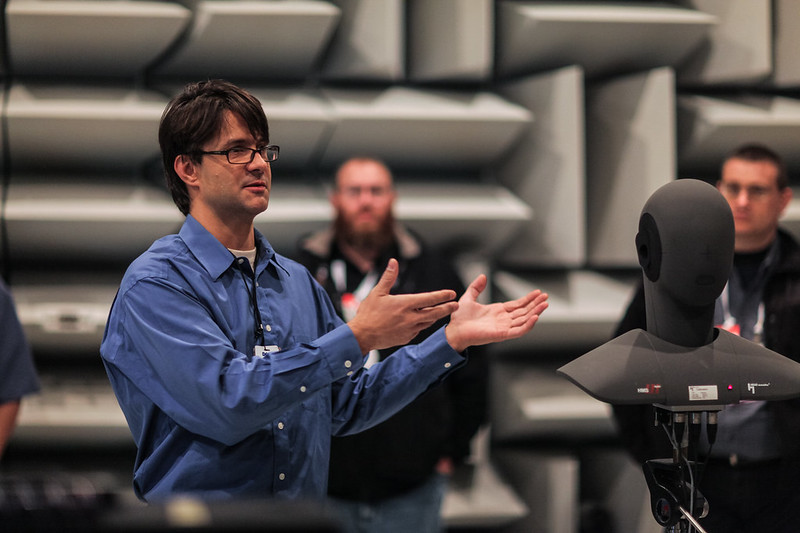
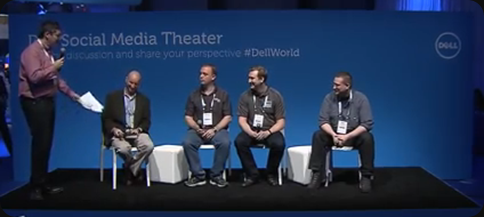
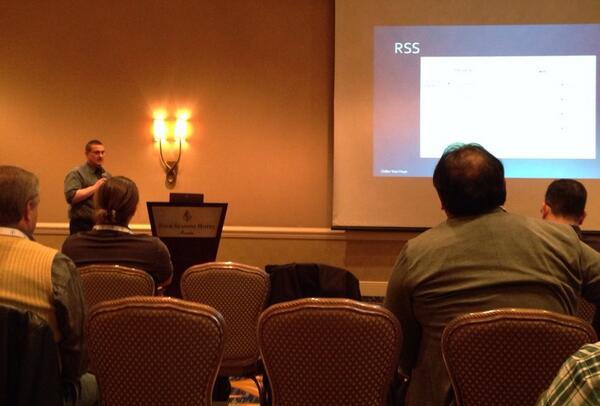
Time flies. 2013 is almost done and I’m always reminded of the fact that time is the most precious resource. We need to keep that in mind, always, lest we waste it. It’s been a busy working, learning, playing (homo ludens, gamification is nothing new  ) & community work. For the latter there was a lot of presenting, attending conferences (Storage Forum, TechDays, MMS, Hyper-V.nu event, “Best of MMS 2013 in Belgium”, TechEd, E2EVC, Dell World), several think tanks, 2 MVP Summits, studying, doing labs, helping out others by sharing our experiences & learning form others sharing theirs. I hope 2014 will continue that way and I’ll do what I can to make it happen.
Windows Server & Hyper-V is a growing force
Some still dismiss it, but Hyper-V is going places, as it’s a fully free hypervisor. It’s also the cheapest choice when it comes to virtualizing Windows. Management tools you say, the cost & complexity of System Center? Well if you have better options, use them, go for better, cheaper solutions whether is scripting, tools or frameworks. There is no obligation. Free advice to VMware: make your hypervisor free. Until you do that you’re stuck at producing more for free as your prices can’t go up anymore and you’re missing out on all other frameworks as nobody will eat the licensing cost if they don’t need the management tools around it.
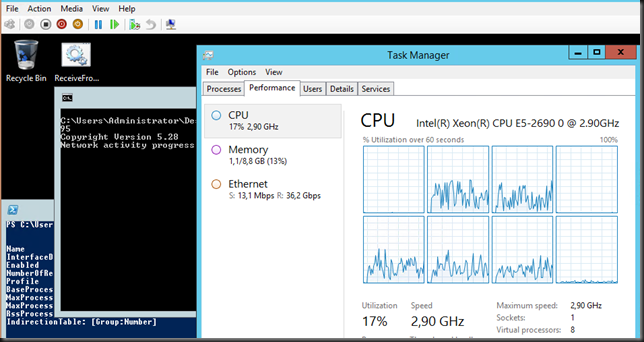
On the Microsoft side of things, 2013 was about Windows Server 2012 R2 which we deployed the day we got the preview bits. The pieces of highly capable & scalable cloud OS are all coming together for the best possible performance. We did some great experiments & POCs with RDMA / SMB Direct. This was fun, had a challenging learning curve and produced some very nice results. This work will pay off, more on that in a future blog post. vRSS was another big item for us, I just love its capabilities. We also got to leverage UNMAP & ODX and when combined with the above and the enhanced capabilities of VHDX it really makes Windows Server 2012 R2 Hyper-V shine.
We’ve also been busy evaluating on whether private & hybrid clouds are worthwhile investing in and if so in what way, where and how much, how far and how long. My hybrid cloud is not your hybrid cloud. Many approaches exist and they do not mean by definition buying every single product or service in the catalog. The fact is that some private cloud and certain hybrid clouds approaches require an economy of scale that many don’t have. The toolsets themselves are not helping those without this scale benefit either. Optimized/dynamic IT with public cloud & some hybrid cloud might be your best bet especially when one considers data gravity. Ouch, blasphemy? Not really, common sense. As an advisor you cannot just rehash sales brochures & buys stuff. Independent thinking is a requirement.
The wars for control of the Datacenter Abstraction Layer / Software Defined Datacenter is on. Everyone is fighting for control as this is a big future revenue generator. Now hardware vendors are not that great at software & vice versa. So nobody has won yet. Meanwhile “cloud only” (Amazon, Google) players are probably smiling as they don’t need that fight that war at least not that hard, that direct. They fight for the new territories like robotics, AI, …
On top of that a lot of cloud thinkers see a (very) limited use case for IAAS in the long run. If they’re wrong, the ones gaining control could become very dominant. But for now, it’s still a very much an immature, in flux, effort. Building one now is very expensive & maybe not worth while unless you have the economies of scale to make it so and it is long-lived enough to get the ROI.
Storage wise the landscape is in full flux and I hope a lot of companies big & small keep kicking & pushing for better, affordable solutions. The ones opposing that know all to well why. I’d love Storage Spaces to make a real big dent just to get some of the bigger players to focus on the real needs of their customers.
What about BYOD, COPE, CYOD, CLEO VDI & app virtualization? It’s still very expensive, requiring diverse solutions and a lot of effort. There is a lot of money to made catering to it, but not in buying it, unless you are in that segment of the market where it makes sense (retail, sales, logistics, medicine …) which all happen to be markets that are highly regulated or process driven without much deviation & a measurable benefit . i.e. there is a ROI that mitigates the TCO. Not saying that it can’t, it can if you do it right. But too little understanding of benefits, costs and risks will get you in a mess. There’s a reason it’s going into the “Trough of Disillusionment” right now. For many, without clear goals & benefits, my advice would be to let that market mature and I can see the solutions available in completer solutions in the public cloud at better prices. Play and experiment with mobile devices and see what works and what doesn’t, but don’t spent too much time and money on them if you don’t have a clear, well defined objective. And I hear you about the paperless office, but the first thing you need to do there is get rid of the readily available printing capacity. A smartphone or a tablet will not reduce paper usage. It just adds more paperless use cases, which is not a reduction. At best, you’re diluting the issue and make it look better. Make printing more expensive & less available & see what emerges to deal with the absence of the capability.
As interesting technology to watch (I’m not involved right now) I had fun with 3D printing, robotics, drones, … The production & execution capabilities might shift the entire political, economical landscape, if we play our cards right & eat some cost (it’s called investing) for long term benefits.
Related to Hyper-V, virtualization & * Cloud is the fact that the capabilities & scalabilities needed are here with Windows Server 2012 R2, so we’ll see some serious growth in 2014 for Hyper-V. There are some hurdles. Some Microsoft will need to fix, others are the learning curve both with customers & the channel. Now the landscape has changing and some struggling. And as none will ever admit to that we come to the next subject. Being an expert.
Experts
With so much power comes also responsibility to wield it wisely or suffer the consequences. It fun to work with experts. They know how little they know and how much they don’t know. So they spend a lot of times testing, discussing, thinking & experimenting all this in all kinds of way. It’s never ever a nine to five job. Becoming and being an “expert” is a sustained, long term, continuous effort and is not done in the isolation of a cubical or flex work spot.
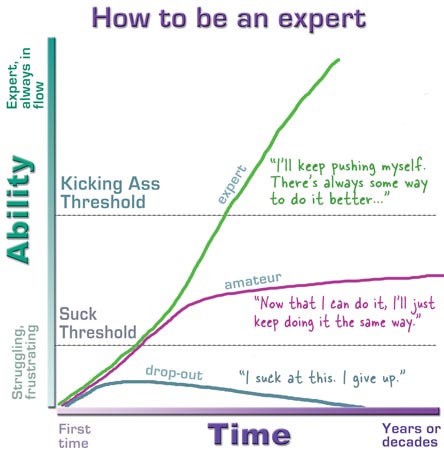
© Kathy Sierra at http://headrush.typepad.com/creating_passionate_users/
You keep at it until thinks break, until you get it wrong. That goes for bot ideas and designs. It’s often not about doing it right all the time but about figuring out what works and what doesn’t. To come up with creative answers that work when the landscape changes. Here’s a hint for you: it’s not in a glossy sales brochure, a sales rep’s advice or the manual. Most experts have failed a lot more than they got it right but they did it when it didn’t hurt as much. The probably failed a hundred times more than mediocre, play it safe, quick buck driven types who’ll never learn what could be. But, remember, being a reckless idiot will only get you killed. I know and have worked with a lot of industry experts this year and I’m looking forward to working with them in 2014.
The good
There is an amazing amount of talent out there of hardworking engaged people. I have had the pleasure of talking & working with many of them. We have have a slew of technologies at our disposal to support them and businesses. Both the talent and the people are available and can be leveraged.
The bad
If there was a negative it 2013 it was the harsh reality, more often than I feel comfortable with, that more resources don’t necessarily lead to an equivalent amount of more results. It’s fascinating & sad at the same time noticing an ever diminishing return on investment. Just spinning wheels in the mud. Lot’s of noise, lots of dirt, lost of burnt gas and a stench of burning fuels without much progress to show for it. All this while most people are drowning in work in an era of do more with less. Talk about turning things around  . Perception is everything.
The ugly
There are a couple of major threats to IT in business today. These are not new and no, cloud is not one of them. They are lack of leadership & independent thinking. While the CEO of CFO are now in charge in order to better aligning business and IT this is not a panacea. For one the misalignment is a artificial problem, and they probably where involved creating it. But they or IT are not the (only) one to blame, it’s not that simple. Brainwashing by glossy magazines marketing & sales affects everyone. As a advisor, the real value of IT is in giving the business what it needs, what doesn’t necessary match what they want, the trick is making them think it is.
Technology itself is not the biggest challenge, but managing all the moving bits in an ever faster changing landscape. Combine that with management approaches that are based on “that’s what I read & hear everyone is doing”. Add cost cutting as a goal in itself and things start to look pretty grim. We’re surrounded by point solutions that are sold very well but make little difference to the game. It’s like a child playing with a chess board a without knowing even as little as the rules.
Sometimes, when bean counters get in control or IT initiatives are even put under facility management, directly or indirectly, you know the differentiating role if IT at a company is as dead as a dodo. In some cases that’s where IT belongs and I won’t argue against that. Yes, not all companies have the same needs. But if you need IT to make a difference, you’d better not do that. If you do, at best, IT moves to a parallel circuit where it can make a difference as a shadow force. Yes, IT also does “Shadow IT” to get the job done … call it asymmetric warfare & counter intelligence to keep the boat floating if you will. They do what they have to do to live & fight another day or perhaps some genius created that to get thing moving fast . False economies for short term gains in an arena where simplicity rules, yet where artificial complexity is introduced, are ensuring IT will never ever be a real an enabler. Meanwhile ever greater “economy of scale projects” to cuts costs take way too long, are way too expensive and often use the wrong technologies. That’s an indicator the wrong people are calling the shots. In todays IT landscape, where we become ever more myopic, we need to act short term effectively, while moving ahead & thinking long term (i.e. get some glasses, NVG, IR, …)
To some IT seems destined (or doomed) to be only a commodity that, while needed, is worth very little. Can you spell “Maginot Line” or are you to busy weeping about the demise of the Brown Bess musket in the 20th century? IT needn’t be that way. “IT doesn’t matter” only holds true if you do it wrong. Done right, both in time, location & execution, IT can be very cost effective, useful, differentiating & even disrupting. Alas in many environments not even the commodity stuff is cost effective. Lack of insight & strategy will more likely bleed the company dry by “friendly” but wrong advice. The biggest mistake one can make with commodities (except for turning them into boutique items) is letting salesmen & consultants decide for you what’s the best value for money. As a child, for some reason, your mother has told you not to talk to stranger or go with them, especially not if they promise you candy. As an adult they’ve turned that into a business model and now trust perfect strangers with the livelihood & the future of the company. Go figure. When people tell you to do X or look at Y, think about their agenda. Please read “The Prince”. If need advisors, do it like the mob. Get one or more great consigliere, reward ‘m well for results. Dispose of them when those don’t arise, make sure your advisor has no profit from not delivering results.
High Speed, Low Drag, Fast Results, Backwards Compatible & Future Proof IT
Choosing a dynamic and scalable IT infrastructure solution in combination with a flexible and integrated development platform is extremely important. It provides one of the pillars for the successful implementation and support of business applications. Today this is not just an opinion or even option. It is a prerequisite of success in modern business. It is a necessity.
The need to provide long term backward compatibility, support for current and new technologies, facilitate agile development and allow easy deployment and maintenance throughout the life cycle is paramount. These considerations are valid whether we are looking for a single line of business application or an entire infrastructure solution. This is a continuous process and it needs to be taken into account with every action taken.
It’s not tied to any paradigm, architecture, technology or trend. Sometimes that means moving fast and aggressive. Sometimes it means slow and easy. Sometimes it means wait, sometime is means run. It depends on what we’re working on. How to achieve this isn’t new at all actually.
There is a reason that the Art of War, Machiavelli and other classics are popular with managerial types. This isn’t new at all. Unfortunately many of them fast forward through the boring parts and end up being opportunists and not leaders. While business is like warfare, the effort is often focused to heavily on the internal politics, not against the competitors. Where in the old days we had runners to relay information, the speed in IT today is more like a frantic dogfight in the 21 century, where even an F16 cannot deliver the capabilities to dominate air combat in the long term, which leads me to Observe, Orient, Decide & Act (OODA). Sure Boyd was a hard one to work with for the careerist hierarchy, but he defined the successful strategies & tactics for air combat that only came into the public eye during the 1st Gulf war. He never made general, he was way to non political for that, but he’s name is still known far outside his chose profession while most air force generals have faded away in to a oblivion or perhaps got shot before the fight started in earnest. For a strategy needs to be defined by you or by real trusted advisors, not sales men. This strategy needs to be executed and tactics defined on how you do that. Finally you can decide on a plan for what to use and when to do it. Way to many people that claim to have a strategy don’t know what it is. It’s hard enough to be successful with a good strategy let alone with a mediocre one, or even worse think you have one while you don’t know what defines a strategy. And trust me, without one, you’re toast or blissfully ignorant if you’re lucky. Often between C level decision making & execution we see lots of actions to shape things up. Processes, analysis, methodologies, reporting, rules, regulation but there is something missing. But tools are just tools and having a race car doesn’t make one a NASCAR driver, it just gets you in a car crash. Bean counting and ITIL means nothing if you are not using it at the right time, the right place, for the right reasons, in the right way. Some parts of your business should be a total free fire zone, while others should be process based with a vengeance. Choose wisely. I have a presentation on that by the way.
The road ahead
One has to keep moving forward. And guess what? There are many roads to travel and beautiful sights to see, great experiences to be had.

While I‘m a hands on technologist & will be one for a long time I’ll spend more time in 2014 on strategic roles that involve technology. There is a clear and present need, coupled with a demand. It’s an opportunity to deliver value. I see way too much many examples of quick, dirty & clueless “solutions” that are just waiting to become a stinking cesspool of technology debt at best another nail in the coffin. Remember that even the best designs and implementations have a time limited value and will rot away over time as they age and the world changes. So what does that tell you about the mediocre ones? Perhaps you need a consigliere?
Take care and I wish you all a great, healthy & prosperous 2014! May it bring you interesting projects, lots of opportunities & practical nuclear fusion for a cheap, easy and “infinite” source of clean energy.