Hyper-V did not find virtual machines to import from the location . The operation failed with error code ‘32784’.

I got contacted by some people how ran into some issues importing VMs from W2K12R2 Hyper-V into W2K12 Hyper-V. They got bitten by this “little” issue: Importing a VM that is exported from Windows Server 2012 R2 into Windows Server 2012 is not supported

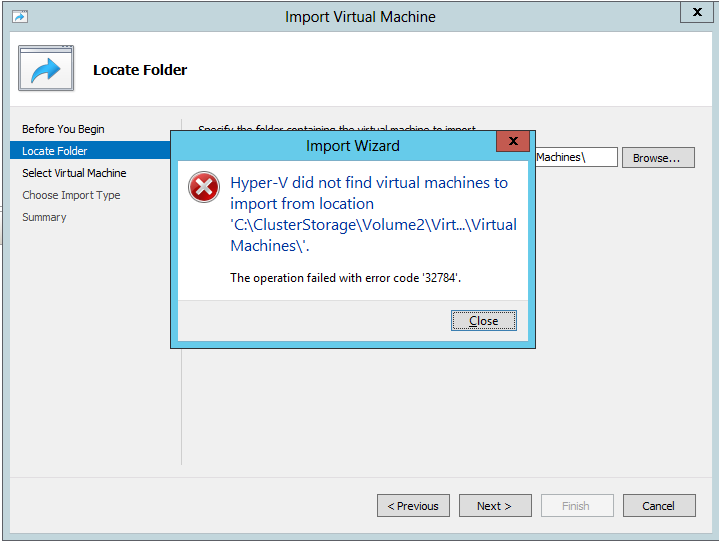
This means you get greeted by

Hyper-V did not find virtual machines to import from the location <folder location>.
The operation failed with error code ‘32784’.
image

No the trick of not exporting the VM but doing an “in place” registration doesn’t cut it. That’s great for W2K8R2 to W2K12 or W2K12 to W2K12R2 but not from W2K12R2 to a lower version. In that way the title of the KB article could be seen as a bit misleading or incomplete, but the contents is pretty clear.

And that’s it. Woeps! What you have 200 VMs on the LUNs form the old cluster you already blew away to build the new one? You do have a tested exit plan for this right? Uh no?

Facepalm Combo

Oh MAN, NOOOOO!

Now if it’s only one or two VMs you can always work around this by creating new VMs using the old VHDXs. This will leave you to deal with networking cleanup inside of the VMs and configuring TCP/IP. PowerShell can help here but in large volumes this remains as serious effort. This is also the time that documentation pays!

Now what if this happens to you when you’re trying to roll back a migration of a hyper-V cluster (revert W2K12R2 to W2K12 for example). Well for one you should have know as you did test all this right? Right?!

What are your other options to roll back other than  the above? From the top of my head and without details?

  • Move back to your old cluster Smile You didn’t already nuke it, I hope.
  • If you have a SAN take a snapshot of the LUNs before you move them to Windows Server 2012 R2 for faster fall back. But beware, if you’re running applications that require some tender loving care in relation to snapshots like Exchange  or Active Directory in those VMs … shutting all VMs down before you create the can help snapshot mitigates issues but is not a full proof approach! “Know thy apps”!
  • A great backup & RESTORE solution to get you back up and running also comes in handy but don’t forget that it requires you to know your apps as well here. Yes, it’s not always just “CLICKEDYCLICKCLICKDONE”
  • Perhaps it’s now time to activate your paused replicas on the DRC cluster or hosts?  You did test this didn’t you?

Now for anyone involved in a migration to Windows Server 2012 R2 there is no excuse not to know this in advance and to test out the new cluster hardware as much as you can. This minimizes the chance you’ll need to fall back. And please test your exit scenarios, really, I mean it.  Also please, you can migrate one LUN/CSV at the time. Try to run the VMs on the first migrated LUN/CSV before you do all the others. That way you can do some damage control.

Now, this is not great but it is what it is and at least now you know before your migrate Winking smile. We’ve also asked MSFT to make falling back a bit less “"involved” in future versions. Perhaps they’ll do that, I’m pretty sure they’ll consider it. And by what we’ve seen in the recently available Technical Preview they did!
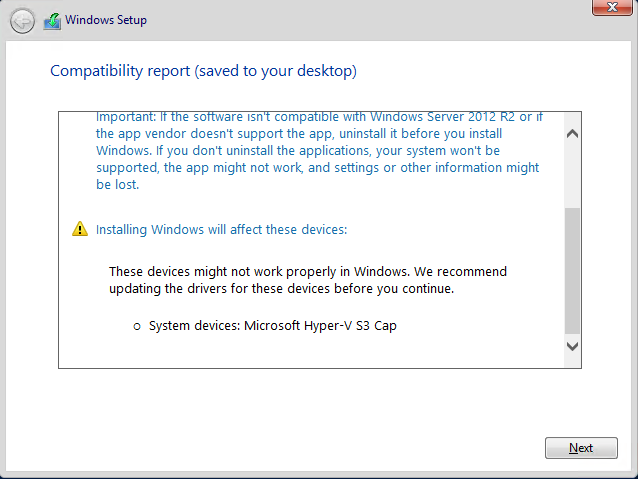
Microsoft Hyper-V S3 Cap warning when upgrading a Hyper-V Virtual Machine

When you do an in place upgrade of a Hyper-V virtual machine you’ll get a warning that Microsoft Hyper-V S3 Cap may not work after the upgrade and that you need to update the driver prior to the upgrade.This warning is logged to the Windows Compatibility Report.htm.

image

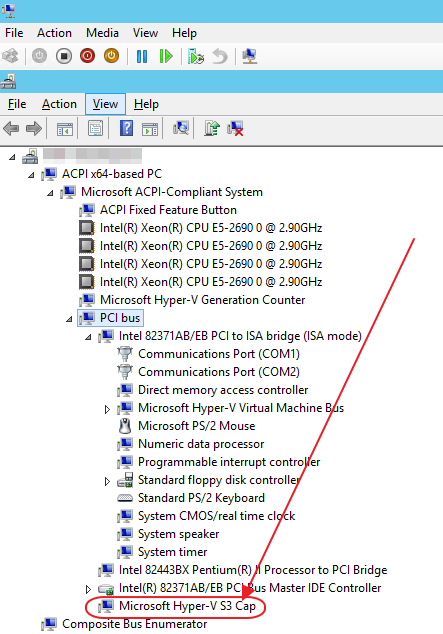
Microsoft Hyper-V S3 Cap is an old S3 Trio 765 emulated video device and the driver isn’t included anymore so you’ll get this particular warning. This will never give you an issues, all drivers needed are indeed in the install bits. You can safely ignore this and successfully upgrade.

Some people uninstall the device via device manager but basically that’s pure cosmetics & doesn’t really serve a purpose.

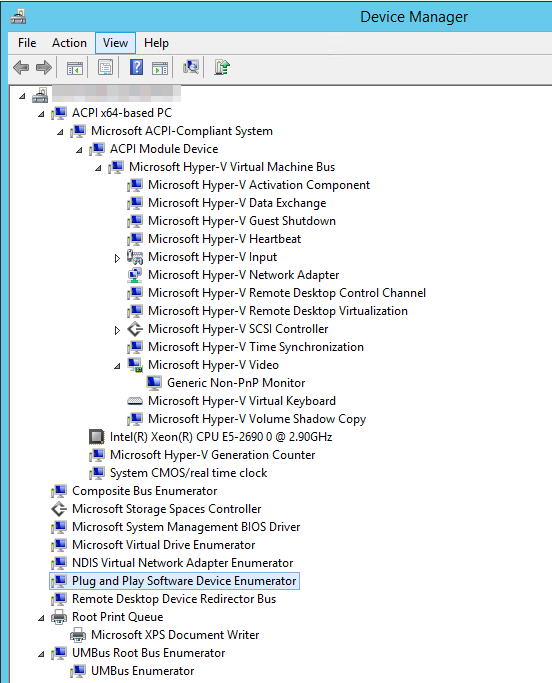
This warning is an artifact of the generation 1 virtual machines who still have this device on a PCI bus.  Below is a screenshot of a VM with W2K12R2, generation 1. As you can see the Microsoft Hyper-V S3 Cap is perfectly fine. No worries.image

As a matter of fact you will not even see this device on a generation 2 virtual machine and we should not see this with an upgrade of those.

image

I will have to wait on a public preview of Windows vNext to test an upgrade of a generation 2 machine to prove my thinking that this cosmetic error won’t be there anymore.

First we take Redmond, then we take Berlin & Ede: Summits & Conferences

The traveling & speaking MVP

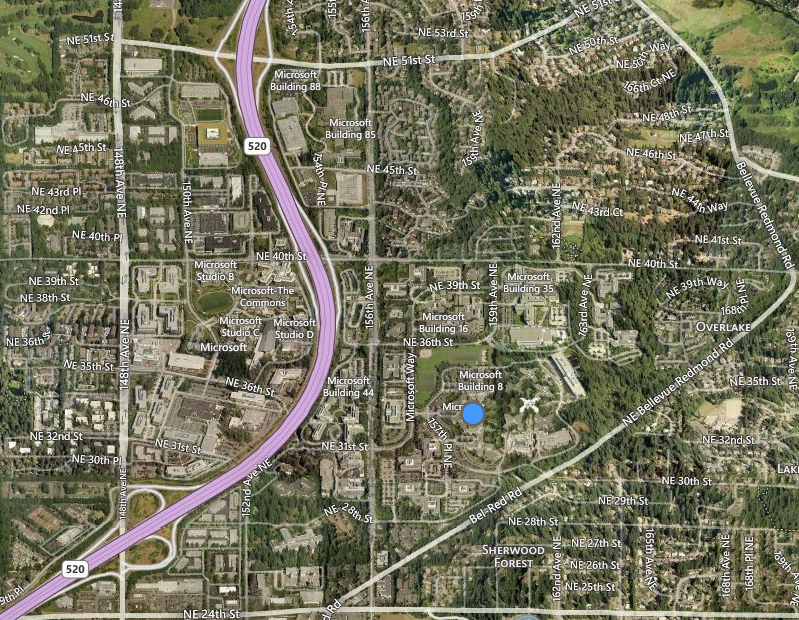
MVPs are a busy lot. They work, learn, travel & talk a lot. Why to share knowledge & experiences for the benefit of all. So in order to keep that reputation going I’ll be heading to SEATAC to attend the Global MVP Summit 2014 in Bellevue/Redmond. After that tech fest I return to Belgium where I’ll immediately head towards Berlin to present at the Microsoft Technical Summit 2014. After a weekend of rest I head north to The Netherlands to present at Experts Live.

No rest for the wicked. There is a a tremendous amount of things happening in IT right now. It takes a little bit of effort to keep up an asses the benefits and value butt once you’re doing that as part of your normal day to day operations it becomes a lot easier to map out  why it’s useful to you and what to use where, when and how.

All this is happening at a time that the information on “Treshold” or Windows vNext is becoming available if we can believe the rumors and the buzz on the internet. Don’t forget that TechEd Europe 2014 is on in the last week of October in Barcelona right before the MVP Summit in Redmond. Like Aidan Finn said, we could go on a 3 month presenting, training & consulting tour right now as the need for insights & skills is growing with the growth in Hyper-V adoption and with that all related technologies from networking, storage to Azure.

Now I can’t invite you to the MVP Summit but I can do that for both the Microsoft Technical Summit 2014 and Experts Live. There will be a lot of international expertise at both events who have hands on expertise with the technology in real life production environments. I always pick up knowledge form them myself.

The Global MVP Summit 2014

Every MVP on this planet tries to make it to the MVP Summit. The face time with and access to so many intelligent people at MSFT is invaluable. Combine that with the opportunity to network experts form all over the globe and you realize why we spend the time effort and money to attend.

747-BA-02

So once more we hop on that great Boeing 747 and let BA fly us to SEA-TAC airport from where we’ll head to Bellevue/Redmond as the summit is spread between both locations.

image

The MVP is NDA. So there will be tweets about the fun stuff with fellow MVPs but other than that we’ll be going dark. We have never and will never breach NDA. We’ll also make some time to meet up with old acquaintances, friends and fellow Belgians living & working around Seattle/Bellevue/Redmond.

Microsoft Technical Summit 2014

The moment I get back home I grab a change of clothes & a flight to Berlin.

The Microsoft Technical Summit 2014 is on in Berlin and together with a great number of fellow MVPs I have the distinct pleasure of presenting What’s new in Failover Clustering (Windows 2012 R2).

image

It’s amazing to see how many of our community experts are actually from Germany, Austria & Switzerland (DACH) and I’ll be happy so see so many familiar faces I just saw on the other side of the big pond just a week before Smile

Experts Live 2014

On November 18th I’ll be in The Netherlands at Experts Live 2014 in Ede. This is a great event and if you know the brain power of the organizers & presenters this is no surprise. I’ll be presenting “The Capable & Scalable Cloud OS “ and showing some of the scalable capabilities in Windows Server 2012 R2 when combined with great hardware. image

So that’s the travelling & scheduling agenda for now. Perhaps I’ll see you at one of those events & if you’re a reader of this blog ping us if you’ll be there for a meet and great. Live is good Smile.

Online Resizing Of Hyper-V Virtual Disks Is Possible in Windows 2012 R2

Windows Server 2012 R2 brought us the ability to resize virtual disks on line. This was a long sought after feature for many of us. It can be done via the GUI or with PowerShell. I do note however that quite often people have some problems when first using this capability. So we’ll go over the rules & prerequisites here.

Listed below are the important factors to keep in mind

  1. It has to be a VHDX
  2. Works for both generation 1 and generation 2 virtual machines
  3. It needs to be attached to a vSCSI controller. Remember this when dealing with with generation 1 virtual machines. In particular note that this means you cannot live resize the system disk as that IDE only (can’t boot from SCSI in generation 1).
  4. The virtual disk cannot be a shared VDHX (it’s on my feature request list for vNext)
  5. You can extend a virtual disk
  6. You can shrink a virtual disk
  7. This feature can leverage ODX for speed when available. The speed of this is quite addictive.

Some notes where people seem to make some other mistakes

You’ll note that you cannot shrink a virtual disk that has no unallocated disk space on the disk inside the virtual machine. When you see this picture inside of the virtual machines you can shrink your VHDX if all the above factors are in order.image

image

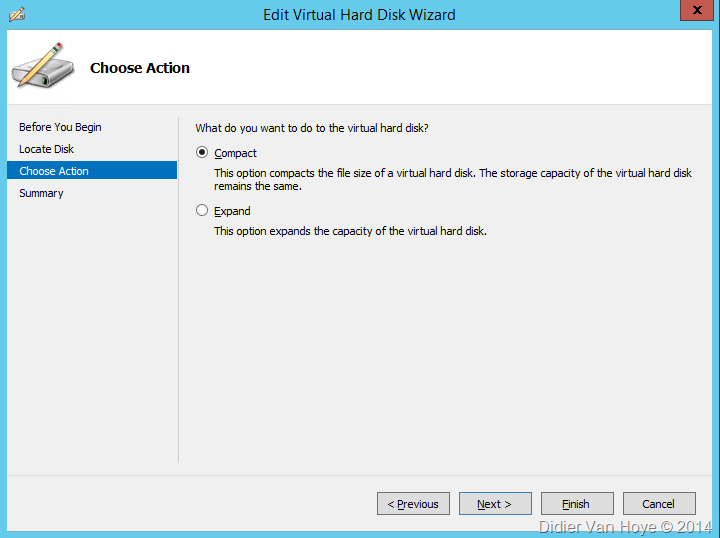
If there is no unallocated disk space the option to shrink the VHDX won’t even show up in the GUI.

image

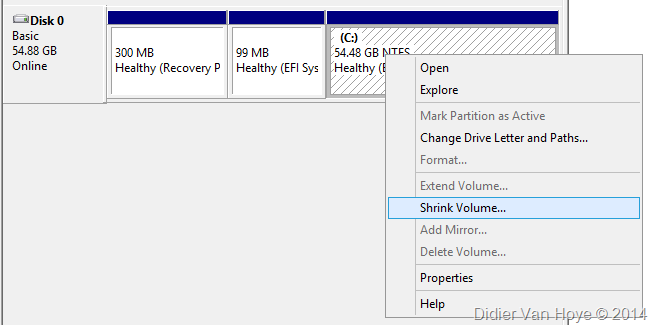
This means you’ll first need to shrink the volume inside the virtual machine if all disk space has already been allocated.

image

(Like wise don’t forget to expand the volume inside the VM to be able to use the added space you see show up as unallocated space on the disk.)

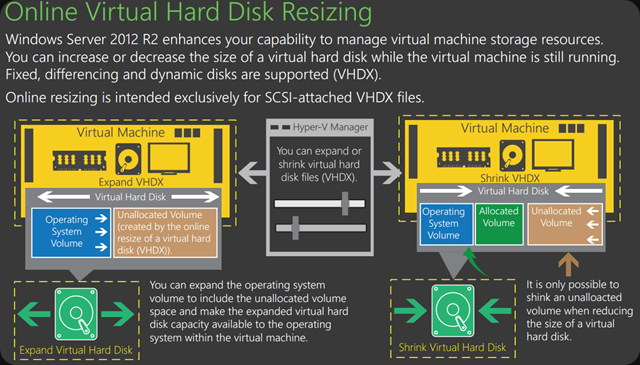
The below image is a great summary of the above

image

Legacy OS in the VM?

It’s also important to note that an OS inside a VM (Windows Server 2003 comes to mind) that does not allow the expansion or shrinking of volumes means you will need a 3rd party tool to do the same. I use GParted, a free partition editor for these scenarios.