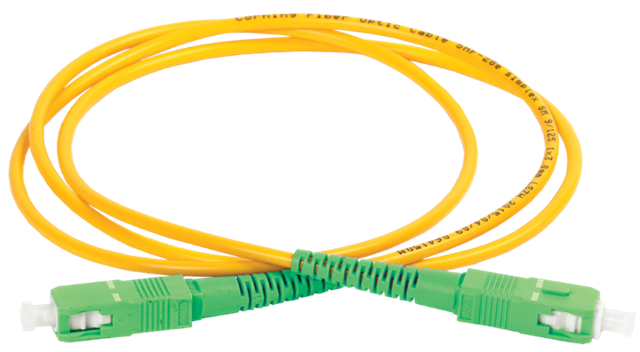
Do I really need 10Gbps fiber to the home?

Do I really need 10Gbps fiber to the home?

Do I really need 10 Gbps fiber to the home? The nerd in me would love 10 Gbps (or 25 Gbps) Internet connectivity to play with in my home lab. Online, you will see many people with 1Gbps or better. Quite often, these people earn good money or live in countries where prices are very low. More often than not, they are technical and enjoy playing with and testing this kind of network connectivity. So do I, but the question is whether I need it. Do you need it, or do you want it?

I would like it, but I do not need it

Yes, I’d like to have a 10Gbps Internet connection at home. Luckily, two things keep me in check. First, I was doing OK with VDSL at about 65 Mbps down and 16 Mbps up, based on my measurements. Now that I switched to fiber (they stopped offering VDSL), I pay 0.95 Euros more a month for 150 Mbps down and 50 Mbps up with a different provider. That is more than adequate for home use, IT lab work (learning and testing), and telecommuting with 2 to 3 people.

Do I really need 10Gbps fiber to the home?

Look, I don’t have IPTV or subscriptions to online streamers. I limit myself to what is free from all the TV networks, and that is about it. I am not a 16-year-old expert gamer with superhuman reflexes who needs the lowest possible latency, even when parents and siblings are streaming movies on their TVs. Also, telework video meetings do not require or use 4K for 99.99% of people. The most important factor is stability, and in that regard, fiber-to-the-home clearly beats VDSL.

What about my networking lab work

Most of my lab experiments and learning are on 1Gbps gear. If I need more, it is local connectivity and not to the Internet.

The moment you get more than 1 Gbps of Internet connectivity, you need the use cases and gear to leverage it and achieve your ROI. Bar the 2.5 Gbps NICs in PCs and prosumer switches; that leaves 10 Gbps or higher equipment. You need to acquire that kit, but for most lab experiments, it is overkill; it consumes more electricity, can be noisy, and produces heat. The latter is unwelcome in summer. The result is the bill goes up on different fronts, and how much more knowledge do I gain? 100Gbps RDMA testing is something I do in more suitable labs outside of the house. 10Gbps or higher at home is something I would use for local backups and secondary backups to a secondary site.

If not 10 Gbps Internet connectivity, why not 1Gbps?

Well, 1Gbps Internet connectivity sounds nice, but it is still mostly overkill for me today. Sure, if I were downloading 150GB+ virtual hard disks or uploading them to Azure all the time. That would saturate my bandwidth, leading to issues for other use cases at home, and my patience would be depleted very quickly.

But in reality, such situations are rare and can usually be planned. For those occasions, I practice my patience and enjoy the stability of my connection. The latter is better than at many companies, where zero-trust TLS inspection and mandatory VPNs like GlobalProtect make long-running uploads and downloads a game of chance. Once you have enough headroom, bandwidth is less important than stability, latency, and consistent throughput.

The most interesting use case I would have for 1Gbps (or better) would be off-site backups or archival storage when the target can ingest data at those speeds. Large backups can take a long time, limiting their usability and the ability to enable real-time backups. But since I need a local backup anyway, I can restrict the data sync to nighttime and the most essential data. And again, somewhere in the cloud, you need storage that can ingest the data, and that also comes at a cost. So rationally, I do not require higher bandwidth today. All cool, but why not go for it anyway?

Do I really need 10Gbps fiber to the home?

Cost is a factor

Sure, in the future I might get 1 Gbps or better, but not today, because we have arrived at the second reason: cost. Belgium is not a cheap country for internet connectivity compared to some other countries. And sure, if I spent 99.99 Euro per month instead of 34.95, I could get 8.5 Gbps down and 8 Gbps up. That’s about the best you can realistically expect from fiber-to-the-home via a shared GPON/XGS-PON, which is the model we have in Belgium. If I ever need more than my current 150Mbps down / 50Mbps up subscription, I can go to 500Mbps down / 100Mbps up or to 1000Mbps down / 500Mbps up to control costs.

Yes, I hear you, what is another 10 to 20 Euros per month? Well, think about the dozens of recurring expenses you have, each adding 10-20 Euros. That adds up every month. It is smart to control that and keep it low. Unemployment, illness, and economic hardship are always a possibility, and it is smart to control your budget. That way, you can weather a financial storm more easily, and you don’t have to rush to cut unnecessary spending. That holds, even when you make way more than average. Going from 150 Gbps down/50 Gbps up to 8.5 Gbps down and 8 Gbps up is a slight percentage increase in cost compared to the increase in bandwidth, but it does add to your fixed expenses. Frugal, sure, but also rational and realistic.

Now, Digi in Belgium offers Fiber To The Home for 10 euros per month, and I would jump on it. Unfortunately, it is only available in one town. Their expansion to the rest of the country seems at a standstill, and it would not surprise me if the powers that be (ISPs and politicians) have no urge to move this forward to protect (tax) revenue. But in due time, we might see the budget offerings move up the stack, and then you can move with them.

Speed is addictive

It is a fact that speed is addictive. Seeing that FTP or Windows ISO downloads are 10 times faster at first is very satisfying, and then that becomes your minimum acceptable speed. But that is the case whether you upgrade to 150 Mbps down/50 Mbps up, 2.5 Gbps down/2.5 Gbps up, or even higher. Don’t get me wrong, speed is also good. It provides a better experience for working from home or streaming a 4K movie. Just be sensible about it. They like to upsell bundles in Belgium, making you buy more than you need. On top of that, the relatively low price increase for ever more bandwidth is meant to lure you in: as you buy more bandwidth, the percentage increase in cost is low versus the gain in bandwidth, but the total cost still goes up.

But speed is not the biggest concern for many businesses when it comes to employee comfort. I see so many companies sharing 10Gbps among thousands of employees in their office buildings, and I realize I have it good at home.

If you go for 1Gbps or higher on purpose, fully knowing when and what you can use it for, have a blast. Many people have no idea what their bandwidth needs are, let alone when or how they consume bandwidth.

Conclusion

Do I really need 10Gbps fiber to the home? Today, that answer is definitely “no.” For work-from-home scenarios, 150 Mbps down and 50 Mbps up is perfect. You can comfortably work from home all they long with two or three people. The only issue you can encounter is when someone starts downloading or uploading a 150 GB virtual hard disk during video calls, if the telecommuters or your kids are torrenting 8K movies during office hours.

For me, unless I magically become very wealthy, I will keep things at home fiscally responsible. For educational purposes, such as learning about network technologies (switching, routing, firewalling, forward and reverse proxying, load balancing), 1 Gbps or less for Internet connectivity will suffice. 1 Gbps for your hardware needs is also good enough. It is also easier to obtain cheaply or for free via dumpster diving and asking for discarded hardware.

Sure, if you want to learn about 100Gbps networking and RDMA, that will not do it. The costs for hardware, electricity, and cooling are so high that you will need corporate sponsorship and a lab to make it feasible. And that is local or campus connectivity, rarely long-distance WAN networks.

So, start with 150 Mbps down and 50 Mbps up. Move to 500 Mbps down and 100 Mbps up if you notice a real need. That will be plenty for the vast majority. If not, rinse and repeat, but chances are you do not need it.

Transition from VDSL to fiber cabling

Introduction

When my ISP (Scarlet) told me I needed to switch to fiber, they didn’t have a suitable offering for my needs. In preparation, I pulled fiber and Cat6A from the ground-floor entry point to the first floor. Having that available, along with the existing phone line on the first floor, gave me all the flexibility I needed to choose an ISP that best suits my needs as I transition from VDSL to fiber.

Flexibility and creative transition from VDSL to fiber cabling

When I pulled the fiber cable (armored SC/APC, which has a better chance of surviving the stress of being pulled through the wall conduit) and the CAT6A S/FTP, I still had to keep the telco line I needed for the VDSL connection to my home office. As I wanted a decent finish on the wall, I had the fiber, CAT6A, and phone cable terminated into RJ45 connectors. As I still needed the splitter, which is an old-style 6-PIN, I improvised a go-between until I moved to a provider that offered “reasonably” priced fiber. The picture below was my temporary workaround. I connected the old Belgacom TF2007 to a UTP cable that terminates in an RJ45 connector. That way, I could plug it into the RJ45 socket at the back, which I connected to the existing phone line in the conduit. It also still has the splitter that connects the phone line to the VDSL modem for internet access.

Back view

Front view

Now. I no longer need the phone lines. Fiber comes from the ONTP on the ground floor to the first floor via the wall conduit. There, it connects to another fiber cable that runs into my home office. Here I can use the ONT or plug it into an XGS-PON/GPON SFP+ on my router/firewall. The CAT6A runs back down to provide wired Ethernet connectivity for devices I need there, including DECT telephony. At any time, I can have the fiber run to a router on the ground floor and use CAT6A to provide Ethernet on the first floor.

I can now disconnect this temporary solution.

What did I use

Well, to protect the cable during pulling through the conduit and later the run from the path box to my home office, where the OTN model lives, I used armored cabling. 10 meters to pull through the conduit and 15 meters to the home office.

Do an internet search for “Armoured Fibre Optic Cable Simplex Singlemode Armoured Fibre Optic Cable, 9/125µm OS2”.

This cable can also be used outdoors if needed, enabling fiber to run to a home office in the backyard or a similar setup. You can easily find these on Amazon.

Next to the Ethernet faceplate with 4 ports, combined with 4 keystones. I chose 3 Cat6A keystone jacks, of which one is used for the phone cable in the wall I attached to an RJ45. I installed it in a wall-mounted junction box, drilling a hole through the back plate for the wires to pass through.

For the fiber cable, I used a Keystone SC/SC Simplex Fibre Optic Adapter Single Mode OS2 APC. Again, this can easily be found on Amazon or your shop of choice.

Conclusion

I had a hard time pulling the fiber through an angle in the conduit because the connector was attached, but the armor protected the fiber. The speed test is good.

So, be a bit creative during transitions, and you can deliver a flexible, solid solution, even in older houses.

Veeam V13 delivers for everyone

Introduction

Occasionally, I hear comments like “Veeam is too expensive.” Sometimes, when combined with the remark, it has become overly complex. In this blog I will discuss why Veeam V13 delivers for everyone.

I understand and accept those remarks. I do not fully agree, though I sympathize with the fact that businesses face more threats and challenges than ever before. The cost of living and doing business has not declined in the last five years. But beyond bar inflation, supply chain issues, and political turmoil, there are other factors driving rising costs and a perception of greater complexity. The world is different, and you need to critically evaluate your own perception if that is your view.

I will discuss here why Veeam V13 isn’t only for the Fortune 500, their needs, and their pockets. It’s for any seized SMB that can’t afford a single day of downtime.

Complexity and Cost

While many products today include compliance checkboxes that vendors must complete to be selected, most items have a far better reason for their existence. They are necessary.

The visceral reaction that it has become too complex and/or expensive is dead wrong. A statement like “My small business running a few dozen virtual machines doesn’t need this complexity or cost” is easy to make but ignores some realities.

It’s an infrastructure-blind perspective that fails to factor in the modern operational risk profile. The technical advancements in the Veeam Data Platform (VDP V13) are fundamentally about addressing the need for operational simplification and providing (mandatory) cyber resilience (GDPR, NIS2, DORA). From that perspective, it is precisely what an SMB (like an enterprise) requires.

When budgets are tight, you need solutions that aggressively reduce TCO by minimizing administrative overhead and guaranteeing recovery. If you cannot guarantee recovery, you are just window dressing and cosplaying at data protection. And while I have seen that happen even in large organizations and with partners, that is a recipe for disaster. Veeam V13 delivers what you need to guarantee recovery, the very thing that you buy and implement it for.

Minimizing configuration complexity and OPEX

The high cost of software isn’t just the license fee; it’s the weekly administrative hours and the price of the OS and database licenses required to run it. V13 tackles both.

The Veeam Software Appliance (VSA) is a Game Changer

The Veeam Software Appliance is the most significant gift to small and medium businesses. The VSA is a hardened, Just Enough OS (JeOS) based on Linux.

  • No Windows License Tax: You immediately eliminate the Windows Server OS license required for your backup repository server. That’s a direct, measurable savings on perpetual or subscription licensing. The same applies to the database: PostgreSQL incurs no license fee.
  • Reduced Patching Cycle: The VSA is purpose-built. It automatically updates the core Veeam components, reducing required Linux OS maintenance. For a small team, this is an immediate, significant reduction in the security and patching OpEx drain. We are shifting from managing a full Windows Server install to managing a streamlined appliance.
  • Immutability Baseline: It enforces immutability by default, providing an air-tight technical barrier against ransomware that could delete your backups. That isn’t a premium feature; it’s essential data-integrity engineering. You can’t afford to secure and audit a Windows repository to this standard manually.

VUL is protecting the infrastructure investment and adds flexibility

The Veeam Universal License (VUL) isn’t just flexible; it’s a TCO defense mechanism.

  • Infrastructure Agnostic: Your license protects a VM, a Physical Server (via Agent), a Cloud VM (AWS/Azure), or even an M365 user.
  • Future-Proofing the Budget: If you decide to ditch VMware for Hyper-V or move 10 VMs to Azure next year, your license stack does not change. You avoid the capital expense of acquiring new platform-specific licenses and maintain vendor leverage. VUL protects your budget against unforeseen architectural changes. You can switch between hypervisors and on-prem/hybrid/cloud at your discretion.

You can migrate to a hypervisor of your choice or to the cloud and continue using your existing licenses. Veeam has been adding support for additional providers as the market has become more volatile again.

Risk Mitigation

Backups must be restorable to justify the time and effort you invest.

  • The cost of VDP Essentials is insurance against the cost of failure. A single ransomware event or hardware failure can bankrupt an SME, even if it results in only a multi-day outage. Veeam focuses on assuring recoverability and crushing the RTO (Recovery Time Objective).
  • Instant VM Recovery: This technology means your RTO can be minutes, not hours, even for large VMs. You boot the VM directly from the deduplicated backup file while the permanent restoration occurs in the background. If you can’t afford to be down for four hours, this feature is worth its weight in gold.
  • SureBackup Validation: No professional IT operation should ever expect its backups to work. SureBackup automatically verifies the image file’s integrity and restorability, validating RPO/RTO goals with no administrative effort. It provides the definitive technical proof that your backup chain is good.

There is free functionality via Community Editions

For the absolute tightest budgets, the Community Editions are a technical lifeline, providing the production-grade core engine at zero cost.

ProductCapacity ConstraintEssential Technical Functionality
VBR Community Edition10 Instances (VMs, Servers, or 3 Workstations per instance).Full Instant VM Recovery, Veeam Explorers (granular recovery for AD/Exchange/SQL), Scheduled Jobs, Backup Copy support (for 3-2-1 rule).
Veeam Backup for M365 CE10 Users / 10 Teams / 1TB SharePoint.Granular recovery for all M365 workloads. Essential for closing the M365 retention gap and protecting against rogue admins/ransomware.
Cloud-Native Editions10 Instances per cloud (AWS, Azure, Google Cloud).Policy-based, native snapshot management and data protection for cloud-resident workloads.

The Bottom Line

Veeam designed V13 for maximum security and minimal operational overhead. At an SMB, you don’t have the resources to secure complex systems manually. The VDP Essentials product, paired with the VSA, delivers a hardened, low-maintenance, recovery-guaranteed system that significantly lowers your operational risk profile, making it a sound, justifiable technical investment. Veeam hides the complexity of its deployment; the simplicity you experience daily comes from adopting and running it. Once you have that base, you can enhance and expand your cyber resilience as your needs demand and budgets allow. But if you do not get the basics right, you are not in a good place to begin with.

Why are we at this point?

It isn’t 2015 anymore. The amount, diversity, and sophistication of threats are staggering. Moving from basic “set and forget” backups to a Zero Trust Data Resilience (ZTDR) architecture isn’t free. There are financial and engineering efforts to make it happen. That comes at a cost.

Transitioning from a simple backup job to a hardened, ransomware-proof posture involves more moving parts. You’re dealing with hardened repositories, MFA for everything, service account isolation, automated verification, and early-detection capabilities. If anyone tells you that adding immutability and Zero Trust doesn’t increase your operational footprint, they are paper architects who never have to live with their grand designs, let alone that they have never managed a production environment in the past few decades.

However, we need to distinguish between complex overhead and necessary engineering to keep you safe and keep it operationally manageable. Let’s discuss this a little bit more, without going into too much detail.

Hardware and storage costs

People will spend money on hyperconverged storage solutions with 25/50/100 Gbps networking, often all-flash, and with relatively low net usable capacity, yet then complain about having to use one or more dedicated storage servers to store and protect their backups. That is nothing new. Will have to invest in sufficient storage on a dedicated box as a backup target and/or use Veeam Data Cloud Vault, keeping it hardened and protected from other workloads.

That comes at a cost, especially if you need the performance to run Instant VM Recovery effectively. You should run your VBR Server on a VM on a different host, but most mini servers running a hypervisor can handle that for you. While you end up with a slightly higher BOM (Bill of Materials), you do get a backup fabric that can actually survive a scorched-earth ransomware attack.

The Configuration Burden

Implementing Zero Trust means keeping your backup fabric isolated, separate, and independent of the production workloads it protects, with only the minimal connectivity required to function. That means authentication and authorization must be performed securely (MFA, certificates), with immutability and hardened hosts. That used to be a lot of work and required extra effort, as it involves additional layers that complicate setup and configuration. But the payoff is a secured fabric that prevents a single compromised credential from wiping out your entire company’s history. And guess what? The Veeam VSA/JeOS handles most of that complexity for you. It is actually a complete TCO win that provides a level of protection many would never achieve on their own! You can automate restore testing and sleep easier: your backups are not a soft target, and you actually know restores work!

Conclusion

Yes, V13 requires a more disciplined approach to IT operations. Yes, there is some “overhead” in terms of ensuring your architecture follows the 3-2-1-1-0 rule. But that is no different than it was in V12, V11, … In an era where an SME is just as likely to be targeted as a global bank. Veeam designed V13 not only for “enterprise requirements and budgets”; they aim for professional-grade survival, no matter what size of business, so your company doesn’t close down for good in the event of a cybersecurity incident.

Veeam Vanguard Applications for the 2026 class

The Veeam Vanguard Program

Veeam has opened the Veeam Vanguard Applications for the 2026 class. That means that new applications are now being accepted. If you work with Veeam products, as a customer, consultant, partner in any shape or form, and contribute to the success and advancement of Veeam deployments and usage in the world by sharing your experience and insights, this might be something for you.

The Essence of the Veeam Vanguard Program

The Veeam Vanguard Program is Veeam’s premier, long‑running community initiative that recognizes the most dedicated, knowledgeable, and influential Veeam experts around the world. It sits at the top of the Veeam100 community structure and offers members unparalleled access to Veeam’s product teams, early releases, strategy discussions, and exclusive events. Vanguards aren’t just users or partners — they are trusted voices who help shape Veeam’s future.

What the Veeam Vanguard Program Is

  • A global community of top Veeam experts who deeply understand Veeam technologies and actively share that expertise.
  • Part of the Veeam100, alongside Veeam Legends and Veeam MVPs.
  • A highly exclusive program offering:
    • Early access to beta products and the ability to influence product development.
    • Direct interaction with Veeam’s product strategy and management teams.
    • Monthly deep‑dive sessions with Veeam technologists.
    • Free access to VeeamON events and the annual Veeam100 Summit.
  • A platform that amplifies members’ voices, featuring their work through newsletters, spotlights, and community channels.

What Makes a Great Veeam Vanguard

A strong Veeam Vanguard embodies both technical mastery and community impact. The best candidates typically:

  • Demonstrate deep Veeam expertise.
    They understand Veeam products at a high level and stay engaged with new features, releases, and best practices.
  • Create consistent, original content.
    Blog posts, videos, guides, labs, or technical write‑ups — not just social posts. Vanguards contribute knowledge that helps the entire community grow.
  • Actively engage with the Veeam ecosystem.
    They participate in forums, discussions, user groups, and community hubs, helping others solve problems and learn.
  • Share openly and generously.
    Vanguards are known for lifting others up, not gatekeeping expertise.
  • Show passion for Veeam and its community.
    They’re enthusiastic advocates who genuinely enjoy working with Veeam technologies and contributing to the community’s success.

Call to action

If you recognize yourself in this profile, why not apply to become a Veeam Vanguard? You will interact, meet, and mingle with many like-minded experts. That will expand your reach to a global network where you can learn and grow. You will receive recognition for your expertise, and Veeam runs a strong community program that, over the years, has consistently been among the best in the industry. I have written about that here Veeam 100 Summit 2025 – Prague: Trust, Resilience, and Community in Action – Working Hard In IT

Really, do apply! Veeam is offering you a fantastic opportunity to join a dynamic and supportive community. They and we, your fellow Veeam community members, would love to welcome new faces in the 2026 class! You can find the announcement by Veeam here: Apply to the 2026 Veeam Vanguard Program. Apply using the big apply button at the top left of the article) Or use this direct link: Veeam Vanguard 2026 Application | SurveyPlanet. The application process is open until January 9th.