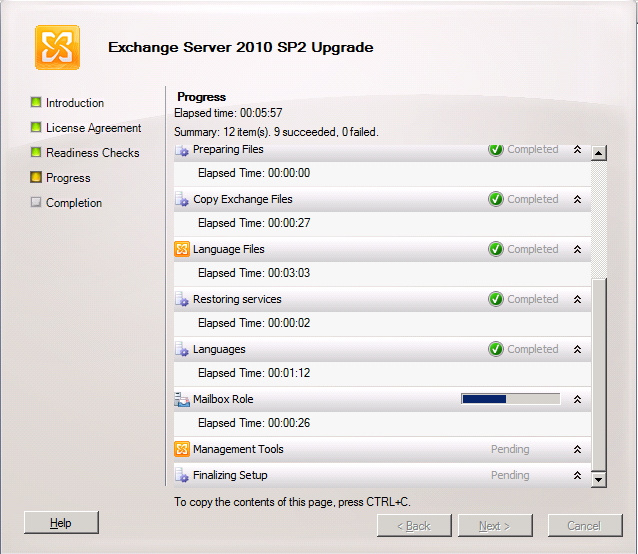
Here is a step by step walk trough of an Exchange 2010 SP2 installation. I needed to document the process for a partner anyway so I might as well throw on here as well. Perhaps it will help out some people. The Exchange Team announced Exchange 2010 SP2 RTM on their blog recently. There you can find some more information and links to the downloads, release notes etc. You will also note that the Exchange 2012 TechNet documentation has SP2 relevant information added. if you just want to grab the bits get them here; Microsoft Exchange Server 2010 Service Pack 2 directly from Microsoft
Exchange 2010 SP1 and SP2 can coexist for the time you need to upgrade the entire organizations. Once you started to upgrade it’s best to upgrade all nodes in the Exchange Organization as fast as you can to SP2. That way you’ll have all of them on the same install base which is easier to support and trouble shoot. Before I did this upgrade in production environments I tested this two time in a lab/test environment. I also made sure anti virus, backup and other agents dis not have any issues with Exchange 2010 SP2. Nothing is more annoying then telling a customer his Exchange Organization has been upgraded to the lasted and greatest version only to follow up on that statement with the fact the backups don’t run anymore.
You can install Exchange SP2 easily via the setup wizard that will guide you through the entire process. There are some well documented “issues” you might see but these are just about the fact you need IIS 6 WMI compatibility for the CAS role now and the fact that you need to upgrade the Active Directory Schema. Please look at Jetze Mellema’s blog for some detailed info & at Dave Stork’s blog post for consolidated information on this service pack.
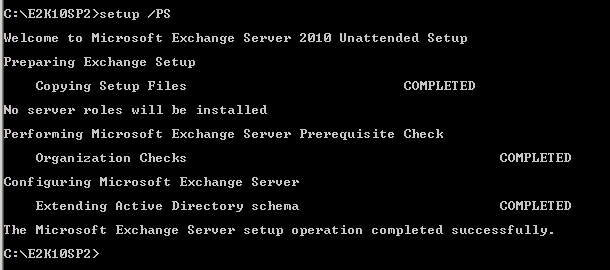
Changing the Active Directory schema is a big deal in some environments and you might not be able to do this just as part of the Exchange upgrade. Perhaps you need to hand this of to a different team and they’ll do that for you using the command “setup /prepareschema” as shown below.
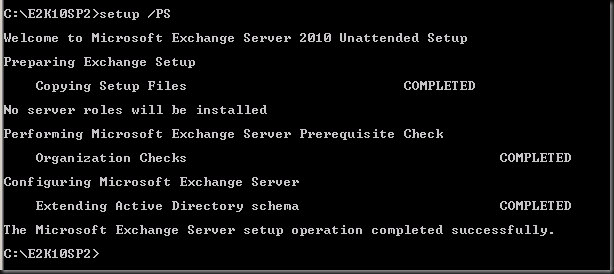
You’ll have to wait for them to give you the go ahead when everything is replicated and all is still working fine. Below we’ll show you how you can do it with the setup wizard.
Order of upgrade is a it has been for a while
- CAS servers
- HUB Transport servers
- If you run Unified Messaging servers upgrade these now, before doing the mailbox servers
- Mailbox servers
- If you’re using Edge Transport servers you can upgrade them whenever you want.
Let’s walk through the process with some additional information
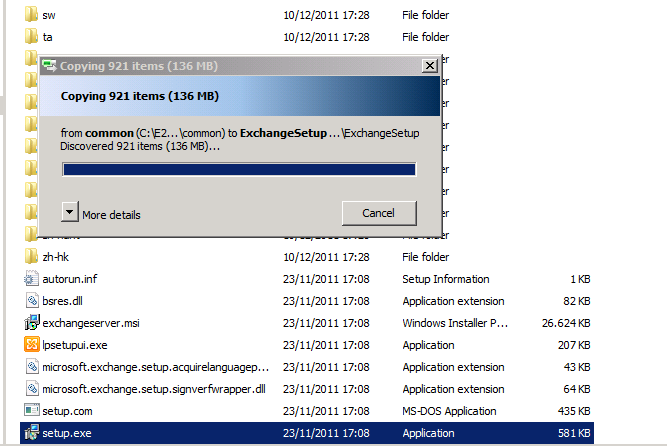
Once you’ve download the bits and have the Exchange2010-SP2-x64.exe file click it to extract the contents. Find the setup.exe and it will copy the files it needs to start the installation.
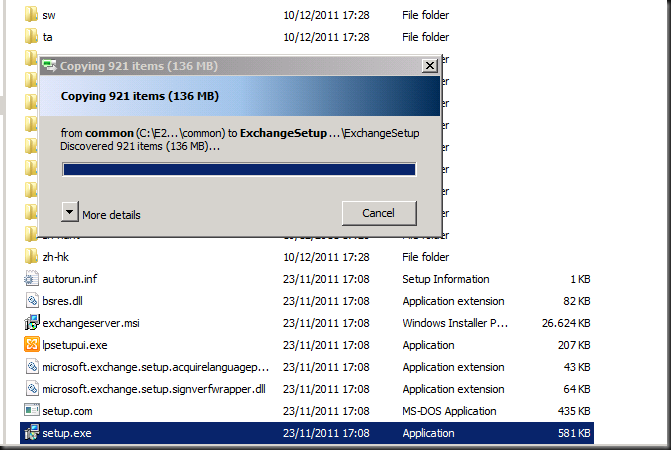
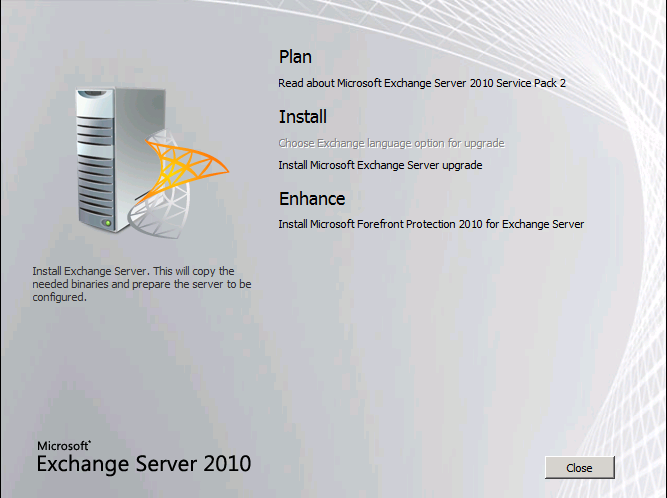
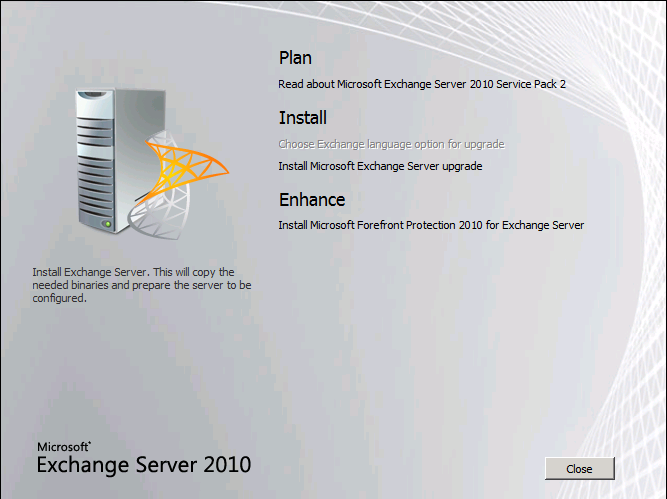
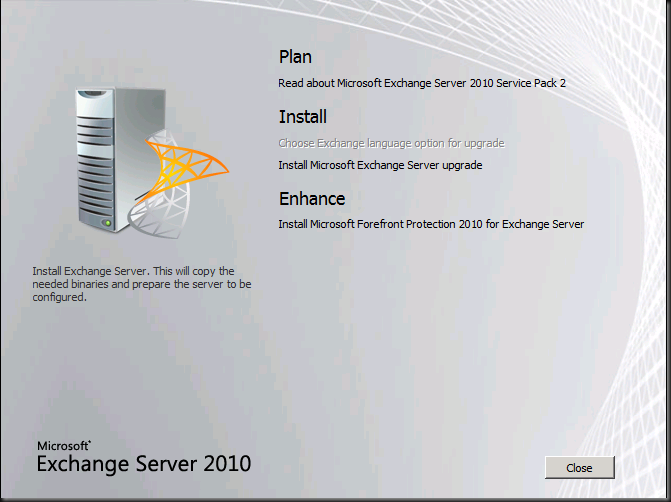
You then arrive at the welcome screen where you choose “Install Microsoft Exchange Server Upgrade”
The setup then initializes
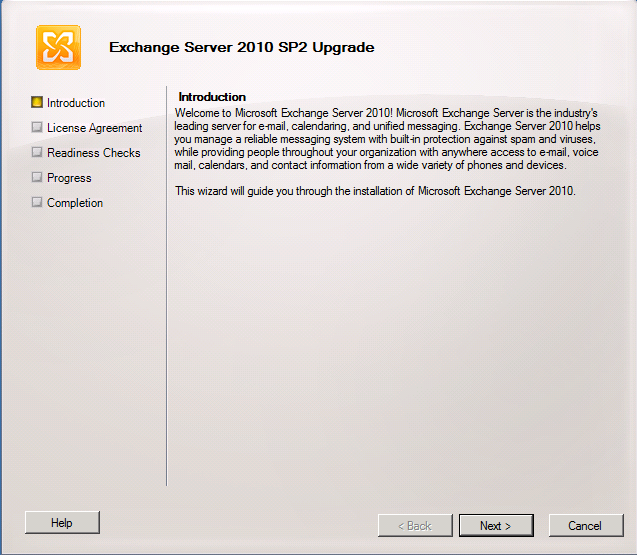
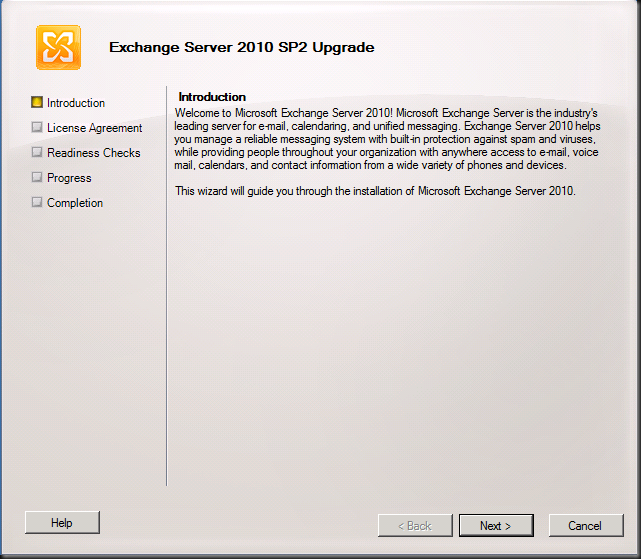
You get to the Upgrade Introduction screen where you can read what Exchange is and does  . I hope you already know this at this stage. Click Next.
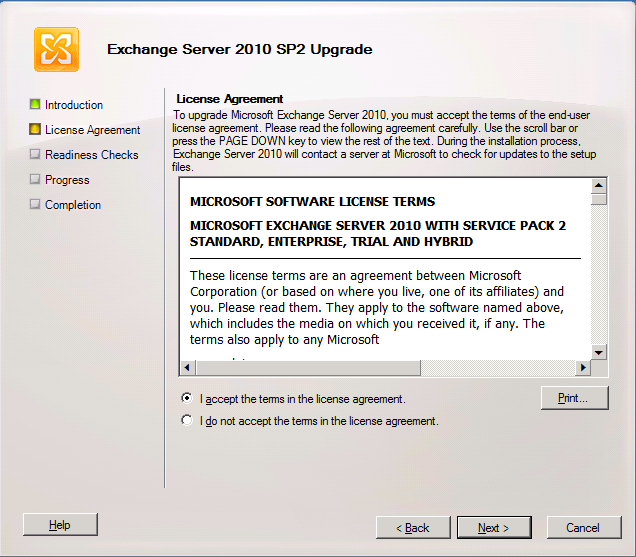
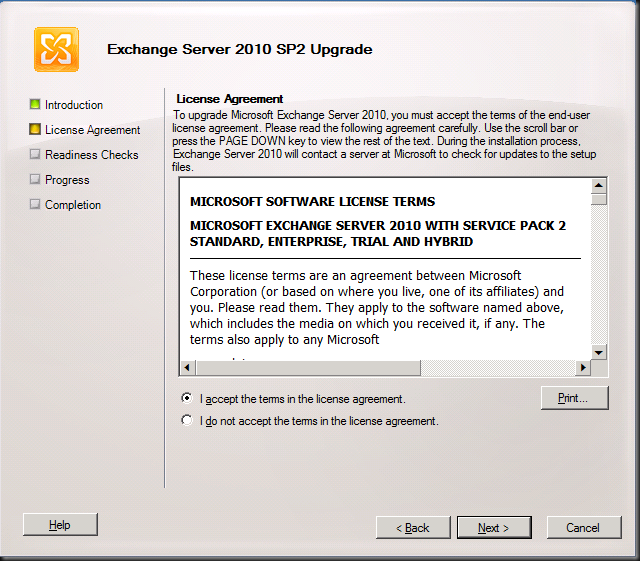
You accept the EULA
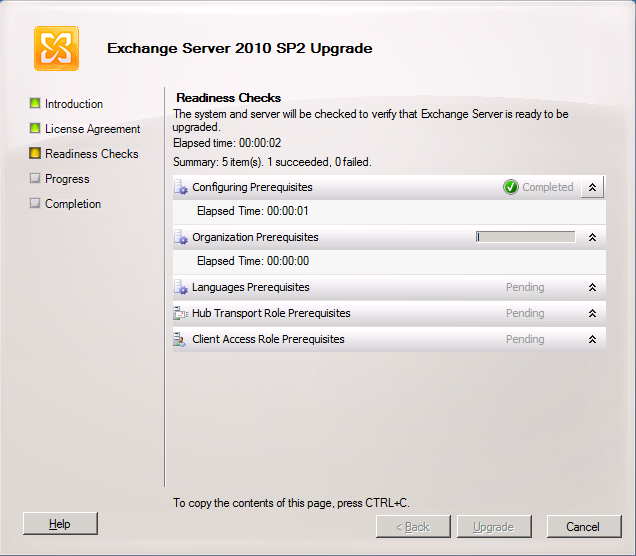
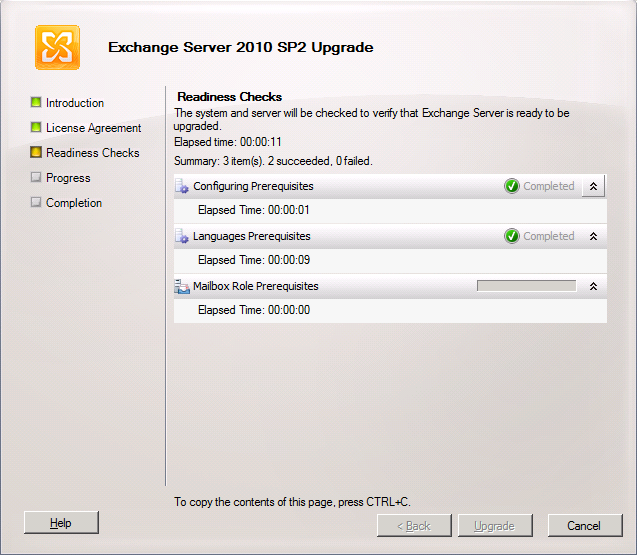
And watch the wizard run the readiness checks
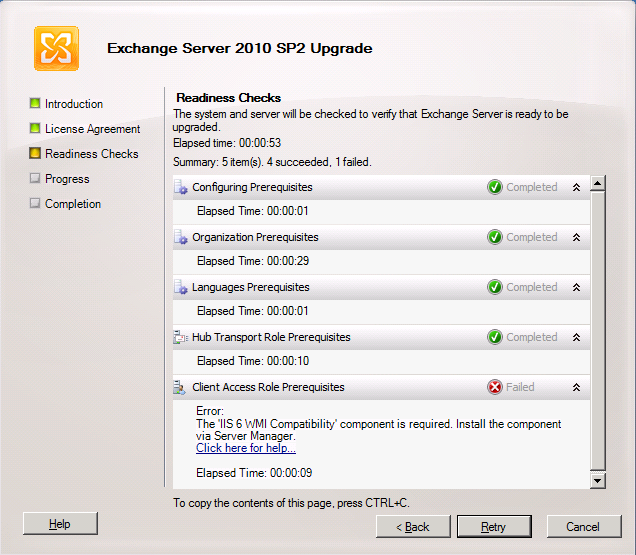
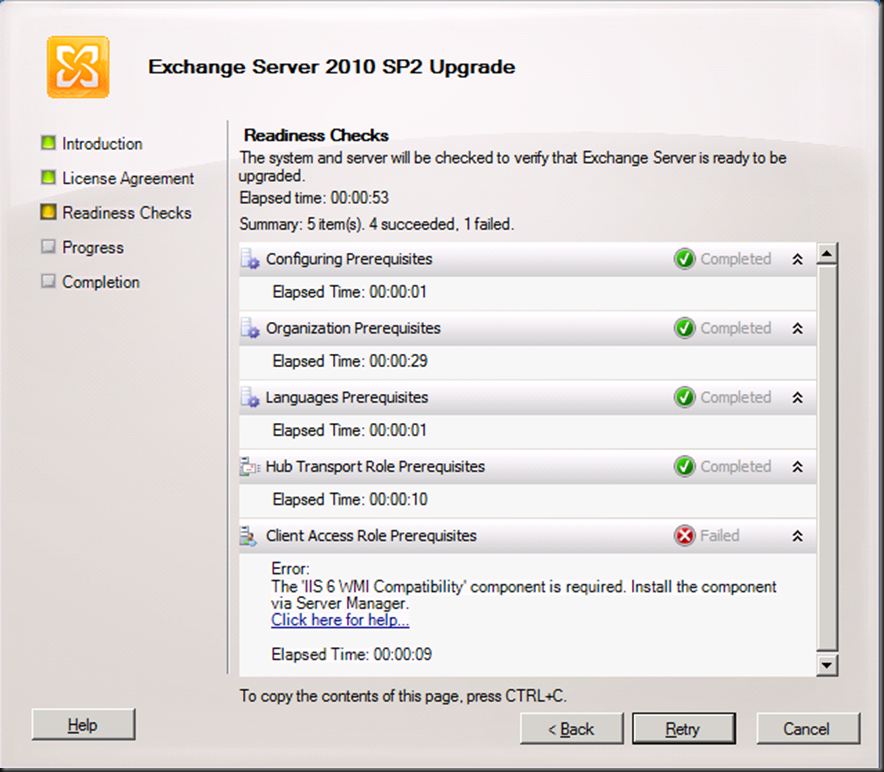
In the lab we have our CAS/HUB servers on the same nodes, so the prerequisites are checked for both. The CAS servers in Exchange 2010 SP2 need the IIS 6 WMI Compatibility Feature. If you had done the upgrade from the CLI you would have to run SETUP /m:upgrade /InstallWindowsComponents and you would not have seen this error as it would have been taken care of installing the missing components. When using the GUI you’ll see the error below.
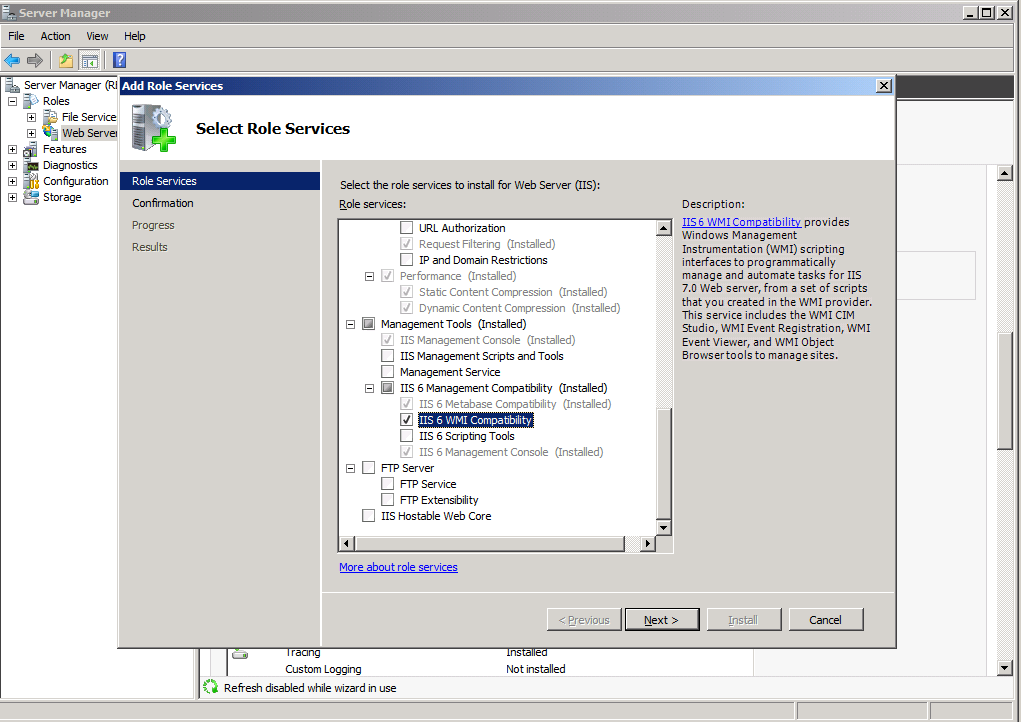
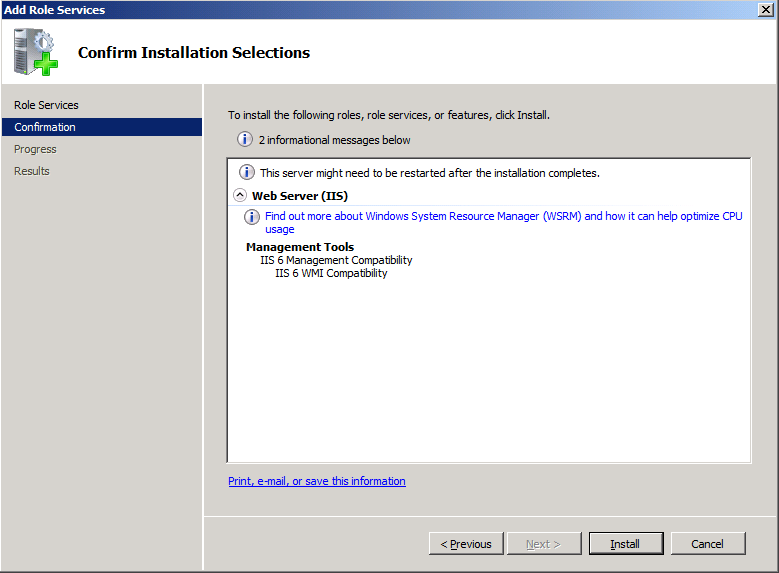
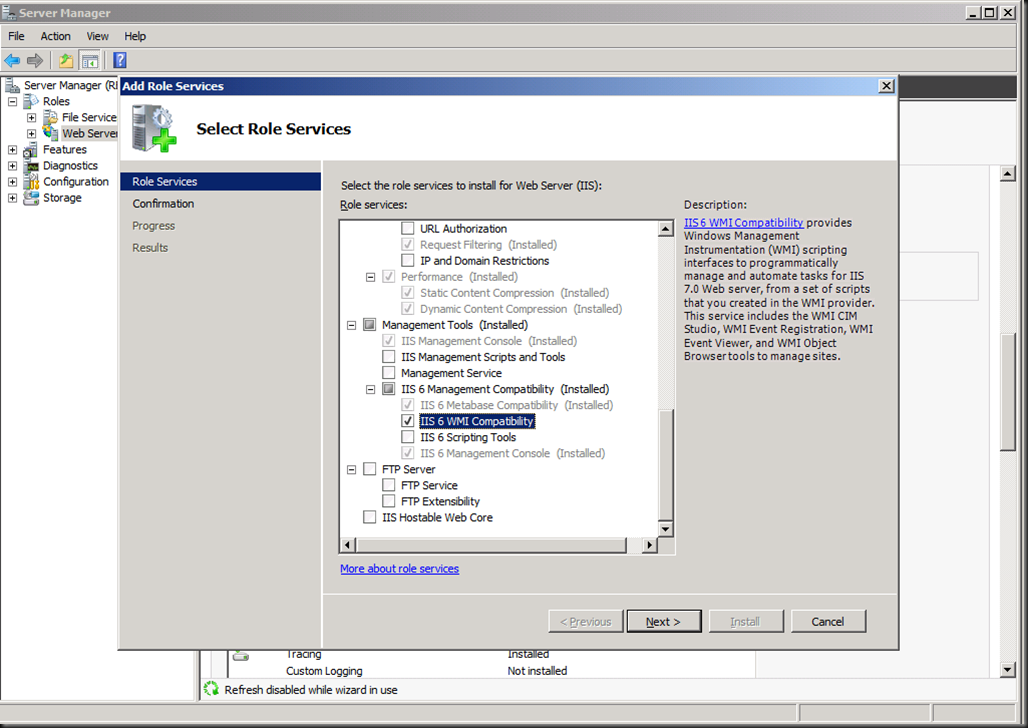
You can take care of that by installing this via “Add Role Services” in Server Manager for the Web Server (IIS) role.
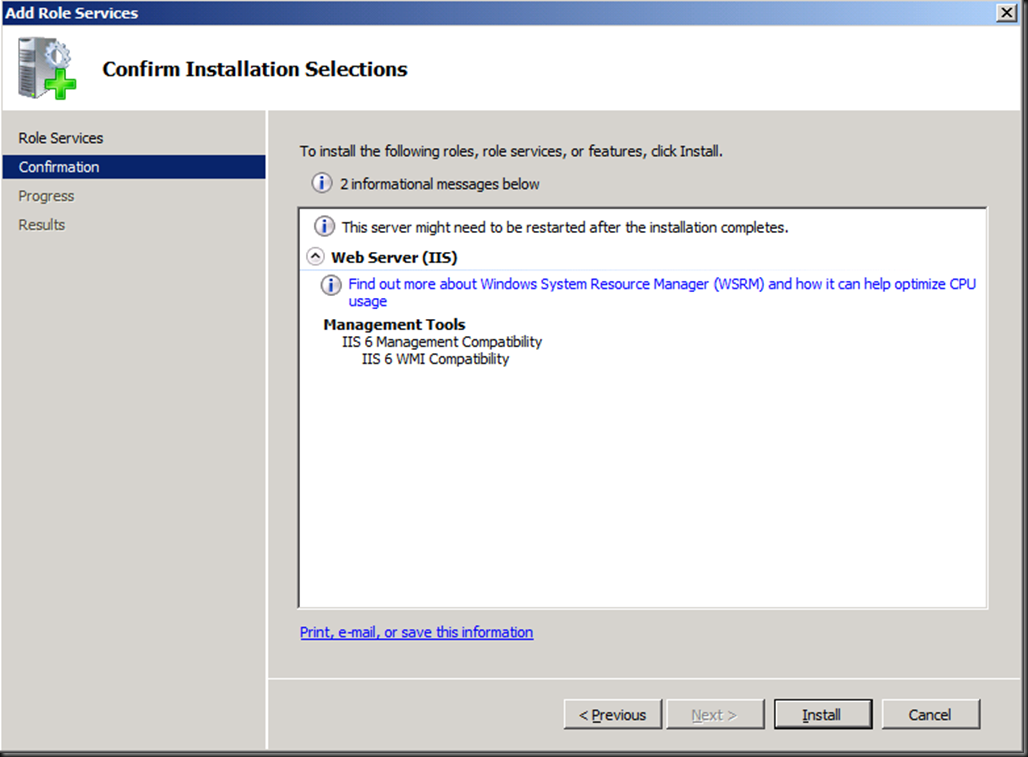
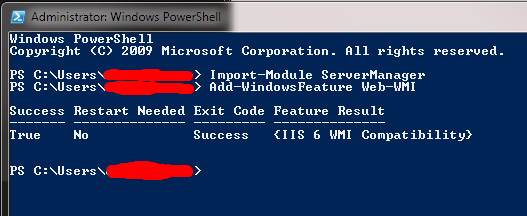
Or you can use our beloved PowerShell with the following commands:
- Import-Module ServerManager
- Add-WindowsFeature Web-WMI.
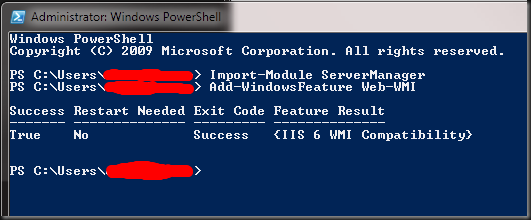
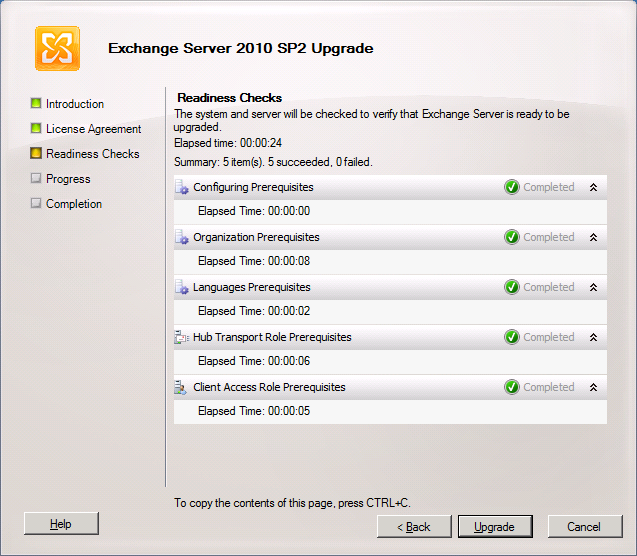
Now we have the IIS 6 WMI compatibility issue out of the way we can rerun the readiness checks and we’ll get all green check marks.
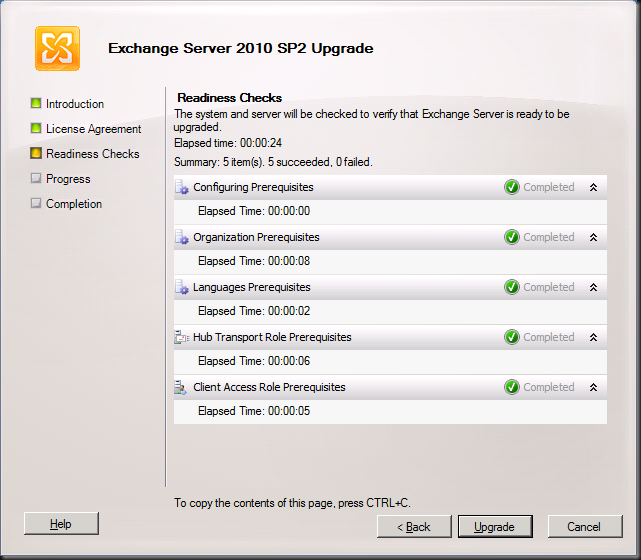
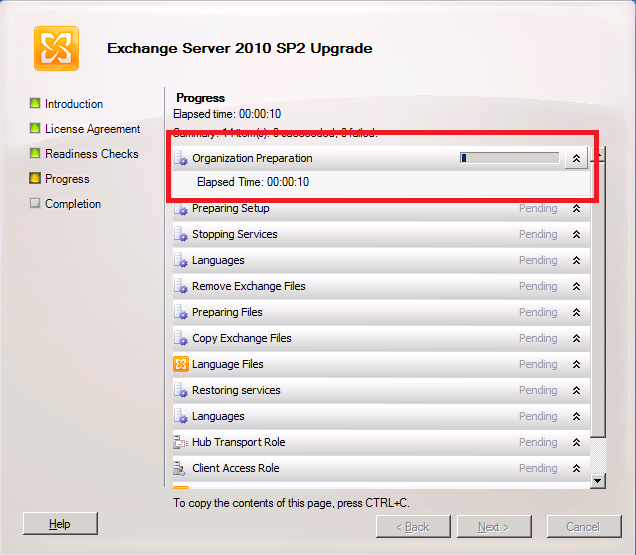
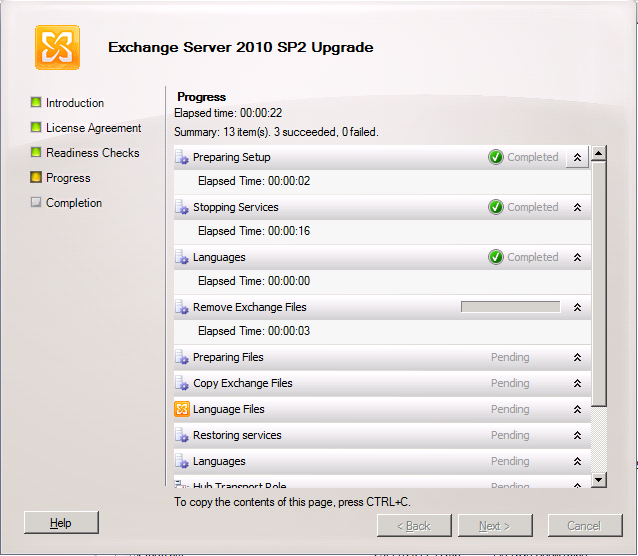
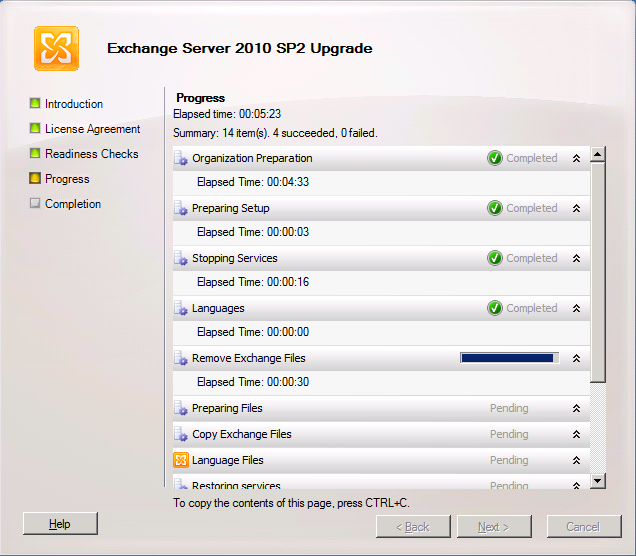
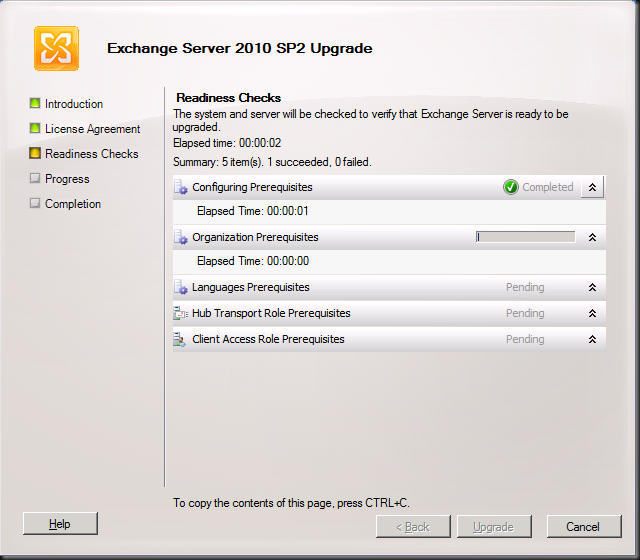
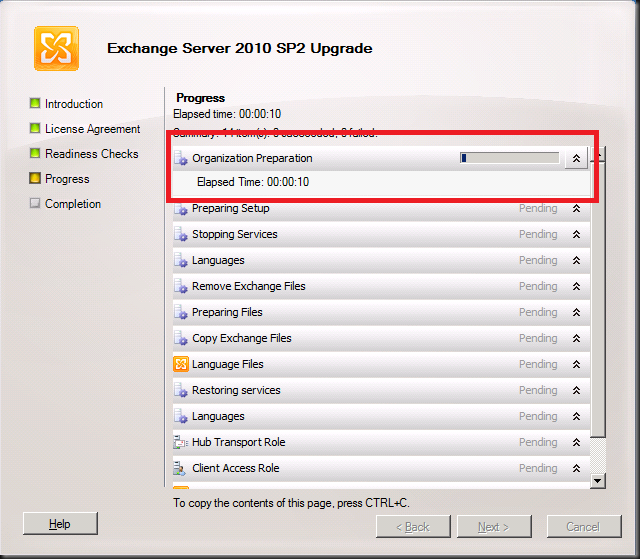
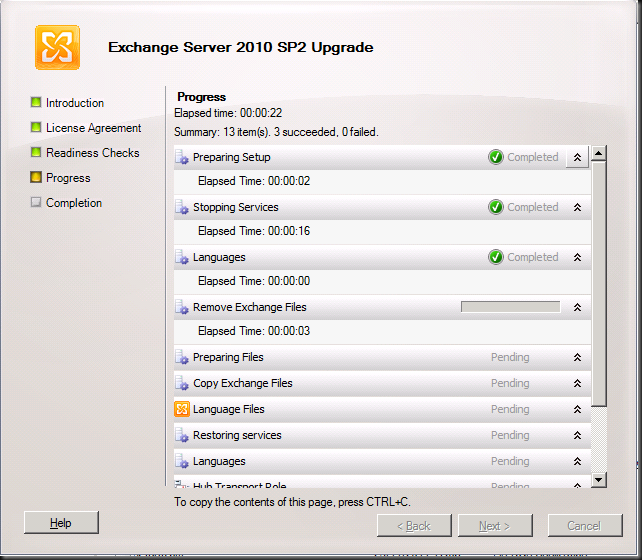
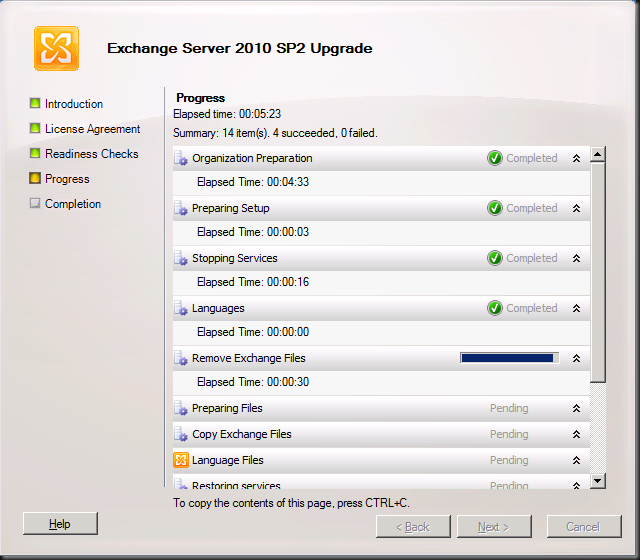
So we can click on “Upgrade” and get the show on the road. The first thing you’ll see this step do is “Organization Preparation”. This is the schema upgrade that is needed for Exchange 2010. If you had run this one manually it would not have to this step and you’ll see later it only does is for the first server you upgrade (note that it is missing form the second screen print, which was taken from the second CAS/HUB role server). I like to do them manually and make sure Active Directory replication has occurred to all domain controllers involved. If I use the GUI setup I give it some time to replicate.
Intermezzo: How to check the schema version
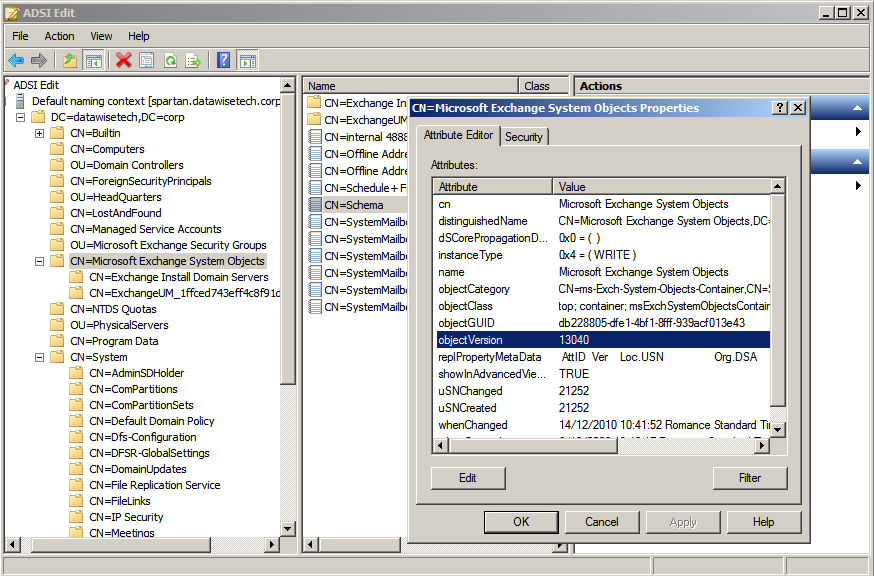
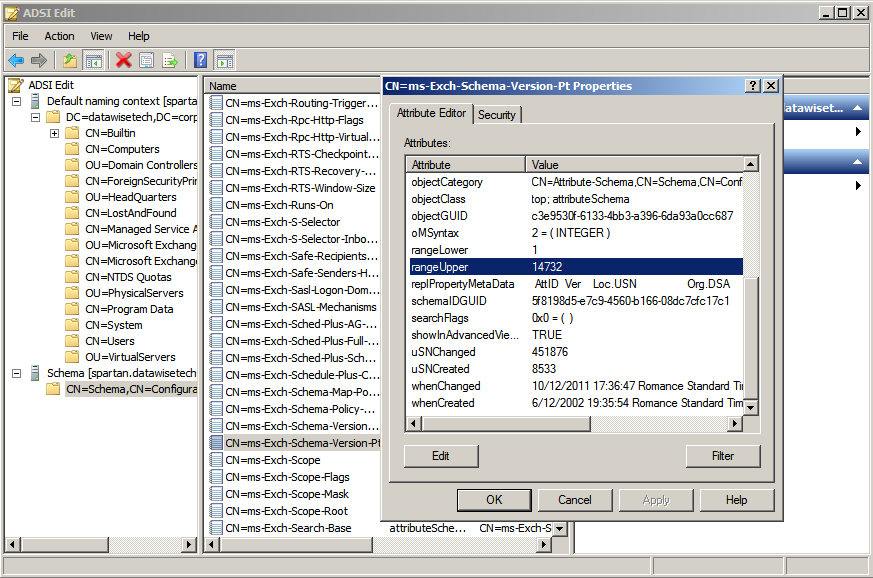
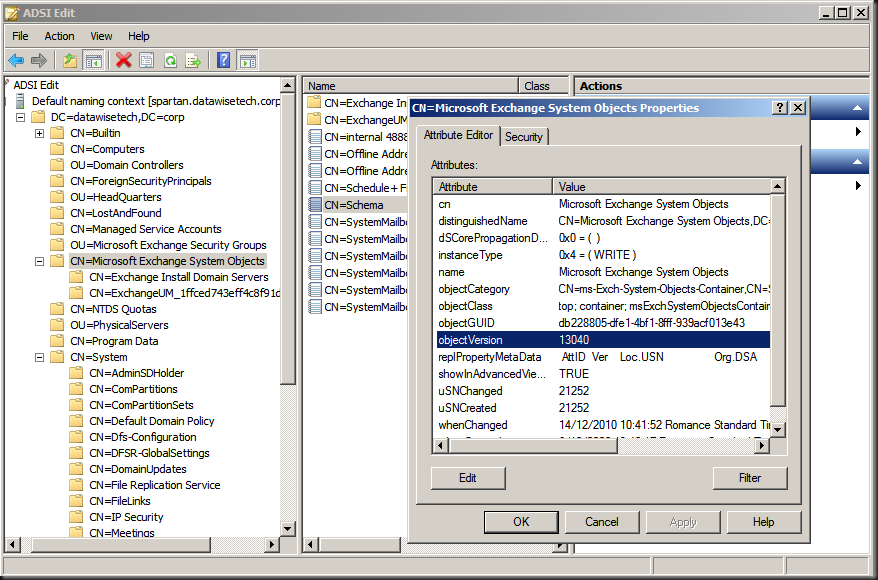
You can verify after having run SP2 on the first node or having updated the schema manually that this is indeed effective by looking at the properties of both the domain and the schema via ADSIEdit or dsquery.
The value for objectVersion in the properties of “CN=Microsoft Exchange System Objects” should be 13040. This is the domain schema version. Via dsquery this is done as follows: dsquery * “CN=Microsoft Exchange System Objects,DC=datawisetech,DC=corp” -scope
base -attr objectVersion
The rangeUpper property of “CN=ms-Exch-Schema-Version-Pt,cn=schema,cn=configuration,<Forest DN>” should be 14732. You can also check this using dsquery * CN=ms-Exch-Schema-Version-Pt,cn=schema,cn=configuration,<Forest DN> -scope base –attr rangeUpper tocheck this value
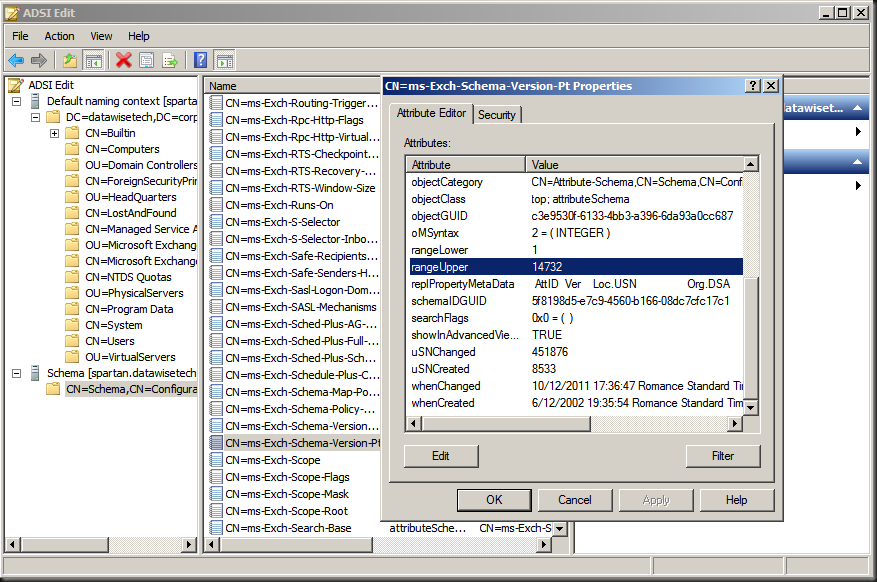
Note that you might need to wait for Active Directory replication if you’re not looking at the domain controller where the update was run. If you want to verify all your domain controllers immediately you can always force replication.
Step By Step Continued
First CAS/HUB roles server (If you didn’t upgrade the schema manually)
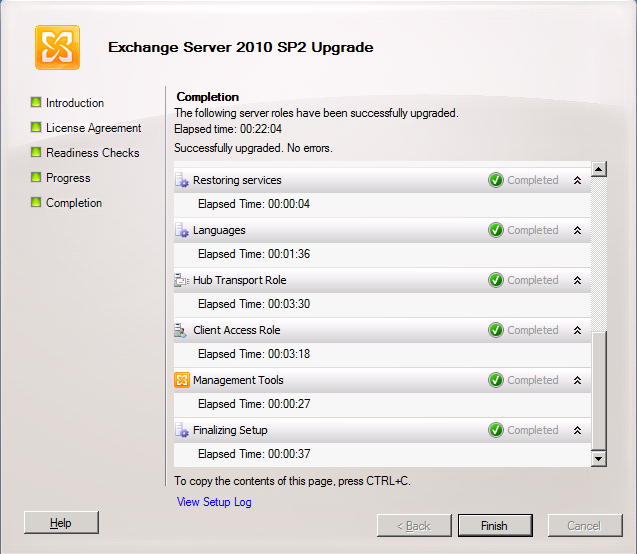
Additional CAS/HUB roles server
… it takes a while …
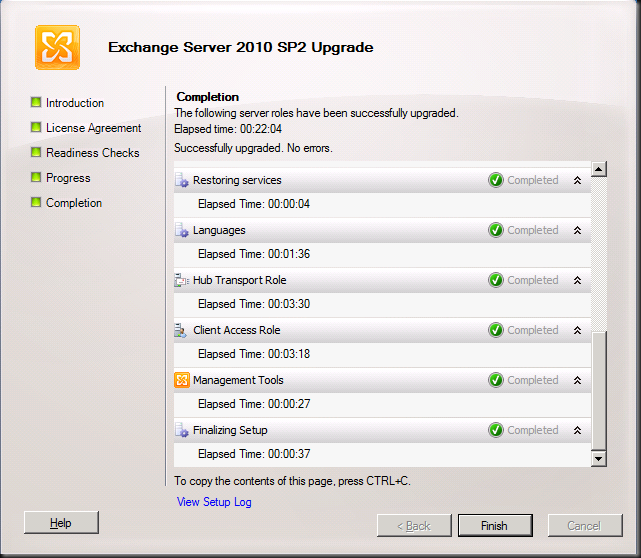
But then it completes and you can click “Finish”
We’re done here so we click “Close”
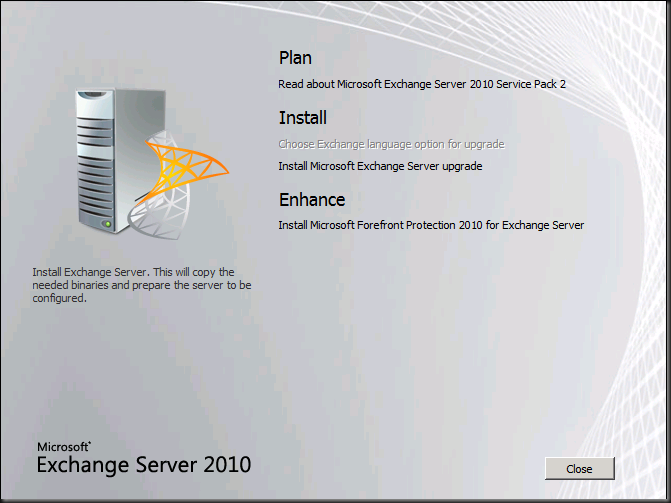
When you run the setup on the other server roles like Unified Messaging, Mailbox and Edge the process is very similar and is only different in the fact it checks the relevant prerequisites and upgrades the relevant roles. An example of this is below for a the mailbox role server.
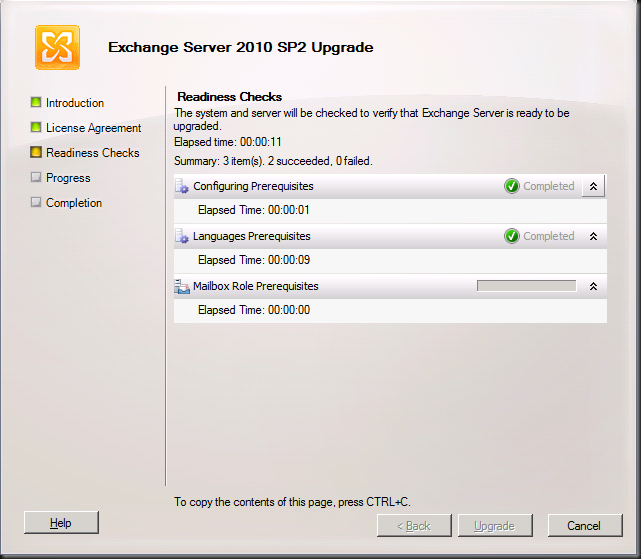
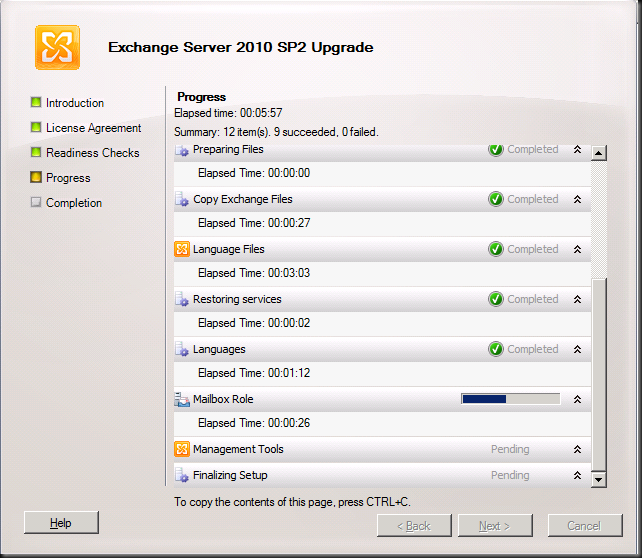
In DAG please upgrade all nodes a.s.a.p. and do so by evacuating the databases to the other nodes as to avoid service interruption. The process to upgrade DAG member is described here: http://technet.microsoft.com/en-us/library/bb629560.aspx
- Upgrade only passive servers Before applying the service pack to a DAG member, move all active mailbox database copies off the server to be upgraded and configure the server to be blocked from activation. If the server to be upgraded currently holds the primary Active Manager role, move the role to another DAG member prior to performing the upgrade. You can determine which DAG member holds the primary Active Manager role by running
Get-DatabaseAvailabilityGroup <DAGName> -Status | Format-List PrimaryActiveManager.
- Place server in maintenance mode Before applying the service pack to any DAG member, you may want to adjust monitoring applications that are in use so that the server doesn’t generate alerts or alarms during the upgrade. For example, if you’re using Microsoft System Center Operations Manager 2007 to monitor your DAG members, you should put the DAG member to be upgraded in maintenance mode prior to performing the upgrade. If you’re not using System Center Operations Manager 2007, you can use
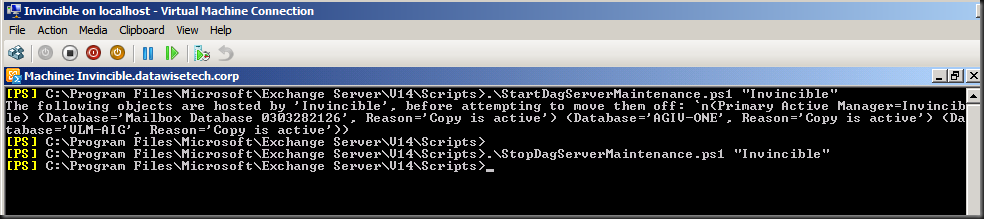
StartDagServerMaintenance.ps1 to put the DAG member in maintenance mode. After the upgrade is complete, you can use StopDagServerMaintenance.ps1 to take the server out of maintenance mode.
- Stop any processes that might interfere with the upgrade Stop any scheduled tasks or other processes running on the DAG member or within that DAG that could adversely affect the DAG member being upgraded or the upgrade process.
- Verify the DAG is healthy Before applying the service pack to any DAG member, we recommend that you verify the health of the DAG and its mailbox database copies. A healthy DAG will pass MAPI connectivity tests to all active databases in the DAG, will have mailbox database copies with a copy queue length and replay queue length that’s very low, if not 0, as well as a copy status and content index state of Healthy.
- Be aware of other implications of the upgrade A DAG member running an older version of Exchange 2010 can move its active databases to a DAG member running a newer version of Exchange 2010, but not the reverse. After a DAG member has been upgraded to a newer Exchange 2010 service pack, its active database copies can’t be moved to another DAG member running the RTM version or an older service pack.
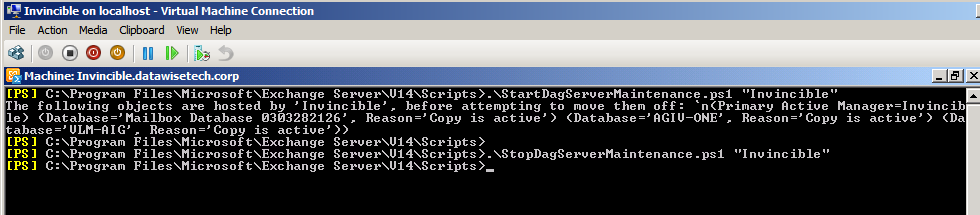
Microsoft provides two PowerShell scripts to automat this for you. These scripts are StartDagServerMaintenance.ps1 and StopDagServerMaintenance.ps1 to be found in the C:Program FilesMicrosoftExchange ServerV14Scripts folder. Usage is straight forware just open EMS, navigate to the scripts folder and run these scripts for each DAG member like below.
- .StartDagServerMaintenance –ServerName “Invincible”
- Close the EMS other wise PowerShell will hold a lock files that need to be upgraded (same reason the EMC should be closed) and than upgrade of the node in question
- .StopDagServerMaintenance –ServerName “invincible”
Voila, there you have it. Happy upgrading. Do you preparations well and all will go smooth.