Upgrading Exchange 2010 SP1 To SP2

Here is a step by step walk trough of an Exchange 2010 SP2 installation. I needed to document the process for a partner anyway so I might as well throw on here as well. Perhaps it will help out some people. The Exchange Team announced Exchange 2010 SP2 RTM on their blog recently. There you can find some more information and links to the downloads, release notes etc. You will also note that the Exchange 2012 TechNet documentation has SP2 relevant information added. if you just want to grab the bits get them here; Microsoft Exchange Server 2010 Service Pack 2 directly from Microsoft
 
Exchange 2010 SP1 and SP2 can coexist for the time you need to upgrade the entire organizations. Once you started to upgrade it’s best to upgrade all nodes in the Exchange Organization as fast as you can to SP2. That way you’ll have all of them on the same install base which is easier to support and trouble shoot. Before I did this upgrade in production environments I tested this two time in a lab/test environment. I also made sure  anti virus, backup and other agents dis not have any issues with Exchange 2010 SP2. Nothing is more annoying then telling a customer his Exchange Organization has been upgraded to the lasted and greatest version only to follow up on that statement with the fact the backups don’t run anymore.

You can install Exchange SP2 easily via the setup wizard that will guide you through the entire process. There are some well documented “issues” you might see but these are just about the fact you need IIS 6 WMI compatibility for the CAS role now and the fact that you need to upgrade the Active Directory Schema. Please look at Jetze Mellema’s blog for some detailed info & at Dave Stork’s blog post for consolidated information on this service pack.

Changing the Active Directory schema is a big deal in some environments and you might not be able to do this just as part of the Exchange upgrade. Perhaps you need to hand this of to a different team and they’ll do that for you using the  command “setup /prepareschema” as shown below.
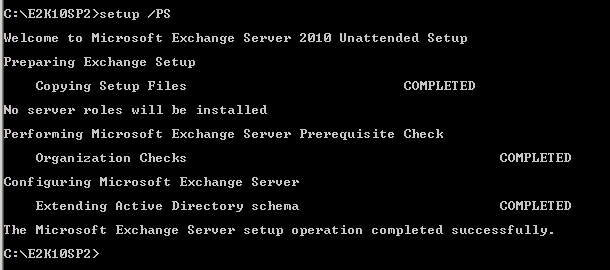
image

You’ll have to wait for them to give you the go ahead when everything is replicated and all is still working fine. Below we’ll show you how you can do it with the setup wizard.

Order of upgrade is a it has been for a while

  1. CAS servers
  2. HUB Transport servers
  3. If you run Unified Messaging servers upgrade these now, before doing the mailbox servers
  4. Mailbox servers
  5. If you’re using Edge Transport servers you can upgrade them whenever you want.

Let’s walk through the process with some additional information

Once you’ve download the bits and have the Exchange2010-SP2-x64.exe file click it to extract the contents. Find the  setup.exe and it will copy the files it needs to start the installation.
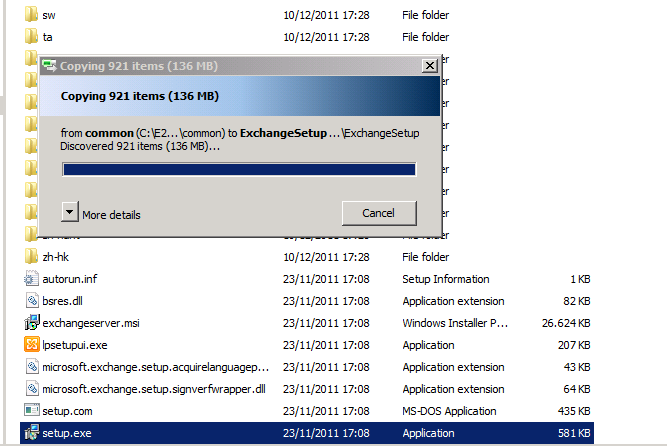
image


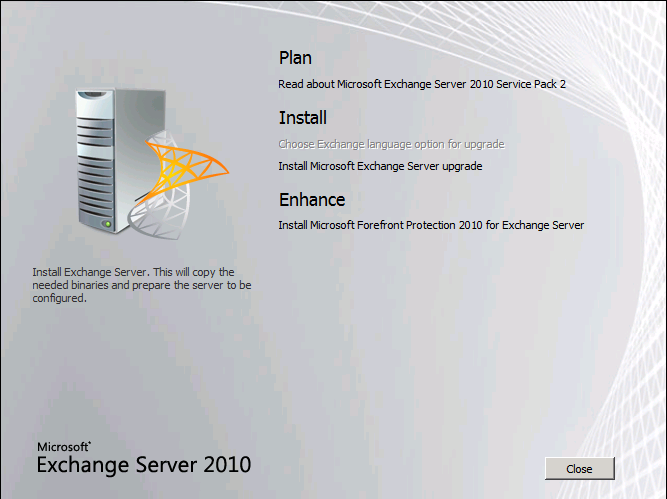
You then arrive at the welcome screen where you choose “Install Microsoft Exchange Server Upgrade”
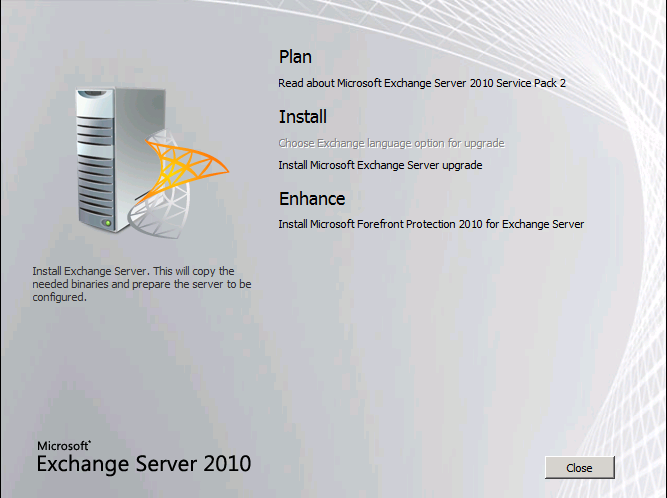
image


The setup then initializes

image


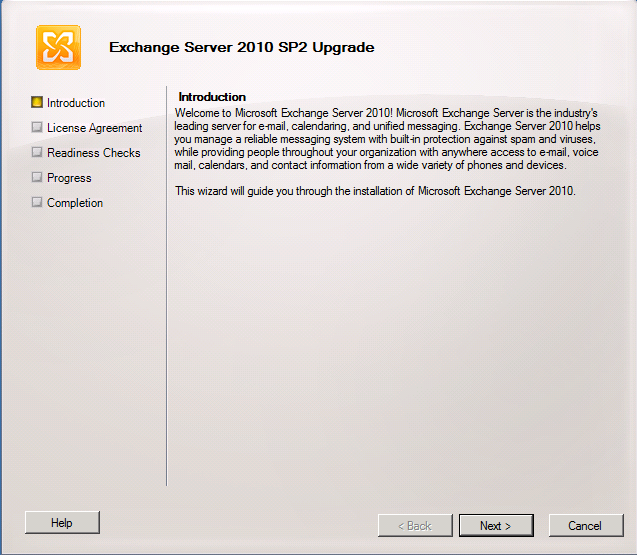
You get to the Upgrade Introduction screen where you can read what Exchange is and does Smile. I hope you already know this at this stage. Click Next.
image


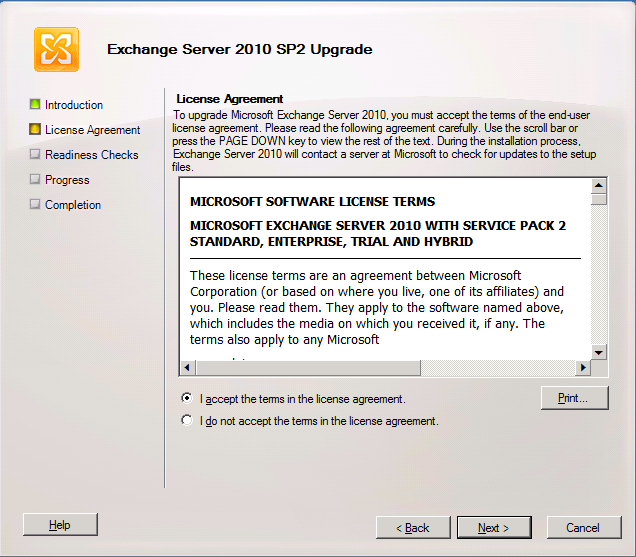
You accept the EULA

image


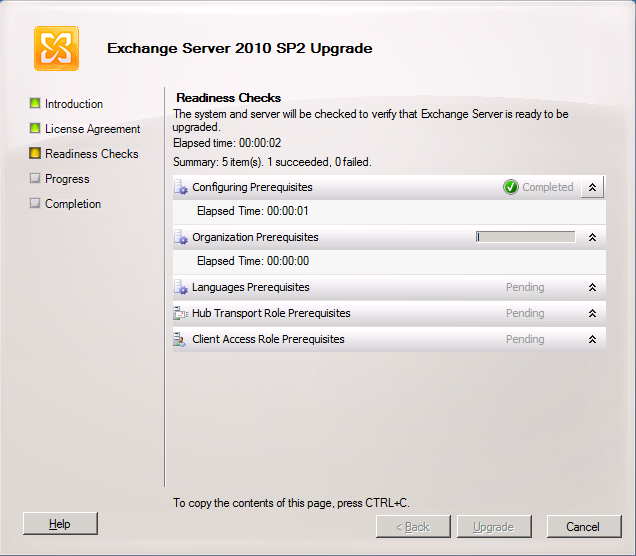
And watch the wizard run the readiness checks
image


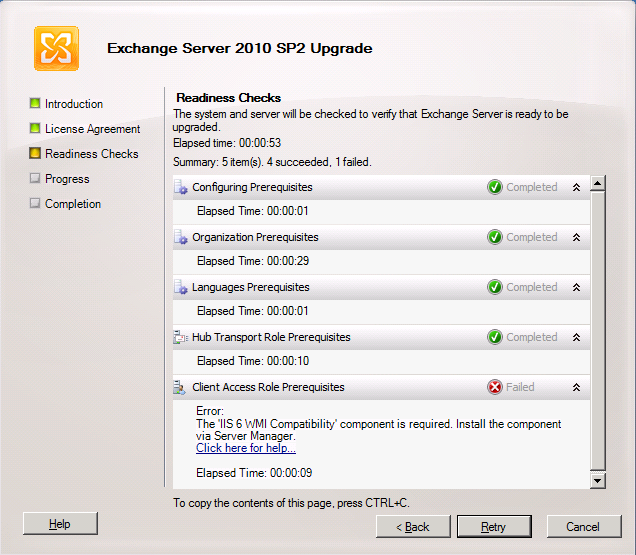
In the lab we have our CAS/HUB servers on the same nodes, so the prerequisites are checked for both. The CAS servers in Exchange 2010 SP2 need the IIS 6 WMI Compatibility Feature. If you had done the upgrade from the CLI you would have to run SETUP /m:upgrade /InstallWindowsComponents and you would not have seen this error as it would have been taken care of installing the missing components. When using the GUI you’ll see the error below.
image

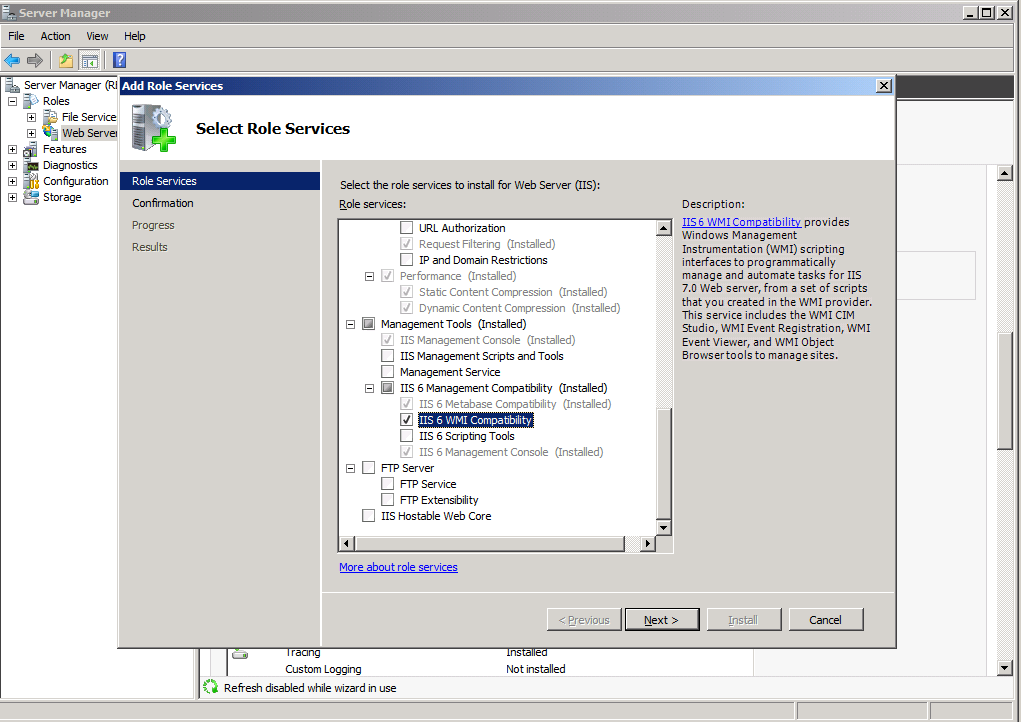
You can take care of that by installing this via “Add Role Services” in Server Manager for the Web Server (IIS) role.
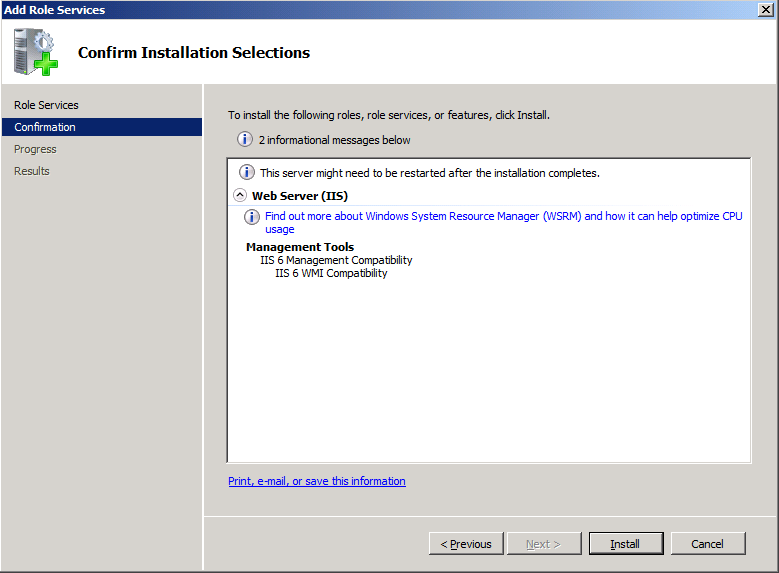
image

image

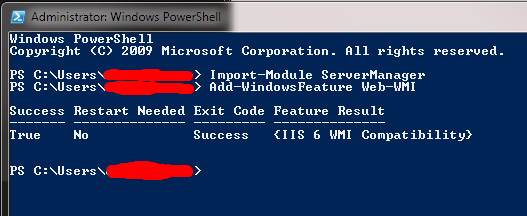
Or you can use our beloved PowerShell with the following commands:

  • Import-Module ServerManager
  • Add-WindowsFeature Web-WMI.

image

Now we have the IIS 6 WMI compatibility issue out of the way we can rerun the readiness checks and we’ll get all green check marks.
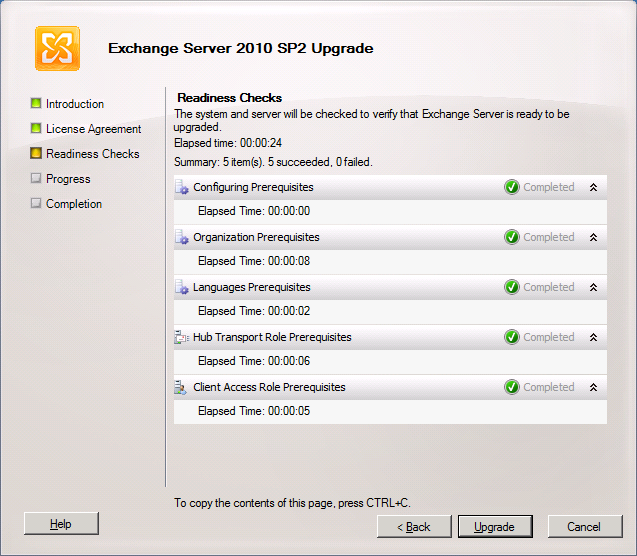
image

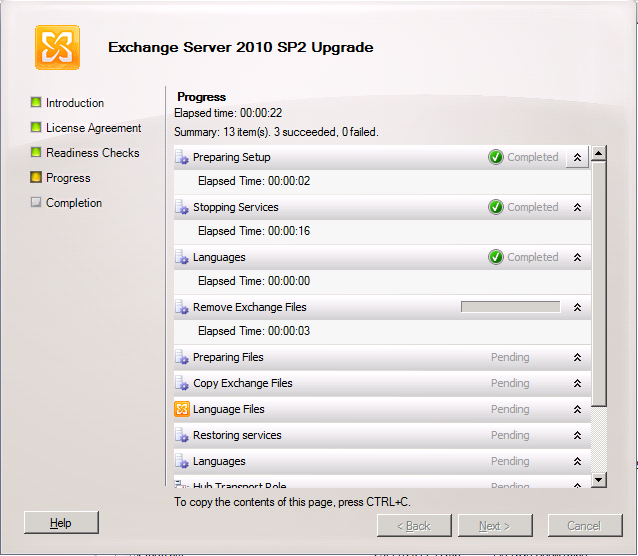
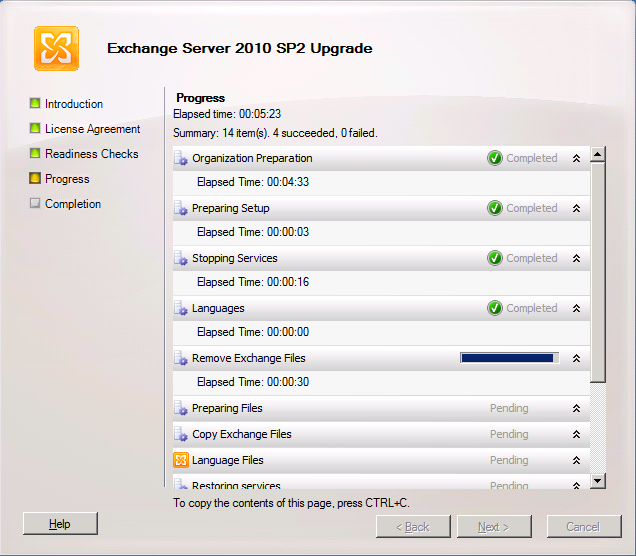
So we can click on “Upgrade” and get the show on the road. The first thing you’ll see this step do is “Organization Preparation”. This is the schema upgrade that is needed for Exchange 2010. If you had run this one manually it would not have to this step and you’ll see later it only does is for the first server you upgrade (note that it is missing form the second screen print, which was taken from the second CAS/HUB role server). I like to do them manually and make sure Active Directory replication has occurred to all domain controllers involved. If I use the GUI setup I give it some time to replicate.

Intermezzo: How to check the schema version

You can verify after having run SP2 on the first node or having updated the schema manually that this is indeed effective by looking at the properties of both the domain and the schema via ADSIEdit or dsquery.

The value for objectVersion in the properties of “CN=Microsoft Exchange System Objects” should be 13040. This is the domain schema version. Via dsquery this is done as follows: dsquery * “CN=Microsoft Exchange System Objects,DC=datawisetech,DC=corp” -scope
base -attr objectVersion
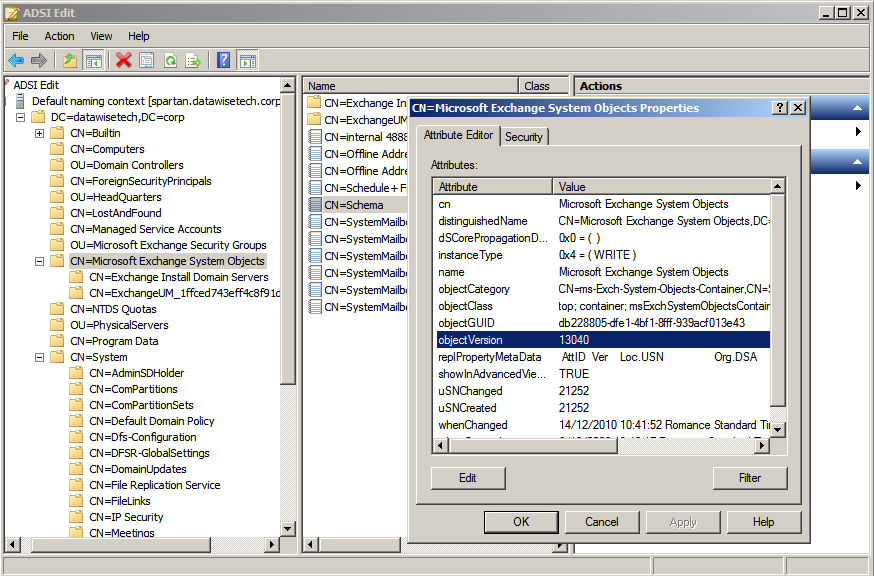
image

The rangeUpper property of “CN=ms-Exch-Schema-Version-Pt,cn=schema,cn=configuration,<Forest DN>” should be 14732. You can also check this using dsquery * CN=ms-Exch-Schema-Version-Pt,cn=schema,cn=configuration,<Forest DN> -scope base –attr rangeUpper tocheck this value
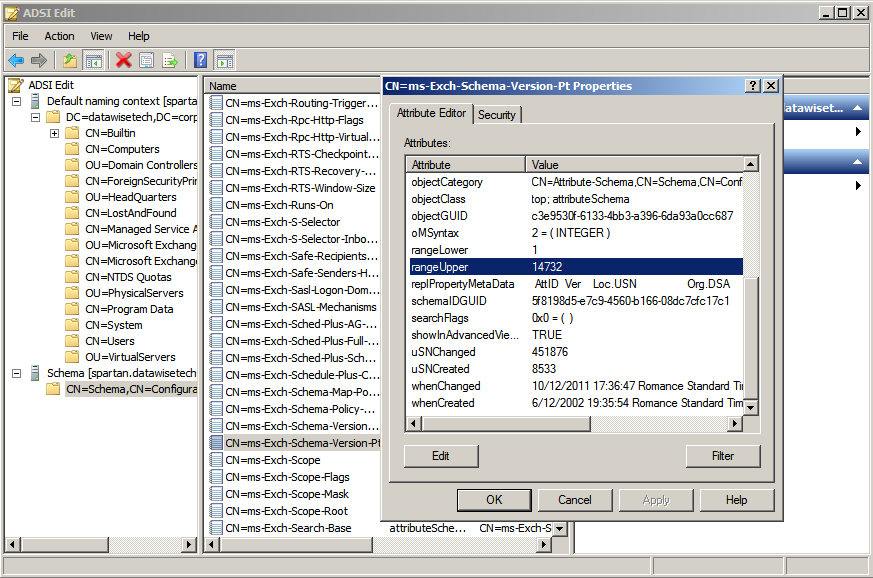
image

Note that you might need to wait for Active Directory replication if you’re not looking at the domain controller where the update was run. If you want to verify all your domain controllers immediately you can always force replication.

Step By Step Continued

First CAS/HUB roles server (If you didn’t upgrade the schema manually)
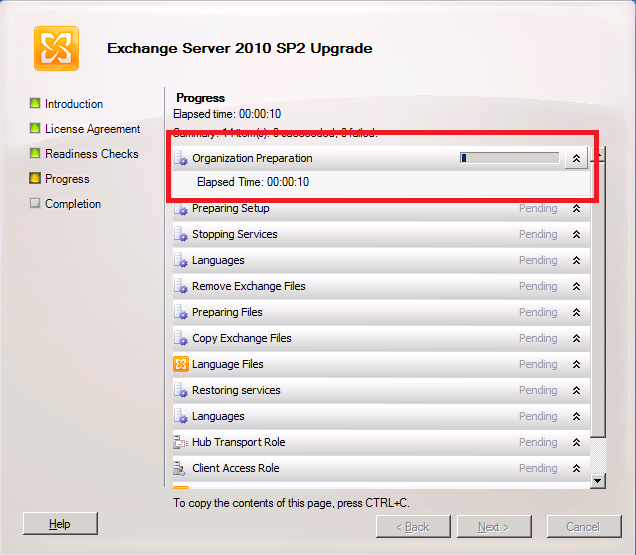
image

Additional CAS/HUB roles server

image

… it takes a while …

image

But then it completes and you can click “Finish”
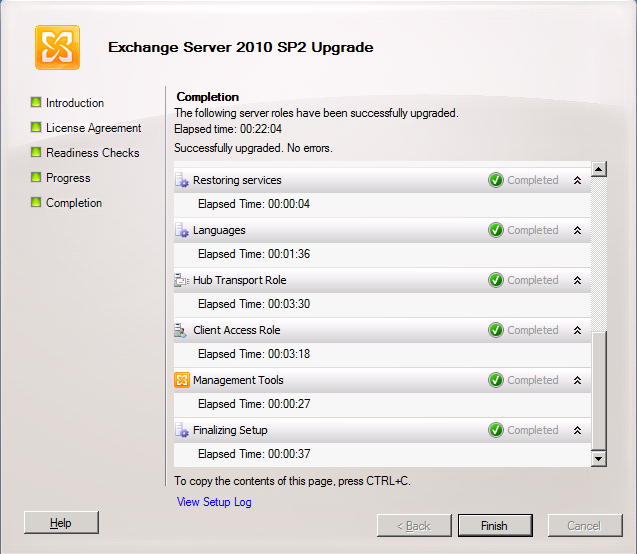
image

We’re done here so we click “Close”

image

When you run the setup on the other server roles like Unified Messaging, Mailbox and Edge the process is very similar and is only different in the fact it checks the relevant prerequisites and upgrades the relevant roles. An example of this is below for a the mailbox role server.
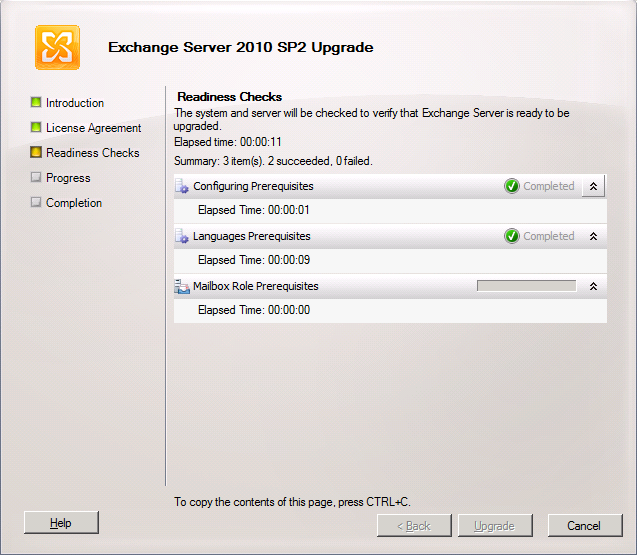
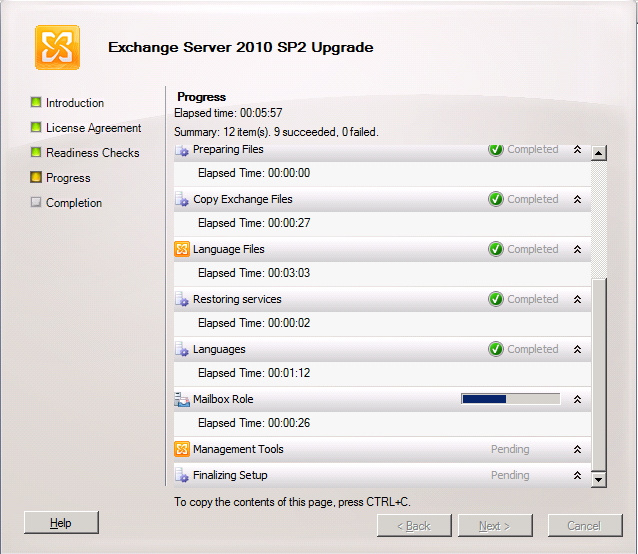
image

image

In DAG please upgrade all nodes a.s.a.p. and do so by evacuating the databases to the other nodes as to avoid service interruption. The process to upgrade DAG member is described here: http://technet.microsoft.com/en-us/library/bb629560.aspx

  • Upgrade only passive servers Before applying the service pack to a DAG member, move all active mailbox database copies off the server to be upgraded and configure the server to be blocked from activation. If the server to be upgraded currently holds the primary Active Manager role, move the role to another DAG member prior to performing the upgrade. You can determine which DAG member holds the primary Active Manager role by running Get-DatabaseAvailabilityGroup <DAGName> -Status | Format-List PrimaryActiveManager.
  • Place server in maintenance mode Before applying the service pack to any DAG member, you may want to adjust monitoring applications that are in use so that the server doesn’t generate alerts or alarms during the upgrade. For example, if you’re using Microsoft System Center Operations Manager 2007 to monitor your DAG members, you should put the DAG member to be upgraded in maintenance mode prior to performing the upgrade. If you’re not using System Center Operations Manager 2007, you can use StartDagServerMaintenance.ps1 to put the DAG member in maintenance mode. After the upgrade is complete, you can use StopDagServerMaintenance.ps1 to take the server out of maintenance mode.
  • Stop any processes that might interfere with the upgrade Stop any scheduled tasks or other processes running on the DAG member or within that DAG that could adversely affect the DAG member being upgraded or the upgrade process.
  • Verify the DAG is healthy Before applying the service pack to any DAG member, we recommend that you verify the health of the DAG and its mailbox database copies. A healthy DAG will pass MAPI connectivity tests to all active databases in the DAG, will have mailbox database copies with a copy queue length and replay queue length that’s very low, if not 0, as well as a copy status and content index state of Healthy.
  • Be aware of other implications of the upgrade A DAG member running an older version of Exchange 2010 can move its active databases to a DAG member running a newer version of Exchange 2010, but not the reverse. After a DAG member has been upgraded to a newer Exchange 2010 service pack, its active database copies can’t be moved to another DAG member running the RTM version or an older service pack.

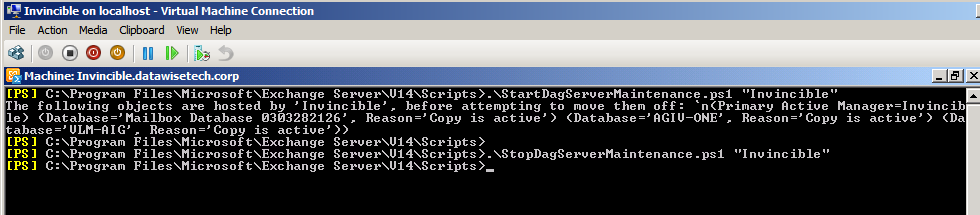
Microsoft provides two PowerShell scripts to automat this for you. These scripts are StartDagServerMaintenance.ps1 and StopDagServerMaintenance.ps1 to be found in the C:Program FilesMicrosoftExchange ServerV14Scripts folder. Usage is straight forware just open EMS, navigate to the scripts folder and run these scripts for each DAG member like below.

  1. .StartDagServerMaintenance –ServerName “Invincible”
  2. Close the EMS other wise PowerShell will hold a lock files that need to be upgraded (same reason the EMC should be closed) and than upgrade of the node in question
  3. .StopDagServerMaintenance –ServerName “invincible”
image

Voila, there you have it. Happy upgrading. Do you preparations well and all will go smooth.

Anti Virus & Hyper-V Reloaded

The anti virus industry is both a blessing and a curse.  They protect us from a whole lot of security threats and at the same time they make us pay dearly for their mistakes or failures. Apart from those issues themselves this is aggravated that management does not see the protection it provides on a daily basis. Management only notices anti virus when things go wrong, when they lose productivity and money. And frankly when you consider scenarios like this one …

Hi boss, yes, I know we spent a 1.5 million Euros on our virtualization projects and it’s fully redundant to protect our livelihood. Unfortunately the anti virus product crashed the clusters so we’re out of business for the next 24 hours, at least.

… I can’t blame them for being a bit grumpy about it.

Recently some colleagues & partners in IT got bitten once again by McAfee with one of there patches (8.8 Patch 1 and 8.7 Patch 5). These have caused a lot of BSOD reports and they put the CSVs on Hyper-V clusters into redirected mode (https://kc.mcafee.com/corporate/index?page=content&id=KB73596). Sigh. As you can read here for the redirected mode issue they are telling us Microsoft will have to provide a hotfix. Now all anti virus vendors have their issue but McAfee has had too many issues for to long now.  I had hoped that Intel buying them would have helped with quality assurance but it clearly did not. This only makes me hope that whatever protection against malware is going to built into the hardware will be of a lot better quality as we don’t need our hardware destroying our servers and client devices. We’re also no very happy with the prospect or rolling out firmware & BIOS updates at the rate and with the risk of current anti virus products.

Aidan Finn has written before about the balance between risk & high availability when it comes to putting anti virus on Hyper-V cluster hosts and I concur with his approach:

  • When you do it pay attention to the exclusion & configuration requirements
  • Manage those host very carefully, don’t slap on just any update/patches and this includes anti virus products of cause

I’m have a Masters in biology from they days before I went head over heals into the IT business. From that background I’ve taken my approach to defending against malware. You have to make a judgment call, weighing all the options with their pros and cons. Compare this to vaccines/inoculations to protect the majority of your population. You don’t have to get a 100% complete coverage to be successful in containing an outbreak. Just a sufficiently large enough part including your most vulnerable and most at risk population. Excluding the Hyper-V hosts from mandatory anti virus fits this bill. Will you have 100% success, always? Forget it. There is no such thing.

The Private Cloud A Profitable Future Proofing Tactic?

The Current Situation

I’m reading up on the private cloud concept as Microsoft envisions we’ll be able to build ‘m with the suite of System Center 2012 products. The definition of private cloud is something that’s very flexible. But whether we’re talking about the private, hybrid or public cloud there is a point of disagreement between some on the fact that there are people that don’t see self-service (via a portal, with or without an approval process) as a required element to define a *cloud. I have to agree with Aidan Finn on this one. It’s a requirement. I know you could stretch the concept and that you could build  a private cloud to help IT serve it customers but the idea is that customers can and will do it themselves.

The more I look into system center 2012 and it’s advertised ability to provide private clouds the more I like it. Whilst the current generation has some really nice features I have found it lacking in many areas, especially when you start to cross security boundaries and still integrate the various members of the System Center suite. So the advancements there are very welcome. But there is a danger lurking in the shadows of it all. Complexity combined with the amount of products needed. In this business things need to go fast without sacrificing or compromising on any other thing. If you can’t do that, there is an issue. The answer to these issues is not always to go to the public cloud a hundred percent.

While the entire concept might seem very clear us techies (i.e. still lots of confusion to be found) and the entire business crowd is talking about cloud as if it’s a magic potion that will cure all IT related issues (i.e. they are beyond confused, they are lost) there are still a lot of questions. Even when you have the business grasping the concept (which is great) and have an IT team that’s all eager and wiling to implement it (which is fabulous) things are still not that clear on how to start building and/or using one.

In reality some businesses haven’t even stepped into the virtual era yet or only partially at best. Some people are a bit stuck in the past and still want to buy servers and applications with THEIR money that THEY own and is ONLY for them.  Don’t fight that to much The economics of virtualization are so good (not just financially but also in both flexibility & capabilities) that you can sell it to top management rather easily, no matter what. After that approval just sell the business units servers (that are virtual machines), deliver whatever SLA they want to pay for and be done with it. So that problem is easily solved.

But that’s not a cloud yet. Now that I’m thinking of it, perhaps getting businesses to adopt the concept will be the  hardest. You might not think so by reading about private clouds in the media but I have encountered a lot of skepticism and downright hostility towards the concept. No, it’s not just by some weary IT Pros who are afraid to lose their jobs. Sometimes the show stoppers are the business and users that won’t have any of it. They don’t want to order apps or servers on line, they want then delivered for them. I even see this with the younger workforce when the corporate culture is not very helpful. What ‘s up here? Responsibility. People are avoiding it and it shows in their behavior. As long as they want to take responsibility things go well. If not, technical fear masked as “complexity” or issues like “that’s not our job” suddenly appear.

There is more, a lot of people seems at their limit of what they can handle in information overload at every extra effort is too much.  Sometimes it’s because of laziness or perhaps even stupidity? Perhaps it’s a side effect of what Nicolas Carr writes about the: the internet is making us dumber and dumber as a species. But then again, we only have to look at history to learn that, perhaps, we’ve never been that smart. Sure we have achieved amazing things but that doesn’t mean we don’t act incredibly stupid as individuals or as a group. So perhaps things haven’t changed that much. It’s a bit like the “Meet the new boss, same as the old boss” sort of thing. But on the other hand things are often too complex. When things are easy and become an aid in their work people adopt technology fast and happily.

Sometimes the scale of the business is not of that nature that it’s worthwhile top deploy a cloud. The effort and cost versus the use and benefits are totally out of sync.

That’s all nice and well you tell me, but what’s are technologists to advice to their customers?

Fire & Maneuver

The answer is in the sub title. You can’t stand still and do nothing. It will get you killed (business is warfare with gloves on and some other niceties). Now that’s all good to know but how do we keep moving forward and scoring? There will always be obstacles, risks, fears etc. but we can’t get immobilized by them or we come to a standstill, which means falling behind. The answer is quite simple. Keep moving forward.  But how? Do what you need to do. Here’s my approach. Build a private cloud. Use it to optimize IT and to be ready to make use of * clouds at every opportunity. And to put your mind at ease you can do this without spending vast amounts of money that gets wasted. Just provide some scale up and scale out capacity & capability. The capability is free if you do it right. The capacity will cost you some money. But that’s your buffer to keep things moving smoothly. Done right your CAPEX will be less than not doing this. How can this be?

Private Clouds enable Hybrid Clouds

The thing that I like most about the private cloud is that it enables the use of hybrid cloud computing. On the whole and in the long run hybrid clouds might be a transition to public cloud but as I’ve written before, there are scenarios where the hybrid approach will remain. This might not be the case for the majority of businesses but still I foresee a more permanent role for hybrid clouds for a longer time that most trendy publications seem to indicate. I have no crystal ball but if hybrid cloud computing does remain a long term approach to server computing needs we night well see more and better tools to manage this in the years to come. Cloud vendors who enable and facilitate this approach will have a competitive advantage. The only thing you need to keep I mind that private or cloud computing should not bee seen as replacements or alternatives for the public cloud. They don’t have the elasticity, scale and economics of a public cloud. They are however complementary. As such they enable and facilitate the management and consumption of IT services that have to remain on premises for whatever reason.

Selling The Public Cloud

Where private cloud might help businesses who are cloud shy warm up to the concept, I think the hybrid cloud in combination with integrated and easy management will help them make the jump to using public cloud services faster. That’s the reason this concept will get the care and attention of cloud vendors. It’s a stepping stone for the consumption of their core business (cloud computing) that they are selling to businesses.

What’s in it for the business that builds one?

But why would a business I advise buy into this? Well a private cloud (even if used without the self-service component) is Dynamic Systems Initiative (SDI) / Dynamic Data Center on steroids. And as such it delivers efficiency gains and savings right now even if you never go hybrid or public. I’m an avid supported of this concept but it was not easy to achieve for several reasons, one of them being that the technologies used missed some capabilities we need. And guess what, the tools being delivered for the private could can/could fill those voids. By the way, I was in the room at IT Forum 2004 when Bill Gates came to explain the concept and launch that initiative. The demo back then was deploying hundreds of physical PCs. Times have changed indeed! But back to selling the private cloud. Building a private cloud means you’ll be running a topnotch infrastructure ready for anything. Future proofing your designs at no extra cost and with immediate benefits is to good to ignore for any manager/CTO/CIO. The economics are just too good. If you do it for the right reason that is, meaning you can’t serve all your needs in the public cloud as of yet. So go build that private cloud and don’t get discouraged by the fact that it won’t be a definition example of the concept, as long as it delivers real value to the business you’ll be just fine. It doesn’t guarantee your business survival but it will not be for your lack of trying. The inertia some businesses in a very competitive world are displaying makes them look like rabbits trapped in the beams of the car lights. Not to mention government administrations. We no longer seem to have the stability or rather slowness of change needed to function effectively. Perhaps this has always been the case. I don’t know. We’ve never before in history had such a long period of peace & prosperity for such a broad section of the population. So how to maintain this long term is new challenge by itself.

Danger Ahead!

As mentioned above, if there is one thing that can ruin this party it’s is complexity. I’m more convinced of this than ever before. I’ve been talking to some really smart people in the industry over the weekend and everyone seems to agree on that one. So if I can offer some advice to any provider of tools to build a private cloud.  Minimize complexity and the amount of tools needed to get it set up and working. Make sure that if you need multiple building blocks and tools the integration of them is top notch and second to none. Provide clear guidance and make sure it is really as easy to set up, maintain and adapt as it should be. If not businesses are going to get a bloody nose and IT Pros will choose other solutions to get things done.

Direct Connect iSCSI Storage To Hyper-V Guest Benefits From VMQ & Jumbo Frames

As I was preparing a presentation on Hyper-V cluster high available & high performance networking by, you guessed it, presenting it. During that presentation I mentioned Jumbo Frames & VMQ (VMDq in Intel speak)  for the virtual machine, Live Migration and CSV network. Jumbo frames are rather well know nowadays but VMQ is still something people have read about, at best have tinkered with, but no many are using it in production.

One of the reason for this that it isn’t explained and documented very well. You can find some decent explanation on what it is and does for you but that’s about it. The implementation information is woefully inadequate and, as with many advanced network features, there are many hiccups and intricacies. But that’s a subject for another blog post. I need some more input from Intel and or MSFT before I can finish that one.

Someone stated/asked that they knew that Jumbo frames are good for throughput on iSCSI networks and as such would also be beneficial to iSCSI networks provided to the virtual machines. But how about VMQ? Does that do anything at all for IP based storage. Yes it does. As a matter of fact It’s highly recommend by MSFT IT in one of their TechEd 2010 USA presentations on Hyper-V and storage.

So yes enable VMQ on both NIC ports used for iSCSI to the guest. Ideally these are two dedicated NICs connected to two separate switches to avoid a single point of failure. You do not need to team these on the host or have Multiple Path I/O (MPIO) running for this mat the parent level. The MPIO part is done in the virtual machines guests themselves as that’s where the iSCSI initiator lives with direct connect. And to address the question that followed, you can also use Multiple Connections per Session (MCS) in the guest if your storage device supports this but I must admit I have not seen this used in the wild. And then, finally coming to the point, both MPIO and MCS work transparently with Jumbo Frames and VMQ. So you’re good to go Smile