Do I really need 10Gbps fiber to the home?
Do I really need 10 Gbps fiber to the home? The nerd in me would love 10 Gbps (or 25 Gbps) Internet connectivity to play with in my home lab. Online, you will see many people with 1Gbps or better. Quite often, these people earn good money or live in countries where prices are very low. More often than not, they are technical and enjoy playing with and testing this kind of network connectivity. So do I, but the question is whether I need it. Do you need it, or do you want it?
I would like it, but I do not need it
Yes, I’d like to have a 10Gbps Internet connection at home. Luckily, two things keep me in check. First, I was doing OK with VDSL at about 65 Mbps down and 16 Mbps up, based on my measurements. Now that I switched to fiber (they stopped offering VDSL), I pay 0.95 Euros more a month for 150 Mbps down and 50 Mbps up with a different provider. That is more than adequate for home use, IT lab work (learning and testing), and telecommuting with 2 to 3 people.

Look, I don’t have IPTV or subscriptions to online streamers. I limit myself to what is free from all the TV networks, and that is about it. I am not a 16-year-old expert gamer with superhuman reflexes who needs the lowest possible latency, even when parents and siblings are streaming movies on their TVs. Also, telework video meetings do not require or use 4K for 99.99% of people. The most important factor is stability, and in that regard, fiber-to-the-home clearly beats VDSL.
What about my networking lab work
Most of my lab experiments and learning are on 1Gbps gear. If I need more, it is local connectivity and not to the Internet.
The moment you get more than 1 Gbps of Internet connectivity, you need the use cases and gear to leverage it and achieve your ROI. Bar the 2.5 Gbps NICs in PCs and prosumer switches; that leaves 10 Gbps or higher equipment. You need to acquire that kit, but for most lab experiments, it is overkill; it consumes more electricity, can be noisy, and produces heat. The latter is unwelcome in summer. The result is the bill goes up on different fronts, and how much more knowledge do I gain? 100Gbps RDMA testing is something I do in more suitable labs outside of the house. 10Gbps or higher at home is something I would use for local backups and secondary backups to a secondary site.
If not 10 Gbps Internet connectivity, why not 1Gbps?
Well, 1Gbps Internet connectivity sounds nice, but it is still mostly overkill for me today. Sure, if I were downloading 150GB+ virtual hard disks or uploading them to Azure all the time. That would saturate my bandwidth, leading to issues for other use cases at home, and my patience would be depleted very quickly.
But in reality, such situations are rare and can usually be planned. For those occasions, I practice my patience and enjoy the stability of my connection. The latter is better than at many companies, where zero-trust TLS inspection and mandatory VPNs like GlobalProtect make long-running uploads and downloads a game of chance. Once you have enough headroom, bandwidth is less important than stability, latency, and consistent throughput.
The most interesting use case I would have for 1Gbps (or better) would be off-site backups or archival storage when the target can ingest data at those speeds. Large backups can take a long time, limiting their usability and the ability to enable real-time backups. But since I need a local backup anyway, I can restrict the data sync to nighttime and the most essential data. And again, somewhere in the cloud, you need storage that can ingest the data, and that also comes at a cost. So rationally, I do not require higher bandwidth today. All cool, but why not go for it anyway?

Cost is a factor
Sure, in the future I might get 1 Gbps or better, but not today, because we have arrived at the second reason: cost. Belgium is not a cheap country for internet connectivity compared to some other countries. And sure, if I spent 99.99 Euro per month instead of 34.95, I could get 8.5 Gbps down and 8 Gbps up. That’s about the best you can realistically expect from fiber-to-the-home via a shared GPON/XGS-PON, which is the model we have in Belgium. If I ever need more than my current 150Mbps down / 50Mbps up subscription, I can go to 500Mbps down / 100Mbps up or to 1000Mbps down / 500Mbps up to control costs.
Yes, I hear you, what is another 10 to 20 Euros per month? Well, think about the dozens of recurring expenses you have, each adding 10-20 Euros. That adds up every month. It is smart to control that and keep it low. Unemployment, illness, and economic hardship are always a possibility, and it is smart to control your budget. That way, you can weather a financial storm more easily, and you don’t have to rush to cut unnecessary spending. That holds, even when you make way more than average. Going from 150 Gbps down/50 Gbps up to 8.5 Gbps down and 8 Gbps up is a slight percentage increase in cost compared to the increase in bandwidth, but it does add to your fixed expenses. Frugal, sure, but also rational and realistic.
Now, Digi in Belgium offers Fiber To The Home for 10 euros per month, and I would jump on it. Unfortunately, it is only available in one town. Their expansion to the rest of the country seems at a standstill, and it would not surprise me if the powers that be (ISPs and politicians) have no urge to move this forward to protect (tax) revenue. But in due time, we might see the budget offerings move up the stack, and then you can move with them.
Speed is addictive
It is a fact that speed is addictive. Seeing that FTP or Windows ISO downloads are 10 times faster at first is very satisfying, and then that becomes your minimum acceptable speed. But that is the case whether you upgrade to 150 Mbps down/50 Mbps up, 2.5 Gbps down/2.5 Gbps up, or even higher. Don’t get me wrong, speed is also good. It provides a better experience for working from home or streaming a 4K movie. Just be sensible about it. They like to upsell bundles in Belgium, making you buy more than you need. On top of that, the relatively low price increase for ever more bandwidth is meant to lure you in: as you buy more bandwidth, the percentage increase in cost is low versus the gain in bandwidth, but the total cost still goes up.
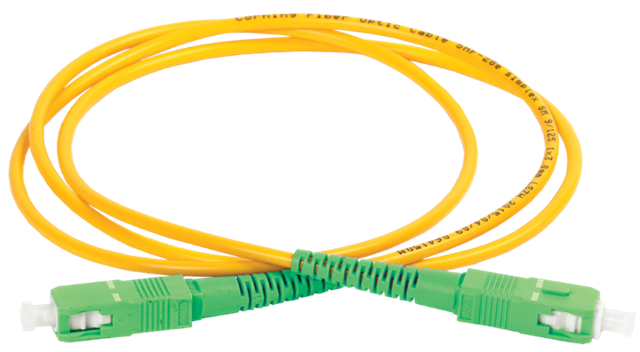
But speed is not the biggest concern for many businesses when it comes to employee comfort. I see so many companies sharing 10Gbps among thousands of employees in their office buildings, and I realize I have it good at home.
If you go for 1Gbps or higher on purpose, fully knowing when and what you can use it for, have a blast. Many people have no idea what their bandwidth needs are, let alone when or how they consume bandwidth.
Conclusion
Do I really need 10Gbps fiber to the home? Today, that answer is definitely “no.” For work-from-home scenarios, 150 Mbps down and 50 Mbps up is perfect. You can comfortably work from home all they long with two or three people. The only issue you can encounter is when someone starts downloading or uploading a 150 GB virtual hard disk during video calls, if the telecommuters or your kids are torrenting 8K movies during office hours.
For me, unless I magically become very wealthy, I will keep things at home fiscally responsible. For educational purposes, such as learning about network technologies (switching, routing, firewalling, forward and reverse proxying, load balancing), 1 Gbps or less for Internet connectivity will suffice. 1 Gbps for your hardware needs is also good enough. It is also easier to obtain cheaply or for free via dumpster diving and asking for discarded hardware.
Sure, if you want to learn about 100Gbps networking and RDMA, that will not do it. The costs for hardware, electricity, and cooling are so high that you will need corporate sponsorship and a lab to make it feasible. And that is local or campus connectivity, rarely long-distance WAN networks.
So, start with 150 Mbps down and 50 Mbps up. Move to 500 Mbps down and 100 Mbps up if you notice a real need. That will be plenty for the vast majority. If not, rinse and repeat, but chances are you do not need it.