Microsoft Belgium At The Speed of Light, Traffic At A Glacial Pace, AD FS 2.0 , Vittorio Bertocci & a Large Chocolate Bunny

Wednesday April 27th 10:45

We’re helping out on the infrastructure side of a claims based authentication project with my team and I had some questions on AD FS 2.0. The two lead developers (U2U Consult’s Kris Vandermotten & Stefan Gevaert ) also had some outstanding questions or rather they needed a echo chamber to discus some design choices.  Now imagine you have TechDays 2011 going on in your country and Vitoria Bertocci (http://blogs.msdn.com/b/vbertocci/, @vibronet ) is over there to present a decent amount of sessions and is available to the attendees for questions.  OK I have two people of my ICT team running around to broaden there horizons but I’m at the office holding the fort. Kris says he saw Vittorio the day before but missed an opportunity to talk to him on Tuesday.  I’m thinking & saying , yeah I should mail him. I really should. Why haven’t I yet?

Wednesday April 27th 14:20

Kris & Stefan suggest to go to Antwerp and meet up with Vittorio. I’m thinking like, good plan but how do we get this set up so fast? Mail? Nah, what if he isn’t able to read it.  We need an other approach. I decide to use two channels. Twitter and telephony. One tweet (with a very fast response from Vittorio) and some phone calls to Microsoft employees I know might be at TechDays 2011. The first two are not there that day but Arlindo Alves (@aralves) is. I get him on the phone very quickly (note that he is extremely busy during an event like TechDays) and ask him if we can set up a meeting with Vittorio. He says he’ll ask and will get back to me. Well it’s 15:00 hours and we have a meeting set up for 10:00 hrs Thursday morning. Wow Smile Now I’m impressed with how fast this went from “let’s try” to reality.

Thursday April 28th 08:00 hours

We’re leaving in Gent to go to TechDays at Metropolis in Antwerp.

Thursday April 28th 10:05 hours

We arrive at Metropolis. Wow again but not in a positive way. I’m not impressed at all at the “speed” we got to Antwerp. I’m not even sure if you can call what I witnessed driving anymore. But hey, there is a reason I love telecommuting, riding my bicycle to work and using the train to commute.

Thursday April 28th 10:10 hours

We start a very interesting and fruitful talk with Vittorio about our project. He’s extremely knowledgeable on the subject, passionate about the technology and he loves to help people understand and use it better. We’re happy with what we learned and the talk ends with us keeping our promise to Arlindo & Vittorio. We brought Belgian chocolates. Now, we didn’t exactly manage to get “pralines”, it was a bit larger (http://twitpic.com/4qglxb). For some reason we think he’ll remember us when we send him a follow up mail.

Lessons learned. If you need to talk to some one at Microsoft don’t be afraid to ask. Also be willing to act fast and to grab an opportunity because people like Arlindo Alves from Microsoft Belgium are very good at making them happen!
BriForum Europe 2011 & The Experts Conference Europe 2011

Great news from the educational & conference front. First of all, I’m attending BriForum in London, United Kingdom in May (http://briforum.com/Europe/index.html).  That’s good news, normally we’d have to pop over the big pond to go to that one, so this is pretty neat. And timely, due to some prospecting I’m doing for Disaster Recovery,  Business continuity, application aware storage in a virtualized environment It’s a good match and I hope to get in to some educational discussions about the challenges we all face. Some of the storage vendors we’re interested in are there as well so there is certainly some potential to make it a good experience.

And just recently confirmed that The Experts Conference is coming to Europe. TEC2011 Europe will be held in Frankfurt, Germany from October 17th to October 19th 2011. This conference is high quality and created to fill the needs of the most experienced users, which is one of the reasons I would like to attend. The more you learn & grown the more you bump into the next level of challenges and being able to learn form high level content and interact with experienced speakers and attendees who are dealing with the same issues can be very rewarding. Attendees of TechEd have a way to measure the level of the sessions, well, they are all supposed to be Level 400 only. Quest is hosting this, so they certainly should be able to round up the expertise.  I’m going to make it to the new “track” at this conference and that’s “Virtualization & Cloud”. More information can be found here http://www.theexpertsconference.com/europe/2011/virtualization-cloud-training/overview/

The timing of these conferences is pretty good. As I said we’re doing a lot of prospecting right now and hope to get a lot of information from attending these. For anyone interested why I attend conferences and why I think they are valuable see mu blog post on this subject https://blog.workinghardinit.work/2010/06/05/why-i-find-value-in-a-conference/

System Center Virtual Machine Manager 2008 R2 SP1 Upgrade Walkthrough

Some people downloading the System Center Virtual Machine Manager 2008 R2 SP1 seem to be confused that it is the entire product ISO. It’s a big download but the upgrade itself, when you have a healthy environment is fast and easy. To my knowledge there is no SP1 upgrade file only, you get one package for all needs.  I’ve provided a screenshot walkthrough of the process below and it really only takes a couple of minutes on the servers deployed it on. There is both an evaluation version available or a licensed version via the licensing site or the TechNet subscribers downloads.

Do note that the below process is for those who are upgrading from  System Center Virtual Machine Manager 2008 R2  to System Center Virtual Machine Manager 2008 R2 SP1. If you have the RC installed take a look at the following blog post by  Maarten Wijsman to see how to upgrade the SQL database used by SCVMM2008R2 SP1 Release Candidate with the UpgradeVMMR2SP1RC.exe tool. The download is here at the Microsoft Connect site  (Live ID).

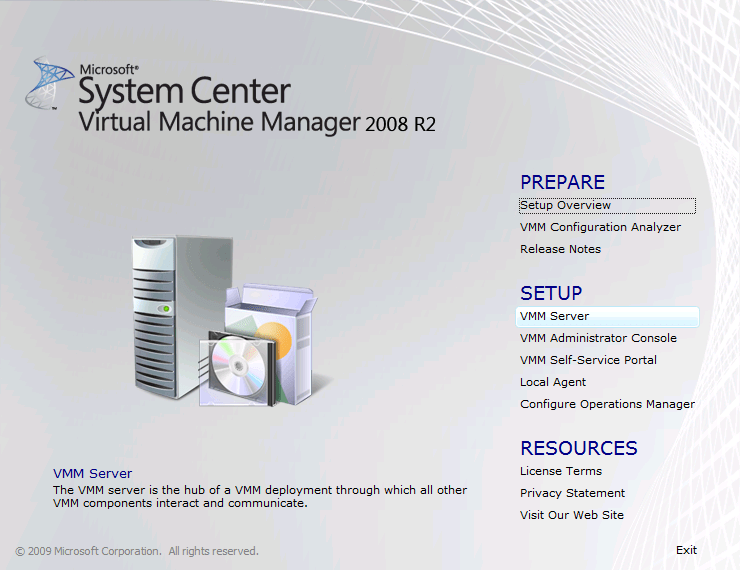
Run the setup.exe and click setup VMM Server or any other component you need to upgrade. If you click VMM server it will detect other components as well.

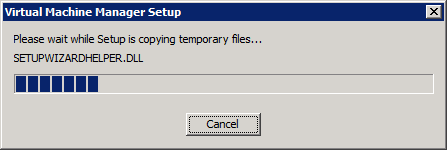
The installation files are extracted …

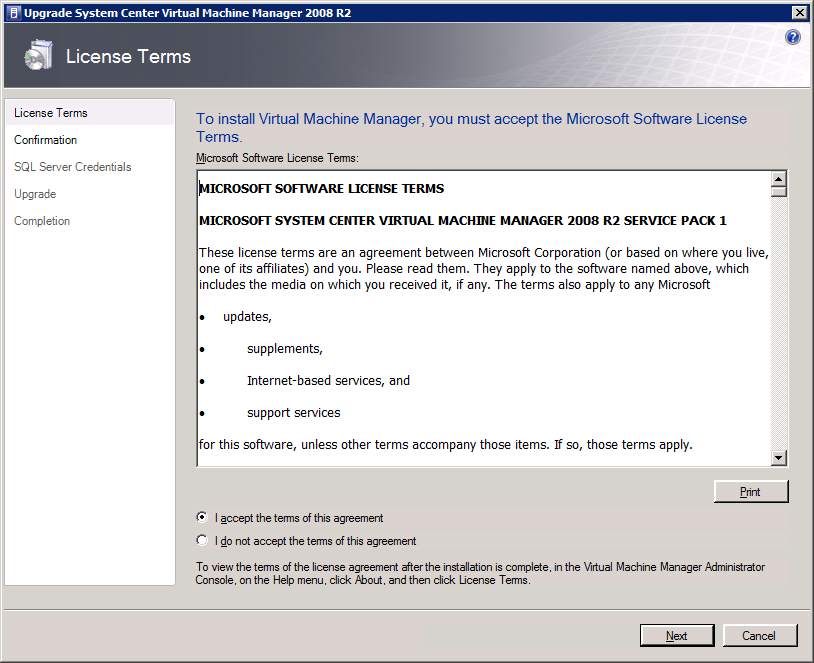
Accept the license agreement and click next

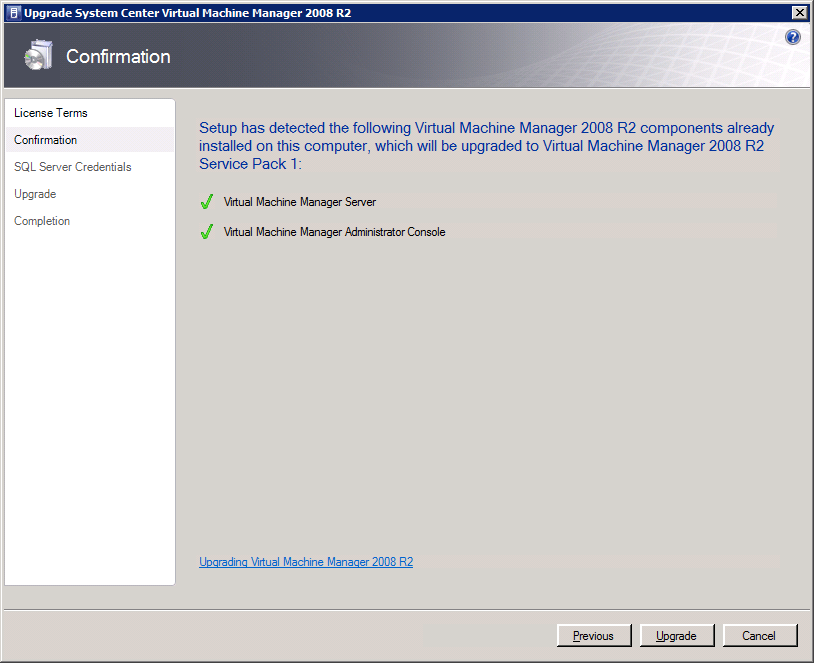
As you can see it detected that I’m also running the Virtual Machine Manager Administration Console. Click on ‘Upgrade” to continue.

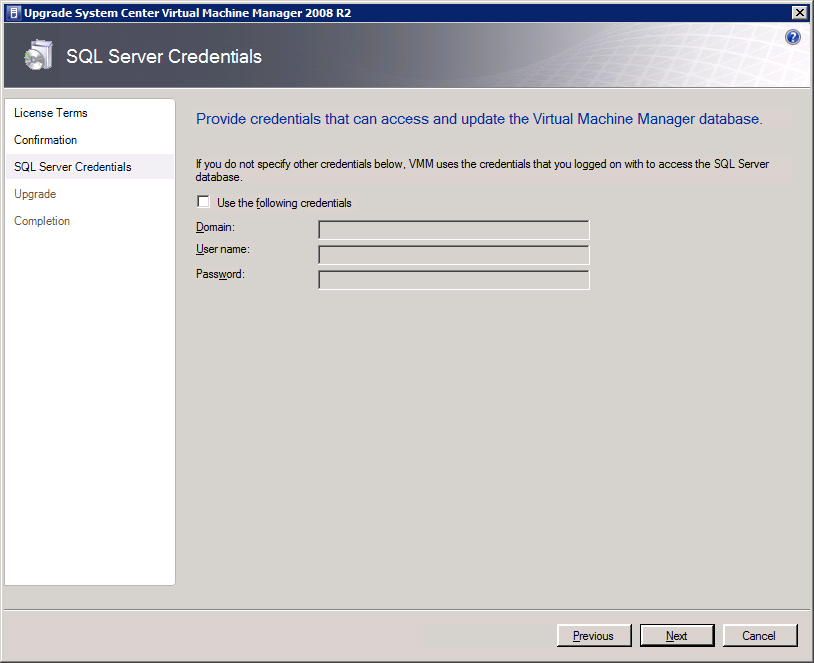
If the account you’re using doesn’t have the needed SQL Server permissions you can provide alternate credentials that do have those. Click “Next” to continue.

It will then upgrade all detected components one by one ….

… until you reach the Completion form. That’s it you’re done.

You have to go through this process for all servers where you have Virtual Machine Manager components installed to complete the entire upgrade. When you have you can now configure Dynamic Memory from your SCVNN administrator Console.  Nice

Exchange 2010 SP1 Rollup 3 Pulled – BlackBerrys sending duplicate messages

Just a quick notification. Due to the duplicate message issue with RIM Blackberry devices and Exchange 2010 Sp1 Rollup 3 Microsoft is temporarily pulling RU3. If you don’t use BES and have no other issues, don’t sweat it. If you wanted RU for UDP support with Outlook 2003 or to fix the DAG Copies GUI bug you’ll have to wait especially if you have Blackberry devices. More the the Exchange Team Blog here.