A Brighter Future For Public Folders?

The Exchange Team posted a blog entry asking for feedback on how we use public folders. Nice to see they are taking an interest again. The past 4 years the mantra was “move away from them”, “do it now while you still have the time”, etc. SharePoint was always put forwards as number one replacement option. For some scenarios this is indeed a good choice but let’s face it, for some public folder uses there is no decent replacement and that hurts us as they haven’t seen any decent improvements in the last 2 Exchange releases. I know public folders have always been a bit problematic and finicky for us administrators. They tend to need a bit of voodoo and patience to trouble shoot and get running smoothly (see  blog post by me for an example of this). But instead of using that of an excuse to get rid of them they could also choose to invest in making them as reliable and robust as mail databases. Giving them the same high availability features might also be a welcome improvement, especially now with DAGs in Exchange 2010.

Especially in the Exchange 2007 era Microsoft was promoting getting rid of them actively. But they are still around because so many people use them and they have not decent alternative for all scenarios. In that respect they do listen to their customers. But we want improvements. Some of the functionality we need is there but we really need more robust, reliable and high available public folders. As as shared mail instrument for both sending and receiving mail in a team public folders beat shared mailboxes and SharePoint any time.  It also shines for maintaining a shared repository of contacts. I’m not a proponent of using public folder for a document repository but I understand that its relative simple usage and data protection via replicas still sounds attractive to some versus the complexity of SharePoint. Sure SharePoint has more to offer but perhaps they don’t need those capabilities and to make matters even less attractive; it’s quite an effort to migrate from public folders to SharePoint.

So that left us public folders users feeling a bit abandoned with a message of get out but no easy path to go anywhere else that serves all our needs. So until today all my customers are still and want to  keep using public folders. They are a worried however that one day they will be left out in the cold. But perhaps there is a better future on the horizon for public folders.  They are asking us to “Help us learn more about how you use public folders today!” in that blog post. The emphasis is on “usage scenarios, folder management habits or thought process around public folder data organization”. So if you need and use public folders in any way and you’d like for them to get more attention and evolve into more robust and functional instruments give Microsoft your feedback. Exchange 2010 has brought us great features & very affordable high availability together with support for virtualization. Now we either need a better alternative to public folders than the ones we got now or (my preference) we need better public folders. Since consumption of public folders occurs mostly in Outlook I would suggest the latter. And while we’re asking, bring back access to folder shares in OWA Winking smile.

Exchange 2010 SP1 DAG & Unified Messaging Now Supports Host Based High Availability & Live Migration!

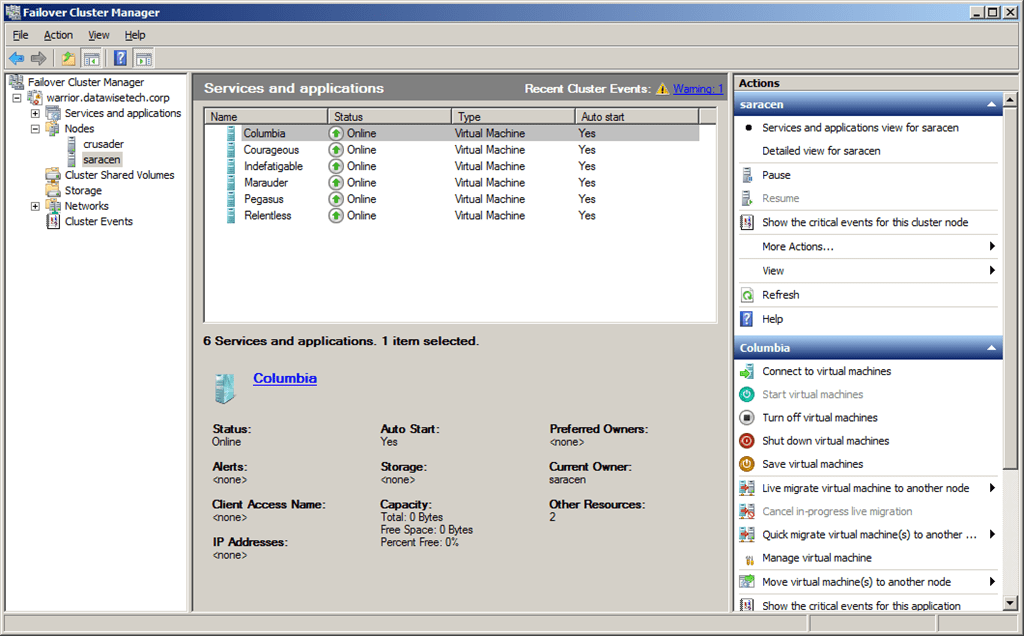
Well due to rather nice virtualization support for Lync and the fact that Denali (SQL Server vNext) does support DAG like functionality with Live Migration and host based clustering, it was about time for Exchange 2010 to catch up. And when we read the white paper  Best Practices for Virtualizing Exchange Server 2010 with Windows Server® 2008 R2 Hyper V™ that moment has finally arrived. I have to thank Michel de Rooij at  for bringing this to our attention http://eightwone.com/2011/05/14/exchange-2010-sp1-live-migration-supported/. So now we have the best features in virtualization at our disposal and that simply rocks. We read:

“Exchange server virtual machines, including Exchange Mailbox virtual machines that are part of a Database Availability Group (DAG), can be combined with host-based failover clustering and migration technology as long as the virtual machines are configured such that they will not save and restore state on disk when moved or taken offline. All failover activity must result in a cold start when the virtual machine is activated on the target node. All planned migration must either result in shut down and a cold start or an online migration that utilizes a technology such as Hyper-V live migration.”

“Microsoft Exchange Server 2010 SP1 supports virtualization of the Unified Messaging role when it is installed on the 64-bit edition of Windows Server 2008 R2. Unified Messaging must be the only Exchange role in the virtual machine. Other Exchange roles (Client Access, Edge Transport, Hub Transport, Mailbox) are not supported on the same virtual machine as Unified Messaging. The virtualized machine configuration running Unified Messaging must have at least 4 CPU cores, and at least 16 GB of memory.”

And it is NOT ONLY for Hyper-V, look at the Exchange Team blog here “The updated support guidance applies to any hardware virtualization vendor participating in the Windows Server Virtualization Validation Program (SVVP).’” Nice!

Anyone who’s at TechEd USA 2011 in Atlanta should attend EXL306 for more details. Huge requirements yes, but the same goes for physical servers. That’s how they get the performance gains needed, it’s done by lowering IO by using large amounts of RAM.

Think about the above statement, we now have support for host clustering with live migration, possibly together with technology like for example Melio (SanBolic) on the software side or Live Volume (Compellent) on the storage side to protect against SAN Failure (local or remote) and combined with DAG high availability for the databases in Exchange 2010 (which can be multi site) this becomes a very resilient package. So to come back to my other post on a brighter future for public folders, if they can sort out this red headed stepchild of the Exchange portfolio they have covered all their bases and have a great platform with the option of making it better, easier and cheaper to implement, operate & use. No one will argue with that.

I know some people will say all this is overkill, to complex, to much or to expensive. I call it having options. When the S* hits the fan and you’re “in the fight of your life” wading your way through one or multiple IT disasters to keep that mail flow up an running it is good to have multiple options. Options mean you can get the job done using creativity and tools. If you have only one tool and one option Murphy will catch up with you. Actually this is one of my most heard shout outs to the team “give me options” when problems arise. But at what cost do these options come? That is up for the business and you to decide. We’re getting very robust options in Exchange that can be leveraged with other technologies for high availability that have become more and more main stream. This means none of all this needs to be bought and implemented just for Exchange. They are already in place. Unless your IT “strategy” the last 10 years was run Windows 2000 & Exchange 2000 until the servers fall apart and we don’t have any more spares available on e-bay before we consider moving along.

Consumerization of IT Discussions at BriForum 2011 London

At BriForum 2001 In London I also attended a lot of talks on BYOD and the consumerization of IT. The connection with BriForum is where VDI and user virtualization fit in to facilitate this. Now talk about this subject has been going on for about 5 years now and has been brought up at many TechEd sessions for example.

If that concept works, I say bring it on. Really. I mean it holds so many promises of a better world for everyone involved that we’d be nuts not to try it. I like the concept, but will it work, is it possible? If so where, when and to what extent. Anyway it’s all good stuff until that seems to require lawyers and contracts. Ouch! We’re not too good at dealing with that and I have to say that from my experience contracts are legal documents and are very useful in that arena but it won’t stop people from doing what they can where and when they can. They don’t think about using Hotmail or drop box of being “illegal” or against policy. They just use it. Look at any other corporate security and fair use policy. They are full of holes like a giant Swiss cheese. The ones demanding the policies are the ones doing most of the drilling.

But legalities aside, will it work on a very large scale in most places? Not right now I think. The dependency of the business on the current infrastructure is so big it can’t be replaced yet. So you need a transition and that means adding stuff & new possibilities and facilitating them. So initially it will only add complexity for the service desk. All the talk of not being able to retain the best and brightest might be true but the same goes for the IT personnel. You might retain a better MBA with your iPad & iPhone but you could very well lose some support personnel that go “BOINK” trying to assist a workforce with hundreds of devices and apps. Are devices and toys to be considered as benefits or as a true work instruments? Perhaps it attracts opportunistic gadget freaks instead of the best personnel. Do car policies help attract the best personnel in this day and age? I mean everyone offers it so it’s a level playing field. Perhaps not offering BYOD but providing really valuable environments works better. Flex work, telecommuting, better wages, interesting job content is still a lot better I think. The best people figure out fast that there is more and better to be had in remuneration than a device and your own app preferences.

Sure I know an iPad might attract a college graduate but they already have such high expectations (culture of entitlement) that perhaps this is not the best path to go. Corporate life is not like what you see on TV. They might as well learn that early. It’s not about a group of gorgeous young people acting important and professional whilst doing nothing, drinking rivers of macchiato form Starbucks and having affairs with the equally gorgeous colleagues. To complete the dream illusion they get paid generously for all that and at the end of the year receive a bonus to make a down payment on that city loft. Wake up! And be fair we’re talking top drawer human resources here and there in lies another issue as you’ll need to offer it to everyone in the company because, when you hear the lawyer talking, it opens you up to legal action due to discrimination if you don’t. Where is the differentiator than?

Now I’m not against it the concept. On the contrary I would love to see it work. But I’m afraid it’s not such a good proposition as it is made out to be when done in a structured way and on a large (read companywide) scale. Is it a perk or business value? I don’t have an iPad or an iPhone but I do use my tools and some devices out of corporate control to get my job done, so basically I’m there dudes. The main issue I still need to resolve is get employers to pay for expensive shiny toys I need to get my job done faster and better. The reason I don’t have them because I’m too cheap to buy them myself (so I don’t see the value to get my job done better?). But when the boss pays, well hello iPad! But I’d better not force my hand. I think my boss would say could luck at your next job if I ever told ‘m I takes an iPhone to retain me. But a CEO doesn’t have that problem. He gets a “right away sir” for an answer.

Is this for everyone? I’m not so sure. In the long term perhaps. Today no. I have generation-Y and millennial “kids” in my social circles and guess who’s asked to help them with all the tools, toys and gadgets? Right. They are indeed consumers! If you define digital natives as mere consumers than they fit the bill but I would suggest that the designation “digital natives” implies they can deal with all tech they use themselves at all times. In the end, when all self-service and tech support for their toys fail who do you think the problems ends up? Right. Ever dealt with a gadget junkie that is forced to go “cold turkey” in the blink of an eye? Face it, every helpdesk has to deal with recovering baby pictures, wedding movies, getting routers to work, helping with capturing a movie stream & configuring smartphones … consumers need support and that support has to be paid. Who does it and who pays is a different matter. Aren’t we just shifting it? What about contracts to make clear how does what, where and when? Have you ever work in a service desk in ICT for internal IT? Really? Where is all the “enabling of the business” when you’re waving with a contract as a user ends up at the service desk with a broken BYO device or application that was repaired but did not fix the issue and now they need help to get to the data stored in that obscure application you’ve never seen? And when it’s your manger are you going to put the contract in his or her face? What about the secretary that can make your life hell or heaven depending on how by the book they play? Sounds familiar? Same old, same old. One thing is for sure that cute, charming red head who’s very gadget minded and processes your requests for attending conferences doesn’t have a problem now and never will. No this is not sexist, it’s reality and you can always change the metaphor to reflect your own preferences, you’re totally free to do so Winking smile In essence what I’m saying here with freedom comes responsibility and ownership.

Then there are the practicalities who buys it and how does it get paid. You need have that figured out and organized. How do you deal with the legalities and auditing of licenses? Lawyer heaven Open-mouthed smile  Where are the tools to really manage devices and applications al those different vendors well?

Just some brainstorming and playing devil’s advocate here. Who wants this for work? Geeks. Who wants this a perks? Employees. Who wants this as a business? People selling solutions to manage and facilitate this. What does the business want?  The fact is consumerization of IT is already a reality. It just happens. It will be interesting to see how we all deal with it, why those choices are made and what their effects are. Feel free to chime in via the comments.

Trip To London for BriForum

I’m on the Euro Star on my way to London. Well, we’re supposed to be heading there but we’re standing still in the middle of nowhere due to a train in front of us having some sort of (technical?) difficulties. The rails at this spot are not level so we’re hanging over a bit to the left. To make this little uncomfortable situation even a bit more uncomfortable I’m in a coach with a bunch of Dutch high school kids on a trip. Let’s just say that they are verbally strong and overactive.

My sidekick on this trip handed me an iPhone with Angry Birds so I can have a go at this blasting pigs to get some eggs back.

The Euro Star needs a haul over I think. The wagons are a bit worn out and are starting to show their age. As to the promise of fast travel … well at the moment I’m not very impressed with this high speed as we’re standing still … now we’re moving as I type this at cycling speed  … and now we’ve stopped again. Right …it’s like being on a local commuting train that stops in every village.

No need for the telco industry to worry about mobile internet business. The Internet on trains doesn’t seem to have taken off.

So I’m at the hotel. 1,5 hours later than planned. I’m off the register and attend the welcome reception at BriForum next. Sunny day in London, that’s always nice.