This blog is just thinking out loud. Don’t get upset 
Private & hybrid clouds demand economies of scale or high value business
Let’s play devils advocate for a moment a look with a very critical eye at private & hybrid clouds. Many People are marketing, selling and buying private & hybrid clouds today. Some of us are building them ourselves, with or without help. Some of us even have good reasons to do so as it makes economical sense to do so. But for many that do it or consider doing it that might not be the case. It depends.
Why are so many marching to the beat of those drums? It’s being marketed as great, it’s being sold as what you need and that’s what makes money for many people. But one can say the same of Porsches, but chances are you’re not buying those as company cars. Well it’s perhaps a bit like VDI. If you have a use case that’s economically sound, design and implement it well, it will serve your needs. But it’s not for everyone as it can be expensive, complex & restrictive.
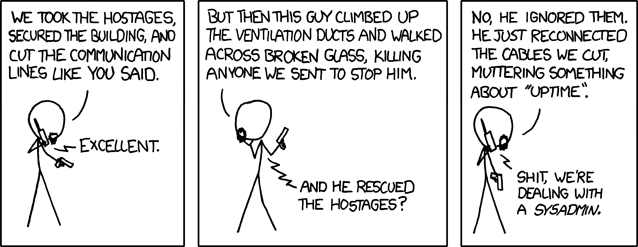
You want your cloud to be this:

Not this:

To get great results you’ll need to do more than throw your money at vendors. So what’s the real motivation to do private/hybrid clouds for companies? If the answer is “well so many people are doing it, we can’t ignore it”. Well not doing something is not ignoring it, it’s a valid choice as well. And what others do isn’t relevant per definition. You need to know what you do where and why to make plans & choose technologies to achieve your goals. Think about what you do. When does a private/hybrid cloud make sense? How big do you need to be? What kind of delta should you have to make this worth while, i.e. how many VMs do you deploy per week? How many do you destroy each week? What economies of scale must you have to make it wise? What kind of business? What are your pain points you’re trying to solve? What are you trying to achieve? Private clouds today are not void of complexity and there a are few abstraction layers that are at the quality/functionality level they need to be at.
My biggest concern here is that too many companies will build expensive, complexes private & hybrid clouds without ever seeing the return on investment. Not just because of the cost, complexity but also because they might not be very long lived for the use cases they have today. Many see these as transition models and they are great for that. The question is how good are you at transitioning? You don’t want to get stuck in that phase due to costs of complexity. What if the transition lasts to long and you complete it when public cloud has evolved into services that wipe away what the reasons your TCO/ROI was based on?
Note: as cloud means everything to every one you could call doing on premise & Office 365 + backup to the cloud also hybrid. So in that case Hybrid is a better fit for many more organizations.
Things are moving fast
Cloud offers are increasing at the speed of light and prices are dropping in free fall. While some say that’s a race to the bottom, it’s not. This is an all out battle which is raging to grab as much market share as possible. When the dust of this settles who’ll be left? Google, Amazon and Microsoft. They’re not loss leaders, they have a purpose and only they know the financial picture behind their solutions.

From there they’ll defend a fixed and entrenched position. Where will that lead us? Stalemate and rising costs? Or a long term tug of ware where mutual assured bankruptcy will make sure prices won’t rise too much … until some game changing event that breaks it all open. For many people IAAS is still (too) expensive and non of the cloud vendors seem to run a profit, all this at ever lower prices. Sounds like a price hike will be in order once the market shares have been grabbed. But have people really calculated the cost of on premise? Can one compete? Or is the benefit of on premise worth the cost? Oh and I take on premise as being anything that even resembles racks in local or regional data centers running a cloud stack on it for you. Now I have to admit that in my region of the world most cloud hosters are not on a level of professionalism & scale like they are in the Nordics for example.
SAAS, PAAS, IAAS
That’s my order of preference actually. I think SAAS & PAAS are the areas where cloud really shines. IAAS can be a great solution for many needs but I don’t see it as ready yet a a whole sale replacement of on premise. While many offerings in IAAS are not perfect yet and there are many blocking issues to be solved there is a lot of value in the cloud when you do it right for your needs. If you have a very modern and optimized IT infrastructure IAAS can feel like a step back right now but that will change in the right direction over the next 2 to 3 years I think. And as during that time frame you start using SAAS & PAAS more en more I which means improved IAAS will be able to cover (all?) your remaining needs better. Again, you need to things that deliver fast or you run high (financial) risks.
Intersecting fields of fire
In this race at light speed,which cloud vendor is best? If you want and need to have all bases covered I think it’s reasonably safe to say Microsoft holds the most complete port folio from IAAS, PAAS, SAAS & Cloud storage. They’re now throwing in MPLS networks (http://azure.microsoft.com/en-us/services/expressroute/) to tie it into hybrid scenarios which should take last century VPN technology out of the picture. Some more standardization in network virtualization, flexibility and capabilities would be welcome as well. But in the end will it matter? People might choose based on possible use cases or capabilities but if you don’t need them that’s a moot point. They become commodities you buy from a few players, I just hope we like our cloud dealers a bit better than we do our energy and telecom providers. Nobody seems really happy with those. But as a buyer I like the idea of having options, as the saying goes “I’d rather have it and not need it than need it and don’t have it”.
Now MPLS s coming what else is missing? A storage gateway / proxy in IAAS
One of the biggest issues in airlifting the entire on premise infrastructure into the cloud is the legacy nature of the applications in combination with the high cost of IAAS (VHD) storage and the limitations compared to what you can do with VHDX on premise. That’s probably an artificial licensing decision bit what can you do? What we need to alleviate this is a REST based cloud gateway to present storage to legacy apps in IAAS while storing the data in Azure blob storage. It’s a bit of a cludge as we’’ just love the fact we can get rid of pass through, vISCSI, vFC thanks to (shared) VHDX. Why do I think we need a solution? Apps have a very long (too long?) live time and it would speed up cloud adoption big time. Just dropping the price for virtual disk storage would be the easiest path to go but I don’t see any indication of that.
The lure of being in the cloud is big but bandwidth & latency in combination with storage costs is keeping people from going there when it comes to so many “legacy” on premise applications. There is a fix. Put everything in the cloud where is is close together and where bandwidth and latency can become a none issue. We need affordable storage and a way for legacy apps to handle object based storage. The fact that the new StorSimple offering has an azure appliance doesn’t really help here as it’s tied to on premise and it’s iSCSI to the guest in IAAS. Not that great is it? For now it looks too much like on boarding to Azure for non MSFT shops and people who are way behind the herd in modern technologies. At least for the environment I work in. Physical server are there to host VMs, so no StorSimple. Other physical servers are point solutions (AD, Exchange or specialized software that needs more hardware access than virtualization can supply). Again, no StorSimple target.
I cloud, you cloud, we cloud
Building and maintaining a data center is loosing it’s economic edge fast. At least for now. I’m not saying all data center or even server rooms will disappear but they’ll reduce significantly. The economics of public cloud are to attractive to ignore. Private and hybrid clouds cost money on top of the cost of running a data center. So why would you? Sure, the cost of cloud isn’t cheap but there are other reasons to move:
- Get rid of facility management of data centers and server rooms. It’s a big issue & cost.
- Power/cooling needs. The big cloud players are rapidly becoming the only ones with a plan when it comes to developing an energy plan. Way more innovative & action driven then most governments. They’ll have way better deals than you’ll ever get.
- Infrastructure costs. Storage, networking, compute, backup, DR, licensing … the entire life cycle of these cost a lot of money and require talent.
- Personnel costs. Let’s face it. Talented people might be a companies most valuable resource in HRM speak, but in reality they’d love to get rid of a much of that talent as possible to maximize profits. The only reason they employ talent is because they have to.
- The growth in compute & storage in the cloud is humongous. You’ll never keep up and compete at that level. It was said recently Moore’s law has been replaced by “Bezo’s law’’ http://gigaom.com/2014/04/19/moores-law-gives-way-to-bezoss-law/
I’m going to make a bold statement. If you want/need to do cloud, you should really seriously consider spending your money in public cloud and minimize your investment in private/hybrid clouds. Go as directly to the future and try to keep your private/hybrid stack as simple and cheap possible as a transition to the public cloud. Leverage PowerShell, SMA and for example Azure automation to manage what you leave on premise. I have my doubts about the longevity of private/hybrid clouds for many organizations and a such investments should be “optimized” => cheap & easy to replace. So unless you have a real big business case for wanting to keep on premise and can make that economically feasible, it’s not your goal, it’s a transition tool. If you’re a huge enterprise, an agency involved in national security a hosting company or Switzerland you can ignore this advice  . But I see no one rushing to buy RackSpace?
Security, Privacy, Concentrated Power?
What about security, privacy, vendor lock in? You have to worry about that now as well, and you’re probably not that good at avoiding it on premise either. Switching from Oracle to SQL is not an easy feat. Cloud companies will have a lot of power due to the information they distill form big (meta) data. On top of that they’re set to be the biggest providers of compute, energy & if they buy some telecoms companies even of data communications. More and more power concentrated in ever less players. That’s not desirable, but it seems that’s how it will play out. The alternatives cost more and that determines most of all what happens. The economies are too good to ignore.
Government clouds to mitigate risk?
I now also see the call to build government clouds. Often at various levels. Well for decades now, bar some projects, a lot of their IT efforts have been slow, mediocre and expensive. 400$ to lift & place back some floor tiles. Having to buy a spool of 2km fibre channel if you need 80 meter. 5000$ to answer a question with yes or no, a VM that costs 750$ per month … (1000$ if you want a backup of the VM). 14 days to restore a VM from backup … abuse & money grabbing are rampant. Are these people going to do private cloud and compete? Are they any better at securing their infrastructure than Amazon? Is on premise encryption any better than in the cloud? And even if it is, it’s only until someone pulls a “Snowden”. And who’ll build ‘m? Where are the highly skilled, expert civil servants after decades of outsourcing leaving them at the mercy of 3rd parties? Are they going to buy them away in an era of cost cutting? And if they could, can they use them, do they have the organizational prowess to do so? So they’ll be build by the same pundits as before? Outsourcing to India would at least have been “the same mess for less”, while now it’s the same mess for more.
Sheep, lemmings, wolves & a smart CIO
I see way to little strategy building on this subject and to much “comfort” decisions being made that cost a lot of money and efforts delivering not enough competitive advantages. The smart CIO can avoid this an really deliver on “Your Cloud, Your Terms”. The others, well they’ll all play their role …
Just some food for thought. But I leave you with another musing. 100% cloud might be a great idea but it’s like leasing or renting. There are scenarios where ownership still makes since depending on the situation and business.


 .