KB2803748 Failover Cluster Management snap-in crashes after you install update 2750149 on a Windows Server 2012-based failover cluster

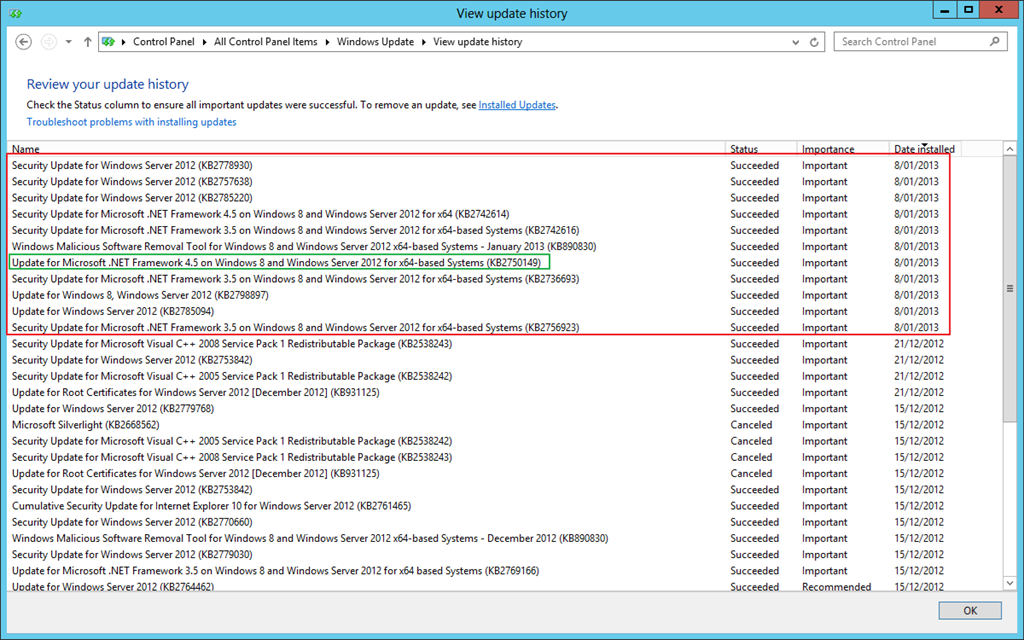
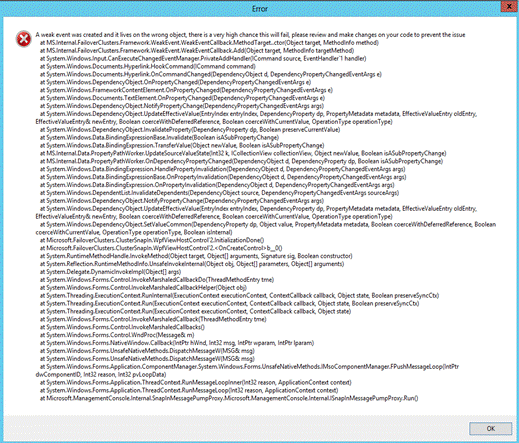
When you install KB2750149 (An update is available for the .NET Framework 4.5 in Windows 8, Windows RT and Windows Server 2012) you’ll have an issue with the Cluster GUI.image

Basically it shows an error message. The issue caused by installing the above update 2750149 on a Windows Server 2012-based failover cluster or a management station running the Failover Cluster Management snap-in. In this situation, the Failover Cluster Management snap-in crashes. Do NOT worry, the entire cluster is fine, this is just a GUI bug that will leave your GUI work/results pane blank after closing the error screen and basically unusable.

clip_image002

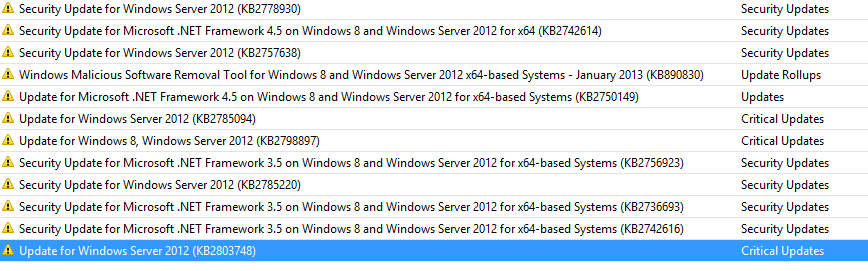
The only known workaround was to uninstall the hotfix or not install it at all on any node where you need to use the Cluster GUI (Windows 8 with RSAT for example). But now there is a fix released with KB2803748.

The update requires no reboot unless you have the Cluster GUI running as that it locks the file that need replacing. So keep them closed and you’re good to go. Also, it’s also great opportunity to use Cluster Aware Updating (CAU) with the hotfix plug-in to install the hotfix in an orchestrated fashion.

UPDATE: This update is also available now via WSUS. So updating is possible via the CAU windows update plug-in Smile

image

I’m Attending The 2013 MVP Global Summit

Well, that time of the year is getting closer again. It’s something different, unique and somewhat exclusive. It’s the 2013 MVP Global Summit!

image

For this summit MVPs from all over the world converge on Bellevue/Redmond near Seattle. The summit takes place on and around the Microsoft campus. To discuss their favorite & most important MSFT technologies in depth amongst each other and with Microsoft staff.

I have the good fortune of being able to attend again this year. I have to express my thanks to our top management for this Smile. This is very valuable to both me and my employers. It’s also fun to discuss the technology you work with amongst so many like minded people in the same business. The amount of knowledge sharing, insights and ideas around Redmond creates a stimulating buzz and I loved every moment of it last year. I met many great professionals and interesting people with whom, from breakfast till after dinner drinks, we had a truckload of interesting discussions. It’s a bit of a geek fest.

So I’m looking forward to all this and also to meeting up again with some MSFT employees and professionals from the Seattle area I got to know last time.

The MVP summit is also a good time to pass feedback from others on to Microsoft as well. You’re not in the drivers seat when it comes to the direction Windows and Hyper-V will take. However, you cannot have your opinions taken into consideration unless you let them be be heard. So, please feel free to share any remarks, feedback, feature requests you’d like to the virtualization, cluster, storage, file share, network, etc. product teams to know. You can post them in the comments for all to see. To shy to post it publicly? You can send me a e-mail via the contact form on my blog or direct message me via @workinghardinit on twitter.

Now the entire summit is under NDA (Non Disclosure Agreement) but that doesn’t mean it’s a pure diplomatic mission. We all love the technology, that is for sure, but we also  pass along the bad and the ugly next to the good. It’s not marketing or indoctrination,if it was MVPs would not spend the time an money to attend.

That’s where the words “independent” and real world” comes into play. We’re not a bunch of fan boys. The communication is both ways and I think that make this event extra valuable to both parties. I’m looking forward to the 2013 MVP Summit and I have a lot of feedback and questions based on using Windows Server 2012 and Hyper-V in real live.

vKernel Adds Tools to Free vOPS Server Explorer 6.3

When it comes to gaining insight and understanding of your virtual environment vKernel has some nifty products. They just added two new utilities, Storage Explorer and Change Explorer, to their free vOPS™ Server Explorer that give you more management capabilities with SCOM/SCVMM or vCenter. Sure it’s to get you looking into and considering buying the paid stuff with more functionality and remediation but it does provide you with tools to rapidly asses your virtualization environment for free as is. So what did they add?

Storage Explorer

  • Gain insight into storage performance and capacity via views across data stores and VMs
  • Identifies critical storage issues such as over commitment, low capacity, high latency, VMFS version mismatch
  • Alerts you to critical VM issues such as low disk space,  latency and throughput issues
  • There’s sorting and searching support

Change Explorer

  • You get a listing of the changes to resource pools, hosts, data stores and VMs within the past week. They also indicate a risk associated with hat change
  • You can search & filter to find specific changes
    • There is a graphical mapping of changes over a time line for rapid reporting/assessment.
    • So if you need some free tools to help you get a quick insight into your environment or the need to be informed about changes of performance issues you can try these out. The press release is here http://www.vkernel.com/press-kits/vops-server-explorer-6-3. We have smaller environment at work next to our main production infrastructure where we’d like to test this out. So they need to add support for SCVMM 2012 SP1 a.s.a.p. I think Smile

      In a world were complexity reduction is paramount and the TCO/ROI needs to be good from day one competition is heating up between 3rd party vendors active in this arena providing tools to make that happen. This is especially true when they are adding more and more Hyper-V support. It also doesn’t hurt to push Microsoft or VMware to make their solutions better.

    Remote File Browsing Issue In Windows Server 2012 Hyper-V Leaves Results Pane Empty Workaround

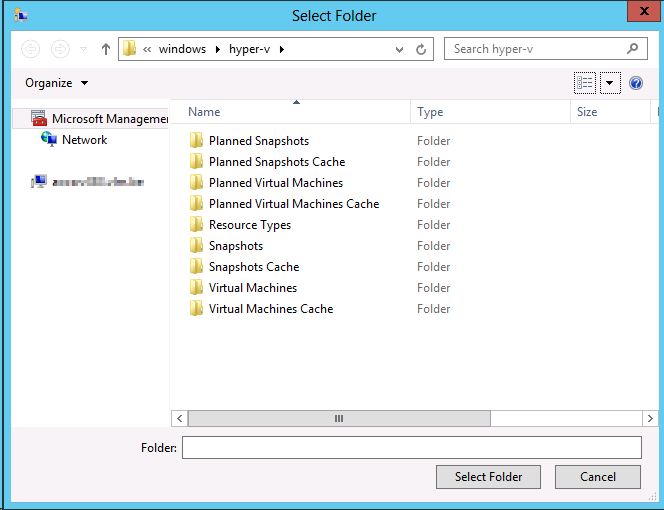
    In Windows Server 2012 the Remote File Browsing functionality for Hyper-V acts ups on some nodes indicating a problem.

    You can read what “Remote File Browsing” is on TechNet here. You use it to browse the file system on a remote Hyper-V server when creating a  new VM there for example.

    Remote File Browsing is a shell namespace extension implemented by Hyper-V, it provides a way to browse the folders/files on remove Hyper-V server without requiring server to open extra shell over the network.

    The path "::{0907616E-F5E6-48D8-9D61-A91C3D28106D}HYPER-V-TEST" is to tell shell (explorer or common file dialog) that it is hosting/pointing to the RemoteFileBrowsing shell namespace extension on the HYPER-V-TEST. The guid is Hyper-V remotefilebrowsing shell namespace extension GUID. However, due to the limitation on common file browser, it is not able to translated into "Hyper-V Remote File Browsing".

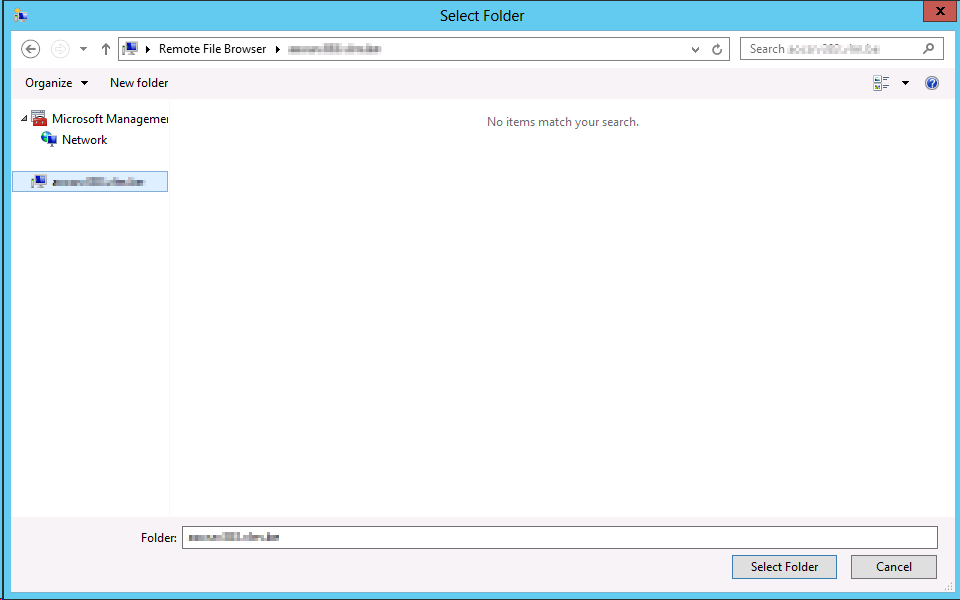
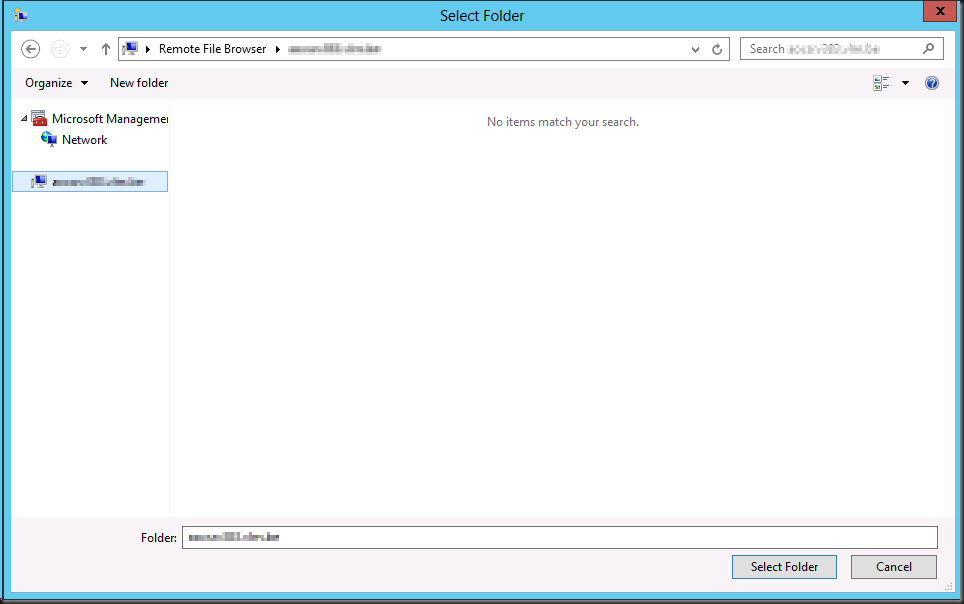
    Now in Windows Server 2012 we sometimes see the following when we use it:
    image

    It seems to work but the result pane remains empty. The cluster is healthy, the nodes are healthy, all nodes are identically configured. Some nodes have it, other don’t. We also can’t find any errors logged anywhere.

    If you try to work around it using the UNC path that will fail due to security issues later so don’t even go there Winking smile

    Basically we were a bit baffled (we could not reproduce it in the lab either) until we saw some posts on then forums, indicating we’re not the only one seeing this.

    http://social.technet.microsoft.com/Forums/en-US/winserverhyperv/thread/608d0c3b-0a7b-4ad9-9843-5e5051dcd526

    http://social.technet.microsoft.com/Forums/en-US/winserverhyperv/thread/7a34f5e1-76bc-493a-8a7a-e9f420bf6a79#d7dd4db7-d7bd-419d-aa72-b12e43cd7a5d

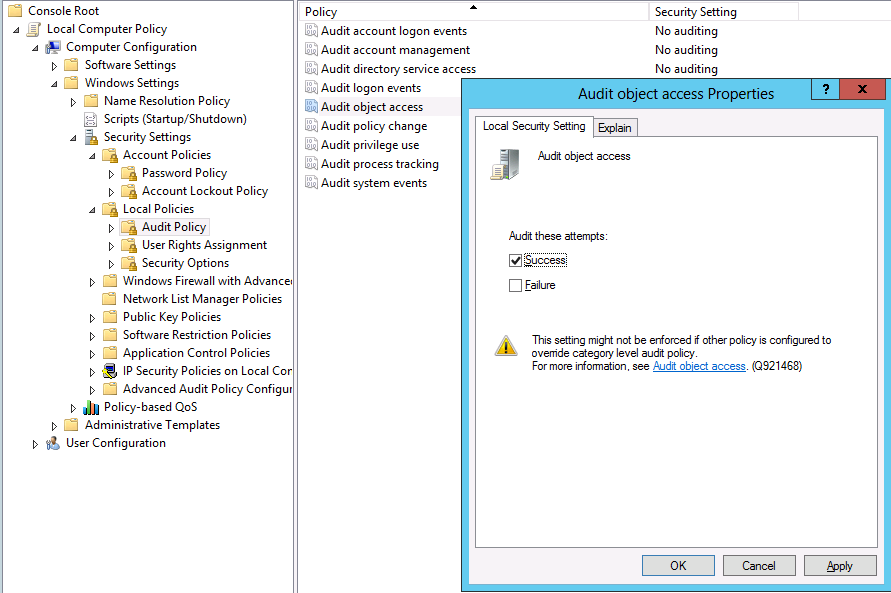
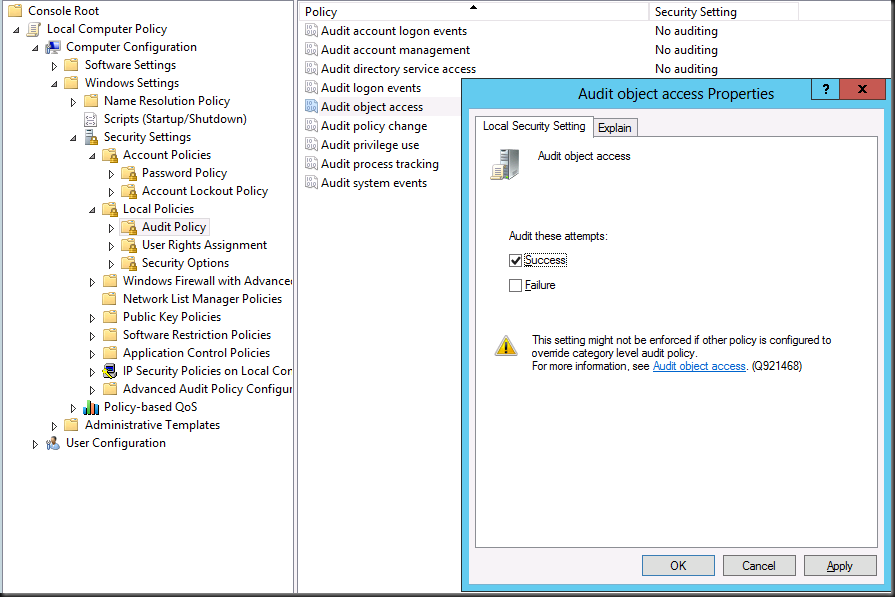
    If you know your cluster is perfectly healthy forget all the security settings stuff and go straight to testing this “fix” or rather workaround: Toggle Audit Object Access on and off.

    In our case I can confirm that these nodes had been under a group policy that audited registry entries during a period that we were trouble shooting network card settings change behavior. We had removed that policy by first reverting the settings to not configured and after some days by removing the GPO. But that didn’t work. Even with no audit policy configured we had to go to all nodes showing this behavior, opening the local Group Policy, toggling our Audit Object Access on for success,applying this and reverting this to No auditing again.

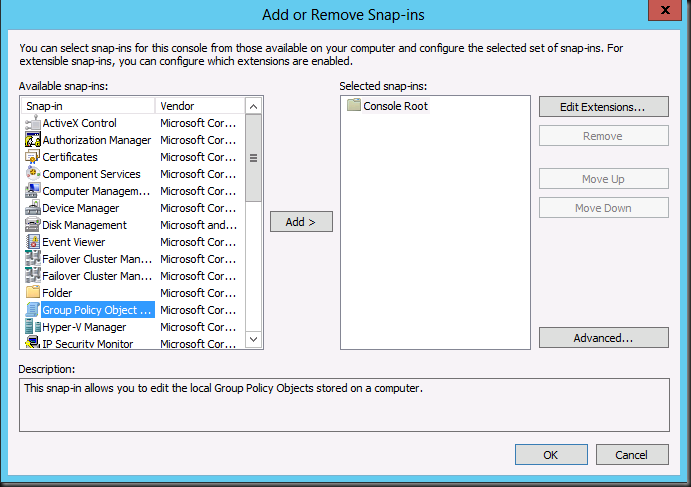
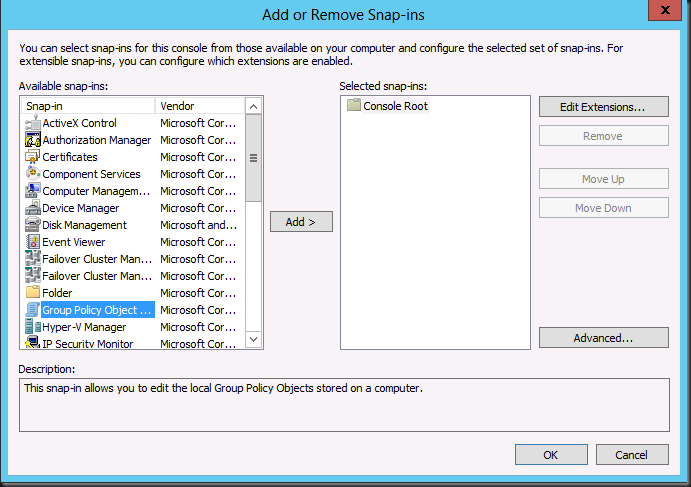
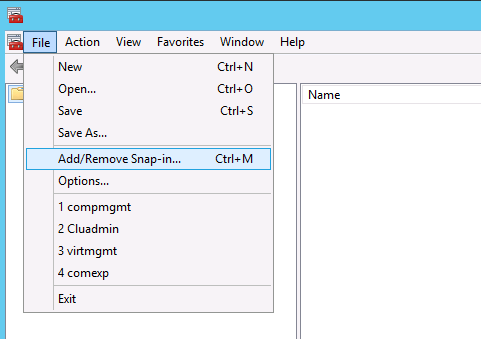
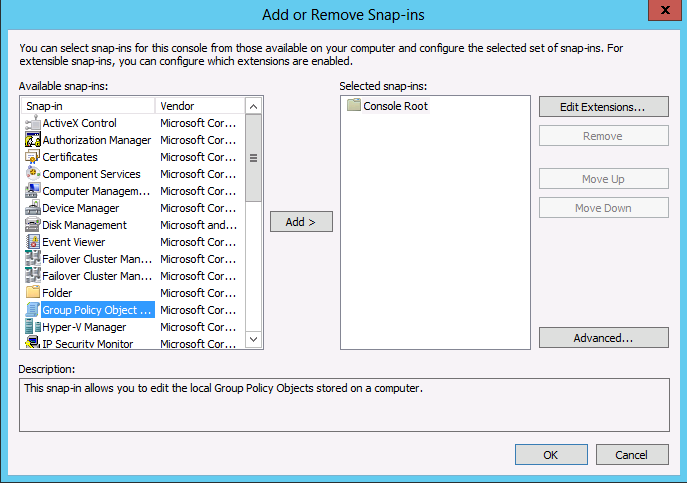
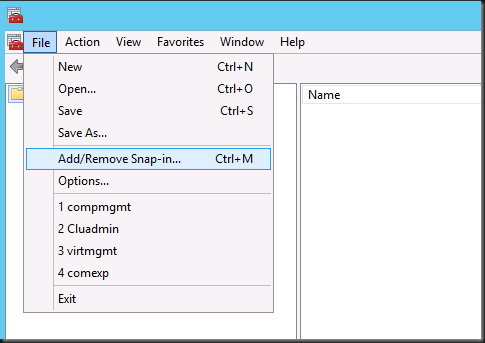
    So fire up an MMC, add a snap-in
    image

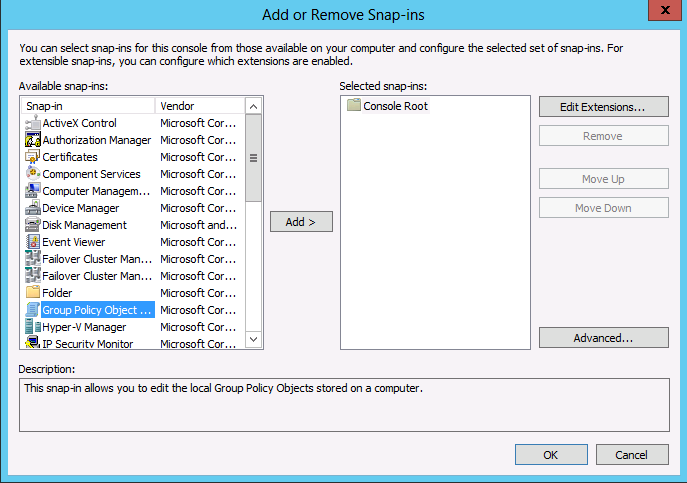
    Select Group Policy Object

    image

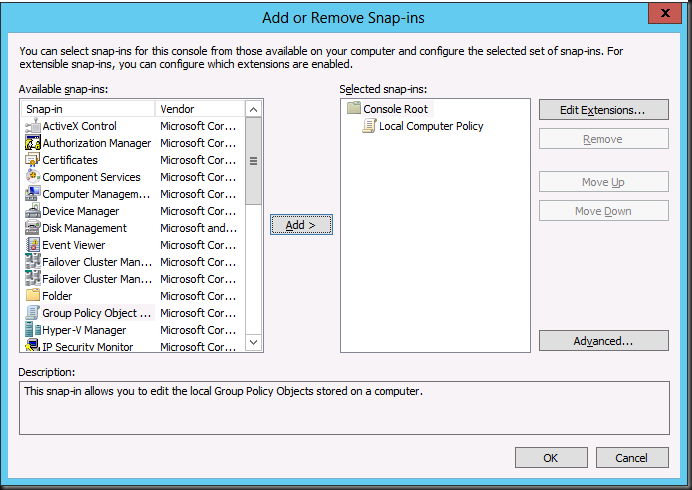
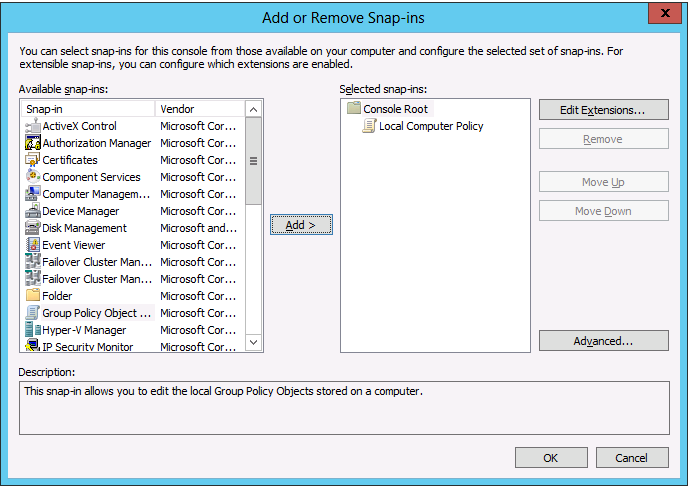
    Accept the defaults

    image

    image

    When don navigate to Computer Configuration -> Windows Settings -> Security Settings -> Local Policy -> Audit Policy -> Audit Object Access
    image

    Now try to use Remote Browser again (close & reopen all wizard windows and start over a new) to see the results:
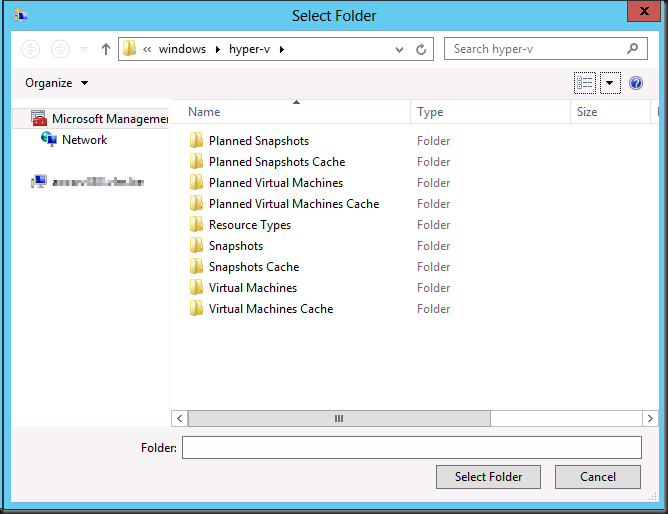
    image

    Success! All is well again.

    Notes:

    • We only see this on systems remotely connecting to Windows Server 2012 Hyper-V nodes that are running Windows Server 2012 or Windows 8 themselves not on Windows 2008 R2 or Windows 7 with the RSAT for W2K12 installed.
    • This is not related to Windows core alone due to missing GUI components or something.