FREE WHITE PAPER: Configuring a VEEAM Off Host Backup Proxy Server for backing up a Windows Server 2012 R2 Hyper-V cluster with a DELL Compellent SAN (Fiber Channel)

Whilst I’m attending TechEd North America 2014, being able to learn and network again with the community at large I think this is a good moment to share. So here’s a little contribution to that community: it’s a white paper on How to configure a VEEAM Off Host Backup Proxy server for backing up a Windows Server 2012 R2 Hyper-V cluster with a DELL Compellent SAN (Fiber Channel).

VEEAM Back & Replication is currently under and extensive test before we make the decision. So far it is going (very) well. And no, VEEAM or DELL did not sponsor this. It’s sharing with the community. A prosperous, successful community makes my professional live better to!

I have to applaud VEEAM for allowing such easy access to their software for trials, to their engineers for assistance and to their support forum and resources even without yet being a paying customer. This is how it should be: vendors having faith in their products both in quality and ease of use. It’s a refreshing experience as some vendors don’t want you to get your hands on new versions of their products even as a existing paying customer “because due to its complexity we might get the wrong impression”. It’s even near impossible with some to get a test license for the lab of the version you currently use with some of them. Not so with VEEAM and that’s great.

I hope you enjoy it. As you might realize I don’t have this kind of infrastructure in my home lab so some of the screenshots have been edited / blurred. I’m sure you can live with that. Otherwise feel free to provide me with the gear in a paid for data center.

Dealing With Event ID 10103 “The virtual machine ‘VM001’ cannot be hot backed up since it has no SCSI controllers attached. Please add one or more SCSI controllers to the virtual machine before performing a backup. (Virtual machine ID DCFE14D3-7E08-845F-9CEE-21E0605817DC)” In Windows Server 2012 R2

I was doing backups of a Windows 2012 R2 Hype-V cluster recently and it runs only Windows Server 2012 R2 virtual machines. It’s a small but very modern and up to date cluster Smile.

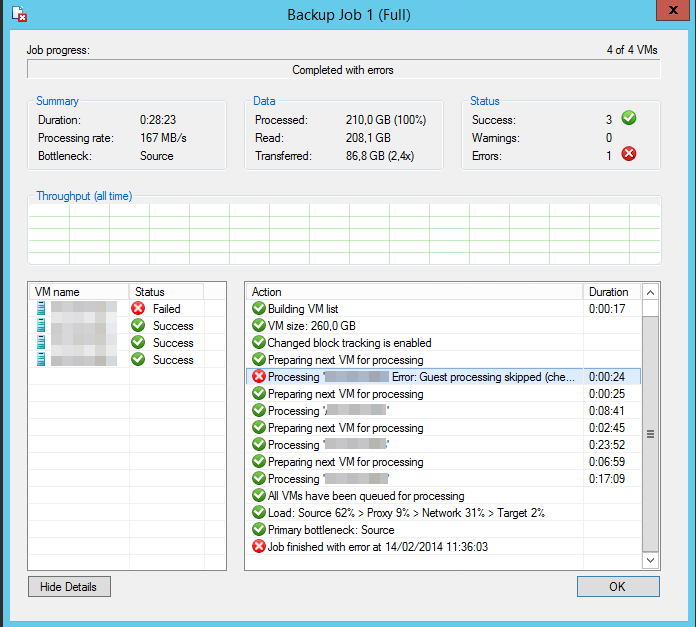
Using VEEAM as backup software I have high expectations and VEEAM did deliver. All went well except for one virtual machine.

image

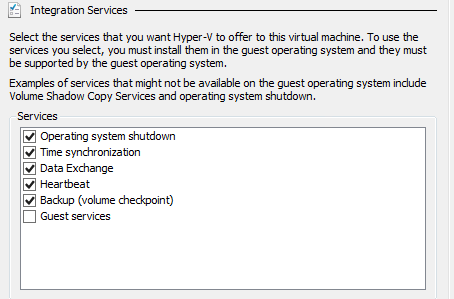
VEEAM states "Processing Error. Guest processing skipped (check guest OS VSS state and integration components version)". Well all  virtual machines  are W2K12R2 as are the cluster host and all IC components are up to date and backup (volume checkpoint) is enabled.

image

I dove into the Hyper-V log and sure enough I found following event:

The virtual machine ‘VM001’ cannot be hot backed up since it has no SCSI controllers attached. Please add one or more SCSI controllers to the virtual machine before performing a backup. (Virtual machine ID DCFE14D3-7E08-845F-9CEE-21E0605817DC).

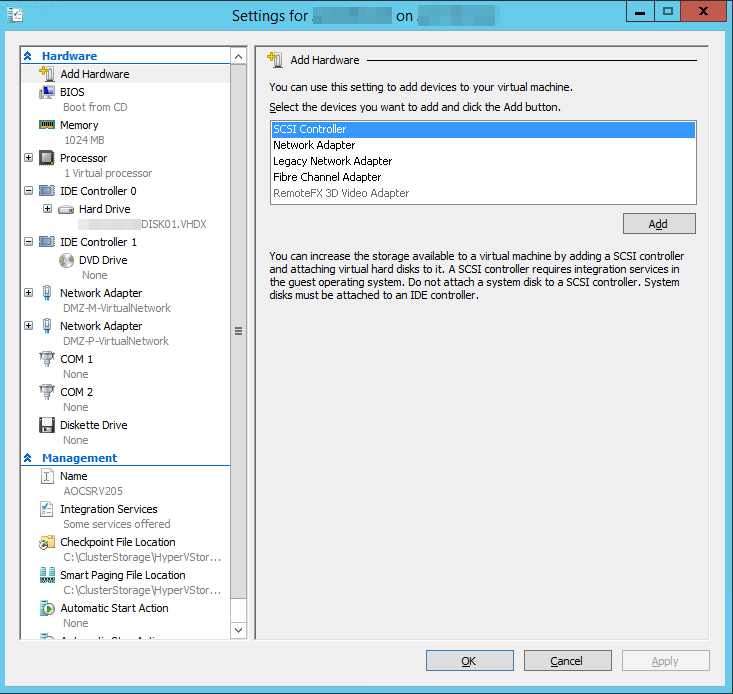
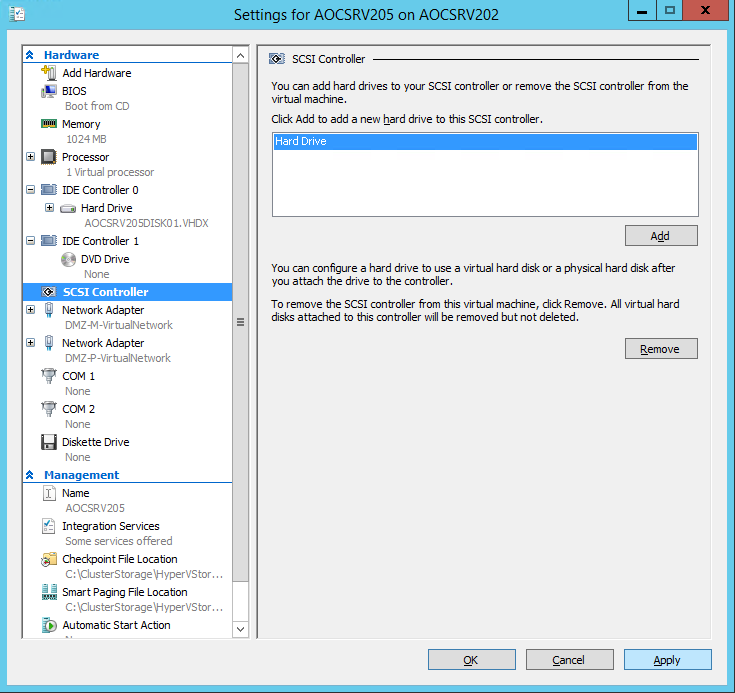
As it turns out in in Windows Server 2012 R2 the VM requires a SCSI controller for the backup to function. It doesn’t need to have any storage attached. It just needs one to be there (default). So the fix is easy, just add one.

image

image

Click “Apply” and “OK”. You can now start the virtual machine and that’s it. Once we fixed that it was a squeaky clean backup run.

But why does it need to be there?

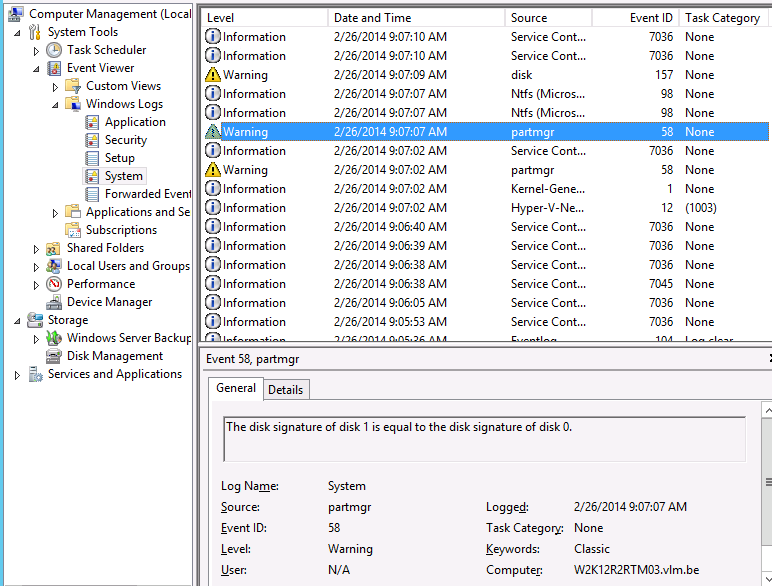
Well when we monitor the event logs inside a virtual machine we are backing up we see that during the backup process, very briefly a VHDX get’s mounted inside the guest.

image

To answer this question we need to dive into how Windows Server 2012 R2 backups work as that is different from how it used to be. You can read about that over here when it’s published.