Windows Server 2012 Cluster in a Box as a New Form Factor?

Let’s look at “Cluster in a Box” (CiB)as a building block or a form factor. Let’s say you’ve committed to building a private/hybrid cloud for your organizations but you’re at the end of your hardware life cycle or you just don’t have the capacity right now to build it. What options do you have. Do you want to acquire storage, data connectivity network gear, servers, NICs with etc. or will you just buy CiB blocks to scale out as you go? Perhaps you’ll buy a Hyper-V fast track solution or if you’re really big a one or multiple containers.

I do think that the modular principle throughout the data center is pretty cool. The industry has done a great job at this with servers and smaller components as well as with the modular containers by SUN, HP, DELL.

clip_image002

While I do like and admire the concept of the “shipping container form factor” I do find it a couple of sizes too large to be practical for most of us. After all, let’s face it, we’re not all building public cloud service data centers. This means that between what we have seen today with server & storage modularity and the container form factor we’ve got a void. While some of these voids have been filled for specific applications like Exchange 2010 through custom build solutions by some vendors you cannot call this modular. Is a very application specific solution. The other, more generic, solution that has existed for a while now is the hardware that vendors deliver with the Hyper-V fast track we’ve mentioned already. Whiles these are nice, pre-configured solutions these are, again, not very modular. It’s not a complete unit that just needs to be hooked the network and provisioned with power. The time is ripe with the current state of Microsoft Windows Server 2012 to fill that void using the “Cluster in a Box” form factor. That would mean that in the future we could of the same benefits as the big players but at a size that’s fit for our purposes in the smaller data centers. This opens up a lot of scenarios for better efficiency.

What if the entire unit shipped to a customer contains everything packed away internally. That is servers, networking and storage. You just have to mount it in a rack, connect it to redundant power outlets and to redundant network paths. That’s it. Just power it up, fill out the wizard and be done with it. That’s all it takes to have a functional Hyper-V, Scale Out File System, SQL Server cluster etc. With the capabilities delivered by Windows Server 2012 this could very well be a scenario that might evolve. It’s more than just a business in or a branch office in a box. I can also be more that the Scale Out File Server unit for a private cloud solution. It just might be the first step of a new form factor building block for medium to even some large enterprises. If the economies are too good to be ignored I think this might happen.

clip_image004

The reason I think that this concept will work is that we have virtual machine mobility now so we no longer need to fear the isolation that silos might create. As a matter of fact this is a key element that might drive this. For the applications that are less suited for virtualization today we see two solutions. One is in the scalability of the Hyper-V platform with Windows Server 2012 and the other is the fact that the shared nothing approach is gaining popularity. It started with Exchange 2010 but is no also available with SQL Server 2012.

These clusters in a box can be made with existing servers (blades or not), storage and switches but I think there will be also new designs that are purpose build and not just existing hardware in a “rackable” box as in my drawings below Smile. Those boxes might have some scale up capability or come in different sizes

image

But scale out is the way that would make this work in the bigger environments, whatever the size of the Cluster in a Box.

image

Some SAN Storage Fun

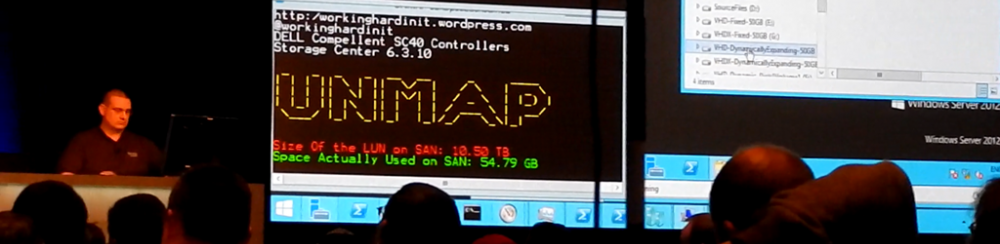
At the end of this day I was doing some basic IO tests on some LUNs on one of the new Compellent SANs. It’s amazing what 10 SSDs can achieve … We can still beat them in  certain scenarios but it takes 15 times more disks. But that’s not what this blog is about. This is about goofing off after 20:00 following another long day in another very long week, it’s about kicking the tires of Windows and the SAN now that we can.

For fun I created a 300TB LUN on a DELL Compellent, thin provisioned off cause, I only have 250 TB Smile

I then mounted it to a Windows 2008 R2 test server.

image

The documented limit of a Volume in Windows 2008 R2 is 256TB when you use 64K allocation size. So I tested this limit by trying to format the entire LUN and create a 300TB simple volume. I brought it online, initialized it to an GPT disk, created a simple volume with an allocation unit size of 64K and well that failed with following error:

Failed Format300TB

There is nothing unexpected about this. This has to do with the maximum NTFS volume size supported on a GPT disk. It depends on the cluster size that is selected at the time of formatting. NTFS is currently limited to 2^32-1 allocation units. This yields a 256TB volume, using 64k clusters. However, this has only been tested to 16TB, or 17,592,186,040,320 bytes, using 4K cluster size. You can read up on this in Frequently asked questions about the GUID Partitioning Table disk architecture. The table below shows the NTFS limits based on cluster size.

image

This was the first time I had the opportunity to test these limits I formatted part of that LUN to a size close to the limit and than formatted the remainder to a second simple volume.

image

I still need get a Windows Server 2012 test server hooked up to the SAN. To see if anything has changed there. One thing is for sure, you could put at least 3 64TB VHDX files on a single volume in Windows. Not too shabby Smile. It’s more than enough to put just about any backup software into problems. Be warned, MSFT tested and guarantees performance & behavior up to 64TB in Windows Server 2012, but beyond that you’d better do your own due diligence.

The next thing I’ll do when I have a Windows Server 2012 host hooked up is, is create 64TB VHDX file and see if I can go beyond it before things break. Why, well because I can and I want to take the new SAN and Windows 2012 for a ride to see what boundaries we can push. The SANs are just being set up so now is the time to do some testing.

Answer to Brad at TechEd Europe 2012 Keynote: Pessimists & Tad Don’t like Windows Server 2012

Brad is on stage for the opening keynote asking if the glass is half full or half empty. Well it depends on where you are in the ecosystem. For us the glass is half full and filling up fast.

Some people nag me about the fact that Windows Server 2012 is so different and that it’s wrong to turn the world upside down. Yes, it is different and new in many ways.  There are also many improvements to features that already exist. There is a lot to learn and understand. Why are some people so pessimistic?

Ever since I got my hands on the BUILD Developer Preview bits I have personally invested a lot of my time in Windows Server 2012. With the beta that only increased. Why? Well, that’s the way forward, because that’s where the improvements are. We can’t do tomorrows jobs and meet tomorrows demands with yesterdays technology.

pessimistsbanner

The picture above is basically the pessimists view of the world. Enjoy your cupper but I’m not joining you. Windows Server 2012 rocks and it’s going to do a whole lot for our industry and businesses. But wait a minute, I do understand why Tad is so pessimistic. But that’s about the future of vLimited and being stuck in the past. Listen Tad, you’d better empty that cup because this is where vLimited becomes history rather than write it.

Does that mean I’ll be throwing away Windows 2008 R2? Nope. I expect to deal a lot with it in the next few years but I’m not going to build future infrastructure on the previous version. I will introduce Windows Server 2012 where and when we benefit from it. For me that is from day one the bits RTM. The benefits are so overwhelming we’d hurt ourselves by not doing it. Your mileage may vary. But don’t get stuck in the past  Here’s a link to your escape pod: Microsoft Virtual Machine Converter Solution Accelerator I’m happy it’s here. That’s what people are asking me more and more about, how to move to Hyper-V.

But what’s with the negativism of some? Sure people are still running Windows Server 2000/2003. Sometimes for good reasons, often for (very) bad ones. Are some going to go through all this again with people clinging to Windows2008 R2? No doubt. Been there, seen it. Very predictable. Is Windows Server 2012 going to fail?  No way.  And what I’m seeing in Windows Server 2012 is great technology. Will it be perfect? No. I already have feature requests for vNext Smile. But this is pushing the ball forward, this is ambitious in the best sense of that word.  There will be bugs, there will be challenges and hiccups. That’s part of the business and the realities of life.  But look at all what’s available in there. Don’t just read some industry press articles. Did you test it your self already? Did you do any clustering? Tested all the new functionality in Hyper-V? The innovations in Live Migration options and networking? Looked at the amount of PowerShell support in there? Notice the improvements in Active Directory, DHCP and other core infrastructure services? Have you used Windows Server 2012 at all yet? You didn’t look at SMB 3.0 and all the storage improvements in there did you? Go talk to Jeff Woolsey, he’s passionate about it and for good reasons. Put in some effort, live a little, get out of your comfort zone and you’ll be going places. Don’t be a pessimist. Think positive or you’ll end up like Tad who was the joke of the party at MMS2012

image

Moving Clustered Virtual Machines to Windows Server 2012 with the Cluster Migration Wizard

As you might remember I did a blog post on transitioning from a Windows Server 2008 R2 Hyper-V cluster to Windows Server 2012 (well I was using the beta at the time, not the RC yet):

  1. Part 1 Upgrading Hyper-V Cluster Nodes to Windows Server 2012 (Beta) – Part 1
  2. Part 2 Upgrading Hyper-V Cluster Nodes to Windows Server 2012 (Beta) – Part 2
  3. Part 3 Upgrading Hyper-V Cluster Nodes to Windows Server 2012 (Beta) – Part 3

Microsoft has now blogged about the process themselves and they use the migration wizard in Failover Cluster Manager to get the job done where I did this using the Import, “register only” functionality.

This is the first step by step that describes the official way. You can read about the process here:

How to Move Highly Available (Clustered) VMs to Windows Server 2012 with the Cluster Migration Wizard