Shared Nothing Live Migration
By now most of you must have heard about the Shared Nothing Live Migration capabilities introduced with Windows Server 2012 Hyper-V. If not I suggest you check it out over here and then come back here for some extra insights in how it works.
Shared Nothing Live Migration is not magic however. It is made possible by the fact that it relies on some of the new capabilities SMB 3.0 in Windows Server 2012 brought us. Once you know this you also realize that this can be quite fast. The reason for this is that you can design your the network for Shared Nothing Live Migration with 10Gbps or higher, Multi Channel and RDMA for unprecedented throughput. Yup  , if you invest in setting up networking right the remaining bottle neck might be the amount of storage IO you can handle whilst reading from the source and writing to the target, or the CPU load you put o your host. Windows will protect you from draining your host beyond reason by the way.
Making Shared Nothing Live Migration Work
You need to set if up of course and do it right. Here’s a list of steps you need to do / check on every Hyper-V host involved.
- Enable incoming and outgoing live migrations on all involved Hyper-V host otherwise it will not work. If your host are part of a cluster this is taken care of for you.
- Select an authentication protocol (CredSSP or Kerberos)
Kerberos authentication allows you to Live Migrate VMs without having to login to the source host’s server itself. Kerberos authentication does require you to configure constrained delegation in Active Directory (don’t go for "Trust this computer for delegation to any services". Follow the principle of least privileges possible.
- Set the number of Simultaneous Live Migrations. Experiment with the best value for you environment. Test a little what’s
- Set the networks(s) for incoming Live Migrations. It’s best to design this and not just use any network.
See Keith Mayer’s excellent blog for more details.
Constraint Delegation
Shared Nothing Live Migration needs some prep work security wise before it will work. In Active directory you need to set up so constraint delegation permissions. To some people the concept of constraint delegation is brand new but if you’ve been deploying multi tiered web applications in your environment before this is a cookie you’ve dealt with many times before. It’s the same approach you need to get a web client using Windows Authentication to talk via an IIS web app or service to a SQL Server database and/or read file data from somewhere you’ve been configured this plenty of times.
Use an account to perform the Shared Nothing Live Migration that has administrator privileges on all computers that are involved. While you can use groups in AD to make your live and permission management easier when it comes to granting Share permissions & NTFS rights on folders it doesn’t work that way with constraint delegation. Groups can not be used here so you’ll need to use individual accounts. PowerShell scripting here can help lessen the work if you have many hyper-v hosts involved. In large environments (up to 64 nodes!) this inundates the constraint delegations tab with computer names, so PowerShell really is your friend here.
On each computer object you need to set the delegation permissions for the CIFS and the Microsoft Virtual System Migration Service to all other computers you want to involve in Shared Nothing Live Migration as a source or a target.
IMPORTANT! Hey why do we need CIFS constraint delegation here? Well indeed because Shared Nothing Live Migration under the hood leverages SMB 3.0. It creates a temporary file share on the target to get the job done ! So once you realize that Shared Nothing Live Migration uses SMB 3.0 shares to do it’s magic it than becomes obvious why these constraint delegation permissions for CIFS in active directory are needed.
Visualizing the SMB 3.0 share in action
At the source server (ZULU) we run after starting the Shared Nothing Live Migration and see that we have a connection to a share o the target server. That share is named after the source server with an ID like ZULU.3341302342$. So it’s a hidden share.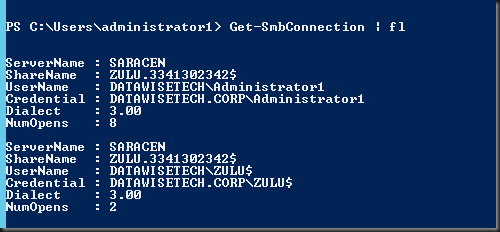
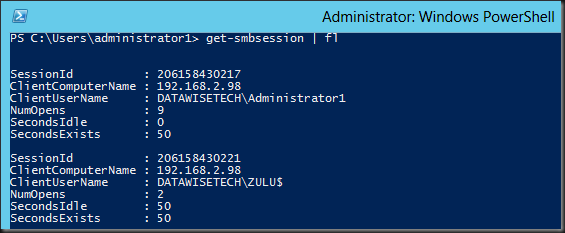
On the target server we run Get-SmbSession | fl and see that indeed the source computer has two sessions open on target server.
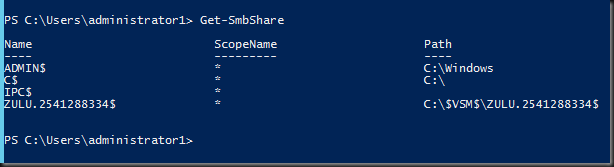
Let’s see if a share is created using Get-SmbShare.on the target. Yes there is:
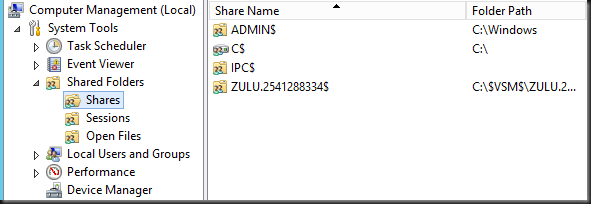
In Computer Management it shows up like this on the target sever:
In explorer you can see this as a $VSM$ folder in the root of C, that has a subfolder with the name of the source server and an ID like ZULU.2541288334$. This subfolder is shared (hidden) and contains a shortcut to the volume where the selected target folder resides, this could be C, D local storage (DAS), shared storage (CSV) or an SMB 3.0 share as well. In the screen shot below the folder doesn’t match up to the share name as they are taking from different Shared Nothing Live Migration
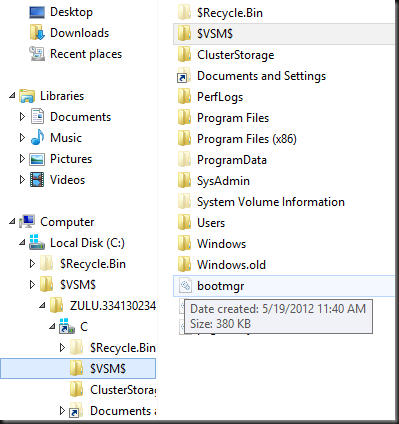
Security wise we’re to keep our hands of and the security settings reflect this  . But if you take ownership you can co peak at what’s in there. When writing a blog post for example
 We indeed saw the copied disk size of the VM being live migrated increase in the selected target folder.
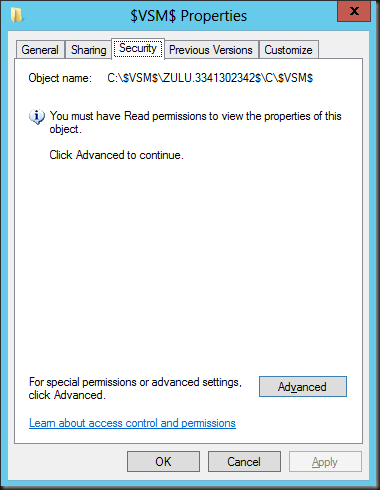
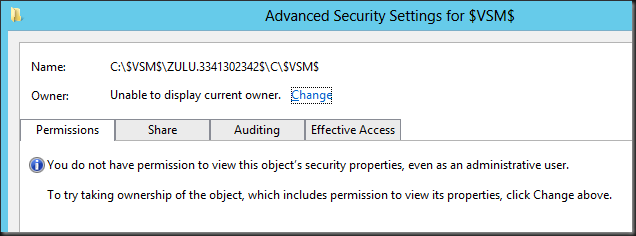
Conclusion
I find it pretty cool to see how this all works under the hood. Hope you found this educational and interesting as well. It’s a testimonial to what SMB 3.0 can be leveraged for all kind of interesting scenarios.
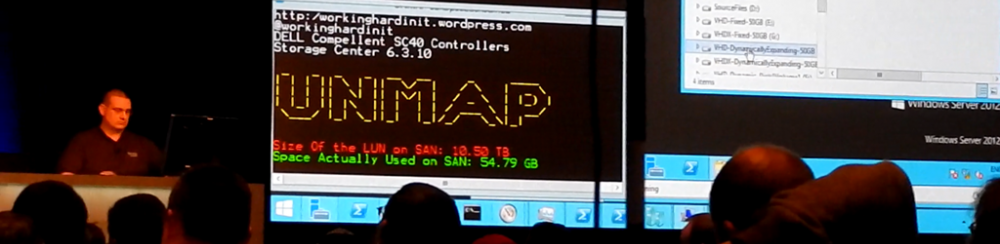

 . So enjoy, we certainly did.