Cluster Validation Bug In Windows 2008 R2 SP1 – Disk has a Persistent Reservation on it

Pretty soon after the RTM of Windows 2008 R2 SP1 release we were discussing a bug on the TechNet forum (Hyper-V Cluster issues after applying Win2008 R2 SP1 on a 3 node Cluster!) here. If you have a Windows 2008 R2 SP1 cluster with more than 2 nodes you get the following warning:

List Potential Cluster Disks

Disk with identifier 2sef8cdf has a Persistent Reservation on it. The disk might be part of some other cluster. Removing the disk from validation set

“Normally” you would expect such a warning if the LUN ever belonged to another cluster and it needs the old reservation cleared. To do that you would use following command on the node that throws the warning (where in this example the disk is disk 2 in disk manager/diskpart) and after making sure it is not in use anywhere else in the SAN

"cluster node clusternode1 /clearpr:2"

However this is not the cause here as were most others in this discussion. And I’m pretty no san software or MPIO software is putting a reservation on there either so what is this? A bug? Well yes, it has been confirmed by Microsoft support that is is indeed a bug an that is fix will be made available by April 18th2011 .

This was not a show stopper bug, but it could be one if you needed to add a host to a cluster and confirm all is well and supported. However if you’re certain you’ve done everything right you can choose not to run cluster validation.

I will update this blog with more information when the fix becomes available.

UPDATE:  The hotfix has become available today, April 26th 2011 as announced on the TechNet forum here:

A hotfix is now available that addresses the Win2008 R2 service pack 1 issue with Validate on a 3+ node cluster.  This is KB 2531907.  The KB article and download link will be published shortly, in the mean time you can obtain this hotfix immediately free of charge by calling Microsoft support and referencing KB 2531907. Update 27/05/2011 Here is the link: http://support.microsoft.com/kb/2531907/en-us?sd=rss&spid=14134

KB2230887 Hotfix for Dynamic Memory with Windows 2008 Standard & Web edition does not apply to without Hyper-V editions?

As my readers all know by now, since I blogged about this here, you need to install an update/hotfix for Hyper-v Dynamic Memory to work with Windows 2008 Standard & Web edition. You can find more information here:  Hyper-V Dynamic Memory does not work on a Windows Server 2008 Standard Edition or Windows Web Server 2008 virtual machine (VM)

UPDATE 2011/06/23: Microsoft released the hotfix based on end-user feedback and you can download version 2 that works on all SKUs now http://support.microsoft.com/kb/2230887 (v2).

The cause is that on these versions of the operating systems the the required memory enlightenment is supported. After installing the hotfix (or SP1 in the case of Windows 2008 R2) memory addition enlightenment is available on these SKU and your good to go.

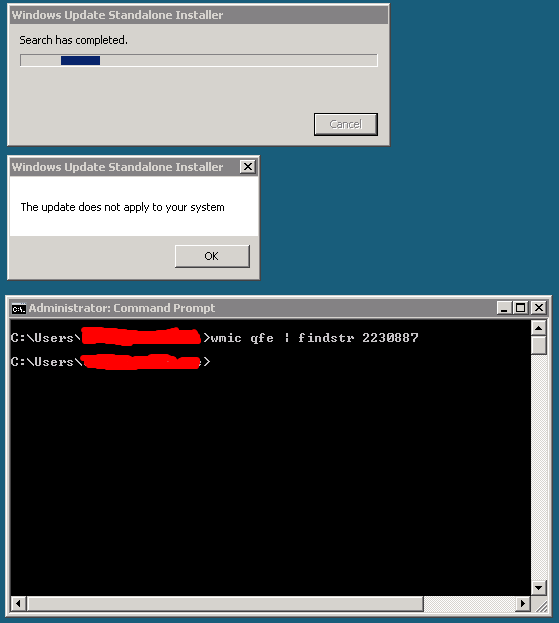
But recently I ran into an issue. One virtual machine guest on a Windows 2008 R2 SP1 cluster that is running the Windows 2008 Standard edition without Hyper-V SKU, x86 the standalone installer for Windows6.0-KB2230887-x86 throws following warning:


Windows Update Standalone Installer


The update does not apply to your system


OK


That’s a bit strange. As you can see the hotfix has not been installed. And why would I need the with Hyper-V SKU to use dynamic memory with this guest?

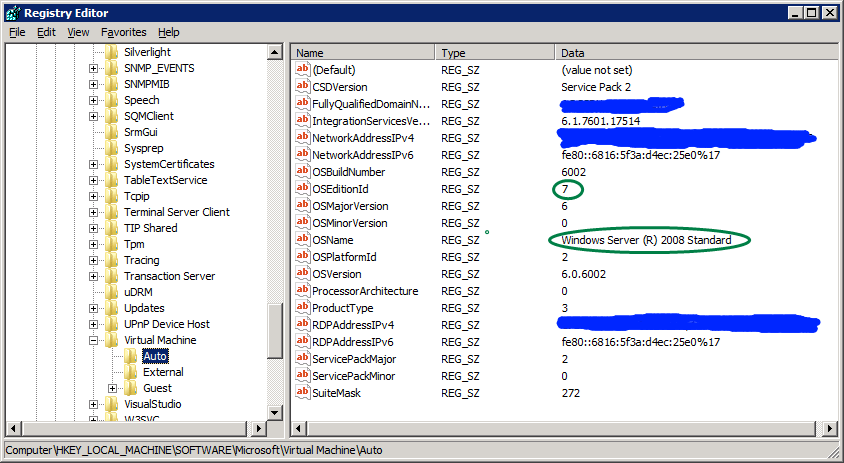
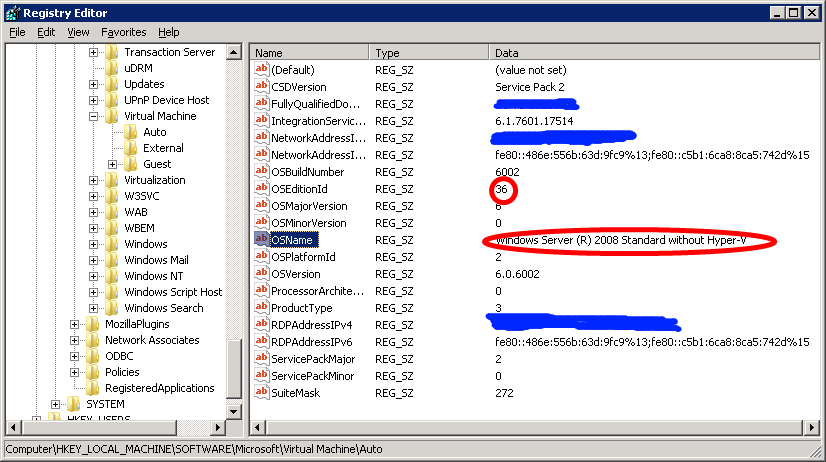
I installed the same hotfix without any issue on several Windows 2008 Standard Edition (the SKU with Hyper-V)  guests. So what is going on here? What exactly is different about the without Hyper-V SKU?  Note that Windows 2008 R2 no longer has such a SKU.  Microsoft states that it is an SKU for people who don’t need virtualization. Well as they installed it as a guest virtual machine they chose this version and now what? No hotfix for dynamic memory as a guest?

There is a TechNet forum discussion going on here where they have this issue and I asked them to check what SKU it was happening on. Bingo! It’s on the Windows 2008 Standard without Hyper-V version!

I don’t expect any Hyper-V functionality or management tools but I do expect to get the hotfix to enable Dynamic Memory in guests with this SKU, just like we get any other update that is relevant to Hyper-V, for example, upgraded Integration Services. I’m going to ping a Microsoft contact on this one and see if they can help with this. And in case you’re wondering SKU = Stock Keeping Unit.

Private Clouds, Hybrid Clouds & Public Clouds

Now that I’m thinking of and working more and more towards a concept that might be described as a hybrid cloud using tools and technologies that should facilitate this (Azure, Virtual Machine Manager 2012, System Center vNext, Hyper-V vNext) I get to think about what cloud means, is and could or might become. In the end it is nothing more or less than utility computing based on standard components to deliver commodity services. What you do with those and how determines the success of your endeavors. After all not all devices run by electricity where brilliant and successful. Why is this important to notice? Well people tend to get involved in silly discussion of my cloud is better than yours. And to confuse things even more in between all those discussions vendors are fighting about what constitutes the best technology (hardware & software) for building one. That can be fun, but it has little to do with the value of the cloud as a concept. Now where do private clouds a hybrid clouds fit in? Is the private cloud and the hybrid cloud something temporary, a facilitator towards a “true” public cloud? Or is this just the case for the private cloud?

If you concur that not all IT is the same, not all organizations are the same and not all IT is or will become a commodity one could state that the hybrid cloud has a more permanent character. It will aid having a unified, holistic way to manage it all. Multiple environments with separate management are less attractive as that incurs overhead in costs and perhaps even skills.

But what about that private cloud? Let’s face it. Most (none) of us will ever be able to get the share volume en thus the economy of scale for cost, pricing, redundancy or flexibility as the public cloud. If we can, that would mean the public cloud vendors are not doing their job right. On the other hand there are other needs in business than cutting costs. In the end cost cutting is a valuable tool but not a business model. You can’t run a company with as only mission statement "we’re cutting down on our costs”. So I think the private cloud might be more than just a transition model. It can live on, but probably not for most businesses. Depending on their needs I see a very bright future for hybrid cloud, both for transition and as a permanent solution. I would be hard pressed to call the choice for private or hybrid cloud wrong. It all depends if it’s a decision made for the right reasons. One should always note that choices and decisions have a limited life span. Business is very competitive and moves very fast and the very nature of cloud computing will only accelerate this.

I won’t surprise anyone that a lot of discussions around cloud are based on some assumptions. One of them is that we are discussing very well run organizations. Businesses and governments that have a clear understanding of their IT & business needs, have an IT strategy to support that and who use the best fitting management styles and methodologies as required and dictated by those needs. Sigh, perhaps it’s me but, while I so see occurrences of this at companies, I have never worked at or for one that is that well squared away. And, to me, becoming a financial sound success story with your business and IT in the cloud requires just this. Perhaps the lure or the push of the cloud will achieve for some companies and organization what nothing else has achieved, help transform them into better run entities. Some things, ugly hacks, internal IT can do (unwillingly) now are not possible in the cloud. The financial pressure will be bigger as well. It’s hard to hide or forget about certain costs in the cloud. If there is one thing, ISP, Telco’s (transforming into cloud vendors, but by origin giant “billing engines” for communications) and native cloud vendors are very good at it is sending you the monthly invoices. When things become visible they tend to attract attention. Sooner or later the bean counters will find you. A lot of the existing companies with legacy IT and politics will have a harder time dealing with all of this than the new, emerging ones that are built from the ground up using utility computing, so it’s time to step up to the plate and at least practice batting.

System Center Virtual Machine Manager 2008 R2 SP1 Upgrade Walkthrough

Some people downloading the System Center Virtual Machine Manager 2008 R2 SP1 seem to be confused that it is the entire product ISO. It’s a big download but the upgrade itself, when you have a healthy environment is fast and easy. To my knowledge there is no SP1 upgrade file only, you get one package for all needs.  I’ve provided a screenshot walkthrough of the process below and it really only takes a couple of minutes on the servers deployed it on. There is both an evaluation version available or a licensed version via the licensing site or the TechNet subscribers downloads.

Do note that the below process is for those who are upgrading from  System Center Virtual Machine Manager 2008 R2  to System Center Virtual Machine Manager 2008 R2 SP1. If you have the RC installed take a look at the following blog post by  Maarten Wijsman to see how to upgrade the SQL database used by SCVMM2008R2 SP1 Release Candidate with the UpgradeVMMR2SP1RC.exe tool. The download is here at the Microsoft Connect site  (Live ID).

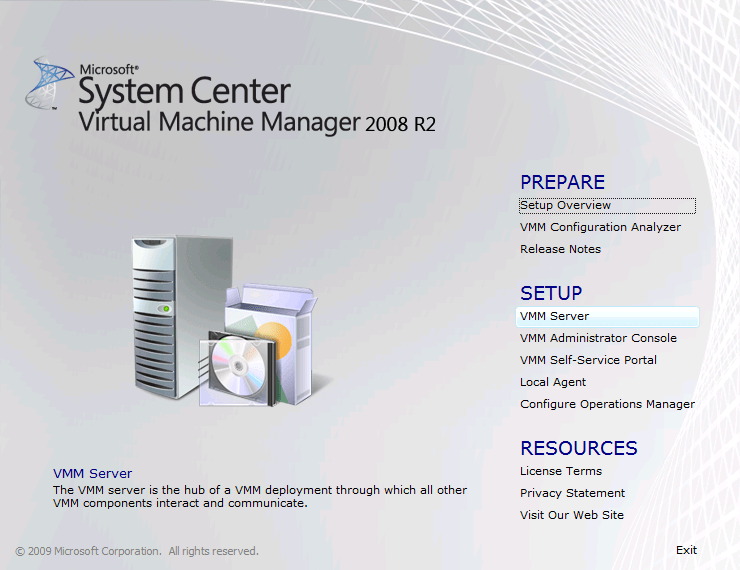
Run the setup.exe and click setup VMM Server or any other component you need to upgrade. If you click VMM server it will detect other components as well.

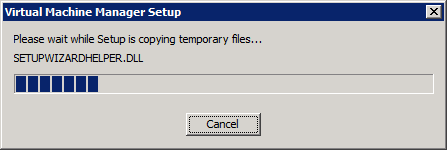
The installation files are extracted …

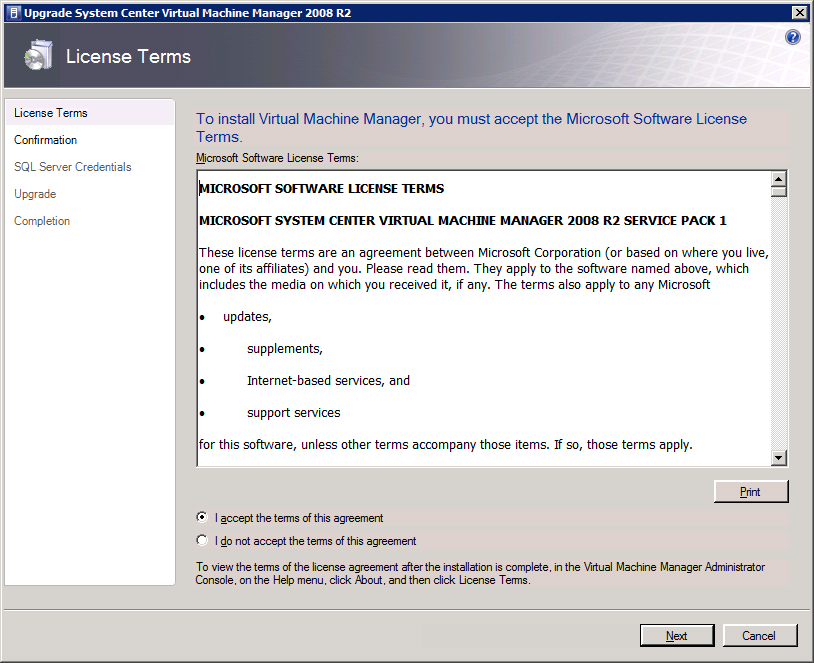
Accept the license agreement and click next

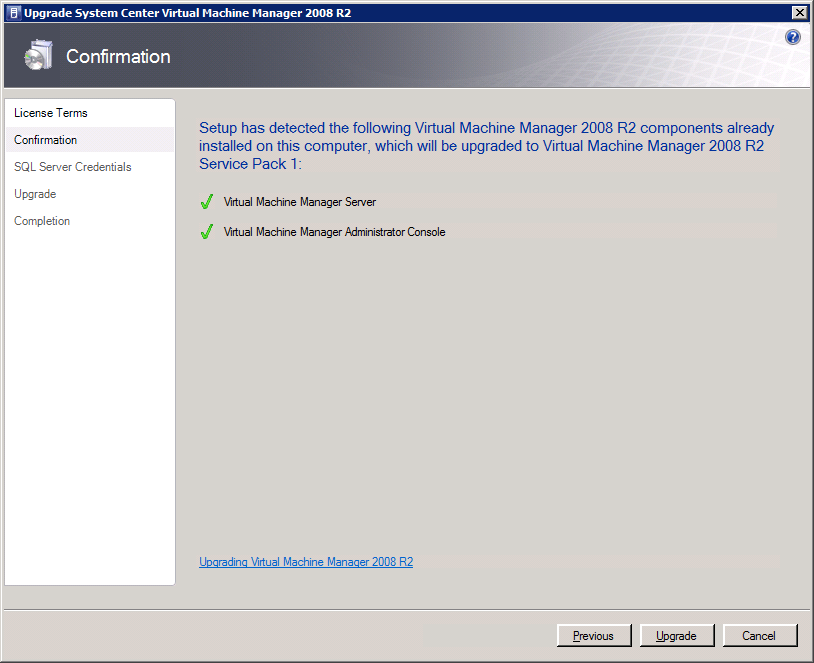
As you can see it detected that I’m also running the Virtual Machine Manager Administration Console. Click on ‘Upgrade” to continue.

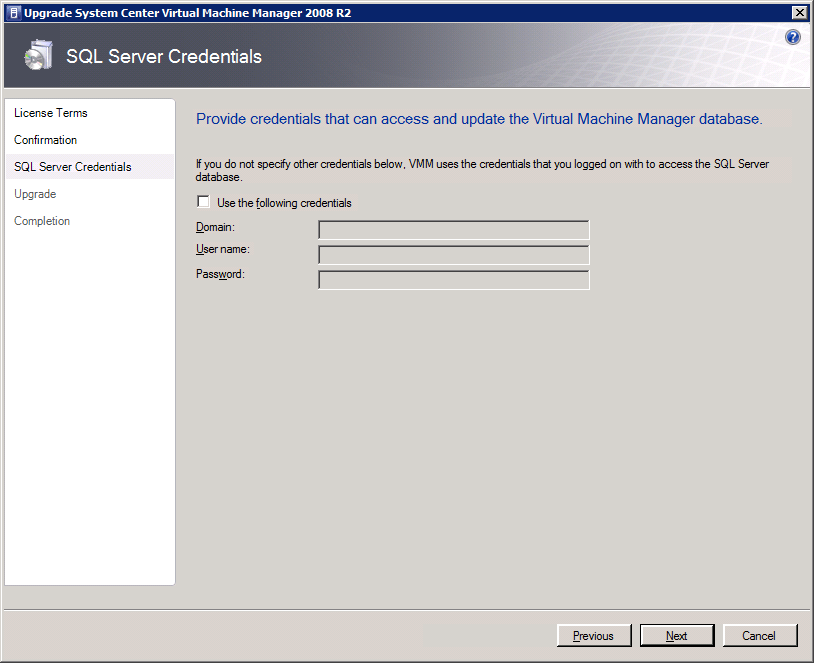
If the account you’re using doesn’t have the needed SQL Server permissions you can provide alternate credentials that do have those. Click “Next” to continue.

It will then upgrade all detected components one by one ….

… until you reach the Completion form. That’s it you’re done.

You have to go through this process for all servers where you have Virtual Machine Manager components installed to complete the entire upgrade. When you have you can now configure Dynamic Memory from your SCVNN administrator Console.  Nice