In place upgrade of RD Gateway farm nodes to Windows Server 2016 removes the Loopback adapter for UDP load balancing

Here’s a quick heads up to anyone who’s involved in upgrading existing Windows Server 2012 (R2) RD Gateway farms to Windows Server 2016.

In my recent experiences the in place upgrade (VMs) works rather well. Just make sure the netlogon service is set to automatic (a know issue and a fix is coming) after you upgrade and install all updates. Also make sure that you don’t have this issue

Windows Time Service settings are not preserved during an in-place upgrade to Windows Server 2016 or Windows 10 Version 1607

There is however one networks specific issue specific you’ll need to deal with when leveraging UDP with a load balancer via Direct Server Return.

When you have a RD Gateway farm you load balance it with a (preferably high available) load balancer like a Kemp Loadmaster. I have described this in these blogs/videos Load balancing Hyper-V Workloads With High To Continuous Availability With a KEMP Loadmaster and Quick Demo Video Of Site Failover With KEMP Loadmaster Global Balancing

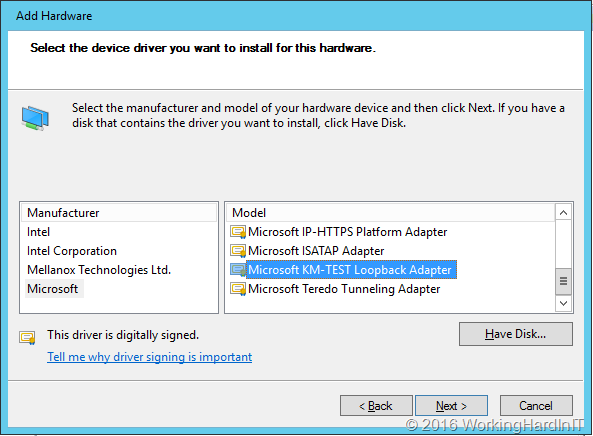
What you also do is load balance both HTTPS (TCP, port 443) and UDP (port 3391). For UDP we use Direct Server Return ((DSR) as described in my blog post Load balancing UDP for a RD Gateway farm with a KEMP Loadmaster. This requires a properly configured loopback adapter.
image

During the in place upgrade to Windows Server 2016 this loopback adapter is removed form the nodes. So you need to add it back just a described in my original blog post. Normally it will find the settings for it in the registry but it’s bets you check it all out as I’ve found that the loopback adapter did have “Register this connection”s address in DNS” enabled as well as NETBIOS over TCP/IP. So, per my blog post, check it all to make sure. Other than that, after installing all the Windows Server 2016 updates all works smoothly after an in place upgrade.

Hope this helps someone out there!
Kick start ADFS when your self- signed certificates have expired already

I recently had to do some lab work on a Windows Server 2012 R2 ADFS farm to prep for a migration to Windows Server 2016.  Due to some storage shortage and some upgrades and migrations (all hardware in the lab runs Windows Server 2016) I had parked my Windows Server 2012 R2 ADFS farm offline.

So when I copied them back to my cluster and imported them I knew I had to make sure the domain was OK. This is easy enough, just run:

Reset-ComputerMachinePassword [-Credential Mydomain\bigadmin -Server MyDC01

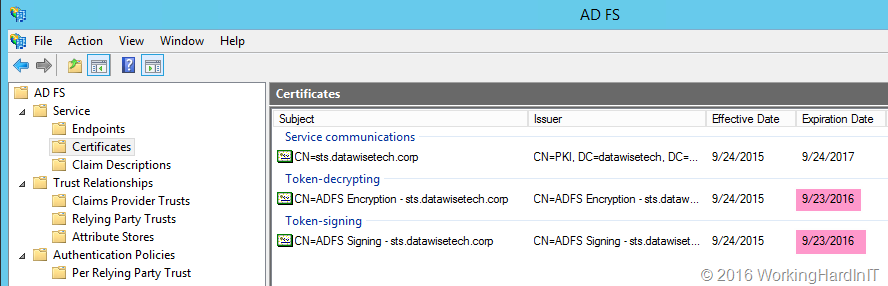
That worked like a charm and soon enough my 2 VMs where up an running happily in the domain. I did have some issues however. My AFDS servers had been of line long enough before the expiration of the token-decrypting and the token-signing certificates to not yet have generate the new certificates for auto renewal and long enough to have them expire already. Darn!

image

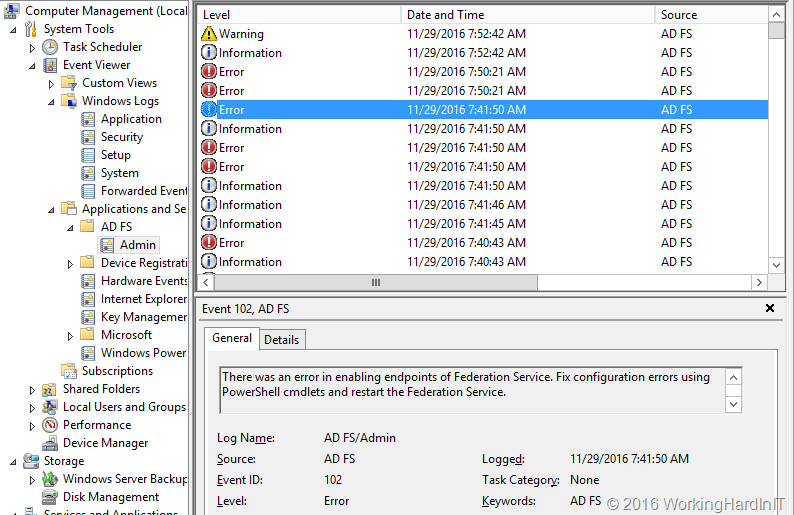
The result was a bunch of errors in the event log as you might expect and appreciate.

image

An error occurred during an attempt to build the certificate chain for configuration certificate identified by thumbprint ’26AFDC4A226D2605955BF6F844F0866C14B1E82B’. Possible causes are that the certificate has been revoked or certificate is not within its validity period.
The following errors occurred while building the certificate chain: 
MSIS2013: A required certificate is not within its validity period when verifying against the current system clock.

But this also raised the question on how to get the ADFS servers back in a working condition. Normally these are generated automatically close to the expiration date of your existing certs (or at the critical threshold you configured). So I disabled / re-enabled auto certificate rollover but does actually does it even kick in if you have already expired? That I don’t know and I really had no time to wait hours or days to see what happens.

Luckily there is a command you can issue to renew the certificates immediately. This is the same command you can use when you have disabled auto rollover and need it re-enabled. That works normally after some patience.

Update-AdfsCertificate -Urgent

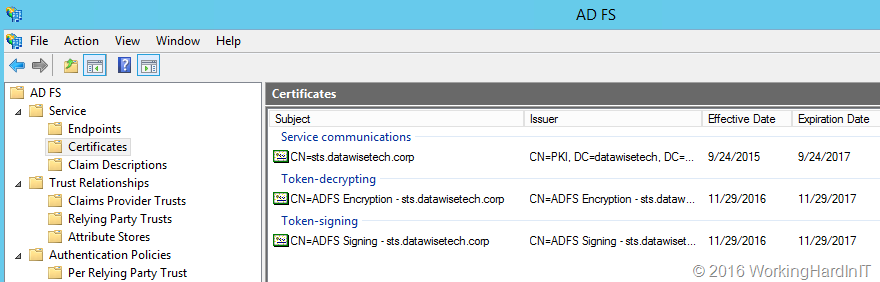
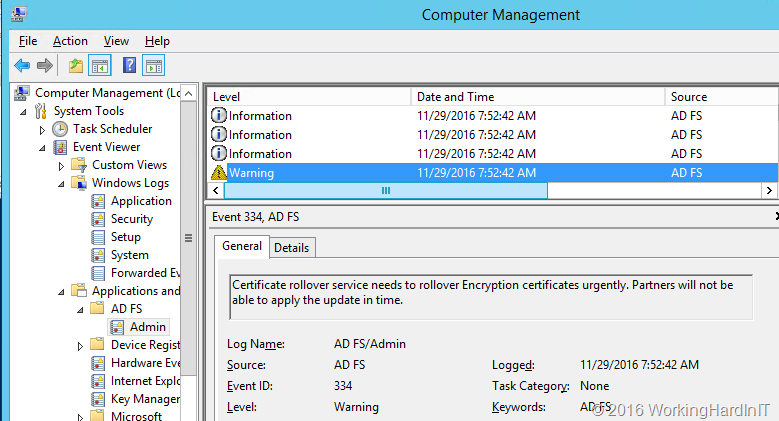
The result was immediate, the self signing certs were renewed.

image

And we can see this in the various entries in the event log

image

Do note that this command will cause a disruption of the service with your partners until they have refreshed the information from your federation metadata – or in the case this isn’t or can’t be leveraged, manually updated. In my case I had a “service down” situation anyway, but in normal conditions you’d plan this and follow the normal procedure you have in place with any partner that need your ADFS Services.