Inroduction
We will discuss the ridiculous decisions some bean-counting managers make when migrating their aging, small VMware deployments to the excellent, affordable Hyper-V solution, especially in a Microsoft ecosystem. I’d call it “FinOps gone wrong,” but it’s really a mix of stupidity, extreme bean-counting, and a lack of knowledge about a process they clearly shouldn’t influence. In other words, incompetence.
Everyone knows the reasons why these migrations happen. Customers do not appreciate being squeezed out like a lemon by a company that doesn’t respect their business and would rather you leave.
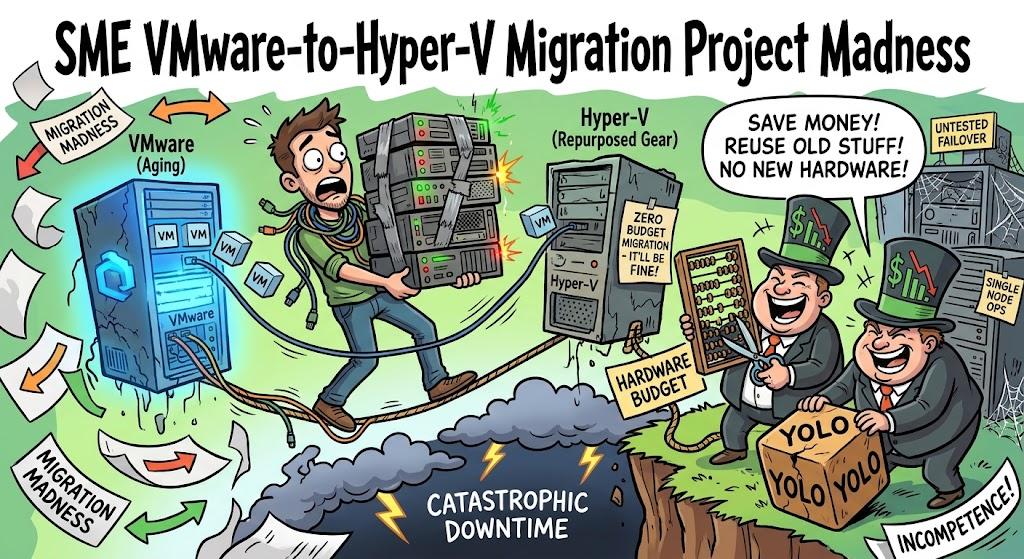
Let’s talk about a classic IT horror story. Management reads an article, looks at licensing costs, gets spooked by vendor changes, or, in Broadcom’s case, insulted and exploited. So they decide: “We’re migrating off VMware to Hyper-V. It’ll be easy, right? And hey, we don’t need to buy new hardware. We can repurpose the existing gear or squeeze it onto whatever’s lying around the server room.”
Stop right there. Hyper-V is a rock-solid hypervisor, and if you’re willing to leave the vCenter reservation behind, you will find it a flexible, capable solution. That is not the problem.
If you are planning a migration from VMware ESXi to Microsoft Hyper-V and management’s strategy can be summed up as “do it with what we already have; we are too cheap to buy spare or new hardware,” you are essentially being asked to defuse a bomb while blindfolded in a dark room because the exponentially safer approach will cost us some extra money. They are willing to risk their reputation, yours, and the livelihoods of their customers or business.
Why is this a bad idea
Let’s break down why trying to pull off a cluster migration on a shoestring hardware budget is a disaster waiting to happen, focusing on the twin horsemen of the infrastructure apocalypse: Single Node Ops and Untested Failover Clustering.
A high availability cluster must achieve its goal by providing redundancy and failover. You size them, configure them, and test them for that. Sizing is usually N-X (N-1, N-2, N-3) setups, depending on your cluster size and how many clusters you have. If you have multiple clusters and N-2, you might be able to carve out enough hardware without adding much risk to set up a new Hyper-V cluster. The bare minimum is two nodes if you want to validate and test your cluster and backups before taking it into production. If your idea is to leverage backups to save your proverbial behind, that is cool if you know they are good and you can restore, but it will hit hard because of downtime. This is not your best shot, A-game proposal. To add insult to injury, teams often make these decisions in 2-node clusters, where you can’t pull spare hardware from a larger pool. That option does not exist.
Penny Wise, Pound Foolish
In an ideal world, a migration project looks like this:
- Build a shiny new target cluster (Hyper-V).
- Thoroughly validate storage, networking, and cluster health.
- Set up backups, test them, and recover test workloads.
- Perform various failover scenario testing to validate your tests and assumptions. Shut down a controller, unplug a switch, a server node, etc.
- Migrate workloads gracefully over time.
- Decommission the old environment.
In the real world, way too often the following idea comes up: “Can’t you just wipe Node A of the old cluster, install Windows Server / Hyper-V on it, move a few VMs over, and repeat?”
No! Unless this is the only option left, outside of anything you can control, and your business is toast if you don’t, there is no sane reason to take these risks.
When you have zero spare hardware, you lose the single most important safety net in enterprise IT: headroom. You have no staging ground, no sandbox to test quirks, and no buffer when things inevitably go sideways during conversion.
The Danger of Single Node Operations
When management refuses to buy adequate hardware for a transition, you are forced into Single Node Operations right out of the gate. That is supported for last-man-standing scenarios, but it is NOT healthy, and you should not use it where it is not intended.
- Where is your High Availability? A cluster requires a quorum. If you are stripping down nodes or running on a minimal configuration because you don’t have enough physical hosts to maintain N+1 redundancy during the migration phase, you aren’t running a cluster—you’re running a series of single points of failure duct-taped together.
- The Resource Ceiling: Hyper-V and Failover Clustering are fantastic, but they aren’t magic. If you dump a massive chunk of your migrated workloads onto a single node because the rest of the target cluster hardware hasn’t arrived (or never will), you saturate memory, CPU queues, and IOPS. Maybe you are “lucky” and have enough headroom, but you still shouldn’t bet on it.
- The Domino Effect: If that single overloaded node hiccups, crashes, or hits a resource exhaustion wall, your entire migrated workload goes down with it. There’s no automatic failover because the secondary node is either empty, unconfigured, or nonexistent.
Skipping Failover Clustering Validation and Other Checks Before Cutover
Hyper-V relies heavily on Failover Clustering for high availability, live migration, and resilient storage architectures (like Cluster Shared Volumes – CSVs). Setting up a rock-solid cluster requires rigorous pre-flight validation.
Normally, you run the built-in Cluster Validation Wizard to check storage, networking, drivers, and quorum configuration. Then test real-world failure scenarios before signing off on the production deployment. But when you are rushing a zero-budget migration under immense pressure, corners get cut:
- Untested Storage Paths: Are your CSVs performing under load? Do you have proper multipathing (MPIO) configured, or is every I/O operation bottlenecked down a single sluggish path because nobody wanted to buy proper redundant switches or HBAs? You won’t find out until production hits it.
- Network Partition Risks Live Migration: Live migration requires robust, dedicated cluster networks (ideally SMB Direct/RDMA or high-speed dedicated VLANs). On repurposed, constrained hardware, you’re often fighting for every megabit of bandwidth. Without proper validation testing, a live migration can easily stall, drop packets, or split-brain your cluster.
- The Backup Fall-Safe Illusion: If you are skipping staging hardware and banking entirely on backups to bail you out if the migration craters, you better have verified those restores beforehand—otherwise, relying on cold backups mid-crisis will hammer the business with massive downtime.
- The “Cutover and Pray” Methodology: Because there’s no spare hardware to run a parallel pilot, the cutover becomes a high-stakes, all-or-nothing event. You flip the switch, cross your fingers, and hope that the cluster validation errors you ignored don’t come back to bite you at 2:00 AM. Spoiler alert: they will.
- To complete your migration, you need to flatten the remaining nodes, convert them to a cluster node, and add them to the new Hyper-V clusters. You have introduced risk into your existing solution, introduced risk into your new solution, and then created even more risk by wiping the remaining node(s) of the old solution.
The Bottom Line
Infrastructure migrations are complex enough when you do have the right tools, proper hardware headroom, and adequate time. Stripping away the hardware budget doesn’t save the company money. It defers the cost, trading upfront capital expenditure for a high risk of catastrophic downtime, burned-out sysadmins, emergency consulting fees, potential disaster recovery, reputational damage, and economic loss.
If management tells you to migrate a mission-critical VMware environment to Hyper-V with zero budget for new or spare hardware, show them the math on what a few hours of total downtime costs the business. Because sooner or later, running a cluster on a shoestring budget is going to snap. YOLO managers have no business making decisions about such technical matters. But economic risk management should be their business, and one would hope they don’t choose such a bad approach. Alas, I have heard and seen it way more than I would like to.